
Group control
Audience: anyone running several cloud phones at once. Prerequisite: the phones taking part must be Running. Path: Cloud Phones → My Phones → Group Control.
Group control exists to kill repetition: the same sequence of actions performed on dozens of phones. Turn it on and whatever you do on the master is mirrored to every selected phone.
1. Getting in
Tick the phones you want in My Phones. The Group Control button lights up with a count; click it.
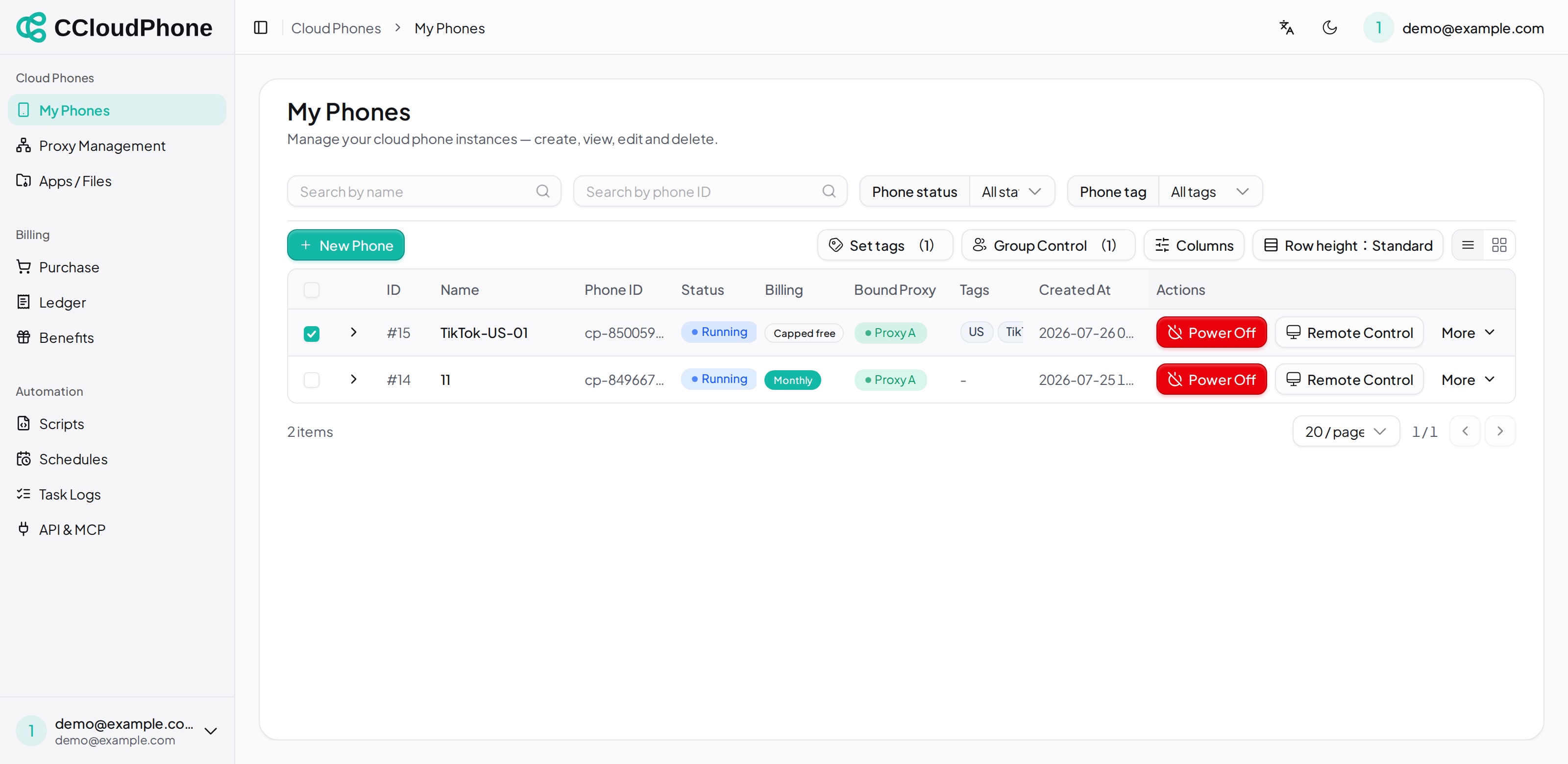
A few things to know:
- Selection accumulates across pages — paging does not clear what you already ticked.
- Powered-off phones are skipped automatically, with "Skipped N powered-off phone(s)".
- If none of the selected phones are running, you are stopped with "Cannot start group control / All selected phones are powered off. Power them on first."
Clicking through opens a separate window.
2. What the master is
The top of the group-control window says: "Click any phone to set it as master; its actions sync to all".
- Master: the phone you are actually operating. Taps and keystrokes happen on it.
- Followers: the other selected phones, replaying the master's actions.
The header also has:
| Control | What it does |
|---|---|
| Size | Zooms the tiles so you fit more on screen, or see them larger |
| Focus master | Enlarges the master tile for precise work |
| Select all / Deselect all | Ticks or unticks "include in group control" on every tile |
| Selected n/m | How many phones are currently following the master |
Each tile has an Include in group control checkbox: ticked phones follow the master, unticked ones only display. A tile whose phone is off reads "Powered off"; an abnormal one reads "Unavailable (status)".
3. What actually syncs
| Action | Scope |
|---|---|
| Taps and swipes on screen | The master's actions replay on every participating phone |
Typing and Ctrl+V paste |
Broadcast to every participating phone |
Ctrl+C clipboard read |
Master only |
| Keys (Back / Home / Recents / volume / power / mute) | All |
| Display settings (resolution / quality / FPS) | All — "Applies to all phones (each reconnects)." |
| App install / uninstall | Broadcast to all. Uninstall warns "Uninstall '{name}' from all N devices (skips those without it)?" and reports back as "ok/total devices" |
| Screenshot | Choose the scope: master only, or capture every phone and download them ("Captured & downloaded N screenshots") |
| File upload / delete | Group scope |
| File browse / download | Master only — "View & download master files; upload & delete apply to all" |
| New Device | All, with the confirmation "Reset all N phones to new devices? Data will be wiped and systems reinstalled." |
A few features are unavailable in group control and say so ("Not available in group control mode") — anything that needs per-device confirmation, such as camera injection, belongs in single-phone remote control.
4. Working suggestions
- Group your phones with tags first, filter by tag before entering group control, and drive one group at a time rather than dragging unrelated phones in.
- With many phones, shrink Size first and confirm every tile has connected before you start doing anything.
- Steps that need different input per phone — signing into different accounts, say — are not a fit for group control. Do those individually and use group control for the shared steps.
- New Device wipes everything. Before running it under group control, double-check exactly which phones are ticked.
5. Next
Last updated: Jul 26, 2026