
Enabling and disabling ADB
Audience: developers and automation users who want to reach the phone over
adb. Prerequisites: the phone is Running, and you have Android SDK Platform Tools installed locally (which providesadb). Path: Cloud Phones → My Phones → More → ADB.
1. Opening the ADB panel
Go to Cloud Phones → My Phones, open More on the phone and click ADB. A drawer slides in from the right.
It starts Disabled:
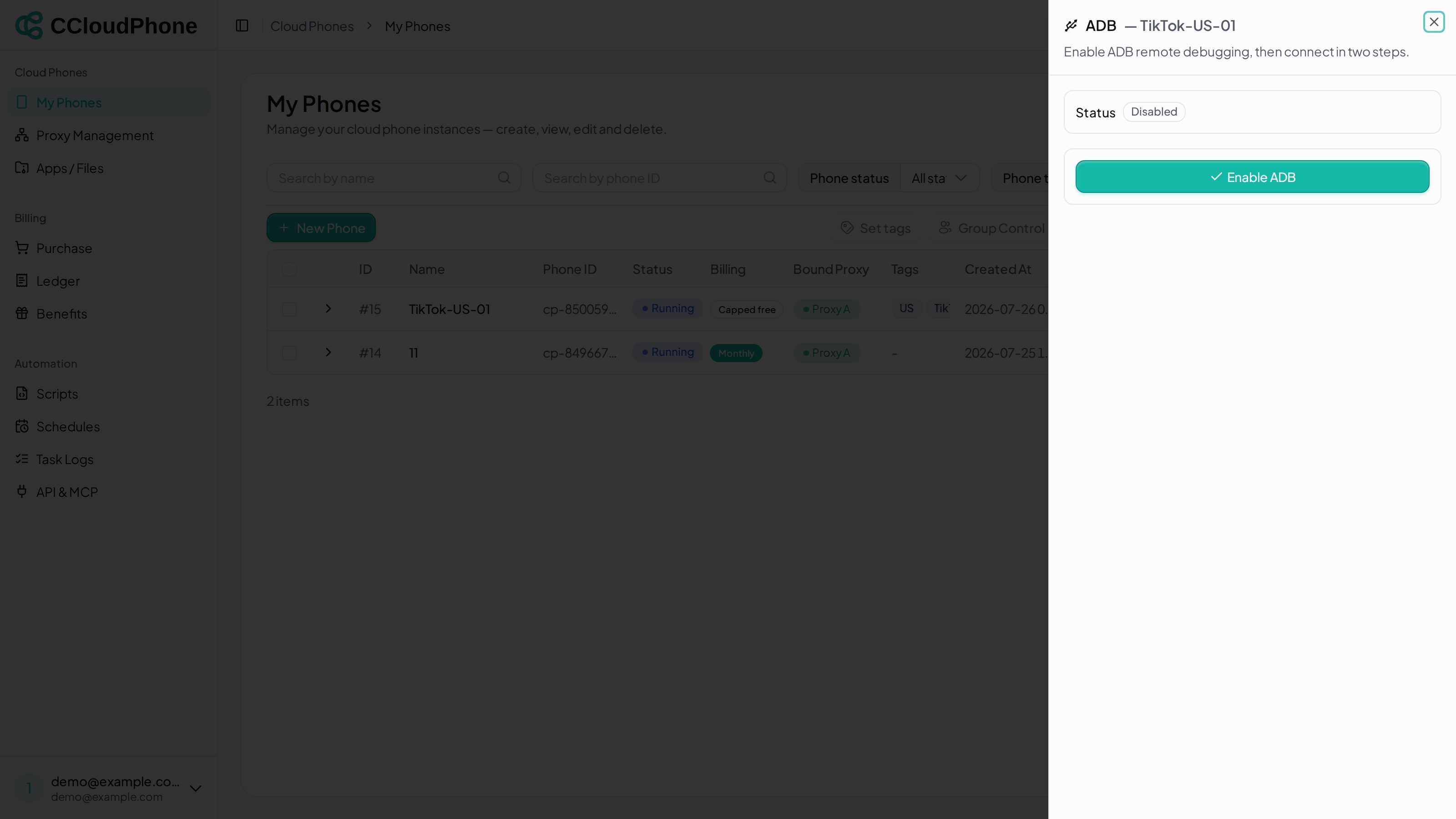
Like the other device actions, this entry only appears while the phone is Running.
2. Enabling and connecting
Click Enable ADB. You get "ADB enabled" and the panel expands with everything you need:
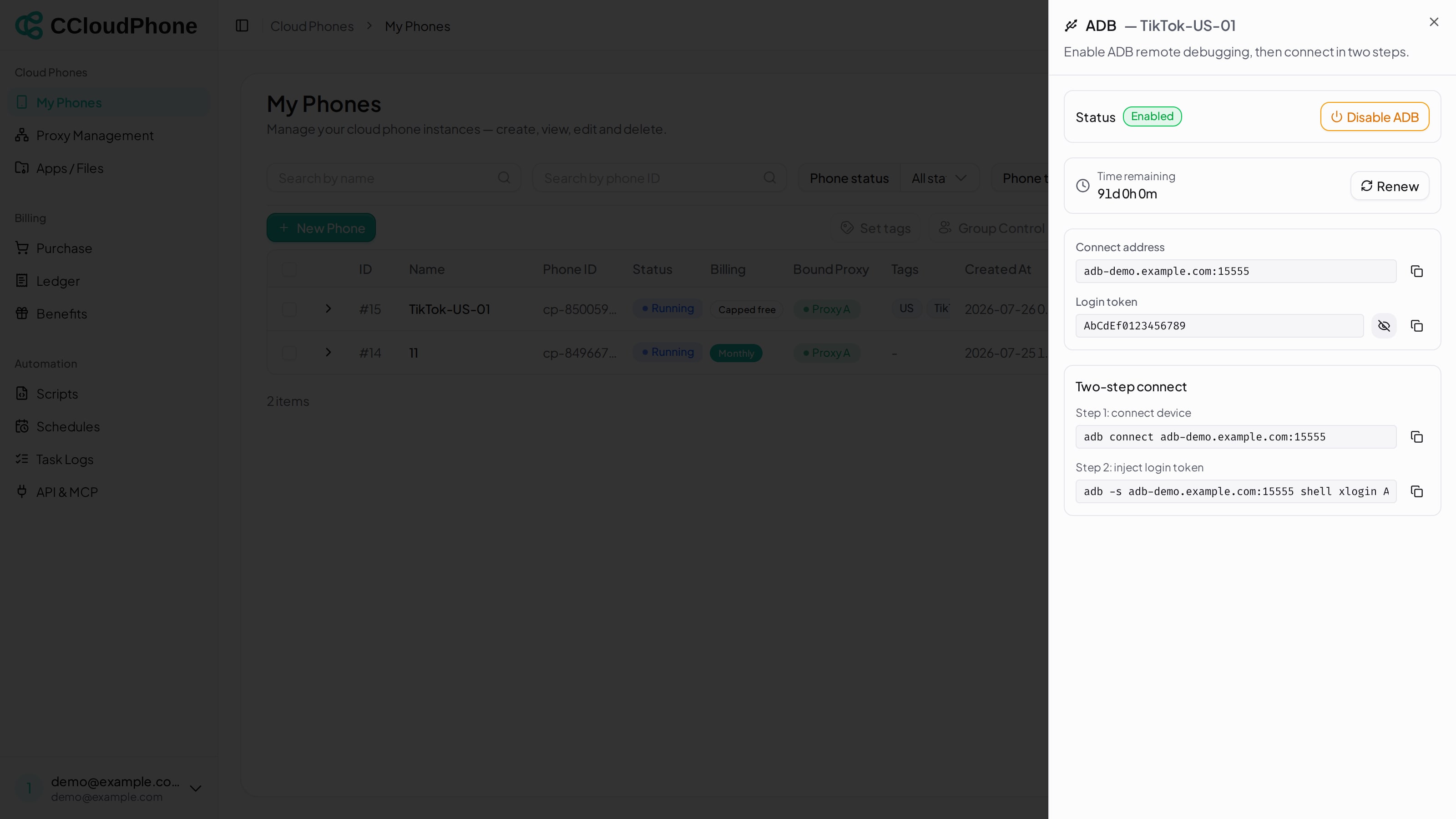
Four blocks:
| Block | Notes |
|---|---|
| Time remaining | How long this ADB authorisation still has, counting down. Once past it reads "Expired, please renew" |
| Connect address | A domain:port for adb connect |
| Login token | The credential to inject. Masked by default — click the eye to reveal |
| Two-step connect | Both commands pre-assembled; the icon on the right copies them |
Run both steps — neither is optional:
# Step 1: connect device
adb connect <connect address>

# Step 2: inject login token
adb -s <connect address> shell xlogin <login token>
Both commands already contain your real values in the panel; copy them rather than retyping.
Step 2 is what actually takes control — step 1 on its own will not get you a working connection.
The address and token in the screenshot are placeholders. Copy your own from the panel; do not type what you see here.
3. Renewing
An ADB authorisation has a lifetime, configured centrally — there is nothing for you to fill in. Time remaining counts down; click Renew next to it as it gets low and you get "Renewed" with the clock pushed back out.
An expired one reads "Expired, please renew" and the same Renew button revives it.
4. Disabling
Click Disable ADB. You are asked to confirm: "Disabling will drop all ADB connections. Continue?". After confirming you get "ADB disabled" and the panel drops back to a single Enable ADB button.
5. A note on security
The login token is equivalent to debug access to that cloud phone — whoever holds it can take the device over. So:
- Never paste the token into a chat, a document or a screenshot.
- Disable it when you are done. Clicking Disable ADB is safer than letting it sit until it expires.
- If you suspect it leaked, hit Disable ADB first — that revokes the current token and drops every connection — then enable it again for a fresh one.
6. Next
Last updated: Jul 26, 2026