
What Is a Cloud Phone? Key Differences from a Real Phone Explained
What Is a Cloud Phone?
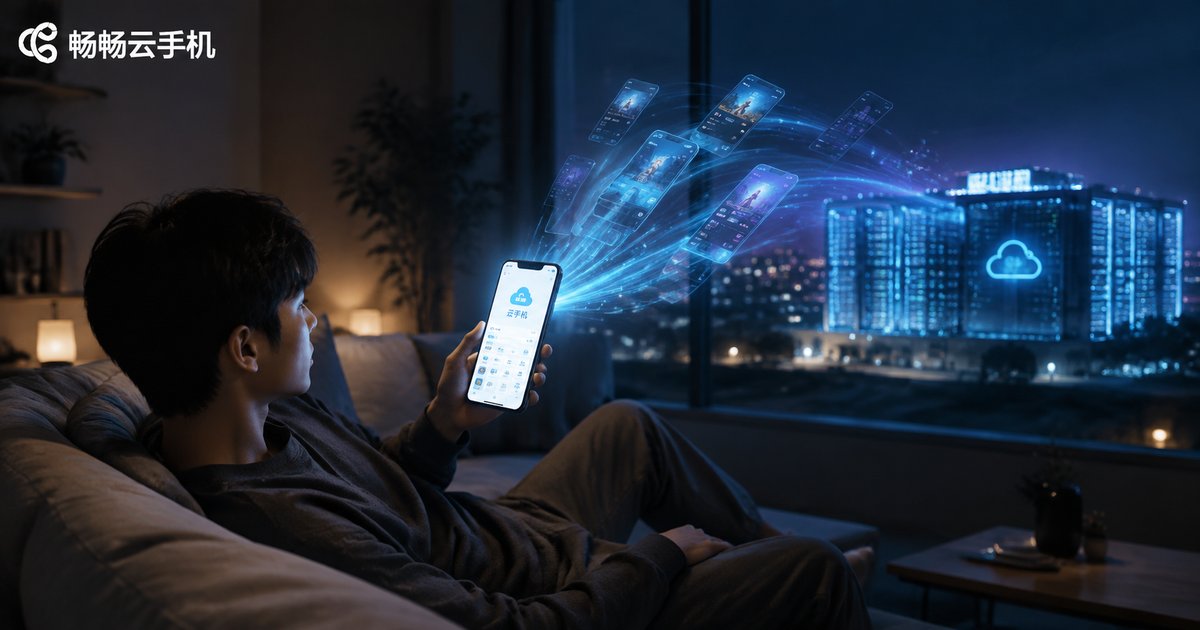
Simply put, a cloud phone is a “virtual smartphone” running on remote cloud servers. It's not a physical device in your hand — it's a complete Android system virtualized in a remote data center through cloud computing. You just open an app or web page on your local phone, tablet, or computer to remotely control this “phone living in the cloud,” and the experience is nearly identical to a real device.
All the apps, accounts, and data in a cloud phone are stored in the cloud and stay online 24/7, without taking up any storage or battery on your local device. In other words, your phone is just a “monitor + remote controller,” while the phone doing the real work sits in a data center far away.
How Does a Cloud Phone Work?
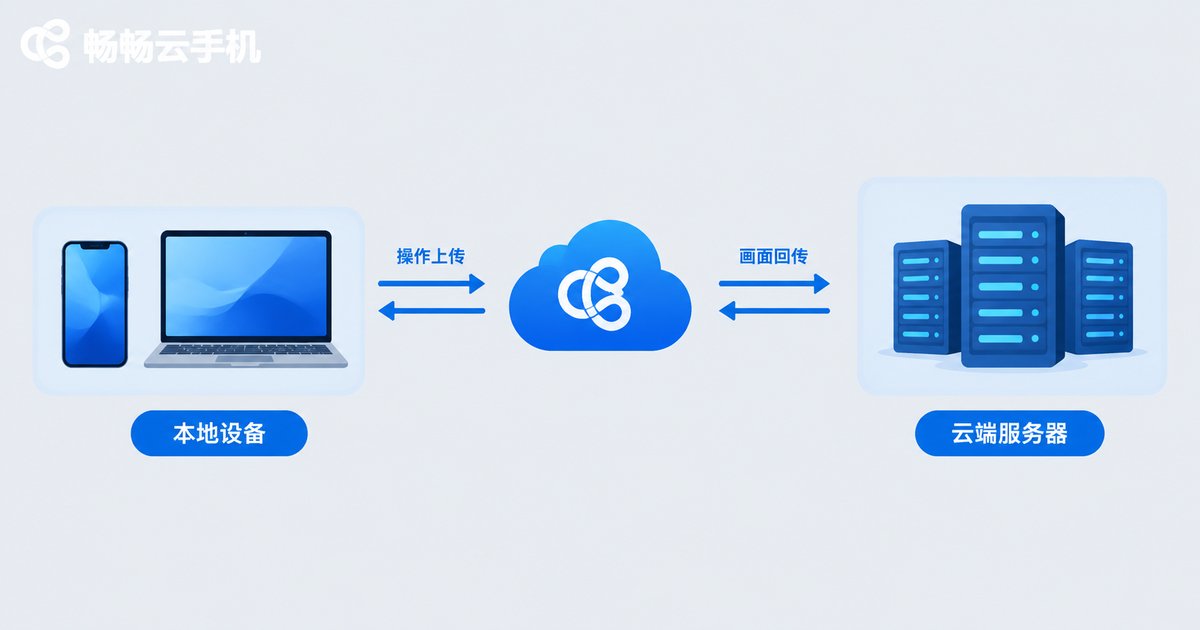
The core principle can be summarized in one phrase: run in the cloud, stream to your screen. Here's the process:
1. Massive virtual Android instances run in cloud data centers, each one being an independent cloud phone;
2. Your taps and swipes on the local screen are transmitted to the cloud in real time;
3. The cloud executes the operations and streams the screen back to your display instantly.
The latency is extremely low — you can barely notice any difference from a real phone in daily use. And since all computing and storage happen in the cloud, even an old, low-spec phone can smoothly control a cloud phone.
Key Differences Between a Cloud Phone and a Real Phone
Now that you understand the principle, here's a comparison table that lays out the differences clearly:
| Dimension | Cloud Phone | Real Phone |
|---|---|---|
| Where it runs | Cloud servers | Local physical device |
| Battery & heat | No local battery drain, no heat | Continuous drain, heats under load |
| 24/7 online | Natively supported; keeps running even when your local device is off | Must stay powered on and connected |
| Storage | Data in the cloud, no local space used | Occupies local storage |
| Multi-instance | Run multiple cloud phones at once | Hardware-limited, usually one |
| Data security | Cloud data unaffected if local device is lost | Data may leak if device is lost |
| Cost | Subscribe as needed, no new device purchase | Buy the whole device, higher cost |
In one sentence: a real phone means “the device is in your hand,” while a cloud phone means “the device is in the cloud, but the control is in your hand.”
Who Should Use a Cloud Phone?
Mobile gamers: AFK farming and multi-account leveling. Cloud phones stay online 24/7 without draining your battery, so your local phone stays free for everything else.
Social media managers: Managing multiple platform accounts at once. Each cloud phone runs in an independent environment with no interference.
E-commerce sellers: Multi-store operations and customer service with independent device environments for more efficient management.
Developers and testers: Testing apps across different Android environments. Cloud phones let you quickly create and destroy test environments, saving the cost of physical devices.
Privacy-conscious users: Completely separate work accounts from personal accounts without interference.
Want to Try a Cloud Phone? We Recommend ChangChang Cloud Phone
If you'd like to experience it yourself, consider ChangChang Cloud Phone (ccloudphone). It provides cloud Android instances with support for running multiple cloud phones simultaneously, delivering smooth and stable screen streaming. Whether you want game AFK, multi-account management, or app testing, you can visit the official website to explore detailed features and choose the plan that suits you best.
FAQ
Q: Does a cloud phone need a SIM card?
No. Cloud phones run on cloud servers and work through internet connections — physical SIM cards are not involved.
Q: Will a cloud phone lag?
Smoothness depends on the cloud server configuration and network quality. With a reputable provider and a stable network, the daily experience is basically the same as a real phone.
Q: Is cloud phone data safe?
Data is stored on cloud servers, so losing or damaging your local device doesn't affect it. Choose a reputable provider and manage your account passwords carefully.
Q: How many cloud phones can one local device control?
Multiple — the number depends on how many cloud phones you've activated. Your local device only displays the screen, so the performance pressure is minimal.
Q: What's the difference between a cloud phone and an emulator?
Emulators run on your local computer, consuming local resources, and are easily detected as non-real-device environments by apps; cloud phones run on real server clusters with an environment much closer to a real device, offering better compatibility and stability.


