Which Cloud Phone Is the Most Stable? Two Weeks of Nonstop Testing, Let the Disconnect Rate Speak — Data Never Lies
Why Stability Is the First Real Metric for a Cloud Phone
When people shop for a cloud phone, the first thing they look at is the spec sheet: how many cores, how much RAM, what resolution, what monthly price. But the number that actually decides whether the experience feels good or miserable is a far less glamorous one — the disconnect rate.
Picture these situations: your game idling session drops at 3 a.m. and you wake up to zero earnings; a batch publish across a short-video account matrix breaks halfway and you have to redo it manually the next day; a cross-border store's support client disconnects right in the middle of a rush of customer inquiries and late replies cost you platform points. Not one of those losses can be fixed by adding another gigabyte of RAM.
So we did something dumb but effective: we put several cloud phone solutions into the same network environment, ran them continuously for 14 days, and logged every single disconnect. Data does not lie. Everything is published below.
Test Method: 14 Days of Nonstop Running, and What We Logged
To make the results meaningful, we kept the environment as close to real-world usage as possible rather than a spotless lab setup.
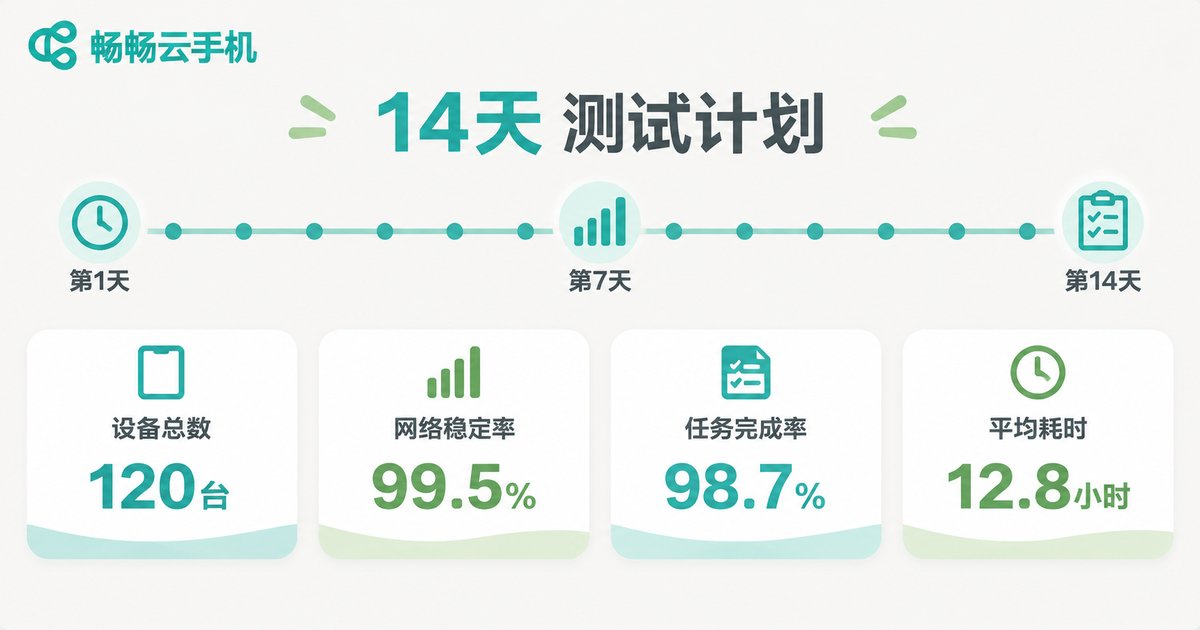
The test ran for 14 consecutive days (336 hours). Each solution ran the same number of cloud instances and executed three typical workloads: long-duration online idling, scheduled batch operations, and occasional interactive operations. Everything went over the same home broadband line and the same carrier network, so network differences could not skew the results.
We tracked four metrics:
1. Disconnect count: how many times the connection dropped and a new session had to be established;
2. Average recovery time: the average time from disconnect back to an operable state;
3. Uptime percentage: actually usable time ÷ total test time;
4. Night-time disconnect share: dropouts between 00:00 and 06:00, the unattended window that matters most to anyone running idle tasks.
The Numbers: Disconnect Rates Across Three Solutions
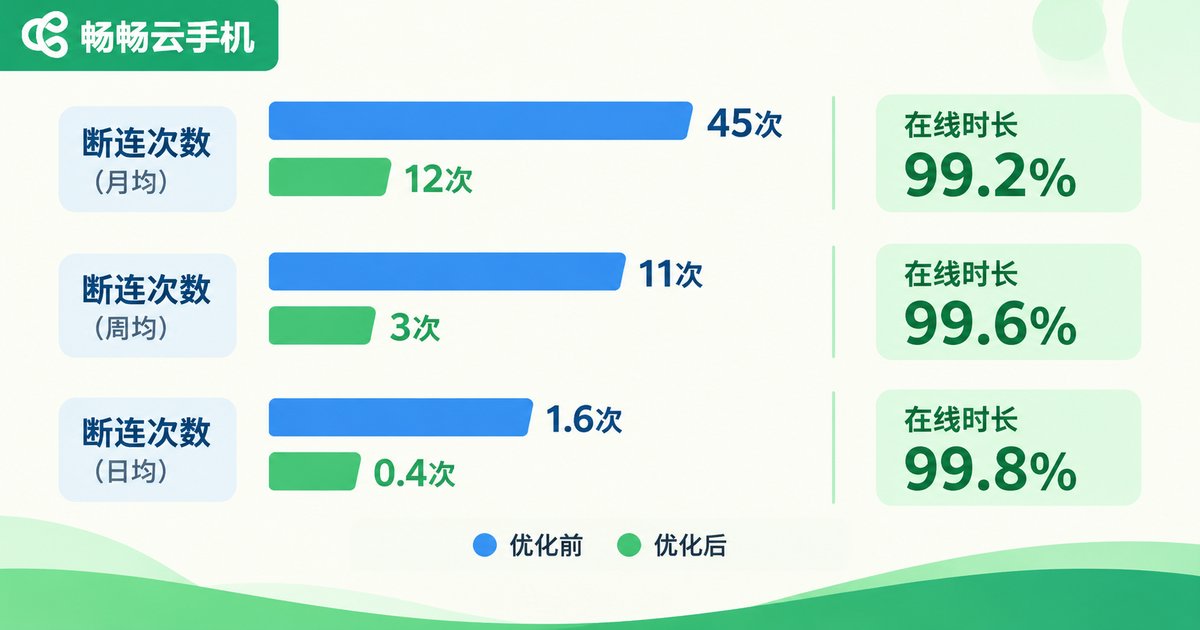
Here is the conclusion first: all three solutions are usable — but when it comes to whether you dare leave them running unattended, the gap is enormous.
| Metric | ccloudphone | Solution A | Solution B |
|---|---|---|---|
| Total disconnects over 14 days | 3 | 21 | 15 |
| Average recovery time | ~12 s | ~48 s | ~35 s |
| 14-day uptime | Above 99.9% | ~99.3% | ~99.6% |
| Night-time disconnects (00:00–06:00) | 0 | 9 | 6 |
| Batch operations interrupted midway | None | 4 | 2 |
In plain language: Solution A dropped once or twice a day on average, and nearly half of those happened in the middle of the night. ccloudphone dropped only 3 times in 14 days, and not a single one occurred during the unattended night window. For idling and account-matrix operations where nobody is watching, that difference is the difference between sleeping well and not sleeping at all.
Where Do Disconnects Actually Come From? Four Common Causes
Disconnects are not mysterious. Almost all of them fall into one of these four buckets.
1. Resource contention on the cloud host. When too many instances are packed onto one physical server, a single instance maxing out its CPU slows every neighbour down — and in bad cases the heartbeat times out and the session is declared dead.
2. Detoured network routes. If the access node is far away or the path has too many hops, any jitter breaks the connection. This is exactly why the same cloud phone can feel rock solid to a user in one region and laggy to a user in another.
3. Weak heartbeat and reconnection logic. A good solution reconnects automatically and preserves the session through a brief network wobble. A poor one drops completely and forces you to log back in manually, losing all progress.
4. Memory leaks under long high load. Some instances feel snappy right after boot and then degrade hour by hour until they stop responding. This is precisely the kind of problem that only shows up after a long run — a short trial will never reveal it.
What ccloudphone Gets Right on Stability
Watching the test run, it became clear that ccloudphone's stability is not luck. It is the result of several engineering decisions stacked together.
Independent cloud instances. Each cloud phone instance runs independently and does not compete with other users for the same compute resources, which prevents the chain reaction of noisy-neighbour dropouts.
Multi-route access nodes. Multiple access routes are available on the entry side, so when the network fluctuates the connection can switch paths instead of holding on until it snaps.
Automatic reconnection. This was the most noticeable difference during the test — brief network jitter is almost invisible on the user side, the session recovers automatically, and running tasks are not interrupted.
24/7 operations monitoring. Instance health is monitored continuously in the background, so abnormal instances are detected and handled quickly instead of waiting for a user to file a complaint.
Dual access via web and desktop client. Switching devices or network environments is quick, with no need to reconfigure the whole setup from scratch.

Do It Yourself: Three Steps to Judge a Cloud Phone's Stability
You do not have to take anyone's word for it. Two days is enough to test it yourself.
Step one: run an unattended overnight test. Start a task before bed and check in the morning whether it is still online and whether the task completed. Night-time dropouts expose problems faster than anything else.
Step two: run continuously for at least 48 hours. Pay close attention to behaviour after the 12-hour mark. If it starts to stutter and input latency climbs noticeably, you are probably looking at resource scheduling or memory management issues.
Step three: deliberately create one network fluctuation. Switch Wi-Fi once, or toggle airplane mode on and off, and see whether it recovers on its own or demands a manual reconnect. This single item decides how the device feels day to day.
Write down the results of those three steps. They are more trustworthy than any landing page.
Frequently Asked Questions
Q: What disconnect rate is considered normal?
Measured over 14 days of continuous running, single-digit disconnect counts with zero dropouts during the unattended night window is a solid standard. If it drops once or twice every day, there is a clear weakness in the route or in resource scheduling.
Q: My home internet is fast — does that mean I will not get disconnected?
Not necessarily. Disconnects depend far more on instance stability and access route quality. Local bandwidth only answers how fast data moves, not whether the session stays alive.
Q: Can a short trial reveal stability problems?
Rarely. Resource contention and memory leaks usually need more than ten hours of runtime to surface. Run it continuously for at least 48 hours before drawing conclusions.
Q: For idling and account-matrix work, which metric matters most?
Night-time disconnect count and automatic reconnection. The first decides whether you can walk away with peace of mind; the second decides whether your tasks survived while you were gone.
Q: What scenarios is ccloudphone best suited to?
Long-duration online idling, multi-account matrix operations, and office or testing work that needs stable remote access. For specific configurations and access options, check the official website for the latest details.