
What Is a Cloud Phone: Core Concepts, Common Uses, and Who It Suits
What Is a Cloud Phone? The Core Concept in One Sentence
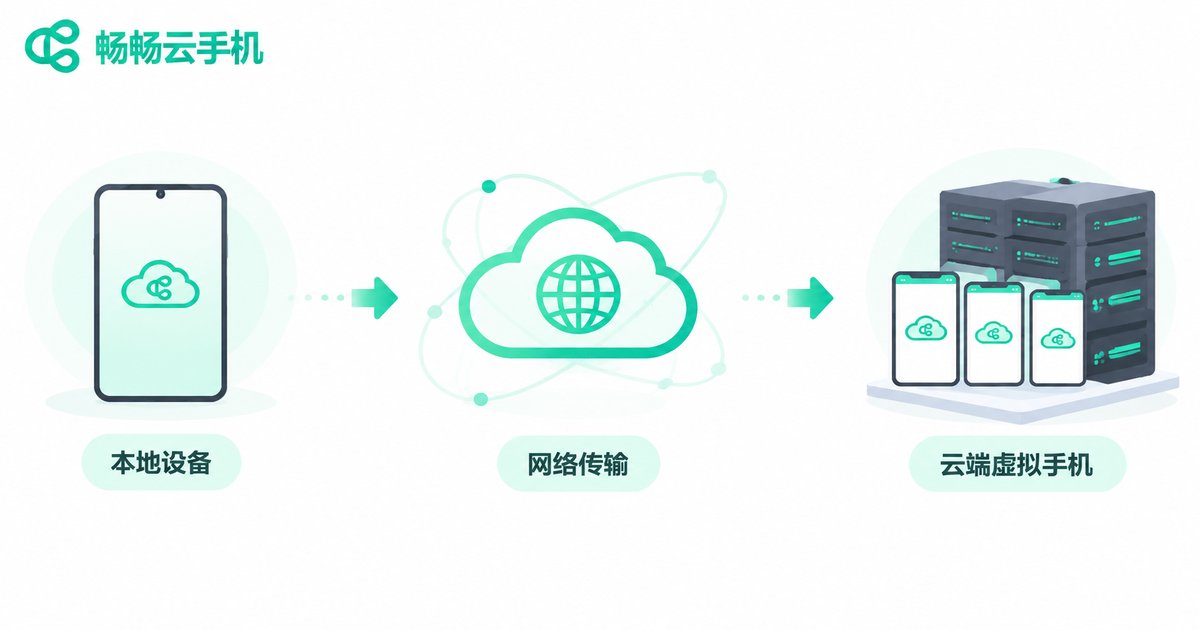
A cloud phone is, simply put, a virtual phone that runs on a server in the cloud. It has its own Android system, its own storage and its own network environment, but no physical body. What you see is streamed in real time to your laptop, tablet or ordinary smartphone, and every tap you make is sent straight back to the cloud.
Another way to put it: your device only handles display and input, while the phone that does the actual work sits in a data center running 24/7. Close your laptop, disconnect your network or log in from a different device, and the apps and tasks inside the cloud phone keep running.
How Does a Cloud Phone Actually Work?
The mechanics are not complicated. Think of it in three steps.
Step one: the system lives in the cloud. Providers use powerful servers in data centers to virtualize individual Android instances. Each instance has its own compute resources, memory, storage and system environment, isolated from the others.
Step two: the screen is streamed to you. The cloud encodes the phone screen into a video stream and pushes it over the network to your device. It works much like watching a high-definition livestream, except the content is your own phone desktop.
Step three: your input is sent back. Taps, swipes and typing are transmitted to the cloud instantly and executed there. When latency is low enough, it feels almost identical to using a real handset.
That is why the quality of a cloud phone experience comes down to two things: how close the data center is to you, and how stable the provider's scheduling and bandwidth are.
Common Cloud Phone Use Cases: More Than Just Multi-Instance
Many people discover cloud phones while looking for a way to run multiple app instances, but the real use cases go far beyond that.
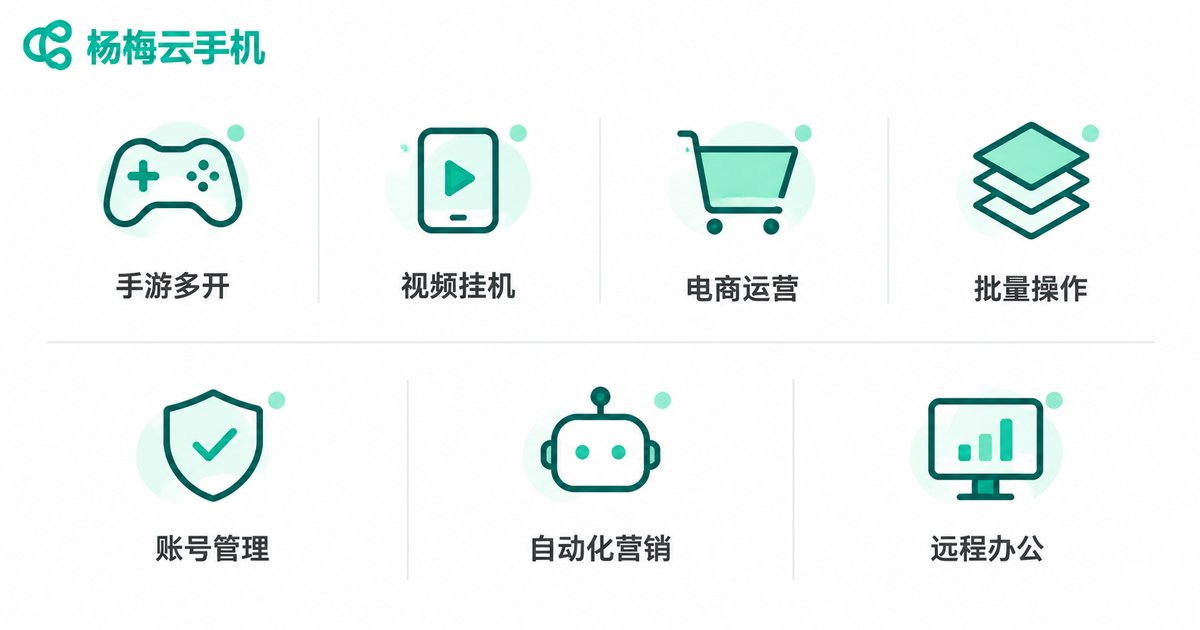
1. Multiple app instances and account management. E-commerce sellers, community managers and content creators often need to stay logged in to several accounts at once. With physical handsets that means buying extra devices and extra chargers; with a cloud phone you simply switch inside one interface.
2. Idle gaming and raising multiple characters. Games that require long online sessions to farm resources or finish daily quests are a natural fit for a cloud phone running around the clock. Your main phone stays free for calls and videos, with no heat and no battery drain.
3. App and website testing. Developers and QA teams need to verify behavior across Android versions and screen resolutions. Cloud phones let you spin up a clean environment on demand and release it when you are done, with no pile of test devices.
4. Short-video and livestream operations. Uploading assets, scheduled publishing, comment moderation and rotating between accounts are repetitive tasks that can run in the cloud, leaving your local machine for creative work and editing.
5. Remote and mobile work. Put your everyday office apps and internal systems inside a cloud phone and access them from a laptop or tablet while traveling, without scattering work data across many devices.
6. Giving old devices a second life. Is your aging handset struggling with the newest apps? A cloud phone moves the computing power to the cloud, so as long as your device can play video smoothly, you can use the latest software.
7. Privacy and isolation. Less-used apps, external links and one-off registrations can live inside a cloud phone, kept separate from your primary device for extra peace of mind.
Cloud Phone vs Physical Phone: What Is the Difference?
They are not replacements for each other — they divide the work. The table below makes it clearer:
| Dimension | Physical phone | Cloud phone |
|---|---|---|
| Upfront cost | Pay in full for every device | Provision on demand, pay for what you use |
| Running time | Limited by battery and heat | Online 24/7, independent of local hardware |
| Multi-instance cost | More instances means more devices | One account manages multiple instances |
| Hardware wear | Heavy daily use accelerates aging | Hardware stays in the cloud, local devices barely wear |
| Data storage | Scattered across many devices | Centralized in the cloud, easier to manage |
| Network dependency | Works offline | Requires a connection; quality drives the experience |
| Typical scenarios | Calls, photos, payments | Multi-instance, idle tasks, testing, bulk operations |
To be clear: a cloud phone is not meant to replace your phone. For calls, photos and mobile payments, a physical handset is still the main character. A cloud phone is more like an always-online second device dedicated to time-consuming, long-session and multi-instance work.
Who Should Use a Cloud Phone?
Based on the use cases above, these groups feel the need most clearly:
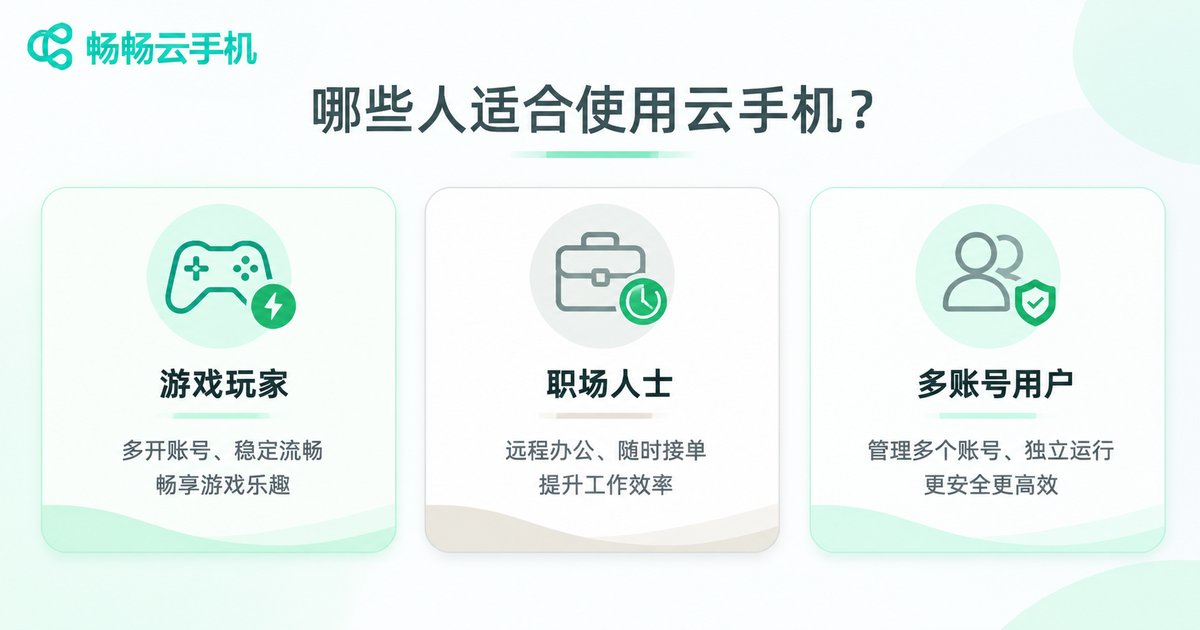
- Multi-account operators: e-commerce, community and media teams who switch between accounts all day.
- Gamers: players who need idle farming, multiple characters or long online sessions.
- Developers and testers: people who repeatedly verify behavior across models and system versions.
- Content and livestream teams: teams that publish on schedule, distribute across platforms and moderate comments.
- Small businesses: companies that want a low-cost pool of cloud devices instead of buying hardware up front.
- Users with limited hardware: people whose main phone cannot keep up with newer apps.
On the other hand, if you only chat, watch videos and play the occasional game, with no need for multiple instances or long online sessions, a cloud phone is not a necessity — making the most of the device in your hand is enough.
What to Look For in a Cloud Phone Provider
Stability and uptime. The worst thing a cloud phone can do is drop offline at midnight and interrupt a task. Prioritize providers that state their uptime clearly and run stable data center resources.
Sufficient specs. Requirements vary widely by use case. Idle tasks are light, while running large apps or many instances demands higher specifications.
Network latency. The closer the data center, the more responsive the controls feel. Start with a modest configuration, test the latency, and then decide.
Multi-device access. A good cloud phone service usually supports web access, an Android app and a Windows client, so you can pick up where you left off on any device.
Data and account security. Understand where data is stored, whether instances are isolated from each other, and how account permissions are managed.
Support responsiveness. Cloud services occasionally run into issues. How fast you can reach a human and how fast things recover often matters more than the spec sheet.
Among cloud phone services available today, ccloudphone is one option many users consider. It offers cloud phone services based on virtual Android instances with multi-device access, letting users pick a configuration that matches their actual needs and move time-consuming work such as multi-instance operation, idle tasks and testing into the cloud, while the local device only handles input and viewing.
Frequently Asked Questions
Q: Does a cloud phone need a constant internet connection?
Yes. The system and apps run in the cloud, while your local device only displays the screen and sends input, so a connection is required. The more stable your network, the smoother the experience.
Q: Will a cloud phone feel laggy?
Lag depends mainly on two factors: the network latency between the data center and your location, and the provider's bandwidth and scheduling. A low-latency node usually feels responsive for everyday use, but an unstable local network will drag the experience down.
Q: Can a cloud phone make calls or send text messages?
A cloud phone is essentially an Android device running in the cloud, designed for running apps, multi-instance operation, idle tasks and testing. It does not replace a physical phone for daily communication or payments — your own handset is far more convenient for that.
Q: Do tasks keep running after I close my laptop?
Yes. Execution happens in the cloud, independent of whether your local device is powered on. When you log in again, you see the state after the task has continued running.
Q: Is a cloud phone suitable for everyday personal use?
If you own one phone and mostly chat and watch videos, a cloud phone adds little value. It fits people who need multiple instances, long online sessions, testing or bulk operations.
Q: How many apps can one cloud phone hold?
It depends on the storage configuration you choose and the size of the apps themselves, following the same logic as a physical phone. Pick a configuration that matches your real workload rather than always chasing the highest tier.


