
Cloud Phone Explained in Plain Terms: Cloud Execution, Remote Screen, and Account System
In One Sentence: A Cloud Phone Is the Phone Sitting in a Data Center
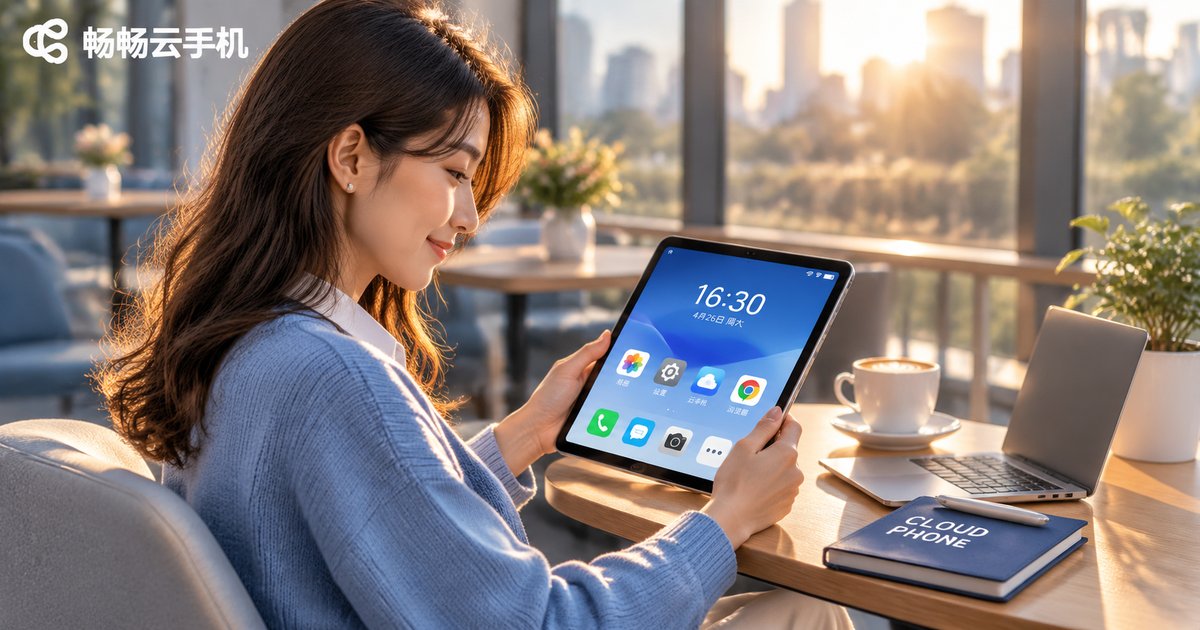
When people first hear the term cloud phone, they usually assume it is an app or a desktop emulator. The more accurate picture is this: a cloud phone is a real phone running inside a data center, and its screen is streamed over the network to the display in front of you. The phone, tablet or laptop in your hand does only two jobs — it acts as a screen and as a remote control.
So a cloud phone can be understood as three parts: cloud execution, remote screen, and the account system. Once these three words make sense, nothing about cloud phones is mysterious anymore.
1. Cloud Execution: The Data Center Does the Work, Not Your Phone
The body of a cloud phone is a server in a data center. The provider carves out a separate system environment for each user, with its own share of processing power, memory, storage and system version. In daily use it feels just like an ordinary phone.
Apps you install, files you download, screenshots and chat history are all stored in the cloud and take up no space on your own device. Even if your handset is a three-year-old mid-range model, the apps on the cloud phone still run on data center hardware. The key point is simple: the cloud runs the apps, not your device.
This also explains a question many people ask — when you game or keep apps running on a cloud phone, your handset stays cool and the battery barely moves. The heavy lifting happens remotely; your device only renders the picture and sends your taps. Local performance stops being the bottleneck, and network quality becomes the real limit.
2. Remote Screen: Why It Does Not Feel Like Watching a Video
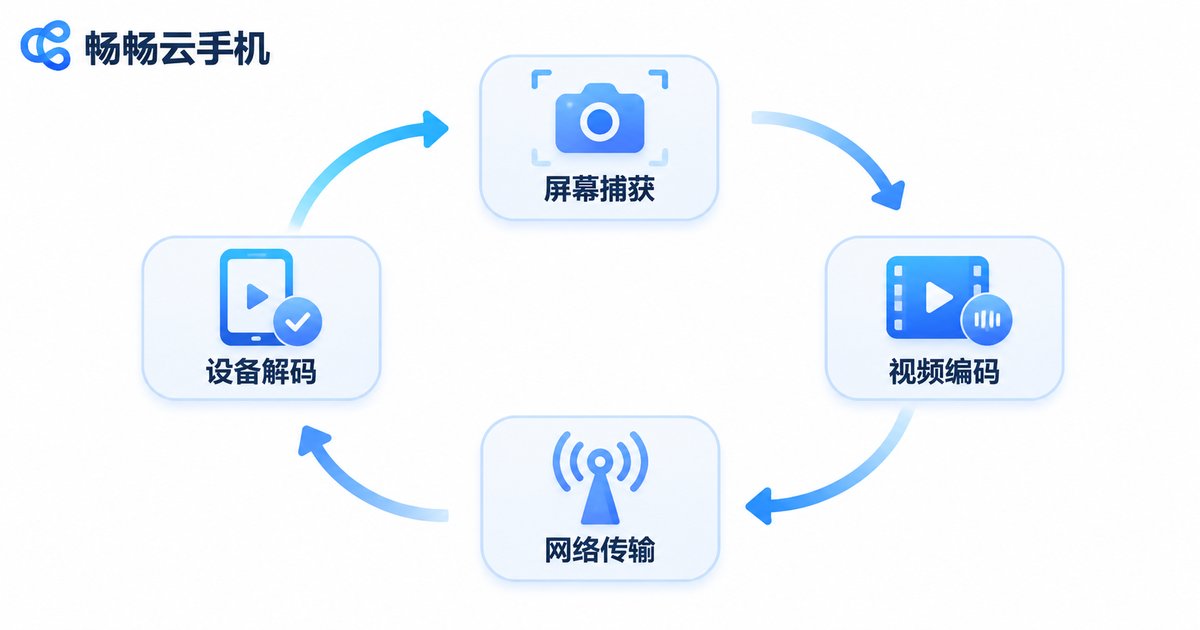
If the picture is generated in the cloud, how does it reach your screen? The chain looks roughly like this:
① the cloud captures the frame → ② the frame is encoded and compressed → ③ it travels over the network → ④ your device decodes and displays it → ⑤ your taps and swipes are sent back to the cloud to execute. The whole loop repeats within tens of milliseconds, which is why it feels like you are operating a phone directly.
It resembles video streaming, but the requirements are far higher: video is one-way, while a cloud phone is two-way and real time. That is why providers invest in encoding efficiency, node placement and network scheduling. The closer the data center and the better the codec, the more responsive the picture feels.
It also explains why the same cloud phone behaves very differently across networks. On Wi-Fi and 5G the image is sharp and smooth; when the connection weakens, the system usually lowers image quality first to protect input responsiveness, then returns to high definition once the network recovers. That is a trade-off, not a fault.
| Item | Local Phone | Cloud Phone |
|---|---|---|
| Compute source | On-device chip | Data center servers |
| Heat and battery | Noticeable under load | Barely affected locally |
| Storage | Uses local space | Stored in the cloud |
| Smoothness depends on | Chip performance | Network quality and distance |
| Device identity | One device, one identity | Multiple independent identities |
| Long-term uptime | Stops when powered off | Keeps running in the cloud |
3. The Account System: Every Cloud Phone Is an Independent Identity
This is the most overlooked and most valuable part. On the network, each cloud phone appears as a separate device with its own device identifier and environment, so it can sign in with its own account.
What does that give you? Work accounts and personal accounts can be fully separated without interference. Multiple sets of data for the same app can live on different cloud phones without overwriting each other. In team settings, a specific cloud phone can be assigned to a specific person with clear boundaries.
One reminder: the value of the account system is isolation and tidiness, nothing else. Safety comes from good habits — never share one password across people, do not store sensitive information on a cloud phone, and enable the security verification your provider offers.
4. Putting It to Work with ccloudphone
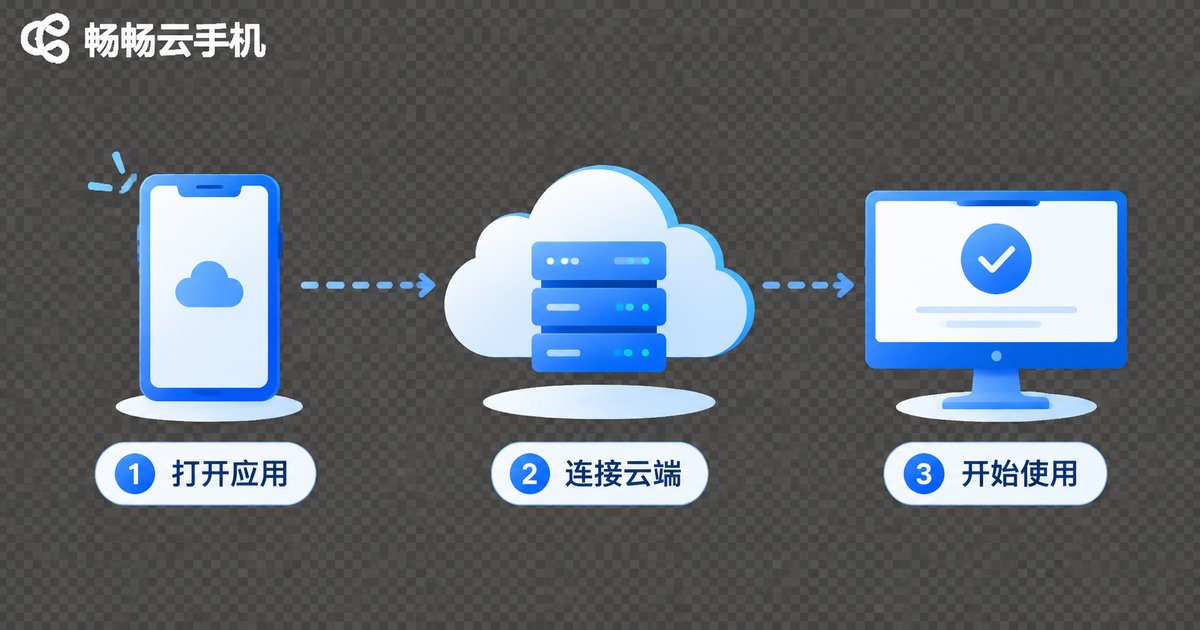
Once the principle is clear, getting started is straightforward. ccloudphone provides Android devices that run in the cloud: after signing in to your cloud device, you install apps and operate the interface just like a normal phone. Configuration options follow the official website.
A few practical ways to use it:
① Split your accounts: keep work social accounts and personal ones on separate cloud phones, with no repeated login and logout.
② Stay online long term: put apps that must stay online in the cloud, so your own device can be switched off or offline during the commute.
③ Rescue low-spec hardware: older phones and thin laptops can still run demanding apps.
④ Hand off between devices: the same cloud phone can be accessed from a phone, tablet or computer, and your progress continues where you left off.
If you only need it occasionally, the difference may be subtle. But once long-term uptime and separated accounts matter, the value becomes obvious.
5. Frequently Asked Questions
Q: Is a cloud phone an emulator?
No. An emulator virtualizes an Android environment on your own computer and consumes local performance. A cloud phone keeps its system and compute in a data center, while your device only displays and controls.
Q: Does a cloud phone use a lot of data?
It streams an encoded video image, so data usage is close to watching online video. Wi-Fi or a stable 5G connection is recommended; image quality drops automatically on weak networks.
Q: If I power off my own phone, does the cloud phone keep running?
Yes. The cloud device runs independently; your handset is only an access point, so powering off or going offline does not stop cloud tasks.
Q: Why does the picture sometimes go blurry for a moment?
Network fluctuation usually triggers automatic quality reduction to keep your input responsive. The image returns to sharp once the connection recovers.
Q: How do I keep accounts secure?
Use strong passwords and enable the security verification your provider offers, never share credentials with others, and avoid storing sensitive information on a cloud phone.
Q: Who benefits most from a cloud phone?
People who need apps to stay online for long periods, who need to keep multiple account identities apart, or whose current hardware has limited performance.


