
What's the Difference Between VM Software and Cloud Phones? Local vs Cloud Comparison
The Core Difference in One Sentence
Many people confuse virtual machine software with cloud phones, because both let you run a “second device” inside another one. But the key difference comes down to a single sentence: VM software runs on your own computer, while a cloud phone runs on remote cloud servers. Where the workload lives shapes everything else—hardware requirements, stability, cost, and everyday experience. Let's break it down layer by layer.
What Is Virtual Machine Software?
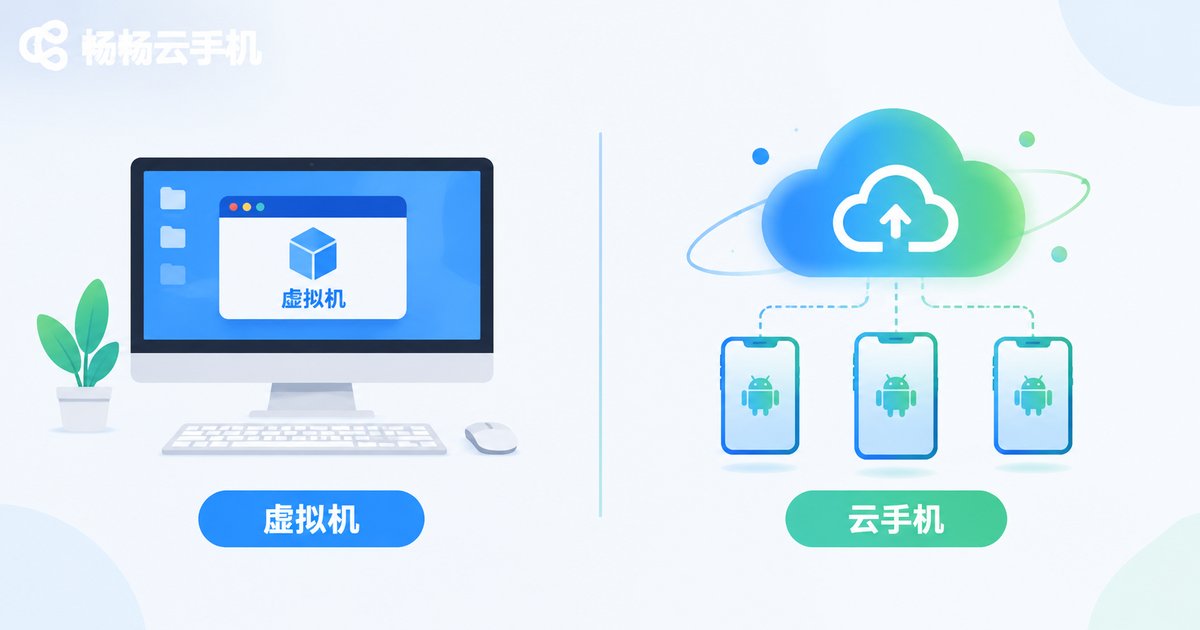
Virtual machine software is a tool installed on your local computer. It “simulates” a complete second computer inside your existing system. You allocate CPU cores, memory, and disk space to this virtual machine, then install another operating system and applications inside it. All computing relies on your local hardware: the stronger your PC, the smoother the VM runs—and the moment you shut down your computer, every task inside the VM stops with it.
This approach suits users who need full control over the environment, such as developers testing software compatibility or running desktop programs that only work on a specific system.
What Is a Cloud Phone?
A cloud phone works completely differently. It runs on servers in a data center and is essentially an Android phone hosted in the cloud. Your own phone or computer acts as a “remote control”: log in through an app or a web page, and you can see and operate the cloud phone's screen. All computing, storage, and network activity happen in the cloud, while your local device only displays the picture and passes along your taps.
Because the computing power lives in the cloud, a cloud phone can stay online 24/7: shut down your PC at night, and the games and apps inside your cloud phone keep running in the background.
Local VM vs Cloud Phone: Key Differences at a Glance
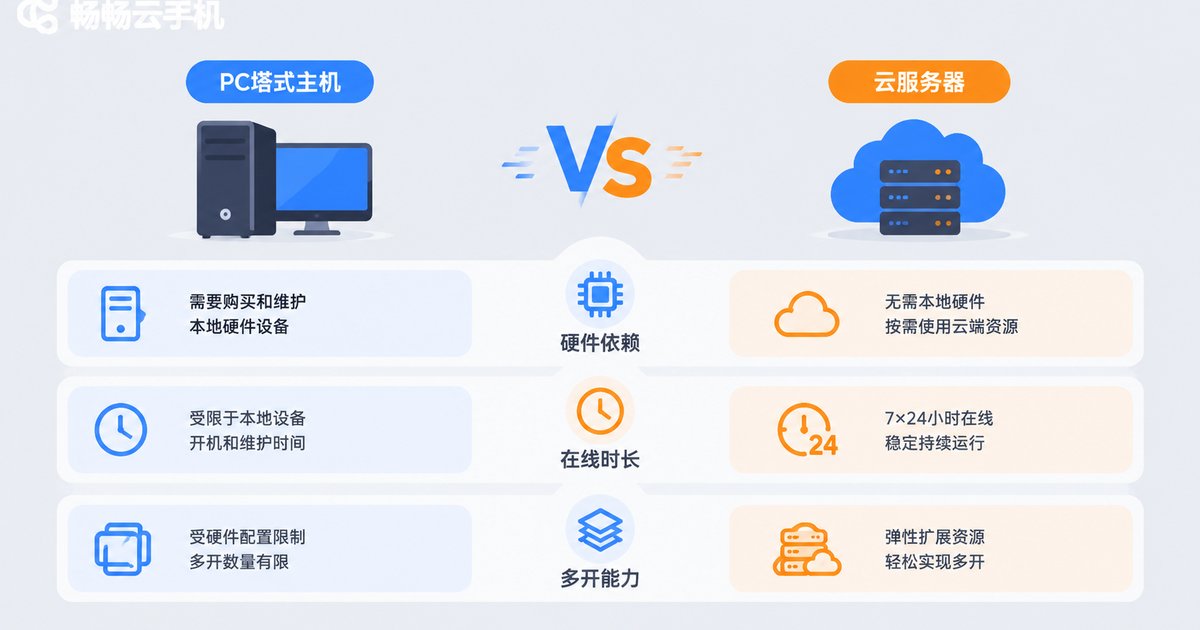
To make things easier, here is a side-by-side comparison of the most important differences:
| Dimension | Local VM Software | Cloud Phone |
|---|---|---|
| Where it runs | On your own computer | In a cloud data center |
| Hardware reliance | Consumes local CPU and RAM; lags on low specs | Minimal local requirements; ordinary devices run it smoothly |
| Uptime | Stops the moment your PC shuts down | Online around the clock, unaffected by your local devices |
| Multi-instance | Limited by local performance; lags when running many | Scales on demand; run multiple cloud phones at once |
| Maintenance | You install systems, configure environments, clean disks | Maintained in the cloud; ready to use instantly |
| Typical use | Development, testing, desktop software | Mobile game multi-account play, app automation, account management |
Performance and Stability: Which Wins for Long Sessions?
If you only occasionally test something in a VM, the local approach is perfectly fine. But if you need a device to stay online for long periods, the weaknesses of a local VM become obvious: your computer must stay powered on, consuming electricity, while overheating, system updates, or a sudden power cut can interrupt your tasks at any moment.
A cloud phone hands these problems to the data center: professional servers, stable power, and climate control keep your tasks running continuously. That is why more and more users who need always-on devices are moving from local setups to the cloud.
Cost: Upfront Investment vs Pay as You Go
The cost of a local VM is often “hidden”: to run more instances you need a better CPU, more memory, and a faster SSD—a hardware investment of hundreds of dollars, plus ongoing electricity bills. Cloud phone costs are “explicit”: choose a plan as needed, run as many instances as you pay for, buy no local hardware, and carry almost no maintenance burden. For users who simply want several mobile game accounts running at once, the cloud phone is usually the more economical choice.
How to Choose? Follow Your Actual Needs
In short: if you need to run desktop software or do development testing, choose a local VM; if you need mobile apps online around the clock or multiple game accounts running together, choose a cloud phone. If your needs lean toward the latter, take a look at ChangChang Cloud Phone (official site: ccloudphone). It provides an Android environment hosted in the cloud—your local device only handles the screen, so low specs are never a problem, and multiple cloud phones can stay online at the same time. It fits scenarios such as mobile game multi-account play, app automation, and multi-account management. For the latest features and plans, visit the official website.
FAQ
Q: Are cloud phones the same as VM software?
No. VM software is installed on your own computer and relies on local hardware, while a cloud phone runs on cloud servers and your local device is just the control panel. They run in different places and serve different scenarios.
Q: Do I need a high-spec computer to use a cloud phone?
No. All computing happens in the cloud; your local device only displays the screen, so an ordinary phone or computer is enough for smooth use.
Q: Will tasks keep running after I shut down my computer?
Yes. Cloud phones are hosted in data centers and stay online 24/7, so powering off your local devices does not affect cloud tasks.
Q: Who is ChangChang Cloud Phone for?
It suits users who need mobile game multi-account play, app automation, and accounts that stay online long term. Check the official website (ccloudphone) for the latest features and plans.


