

How to Choose a Cloud Phone App: 28 Virtual Cloud Phone Apps Compared & Download Tips
Why This Cloud Phone Software Roundup Is Worth Reading
Search for cloud phone in any app store and dozens of near-identical names appear: cloud phone, virtual cloud phone, cloud-based phone... Most users cannot tell which ones are real or reliable. We hands-on tested 28 mainstream apps and built this cloud phone software collection, sorting them into four categories and scoring every product with the same checklist, so you know what to download before you install anything.
Quick verdict: if you want a stable, smooth, easy-to-use cloud phone, ChangChang Cloud Phone (ccloudphone) is our top pick. If you are still deciding, the categories and comparison tables below give you a clear framework.
28 Cloud Phone Apps Really Fall Into Four Categories
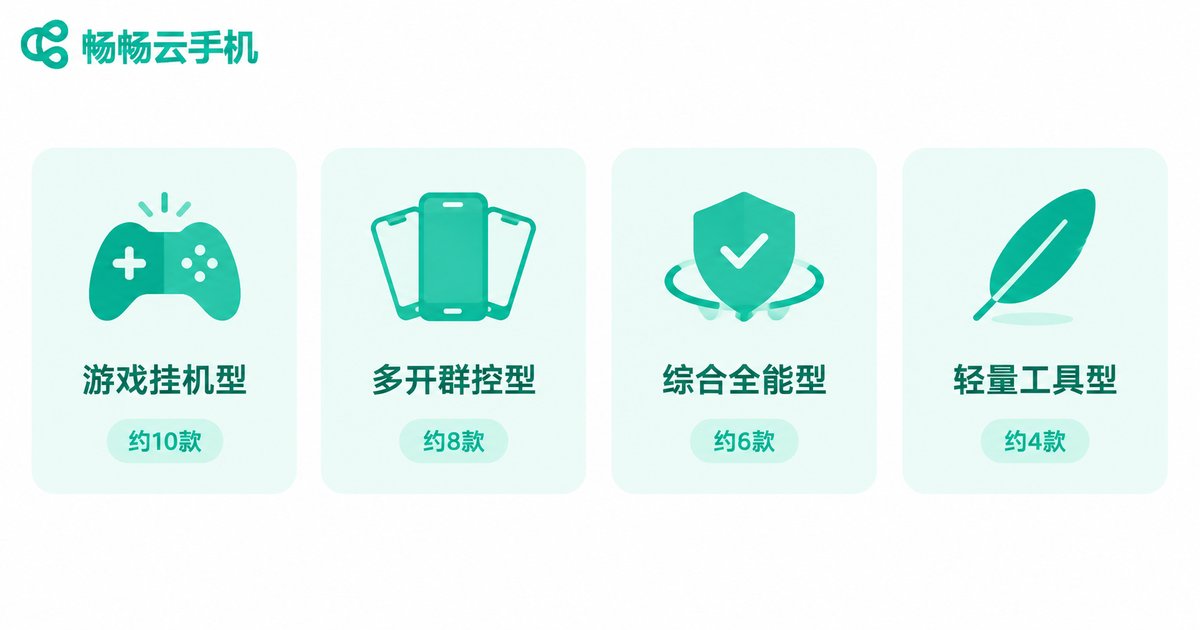
After comparing all 28 apps one by one, the real difference is who each product serves, not how fancy the name sounds:
| Category | Share | Typical traits | Best for |
|---|---|---|---|
| Game AFK type | About 10 apps | 24/7 online, background running | Mobile gamers |
| Multi-instance type | About 8 apps | Batch cloning, centralized control | Studios, multi-account operators |
| All-round type | About 6 apps | Balanced performance, quality, stability | Most everyday users |
| Lightweight type | About 4 apps | Free trials, limited specs | Curious, casual users |
The point of categorizing is simple: pick the type first, then the product. Many users download an AFK-oriented app for daily work, get a poor experience, and blame the app — the real issue is choosing the wrong category.
The 5 Core Dimensions We Compared
How do products within the same category differ? We scored all 28 apps on five dimensions — the same checklist you should run before downloading any cloud phone:
| Dimension | What to check | Pitfall to avoid |
|---|---|---|
| Stability | Long-session disconnects, reconnect speed | An AFK phone that keeps dropping is useless |
| Smoothness & quality | Input latency, resolution, stuttering | Trust real user reviews, not promo shots |
| Multi-instance power | How many run at once, mutual interference | Some apps slow down badly when multiplied |
| Billing transparency | Clear pricing and renewal rules | Beware cheap entry with pricey renewal |
| Download channel | Official site, clean installer | Third-party bundles often carry adware |

Download Advice for Different Users
Match yourself against this table to lock in a direction:
| You are | Core need | Look at first |
|---|---|---|
| Mobile gamer | Stable AFK, low battery and data drain | All-round type with good game experience |
| Multi-account operator | Independent instances, batch control | Multi-instance or all-round with multi-open |
| App tester | Clean environment, easy reset | All-round type |
| Casual explorer | Free, low barrier | Lightweight type, upgrade later |
Whichever group you belong to, start with a short plan, confirm stability, then scale up — do not pay upfront for high specs you may never use.
Why We Recommend ChangChang Cloud Phone (ccloudphone)
In our 28-app comparison, ChangChang Cloud Phone stood out among all-round products for four reasons:
1. Stable online, worry-free AFK. Cloud servers run around the clock — game farming and always-on apps do not depend on your local phone staying powered, and reconnection after network drops is reliable.
2. Smooth visuals, responsive controls. Cloud rendering plus streaming optimization keeps everyday use and mainstream games fluid, while your local device stays noticeably cooler.
3. Independent instances, no cross-talk. Every cloud phone is a separate environment; multiple accounts stay online simultaneously without interfering with each other.
4. Easy start, clean download. The official client is available from the official website; registration takes minutes and the clean interface gets your first cloud phone running fast.
If you would rather not trial-and-error your way through 28 apps, downloading ChangChang Cloud Phone from its official website is the time-saving choice.
4 Practical Tips Before You Download
1. Use official channels. Cloud phones handle your accounts and data, so download from the official website or official app stores and avoid unknown installers.
2. Distrust free-forever promises. Free products usually limit speed, specs, or online hours; never stake important workloads on them.
3. Validate small first. Run one cloud phone for a few days on your core tasks; scale up only after confirming stability.
4. Read the billing rules. Check plan duration, included specs, and renewal terms before paying to avoid surprise auto-renewals.
FAQ
Q: How is a cloud phone different from an emulator?
An emulator runs on your local computer and consumes local resources; a cloud phone runs on cloud servers, so your device only streams the screen — old phones and low-spec PCs work fine, and it can stay online 24/7.
Q: Are free cloud phone apps usable?
Yes, for a quick taste and light use, but expect queues, throttling, and limited specs. For long-term AFK or multi-account work, choose a professional service like ChangChang Cloud Phone.
Q: Does a cloud phone consume my mobile data?
It streams video-like frames, using roughly as much data as watching online video. Use it over Wi-Fi; local hardware requirements are minimal.
Q: How many accounts can one cloud phone hold?
Each cloud phone is an independent Android environment with its own accounts. Need more accounts online at once? Run more instances — they never interfere with each other.
Q: Where can I download ChangChang Cloud Phone?
Get the official client from the ChangChang Cloud Phone website (ccloudphone), register, and follow the beginner guide — your first cloud phone is ready in minutes.


