
What Is the New Paradigm of Cloud Phone AI and AI Agent Deployment? Future Trends Analysis
What Is the “Cloud Phone + AI Agent” Deployment Paradigm?
In the past, using AI meant installing an assistant app on your phone or running scripts on your computer—the AI's “brain” and “body” were both tied to local devices. The new paradigm of cloud phone + AI agent moves both entirely to the cloud: the cloud phone provides a virtual Android device that stays online 24/7, serving as the agent's “body,” while a large language model handles understanding and decision-making as the “brain.” Together, the AI can autonomously tap, swipe, send messages, and manage accounts—without occupying your real phone.
Think of it this way: the traditional approach is like driving a car yourself (running AI on a local device), while the new paradigm is like hiring a full-time chauffeur (a cloud-based agent). You simply set the goal, and it drives the rest of the way. This is the core shift in agent deployment: from “humans operating devices” to “agents operating cloud devices.”
Why AI Agents Naturally Need Cloud Phones
Running AI agents on a local phone hits three unavoidable pain points:
1. Device occupation: Once the agent starts automating, your real phone is basically off-limits for anything else.
2. No around-the-clock operation: Phones need charging, cooling, and background-alive management; sessions can break after just a few hours.
3. High scaling costs: Running 10 or 100 accounts in parallel—would you really buy 100 phones?
Cloud phones solve each one: they run in cloud data centers with no local battery or data consumption, so agents keep working even when your phone is off; the cloud environment is stable and supports 7×24 online operation; and above all, they support batch multi-instance deployment, letting one console manage dozens or hundreds of instances working in parallel.
How the New Paradigm Works: Brain in the Cloud, Hands in the Cloud
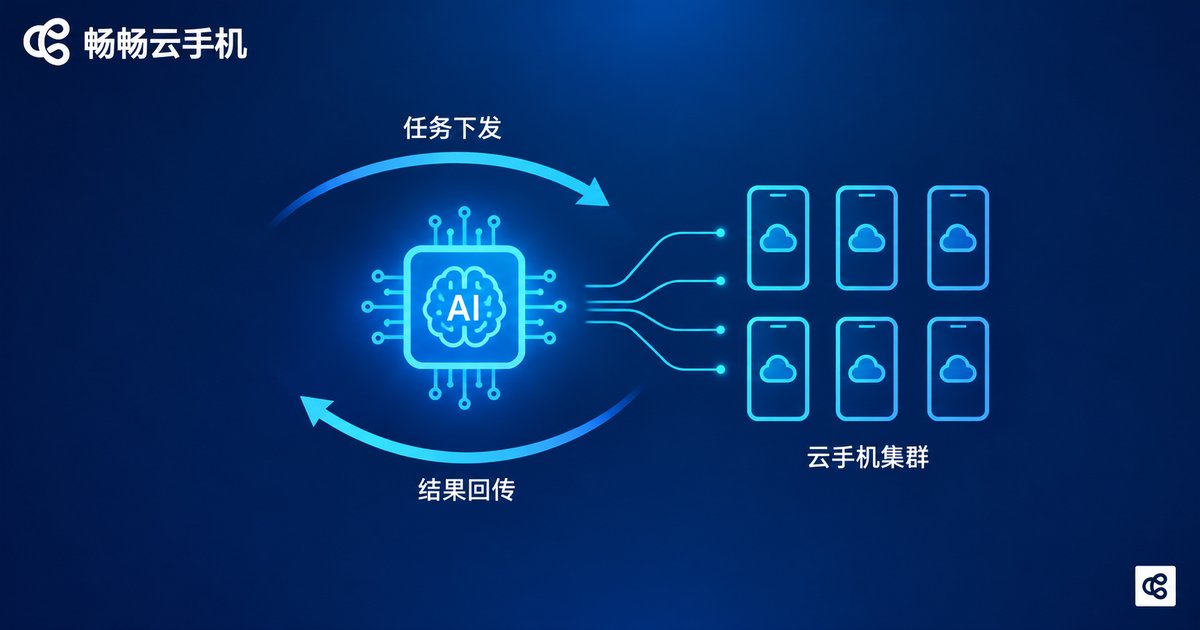
A typical “cloud phone + agent” architecture has four layers:
Task layer: You set a goal, e.g., “post content at 9 a.m. daily” or “keep the game character online.”
Decision layer: The AI model interprets the task and breaks it into concrete steps.
Execution layer: Cloud phone instances receive commands and perform taps, inputs, and app launches.
Feedback layer: Results are returned, and the AI adjusts its next move based on what is on screen.
Compared with local deployment, the difference is clear:
| Dimension | Local Device | Cloud Phone |
|---|---|---|
| Uptime | Limited by battery and heat | 7×24 cloud online |
| Device usage | Ties up your real phone | Zero local occupation |
| Scaling | One account per phone, hard to expand | Batch multi-instance, cluster management |
| Ops cost | Hardware depreciation + manual monitoring | On-demand provisioning, centralized control |
| Stability | Background kills, network drops | Datacenter-grade network and environment |
Typical Use Cases: Who Is Adopting This Paradigm?
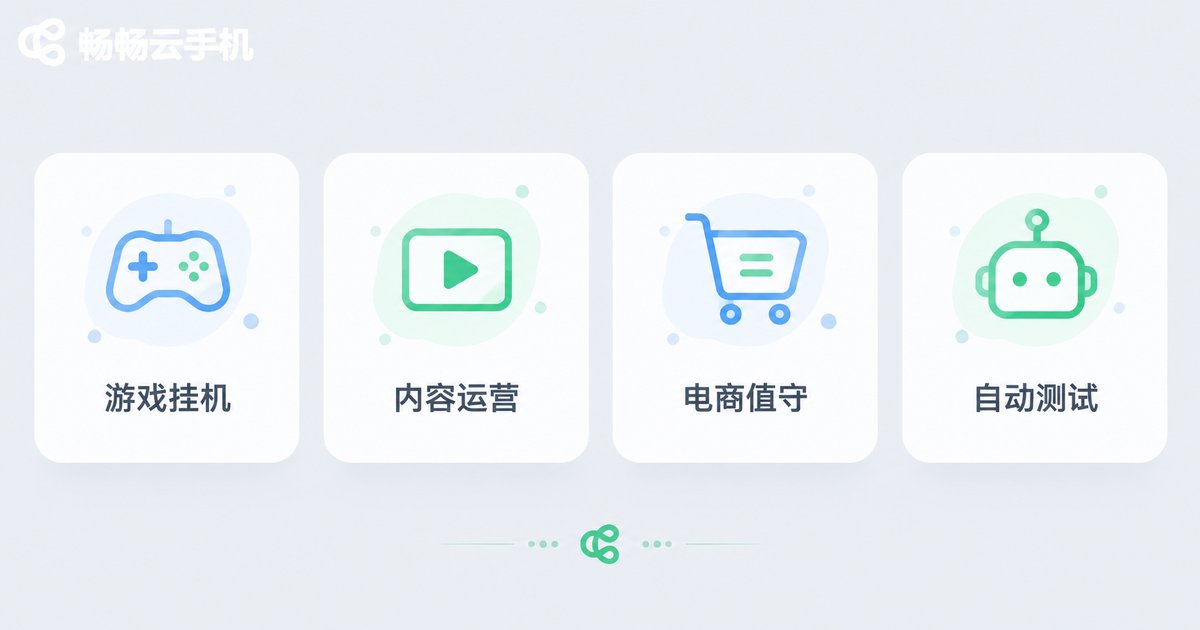
Gamers: Let agents handle daily quests and idle farming inside a cloud phone while your real device stays free for actual play.
Content teams: Host multi-platform account matrices in the cloud, with agents handling scheduled posting and comment engagement.
E-commerce sellers: Cloud phones keep stores on duty 24/7 as agents auto-reply to inquiries and manage listings.
Developers: Run app automation tests across cloud phone clusters, simulating dozens of real devices in one pass.
How to Deploy Your AI Agent with ChangChang Cloud Phone
Among cloud phone services, ChangChang Cloud Phone (ccloudphone) is particularly friendly to agent users, and deployment takes three steps:
Step 1 — Register and provision: Create an account on the ChangChang Cloud Phone official website and provision cloud phone instances as needed; beginners can start with one to validate the workflow.
Step 2 — Set up the agent environment: Enter the cloud phone desktop, install the required apps and agent tools just like on a real phone, and sign in to the target accounts.
Step 3 — Assign tasks and let it run: Set goals and rules for the agent; it then runs stably in the cloud while you monitor progress and adjust strategies from your console anytime.
ChangChang Cloud Phone delivers a smooth and stable cloud Android environment with multi-instance support and centralized management—whether you are a solo player running a single idle session or a team operating large account matrices, you can start at the right scale.
Future Development Trends
Trend 1: From “execution” to “autonomy.” As inference costs fall, agents will no longer depend on step-by-step commands but plan on their own from fuzzy goals—and cloud phones will become the default platform for agent deployment.
Trend 2: One person managing a hundred phones. With ever-stronger multi-instance and group-control capabilities, individual operators can command cluster scale that once required a studio, drastically lowering the bar for “super individuals.”
Trend 3: Hybrid edge-cloud deployment. Lightweight decisions stay local while heavy tasks run in the cloud; cloud phones and real devices will divide the labor rather than simply replace each other.
Trend 4: Mature industry-specific solutions. Vertical scenarios like gaming, e-commerce, and social media marketing will get out-of-the-box agent templates, and cloud phone platforms will evolve from “selling devices” to “selling capabilities.”
It is safe to predict that cloud phone + AI agent is not a gimmick but an infrastructure upgrade for mobile traffic operations. The earlier you understand and embrace this paradigm, the better positioned you will be in the next round of efficiency competition.
FAQ
Q: Does running AI agents on a cloud phone require high specs?
A: The agent's “thinking” happens mostly on the cloud model side; the cloud phone only needs to execute UI operations smoothly. A standard instance handles most scenarios, and heavier tasks can use higher-tier specs.
Q: Will agents on cloud phones be detected?
A: ChangChang Cloud Phone provides a near-real-device Android environment, so compliant, normal usage is generally fine. Always follow the target platform's rules and avoid abnormally frequent operations.
Q: How many agents can run on one cloud phone?
A: Typically one instance maps to one account environment running one agent workflow; for parallelism, provision multiple instances that operate independently.
Q: Can beginners without coding skills use this paradigm?
A: Yes. Most ready-made agent tools offer visual configuration—just install and authorize them inside ChangChang Cloud Phone and set tasks following on-screen prompts. No programming required.


