

How to Use Cloud Phone LLM Automation: Qwen Cloud Integration Tutorial
1. First, Understand What LLM-Driven Automation Really Is
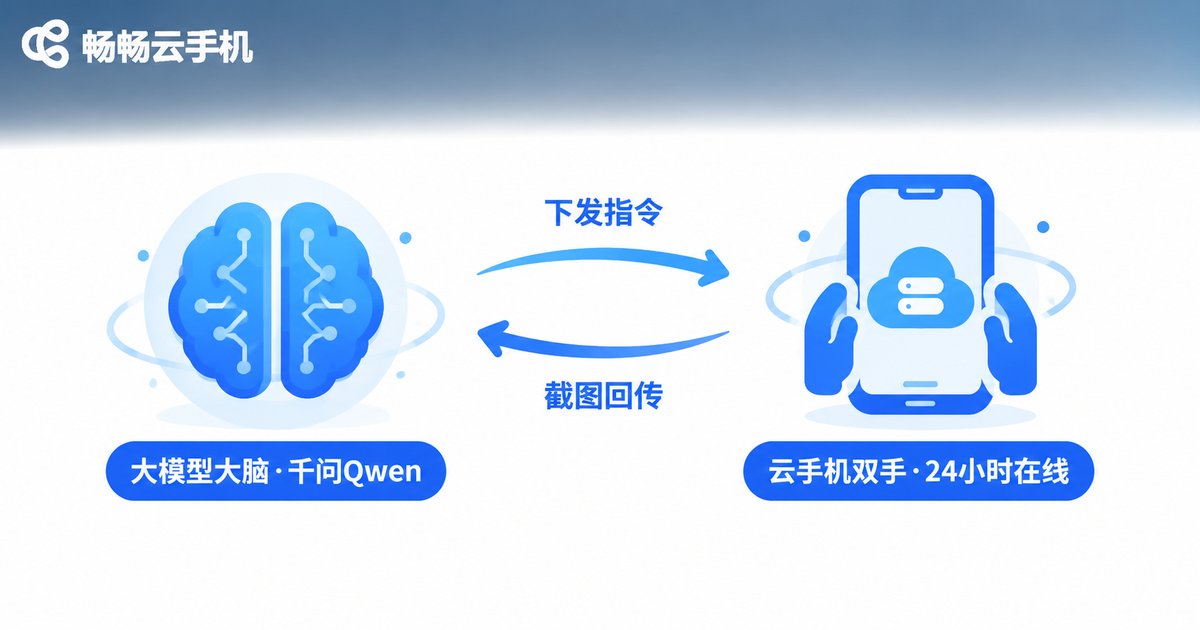
“LLM-driven automation” sounds intimidating, but it boils down to one sentence: let Qwen be the brain, and let the cloud phone be the hands. Traditional scripts only follow hard-coded steps and freeze the moment the screen changes. With a large model in the loop, your script can read the screen, write the copy, and decide the next action — flexibility on a completely different level.
The cloud phone's role is just as clear: it runs in a data center, powered and online 24/7, unaffected by your own device. Park your automation jobs on a cloud phone and they keep working while you sleep; you just review the results. That is why more and more multi-account operators treat “cloud phone + LLM” as their standard stack.
2. Why Qwen Makes a Great “Automation Brain”
There are plenty of large models to choose from, but for cloud phone automation Qwen has very practical advantages:
1. Excellent Chinese output. If your content is Chinese posts and replies, Qwen's grasp of context and internet slang makes the copy feel human, not machine-made.
2. Low integration barrier. Qwen offers an OpenAI-compatible API, so a few lines of Python with an existing library are enough to get started.
3. Built-in vision model. qwen-vl can read screenshots. Combined with the cloud phone's screenshot capability, it closes the loop of “capture — understand — decide — act”, which is what true intelligent automation looks like.
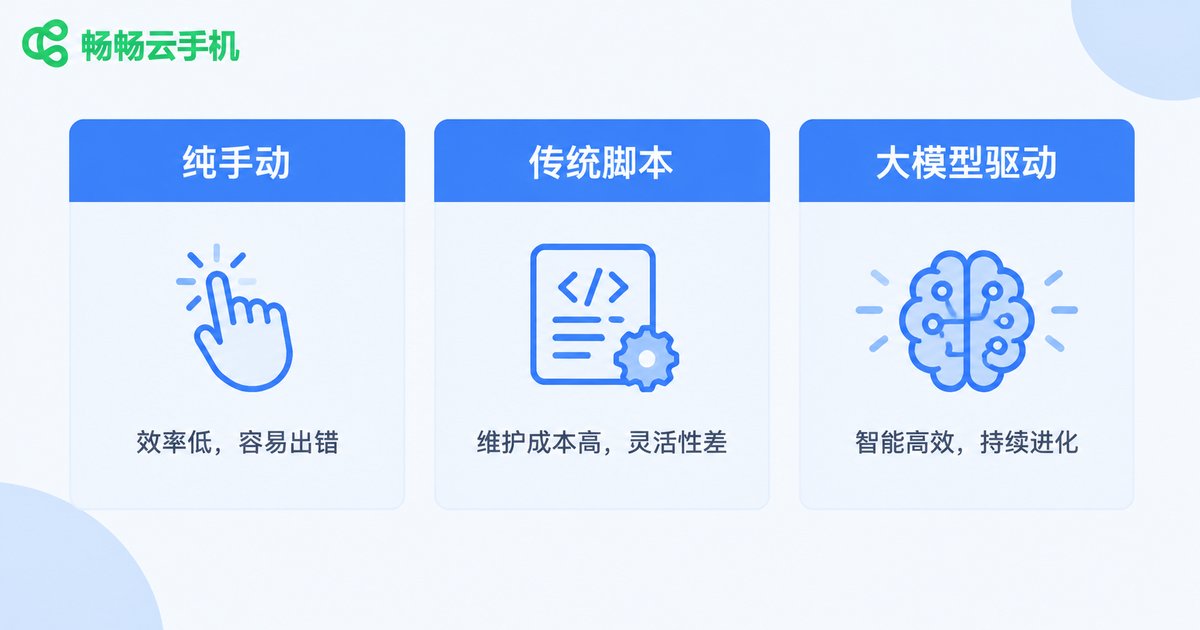
| Approach | Flexibility | Content quality | Unattended? |
|---|---|---|---|
| Manual | High | High | No |
| Fixed scripts | Low | Low, repetitive | Yes, but breaks easily |
| LLM-driven | High | High, unique every time | Yes, self-verifying |
3. Preparation: Only Three Things Needed
1. A cloud phone. Register on the ccloudphone official website and start one cloud phone instance — your “hands in the cloud”, online around the clock and ready to work.
2. A Qwen API key. Activate the model service on Alibaba Cloud Model Studio (Bailian), create and safely store your API key; every later call depends on it.
3. A Python environment. A local PC or a cloud server both work; it calls Qwen, sends commands to the cloud phone, and collects execution results.
4. Step-by-Step Integration: Your First Task in Four Steps
Step 1: Verify Qwen API connectivity. Install the openai library and confirm your key works:
from openai import OpenAI

client = OpenAI(
    api_key='YOUR_API_KEY',
    base_url='https://dashscope.aliyuncs.com/compatible-mode/v1'
)

resp = client.chat.completions.create(
    model='qwen-plus',
    messages=[
        {'role': 'system', 'content': 'You are a cloud phone automation assistant that writes short, natural social media copy.'},
        {'role': 'user', 'content': 'Write a launch post for a bubble tea shop, under 30 words, upbeat tone.'}
    ]
)
print(resp.choices[0].message.content)
Seeing the copy printed means the “brain” is ready.
Step 2: Generate task content in batch. Put persona, industry and tone into prompt templates; a loop call returns different copy for each device, avoiding duplicate content.
Step 3: Push content into the cloud phone. Install your preferred automation engine (accessibility-based script tools all work) inside the cloud phone, and let the script fill in the text, tap and publish. The cloud phone is a full Android environment — installing apps, logging in and daily operations feel just like a real device, so jobs run stably once set up.
Step 4: Screenshot feedback loop. After execution, take a screenshot on the cloud phone and let qwen-vl judge the result; retry or alert automatically on failure:
import base64

with open('screen.png', 'rb') as f:
    img_b64 = base64.b64encode(f.read()).decode()

resp = client.chat.completions.create(
    model='qwen-vl-plus',
    messages=[{
        'role': 'user',
        'content': [
            {'type': 'text', 'text': 'This is a phone screenshot. Did the post succeed? Answer only: success, or failure plus reason.'},
            {'type': 'image_url', 'image_url': {'url': 'data:image/png;base64,' + img_b64}}
        ]
    }]
)
print(resp.choices[0].message.content)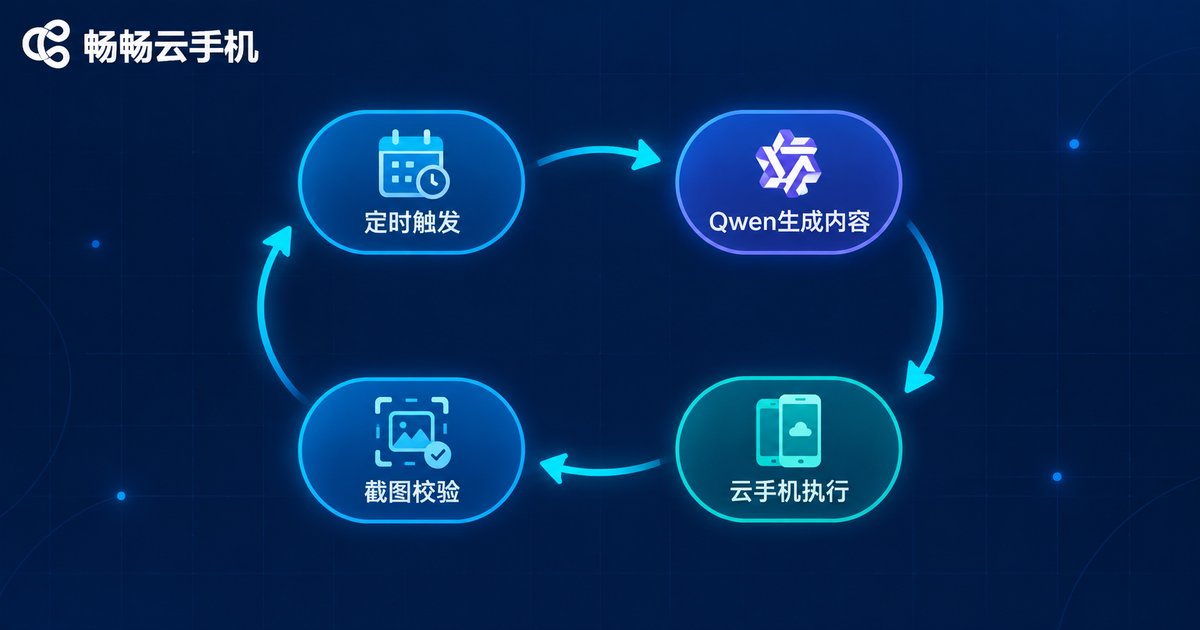
5. Real-World Case: A Multi-Account Content Pipeline
Chain the four steps together and you get a complete pipeline: scheduled trigger → Qwen generates differentiated copy per persona → distributed to each cloud phone for publishing → screenshot verification → results summary. Maintain your prompt templates and let the cloud handle the rest.
Three tips to keep the pipeline stable:
Templatize your prompts. Fix persona, industry and tone in a template and leave variables for Qwen to fill; output consistency improves dramatically.
Queue tasks with random delays. Never let multiple devices post identical content in the same second; add a few minutes of random interval and lightly rewrite the copy to behave more human.
Always have a fallback. Rate limits and timeouts happen; set retry caps and alert notifications so jobs don't die silently overnight.
6. Why Run This on a Cloud Phone?
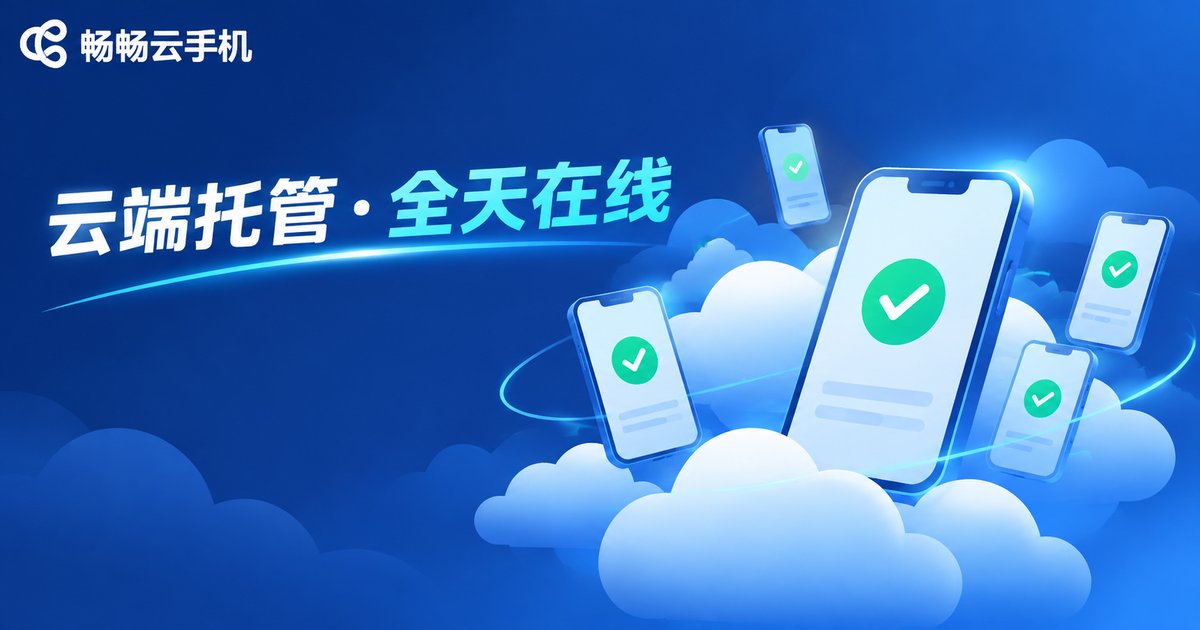
Some ask: can't an emulator do the job? It can, but the experience is far worse. Emulators eat local resources and stop the moment your PC shuts down, while ccloudphone runs in a data center — closing your computer or the app never interrupts running tasks. All devices are managed in one dashboard, easy to batch-operate and scale on demand. For long-term unattended, multi-account AI automation, a cloud phone is close to the ideal carrier.
FAQ
Q: Can I use this without coding skills?
Yes. The code here is just an example; you can start semi-automated with an automation tool plus Qwen-generated content, then move to full automation gradually.
Q: Is the Qwen API paid?
It is billed by usage, and new users usually get free quota. Daily automation costs are low; check Alibaba Cloud Model Studio for current pricing.
Q: How many tasks can one cloud phone handle?
Keep one device focused on one type of task and queue the rest; scale by starting more devices in the ccloudphone dashboard when needed — management stays simple.
Q: Will platforms flag this as bot behavior?
LLM-generated content is high quality and rarely duplicated; with random delays and human confirmation at key steps, the risk is far lower than classic scripts. Keep manual review for important accounts.


