
Is Cloud Phone Safe? Will Your Privacy and Account Data Be Leaked?
The Short Answer: A Reputable Cloud Phone Is Safer Than You Think
Many people ask the same question when they first hear about cloud phones: Are my accounts, chats, and game data really safe on someone else's servers? It's a fair concern, but the answer is reassuring. With a professional, reputable cloud phone provider, a cloud phone is not only safe — in many everyday scenarios it is actually safer than a physical phone.
The core reason is simple: all of your cloud phone data is stored on servers in professional data centers, not on the device in your hand. These data centers offer physical security, redundant backups, and dedicated operations teams — a security level far beyond any personal phone.
Where Exactly Is Your Data Stored? How Cloud Phones Work
To judge whether a cloud phone is safe, you first need to understand how it works. A cloud phone is not an emulator installed on your device — it is an independent virtual phone running in a remote data center. The screen you see locally is essentially a live stream from the cloud.
The whole process comes down to three steps:
1. Local input: you tap and swipe on your own phone or computer;
2. Encrypted transmission: your commands travel to the cloud over an encrypted connection;
3. Cloud execution: the virtual phone in the data center carries out the action and streams the screen back to you.
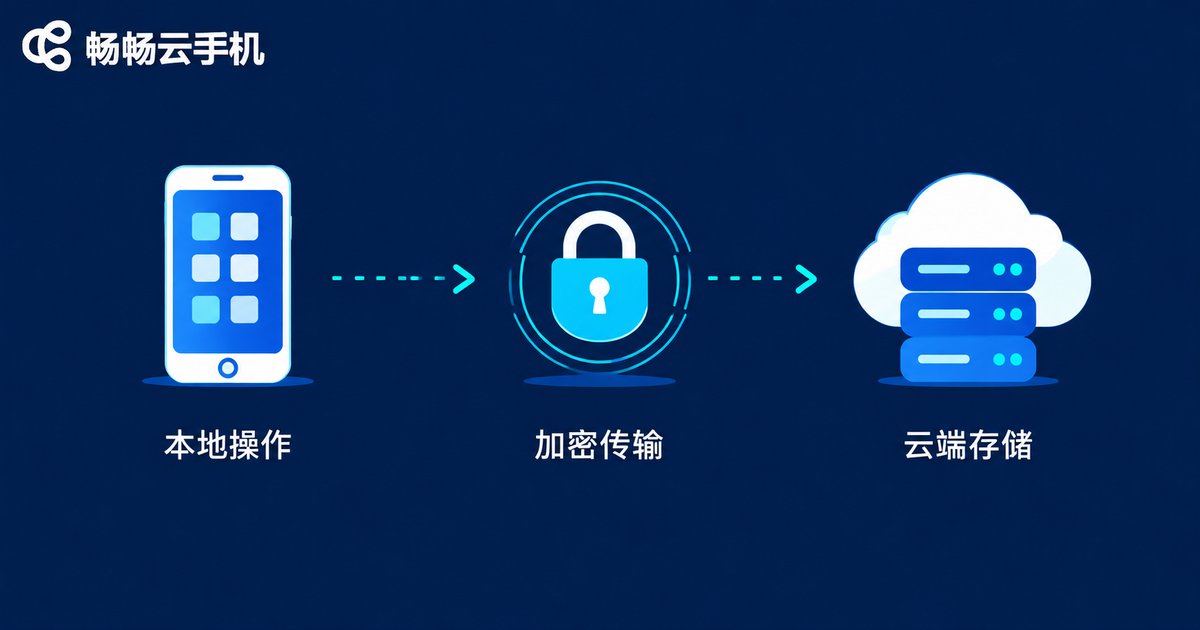
In other words, your passwords, game progress, and chat history always stay on cloud servers, leaving virtually no trace on your local device — and that is precisely the biggest privacy advantage of a cloud phone.
Cloud Phone vs. Physical Phone: Which Protects Privacy Better?
Put side by side, the cloud phone comes out ahead in several everyday situations:
| Aspect | Cloud Phone | Physical Phone |
|---|---|---|
| Data storage | Professional data center with multiple backups | Local storage on a single device |
| Lost device risk | No data on the device, nothing to steal | A lost phone can leak your privacy |
| Local cache | Virtually no cache or records left behind | App caches and logs scattered everywhere |
| Multi-account management | Each instance fully isolated | Cloned apps easily linked, messy to manage |
| Security maintenance | Updated by a professional team | Depends on manual updates and antivirus |
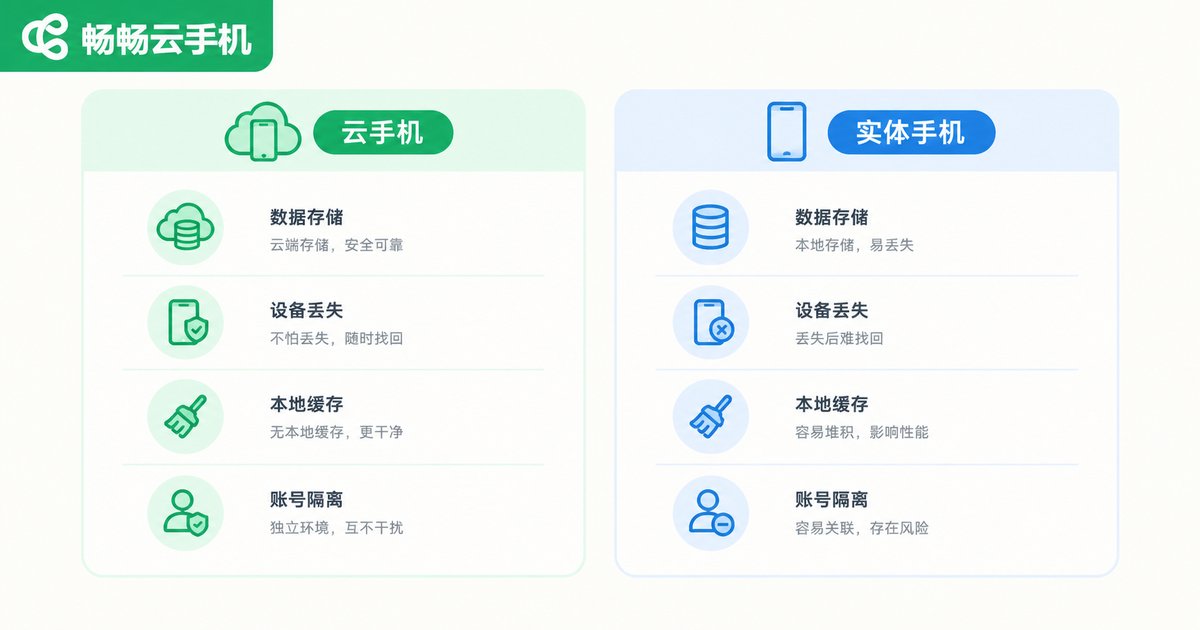
In short: lose a physical phone and your data may go with it; lose a cloud phone and everything comes back the moment you log in on a new device.
4 Real Risk Points You Should Watch Out For
The cloud phone itself is safe, but as with any online service, your habits determine your actual security level. These are the things that matter most:
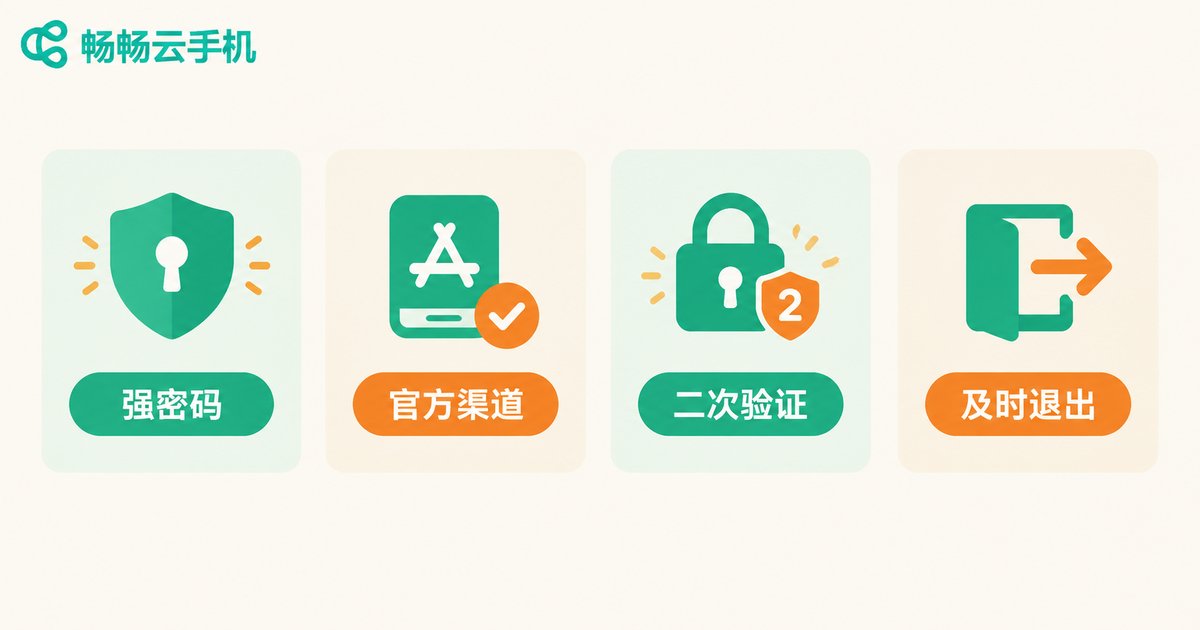
1. Weak passwords. Whether it's your cloud phone account or the apps inside it, weak passwords are the biggest hidden danger. Use strong passwords and enable two-step verification.
2. Installing apps from unknown sources. Apps from official stores are far safer than software downloaded from random websites — the same rule applies on cloud phones and physical phones alike.
3. Sharing your account carelessly. Anyone who has your password can see what's inside your cloud phone. Treat your account like your wallet: never lend it out.
4. Choosing an untrustworthy provider. Data security depends on the provider's qualifications and technology. Picking the wrong provider is the real risk.
How to Choose a Safe, Reliable Cloud Phone Provider
When comparing providers, focus on these points: a registered company behind the service, encrypted data storage, fully isolated instances, and a clear privacy policy.
Take ChangChang Cloud Phone (ccloudphone) as an example: every cloud phone runs in an independent, isolated environment, and data is stored in professional data centers maintained by a dedicated operations team, so you never have to worry about underlying security yourself. For users who keep game accounts or work accounts in the cloud, this managed approach to security is far less stressful than maintaining physical devices on your own.
4 Security Habits That Take Your Privacy Protection Further
Whether or not you use a cloud phone, these habits are worth keeping for the long run:
1. Use a different strong password for every platform;
2. Enable two-step verification for an extra layer of protection;
3. Download apps only from official channels;
4. Always log out after using shared or public devices.
FAQ
Q: Can the cloud phone provider see my chats and photos?
Reputable providers have strict privacy policies and permission controls; routine maintenance does not require viewing user content. Choosing a trustworthy provider is the first step to protecting your privacy.
Q: Is my data still there after the cloud phone is powered off?
Yes. Powering off a cloud phone only stops it from running. Your data remains intact on the cloud servers, and everything is exactly as you left it the next time you log in.
Q: If I lose my phone, will my cloud phone data be leaked?
Almost certainly not. Cloud phone data lives on cloud servers with virtually nothing stored locally, so whoever finds your phone cannot see your cloud phone content. Just change your password and log in on a new device.
Q: Is it safe to log into game accounts on a cloud phone?
Reputable cloud phones run a genuine Android environment, so normal login and gameplay are safe. Keep in mind that cheats and scripts carry account risks on any device, so avoid them.
Q: How can I make my cloud phone account even more secure?
Remember three things: use a strong password, enable two-step verification, and never share your credentials with anyone. Do these and your cloud phone is already very secure.


