
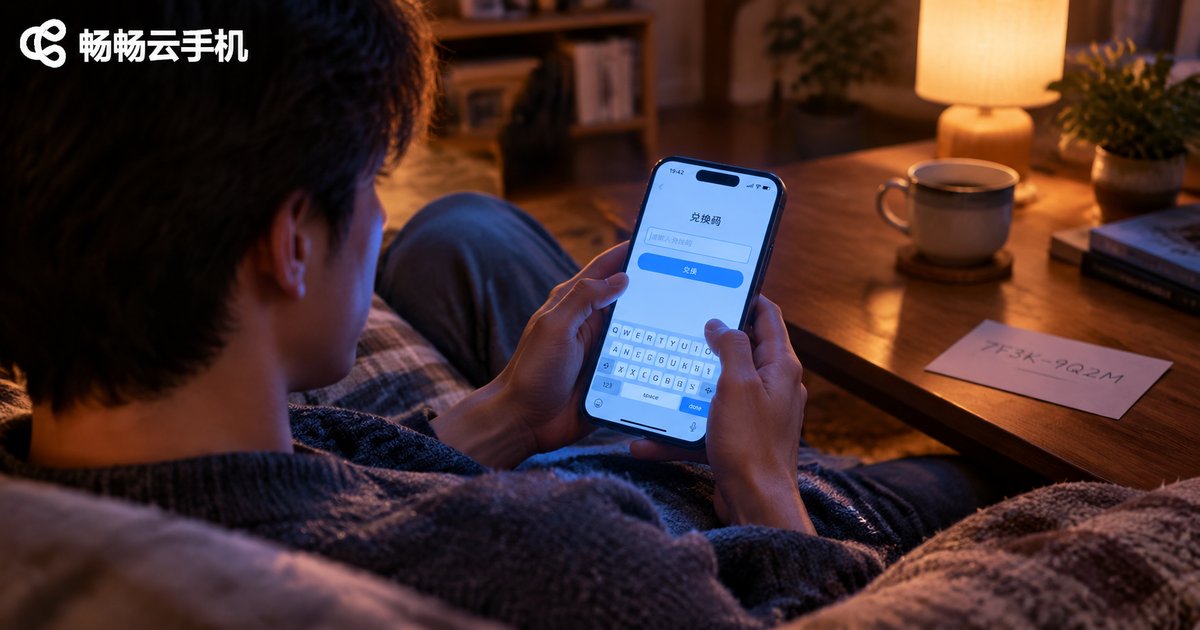
How to Use Cloud Phone Redemption Codes? Time and Membership Redemption Explained
What Is a Cloud Phone Redemption Code?
A cloud phone redemption code is a string of letters and numbers — think of it as a digital voucher. In CCloudPhone, simply enter a valid code at the redemption entrance and the system automatically credits the corresponding benefits to your account. The most common benefits are extra usage time and membership services.
Compared with manual top-ups, redemption codes have obvious advantages: no payment needed, instant redemption, and fast delivery. Official codes are often released during holiday events, version updates, and user appreciation campaigns. Once you know how to use them properly, turning freebies into real benefits takes only a minute.

Where Do Redemption Codes Come From?
Before redeeming, you need to know where to get codes. These are the most common sources:
1. Official event pages: CCloudPhone often releases limited-time codes in the in-app event center during major holidays or version updates, so keep an eye on event announcements.
2. New user benefits: Completing certain onboarding tasks rewards new users with a starter redemption code.
3. Customer service compensation: When issues occur, customer service may offer compensation in the form of a code after verification.
4. Official communities and social accounts: Following official channels occasionally brings bonus code giveaways.
A word of caution: obtain codes only from official channels. Unknown 'cheap codes' or 'shared codes' circulating online are often invalid and may even pose security risks.
How to Redeem a Time Code: Step by Step
A time code adds extra cloud phone usage hours to your account. Here is the exact process:
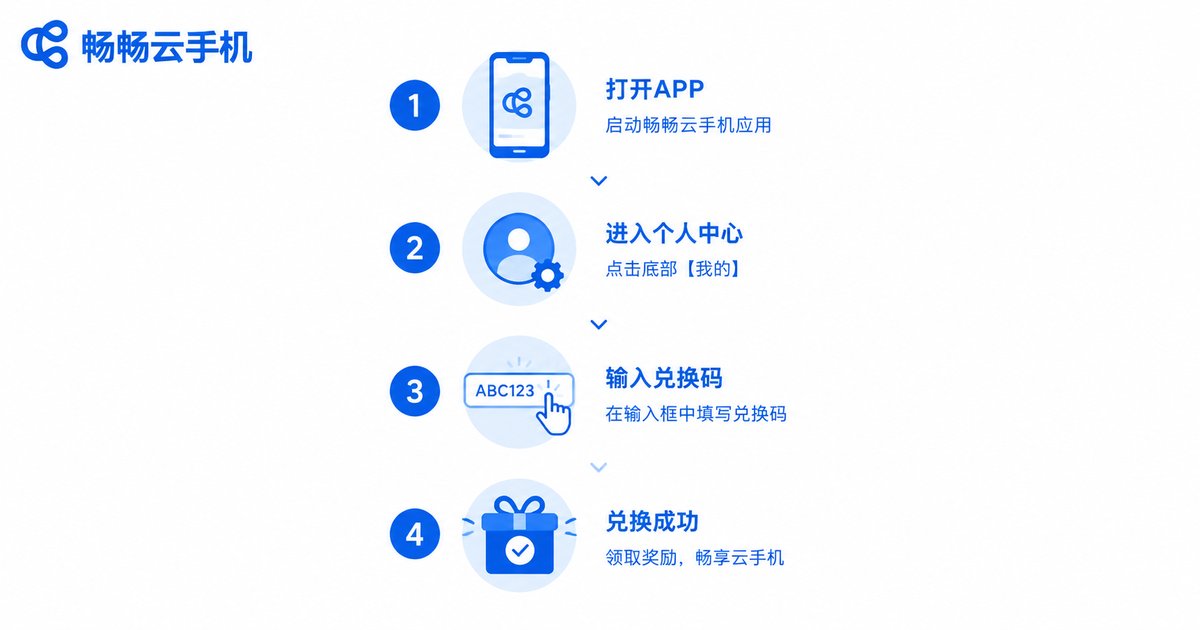
Step 1: Open the CCloudPhone app and make sure you are logged in.
Step 2: Go to the 'Me' or profile center page and find the 'Redemption Center' or 'Redemption Code' entrance.
Step 3: Enter the code exactly in the input box. Watch the letter case, and avoid confusing the digit 0 with the letter O, or 1 with I.
Step 4: Tap 'Redeem'. Within a few seconds the system will confirm success, and the time is added directly to your account.
After redeeming, check the time details page to confirm the balance. If the displayed time has not changed, log out and back in to refresh.
How to Redeem a Membership Code
The membership redemption flow is nearly identical to the time code flow, with the entrance also located in the profile center:
Step 1: Log in to the CCloudPhone app and open your profile center.
Step 2: Open the redemption entrance and enter your membership code.
Step 3: Double-check the code and tap redeem. Membership benefits take effect immediately, usually shown as a membership badge and an updated expiration date on your account.
Once active, membership unlocks the corresponding performance configuration, dedicated channels, and other benefits, subject to the official membership terms. If your account already has an active membership, the redeemed membership time normally extends your current expiration date, so nothing goes to waste.
Redemption Failed? A Quick Troubleshooting Table
If you see an error when entering a code, don't panic — most issues can be fixed on your own. Check this table row by row:
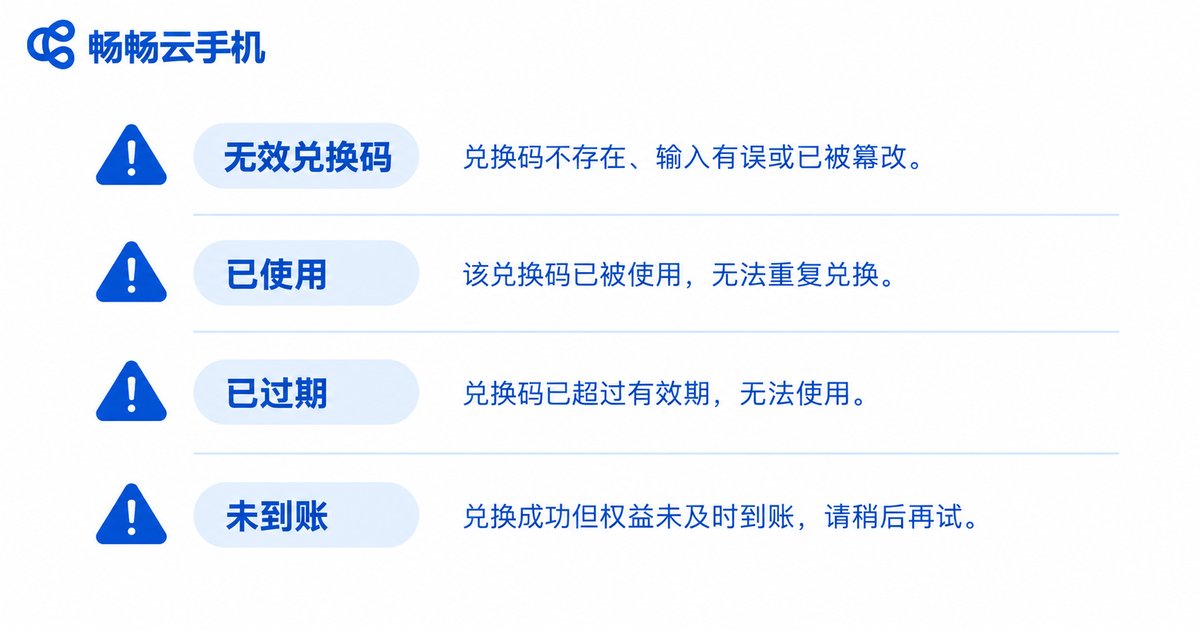
| Error Message | Possible Cause | Solution |
|---|---|---|
| Invalid code | Typo or letter-case confusion | Recheck character by character and re-enter |
| Code already used | Each code usually works only once | Confirm whether it was redeemed by you or someone else |
| Code expired | Past the validity period | Check the event rules and redeem before the deadline |
| Benefits not credited | Network delay or page cache not refreshed | Restart the app or log in again and check |
If none of these works, take a screenshot of the error message and contact CCloudPhone official customer support with the code and your account information for verification.
Key Things to Remember When Using Codes
1. One code, one use: Each code can normally be redeemed only once and becomes invalid afterward, so do not submit it repeatedly.
2. Mind the expiration: Codes usually come with a validity window. Redeem them as soon as possible to avoid missing the deadline.
3. Match your account: Confirm you are logged into the account you want the benefits on — redeemed benefits cannot be transferred to another account.
4. Beware of trading risks: Avoid buying or selling codes through unofficial channels and do not trust 'top-up agents', to prevent losses.
FAQ
Q: Can a redemption code be used more than once?
No. Each code can be successfully redeemed only once. The system records its status, and re-entering it will return an 'already used' message.
Q: Can redeemed time be accumulated?
Yes. Time from multiple redemptions accumulates in your account and is consumed in order of actual usage.
Q: Is there any penalty for entering a wrong code?
No. An incorrect entry causes no loss — just re-enter the correct code. Avoid repeatedly trying codes from unknown sources.
Q: Will my redeemed benefits remain if I switch devices?
Yes. Benefits are bound to your account, not the device. As long as you log in with the same account, your time and membership display normally.
Q: Do codes conflict with an existing membership?
No. Benefits from codes go straight into your account and stack or extend normally alongside the service you are currently using.


