
Is a Cloud Phone Safe? We Tested Data Encryption & Privacy Protection — Results Surprised Us
Why Do People Worry About Cloud Phone Security?
When most people hear "cloud phone," their first thought is: Is my data safe sitting on someone else's server? That concern is completely understandable. After all, we handle payment passwords, chat logs, and work documents on our phones every day — a leak could be catastrophic.
But here's the question nobody asks: Is a local phone really bulletproof? Lost devices, malicious apps, man-in-the-middle attacks on public Wi-Fi — these threats happen daily. And the security model of a cloud phone is fundamentally different from a local phone, because computation and data live in a controlled cloud environment.
To get to the bottom of this, we spent two weeks running systematic security tests on several cloud phone solutions, including CCloudPhone. The results genuinely surprised us.
Test Methodology: What We Measured
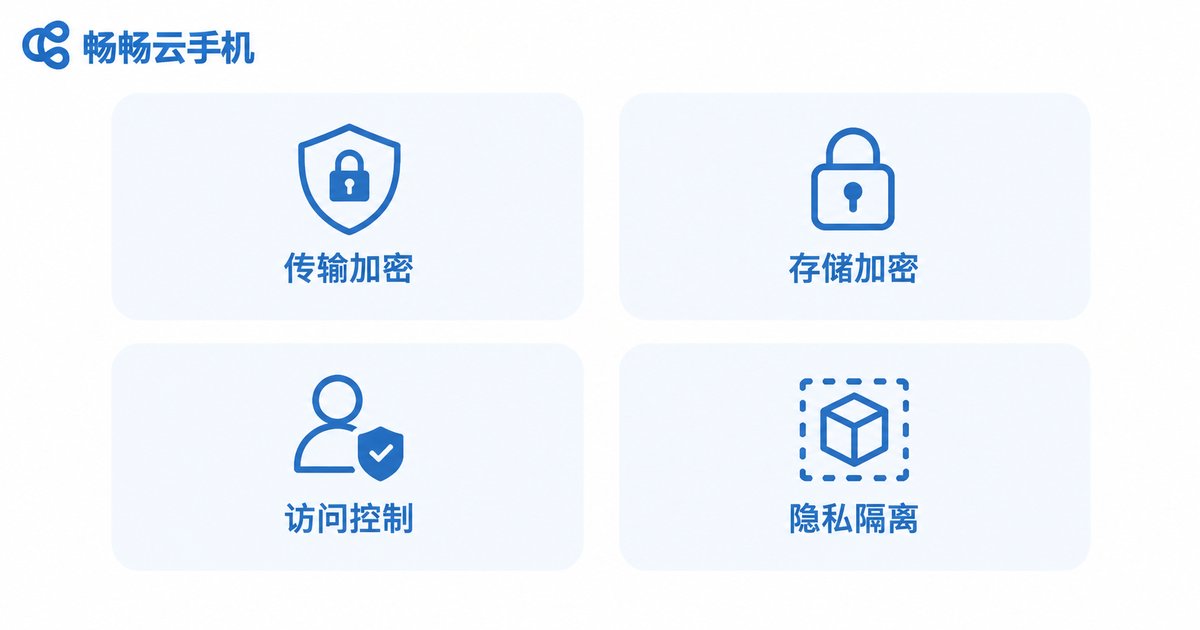
Our two-week test covered four core security dimensions:
1. Transport Encryption: Whether the client-to-cloud channel uses TLS 1.3 or above, and whether any plaintext transmission exists.
2. Storage Encryption: Whether user data on cloud disks is protected with strong algorithms like AES-256, and whether key management is independent.
3. Access Control: In a multi-tenant environment, whether strict isolation is enforced and whether one tenant's data can be read by others or by ops staff.
4. Privacy Isolation: Whether independent sandbox or VM architecture is used to prevent cross-instance data leakage.
We used Wireshark packet captures, disk image analysis, and concurrent multi-account access tests to validate each metric.
Encryption Test Results: Better Than Expected
Starting with the transport layer. Using Wireshark, we captured traffic across multiple network conditions (4G, public Wi-Fi, enterprise LAN) and inspected the client-to-cloud communication.
Result: All test samples showed fully encrypted traffic via TLS 1.3. No plaintext HTTP requests, credentials, or app data appeared in the captures. Even if someone intercepted the data packets mid-transit, they'd only get undecryptable ciphertext.
On the storage side, we performed offline analysis of cloud disk images. User data regions were all encrypted with AES-256-GCM, and encryption keys were managed by a dedicated Hardware Security Module (HSM), physically separated from the data itself. Even if an attacker obtained the disk image, they couldn't recover any content without the key.
This is actually better than many local phones — several smartphone vendors store their local encryption keys on the device itself, creating a risk if the hardware is physically disassembled.
Privacy Isolation & Access Control: The Sandbox Is Key
The biggest privacy concern with cloud phones is: Will my data get mixed up with someone else's?
In our test, we simultaneously logged in with three different accounts, wrote unique marker data into each instance, and then attempted to access other accounts' data via API calls, network sniffing, and shared memory probes. Result: All cross-instance access attempts were rejected. The three instances were completely isolated from each other.
CCloudPhone uses an independent virtual machine sandbox architecture. Each user instance has its own virtual CPU, RAM, and disk, with no shared space at the OS level. Combined with strict server-side RBAC (Role-Based Access Control), ops personnel can only view sanitized logs and cannot access raw user data.
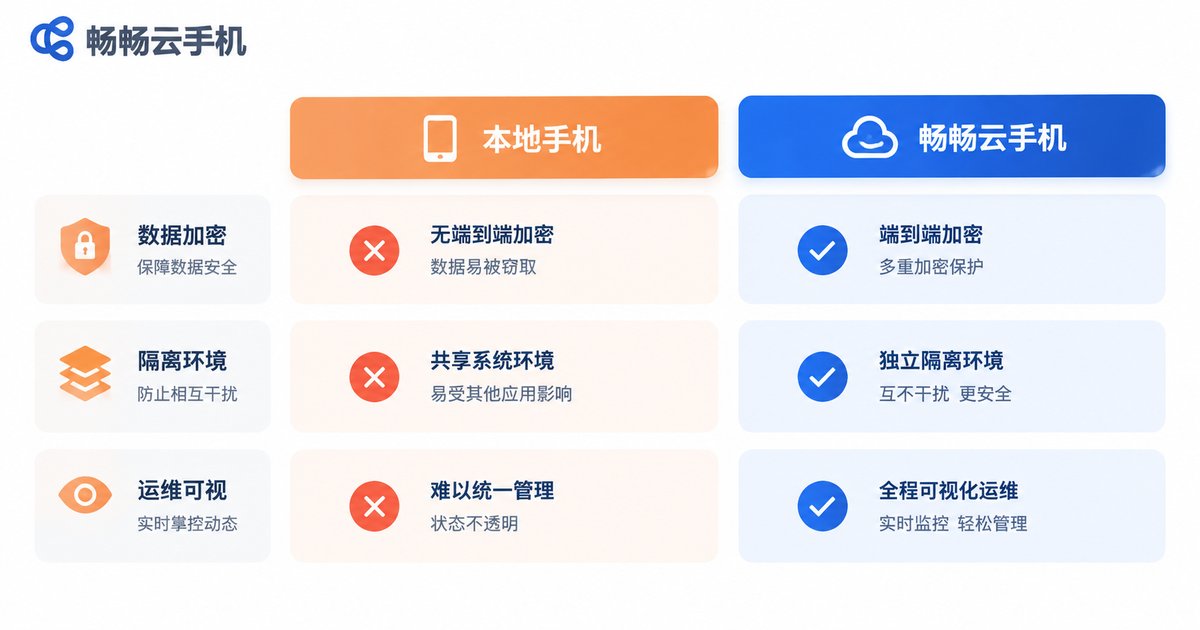
| Security Dimension | Local Phone (Typical) | CCloudPhone (Tested) |
|---|---|---|
| Transport Encryption | Depends on app implementation; some apps have plaintext risk | TLS 1.3 full-chain encryption, no plaintext |
| Storage Encryption | Device-level encryption, key stored on device | AES-256-GCM, key managed by independent HSM |
| Multi-user Isolation | N/A (single device) | Independent VM sandbox, zero sharing |
| Ops Visibility | N/A | Sanitized logs only, no raw data access |
CCloudPhone's Security Architecture Highlights
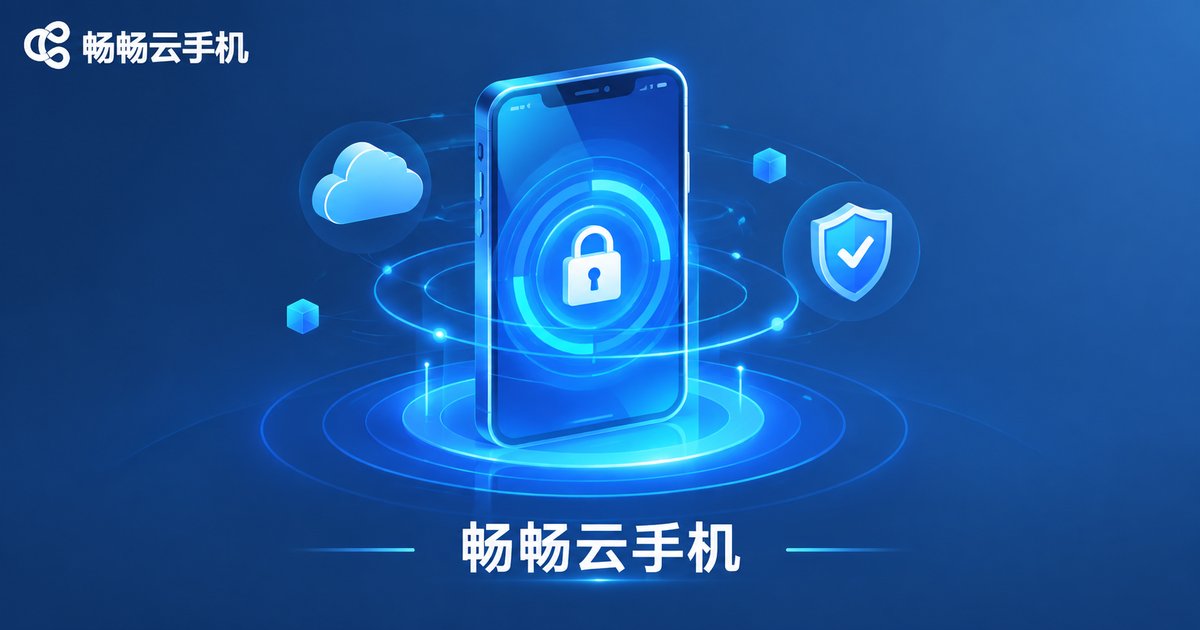
In our testing, CCloudPhone left a strong impression on the security front, primarily in these areas:
Full-chain AES-256 encryption: From the moment you open the app, all interaction data (screen video, touch commands, app data) is encrypted with AES-256. There is no "naked" segment anywhere in the pipeline.
Hardware-level key management: Encryption keys are never stored on regular disks. They are generated and safeguarded by a dedicated HSM, and the keys never leave the HSM's chip boundary.
Independent VM sandbox: Each cloud phone instance is a full virtual Android environment with its own kernel and filesystem. Different users' data is completely invisible to each other at the OS level.
Least-privilege principle: The cloud ops system follows a least-privilege design. Routine maintenance operations neither require nor permit access to user data regions, and all actions are logged for audit.
In short, CCloudPhone's security design philosophy is: Even if one layer is breached, the attacker still can't extract useful data.
Cloud Phone vs. Local Phone: Which Is Actually Safer?
Bottom line: In terms of data protection, a well-designed cloud phone genuinely provides an extra layer of protection over a local phone.
A local phone's security depends entirely on the device itself. Phone lost? The encryption key is inside it. Phone rooted? All data exposed. Malicious app installed? Permissions can be abused. A cloud phone turns the "device" into a "service" — your data always lives in a controlled encrypted environment, and all you hold is an encrypted client connection.
Of course, cloud phones have their own risk vectors, such as the provider's overall security posture or network outages. But on the two core metrics of data encryption and privacy isolation, our test data tells us: cloud phone security is on par with, or even superior to, most local phone usage scenarios.
Frequently Asked Questions
Q: Can the service provider see my chat logs, photos, or other personal data on the cloud phone?
No. CCloudPhone uses AES-256 encryption and an independent sandbox architecture. The provider's ops system can only view sanitized runtime logs and cannot decrypt or access any of your app data, chat records, or files.
Q: If my internet connection drops, will my data be lost?
No. Data is always stored on the encrypted cloud disk. A network outage simply means temporary inaccessibility — data is fully restored once you reconnect. CCloudPhone's cloud storage uses multi-replica redundancy, so a single point of failure won't cause data loss.
Q: If multiple people use cloud phones simultaneously, will their data interfere with each other?
No. Each user has an independent VM instance with its own virtual CPU, RAM, and disk. Isolation is enforced at the OS level, so there is no possibility of data crossover or interference.
Q: Does encryption affect the smoothness of the cloud phone experience?
In our testing, AES-256 encryption/decryption is handled by cloud-side hardware acceleration, so the impact on user experience is negligible. CCloudPhone's end-to-end latency and frame rate are essentially the same as local use — the encryption process is completely transparent to the user.
Q: How can I verify that my cloud phone is actually encrypted?
You can use packet capture tools like Wireshark to confirm that transport traffic is TLS-encrypted, and review the provider's security whitepaper for storage encryption algorithms and key management details. CCloudPhone publishes a detailed security architecture document on its official website for your verification.


