Carrier Cloud Phones vs Third-Party Cloud Phones: How to Choose
First, Understand What a Cloud Phone Really Is
Many people are puzzled when they first hear the term “cloud phone” — how can a phone live in the cloud? The principle is simple. A cloud phone is a complete Android system running on a cloud server. Just like a real phone, it can install apps, log into accounts, and run games; the difference is that its “brain” sits in a data center, while the screen is streamed to your device in real time over the network.
In other words, your local phone or computer is merely a “display plus controller”, and all the computing happens in the cloud. That is why cloud phones can stay online 24/7, consume no local battery, and survive local shutdowns or disconnects — a natural fit for game idling, multi-account operations, and any scenario that requires an always-on device.

Carrier Cloud Phones: Backed by Telecom Giants
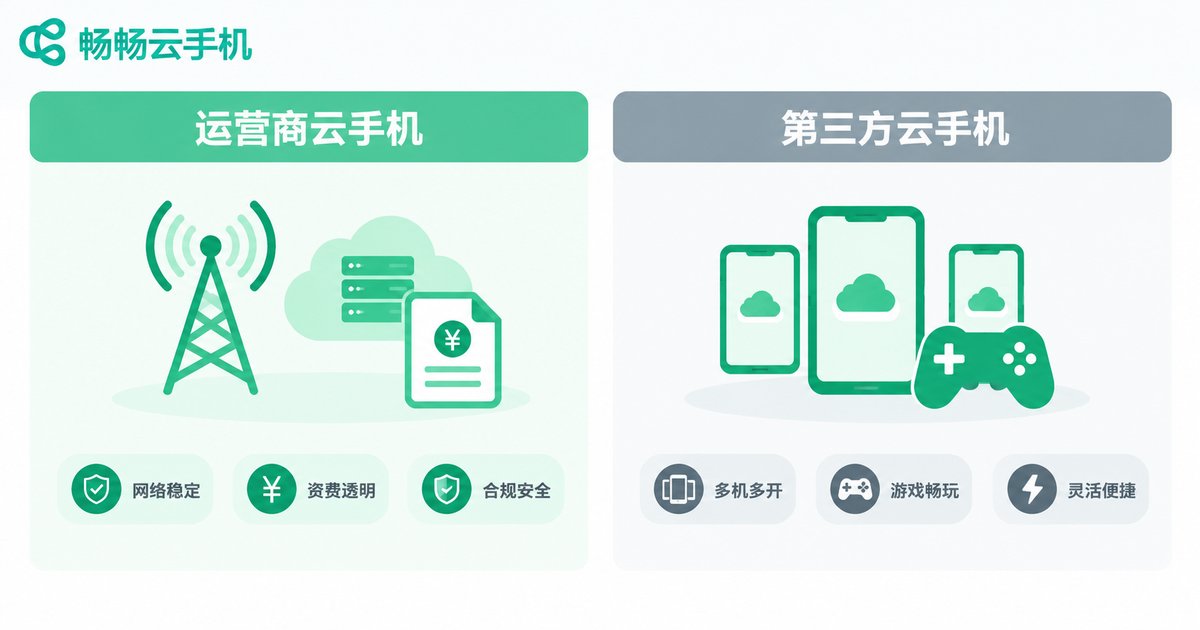
Carrier cloud phones are cloud phone services launched by the major telecom operators. Their defining trait is deep integration with telecom business: they often appear as value-added services attached to broadband or mobile plans, sometimes given away with packages or offered at low trial prices, and sometimes bundled with set-top boxes and home cloud storage.
The advantages are straightforward: strong brand trust and hassle-free billing — charges appear on your regular phone bill, and network resources are reliable. But the weaknesses are just as clear: features are generally basic, mainly serving cloud storage, backup-device, and light-entertainment needs; advanced capabilities such as multi-instance scaling, batch management, and game-specific optimization usually fall behind professional vendors; and service rules vary greatly by region, with cumbersome activation and cancellation processes.
Third-Party Cloud Phones: Built for Productivity
Third-party cloud phones are operated by specialized cloud service providers, such as ChangChang Cloud Phone (ccloudphone). Their target users are clear: people who need devices running at full efficiency — gamers idling and nurturing accounts, studios managing accounts in batches, developers testing apps, and cross-border sellers running multiple platforms.
That is why third-party products compete much harder on features: batch multi-instance management, app hosting with keep-alive, game idling, one-click device environment refresh, and grouped control are basically standard. You also get more device models and server regions to choose from, plus flexible billing — pay per device and per month, combining freely, running only what you need, and never paying for idle capacity.
Key Differences at a Glance
| Dimension | Carrier Cloud Phone | Third-Party Cloud Phone |
|---|---|---|
| Positioning | Plan add-on for the mass market | Professional tool for business scenarios |
| Features | Basic: cloud storage, backup device, light use | Rich: multi-instance, group control, hosting, idling |
| Billing | Usually tied to telecom plans | Flexible monthly, per-device payment |
| Scaling & Management | Limited instance count | Batch multi-instance and grouped management |
| Best For | Everyday users wanting a cloud backup phone | Gamers, studios, multi-account operators |
How to Choose: Ask Yourself Three Questions
Question 1: What will you use it for? If you simply want a “home in the cloud” for photos and videos, or just occasional light use, a carrier cloud phone bundled with your plan is enough. But if you need account idling, multi-account isolation, or batch device management, leave professional work to professional tools — a third-party cloud phone is clearly the better fit.
Question 2: Do you care about stability and smoothness? Idling fears disconnection; multi-instance fears lag. Professional vendors such as ChangChang Cloud Phone invest more in server stability and streaming smoothness, staying reliable through long sessions online.
Question 3: Where does your budget work hardest? Carrier cloud phones look affordable, but limited features often force you to find another solution anyway. Third-party cloud phones let you pay only for what you actually use — money spent on features you need, which works out cheaper overall.
Why We Recommend ChangChang Cloud Phone
Among third-party options, ChangChang Cloud Phone (ccloudphone) deserves top consideration: it provides independent Android cloud device environments with unified multi-device management. Whether it is game idling, app hosting, or daily multi-account operations, you will find a matching use case, and the clean interface lets beginners get started quickly. Device configurations and plans are updated from time to time, so visit the official ChangChang Cloud Phone website for the latest information and choose a plan that fits your needs.
FAQ
Q: Are carrier cloud phones free?
Some operators give cloud phone access as a perk with broadband or mobile plans, but free versions usually limit performance, hours, and features; advanced needs generally require payment, and rules differ by region.
Q: Will using a cloud phone get my game account banned?
Legitimate cloud phones provide an independent device environment, and using one is not a violation in itself. Account safety always depends on following platform rules — avoid pairing it with cheats or other violating tools.
Q: Does a cloud phone consume mobile data?
The screen is rendered in the cloud and streamed to your device, which does consume data. It is effortless over WiFi; for long idling sessions on mobile networks, keep an eye on your data plan.
Q: How many cloud phones can I run on one device?
Your local device is not the limit — what matters is how many cloud devices you purchase. Third-party cloud phones usually support batch multi-instance and grouped management, making scaling easy.
Q: Is my data safe in a cloud phone?
Choosing a reputable provider is key. Mature platforms like ChangChang Cloud Phone isolate and protect cloud data; you should also enable two-factor authentication on important accounts and back up regularly.