
How to Choose a Cloud Phone? Avoid These 3 Pitfalls or You'll End Up with E-Waste
Why Your Cloud Phone Became E-Waste
Search for "cloud phone" in any app store and you will find dozens, even hundreds of options, ranging from a few dollars to several hundred. Many people grab the cheapest deal, only to discover within a week that the device lags beyond usability, disconnects constantly, and customer support is a ghost. Money spent, time wasted, experience close to zero.
The truth is, cloud phone technology is quite mature. The problem lies in the "choosing" part. This article breaks down the 3 most common pitfalls when selecting a cloud phone, so you can stop wasting money on overpriced junk.
Pitfall #1: Focusing Only on Price, Ignoring Specs
This is the trap most people fall into. "Cloud phone at $1.49/month" sounds tempting, but have you considered that a real cloud phone requires actual server hardware running behind the scenes? CPU, RAM, storage, and GPU rendering capability all directly determine whether you get into a game in seconds or stare at a loading spinner for three minutes.
Low-price cloud phones typically use one of two tricks: severe overselling (packing dozens of users onto a single physical machine, causing resource contention) or using outdated, low-spec hardware that can handle light apps but chokes on anything moderately complex.
When choosing a cloud phone, pay attention to at least these hard specs:
| Metric | Minimum | Recommended |
|---|---|---|
| CPU Cores | 4 cores | 8 cores or more |
| RAM | 4 GB | 8 GB or more |
| Storage | 32 GB | 64 GB or more |
| OS Version | Android 10 | Android 12 or later |
If a provider is too vague to share these numbers, they are almost certainly cutting corners on hardware.
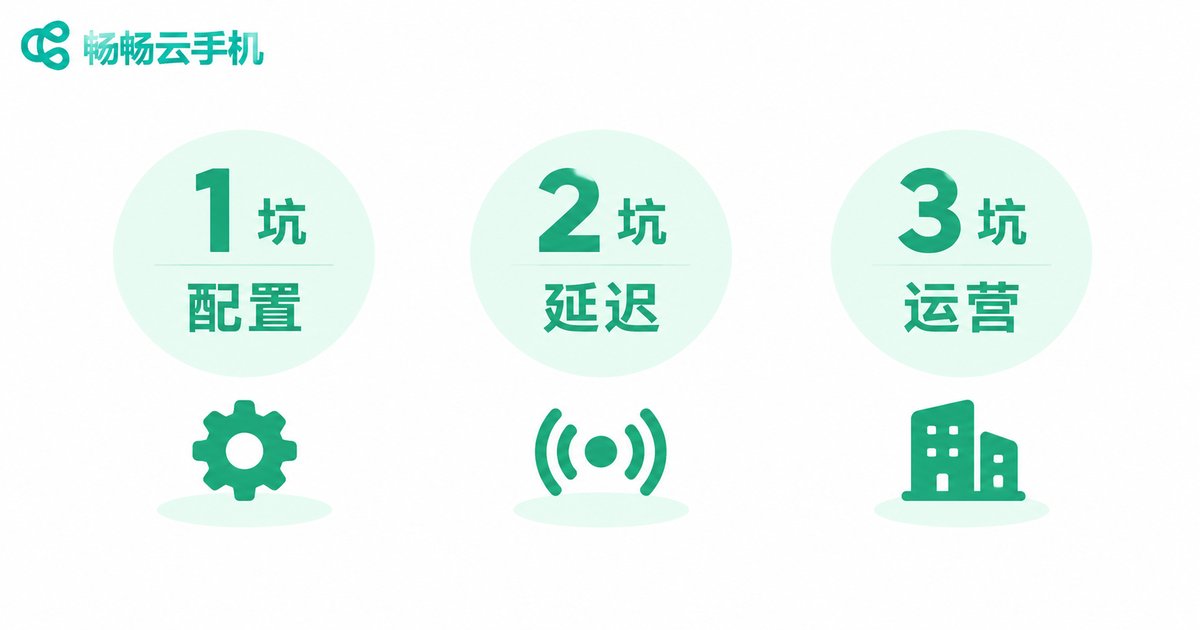
Pitfall #2: Overlooking Latency and Stability
The biggest difference between a cloud phone and a physical device is that every tap and swipe travels over the network to a remote server and back. Any weakness in that chain causes a dramatic drop in experience.
Specifically, watch out for three things:
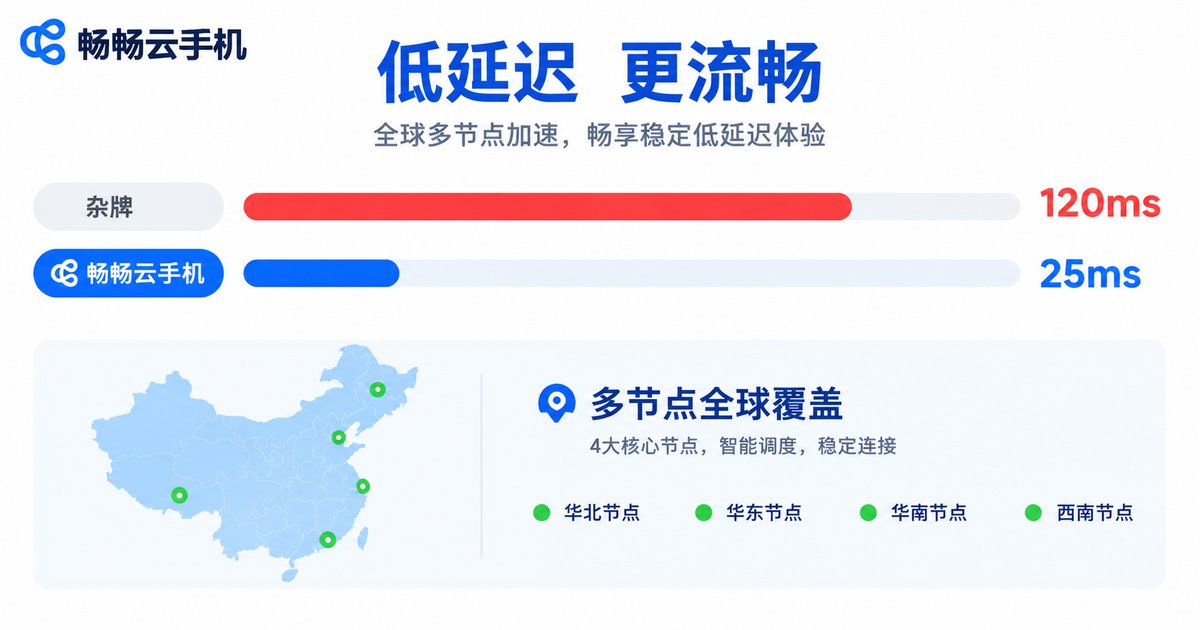
First, network latency. A well-functioning cloud phone should stay under 50 ms. For games that demand precise timing, aim for 30 ms or less. If a provider will not publish latency figures or simply says "low latency" without a number, move on.
Second, node distribution. Where is your cloud phone server located? The closer to you, the lower the latency. A reliable service offers multiple nodes so you can pick the one nearest to your location.
Third, bandwidth guarantee. Peak hours (8–11 PM) can feel like a completely different product compared to off-peak. Some small providers buy shared bandwidth to save costs, and performance collapses the moment traffic spikes.
A quick pre-purchase test: ask the provider for a 30-minute trial, then open a real-time game or app and interact continuously for five minutes. Notice any visible lag or frame drops? That is your answer.
Pitfall #3: Neglecting Long-Term Operations and Support
This is the most hidden pitfall but the most damaging. You are not buying a cloud phone for a day; you may use it for months or over a year. If the provider itself is unstable, the first two pitfalls become irrelevant.
How do you judge whether a cloud phone provider will stick around?
1. Company background. Is there a legitimate business entity and registration? How long have they been operating? Do they have a reputation in the industry? A shell company registered three months ago can vanish overnight.
2. Technical iteration. Cloud phone technology evolves quickly. The OS needs updates, security patches need to be applied, and new device profiles need to be supported. If a provider has not pushed an update in six months, their engineering team may have already left.
3. Support responsiveness. Can you get help in a reasonable time when something breaks? Is it a chatbot or a real human? What is the ticket turnaround? These details define your experience over the coming months.
4. Data security. Your accounts, game saves, and app data live in the cloud. Does the provider have a backup mechanism? If a server fails, can your data be recovered?
In the cloud phone space, ccloudphone has earned a solid reputation for stability in recent years. It offers multi-node deployment, letting users select the optimal access point based on their region, with latency consistently among the best in the industry. ccloudphone also maintains regular system updates and security patches, and its support team responds promptly, making it a strong fit for users who need reliable long-term operation.
Quick Comparison at a Glance
| Dimension | Budget No-Name Cloud Phone | Reliable Cloud Phone (e.g., ccloudphone) |
|---|---|---|
| Spec transparency | Vague or hidden | Clear CPU/RAM/storage/OS details |
| Latency | Unpublished; often 100 ms+ | Published; typically under 50 ms |
| Node options | Single fixed node | Multiple selectable nodes |
| OS updates | Rare or never | Regular updates |
| Support | None or bot only | Live agents + ticket system |
| Data backup | None | Backup mechanism in place |
Final Pre-Purchase Checklist
Before you hit "buy," run through this list. It will filter out 80% of the bad options:
✅ Are the hardware specs clearly published (CPU, RAM, storage, OS version)?
✅ Are multiple nodes offered or can you query the server location?
✅ Is latency given as a concrete number, not a vague adjective?
✅ Can you get a short trial before committing?
✅ Is the company entity verifiable with a reasonable operating history?
✅ Is there a reachable support channel (phone, live chat, ticket)?
✅ Is there a stated data backup policy?
If any of these answers is evasive, walk away. Your time and account security are worth far more than a few dollars saved.
Frequently Asked Questions
Q: What is the biggest advantage of a cloud phone over a physical device?
A: The core advantage is 24/7 uninterrupted operation. You cannot keep a physical phone plugged in and running around the clock, but a cloud phone runs continuously in the data center. This makes it ideal for idle-time tasks, multi-account management, remote work, and streaming. Plus, you are not tied to a local network or device; access it from any browser or client anywhere.
Q: What can I use a cloud phone for?
A: Common use cases include: running multiple game accounts, app testing, remote work, live-streaming, and data collection. If your need is "I need an Android device running continuously," a cloud phone will almost certainly cover it.
Q: Is some input lag on a cloud phone normal?
A: A small amount of lag is expected because every input travels over the network. However, normal latency should stay under 50 ms. If you notice visible ghosting or input desync, there is a network issue. Contact your provider to troubleshoot or switch to a closer node.
Q: Is a cloud phone secure? Will my accounts be exposed?
A: With a reputable provider, security is well-handled. Two things matter: whether the provider implements data isolation and encryption, and whether you enable app locks or two-factor authentication on your side. Prefer providers with clear security documentation and backup policies, such as ccloudphone, which has a comprehensive data-protection setup.
Q: Will a cloud phone get slower over time?
A: If the provider maintains the infrastructure properly, it should not. Sluggishness usually comes from storage filling up with logs and cache, or from overselling. A responsible provider performs regular cleanup and maintenance, and users can also clear app cache themselves. If performance degrades noticeably after a few months, the provider is likely downgrading specs behind the scenes. Time to switch.


