
What Processor Do Cloud Phones Use? How to Check Cloud Device Configuration Parameters
Cloud Phone "Processors" Are Nothing Like Physical Phones
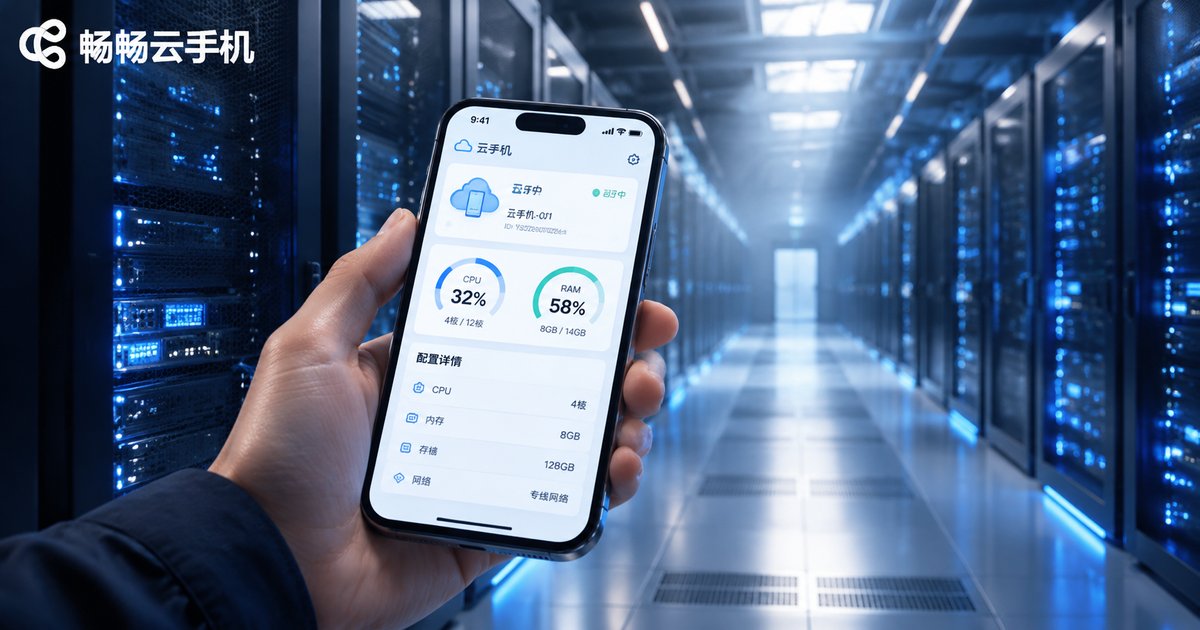
Almost everyone new to cloud phones asks the same question: what processor do cloud phones use? Is it a Snapdragon, a Dimensity, or an Apple A-series chip? The answer may surprise you—there is no mobile SoC sitting inside a cloud phone. Its real "processor" lives in a data center far away.
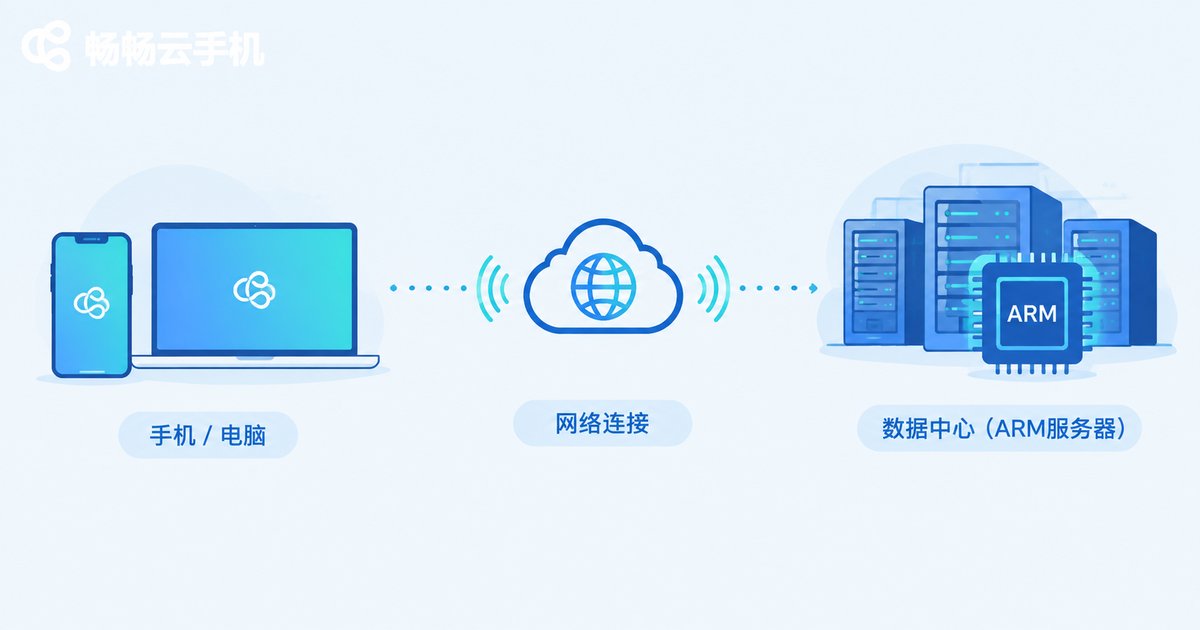
Simply put, a cloud phone is a virtual Android device running on cloud servers. What you see on your local phone or computer is a real-time video stream rendered in the cloud; every tap you make is transmitted over the network and executed remotely. That's why cloud phone performance depends on data center hardware, not the chip inside the device in your hand.
What Processor Do Cloud Phones Use?
Mainstream cloud phone services are built on ARM-based server processors. Why ARM? Because Android itself is designed for the ARM instruction set, so running Android virtual machines on ARM servers delivers the best compatibility and efficiency.
Here's how the hardware stack works:
1. ARM server chip clusters: Data centers deploy large numbers of ARM servers, and a single server can host dozens or even hundreds of cloud phone instances.
2. vCPU allocation: Each cloud phone instance is allocated a number of virtual CPU cores—this is what the "4-core" or "8-core" spec on your plan refers to.
3. Dedicated RAM and storage: Every cloud phone has its own isolated memory and storage space, completely separated from other instances.
4. GPU rendering and video streaming: The cloud renders the screen and streams it to your local device in real time. Your device only handles display and input, consuming almost no local resources.
What Configuration Parameters Do Cloud Devices Have?
When reading a cloud phone spec sheet, focus on these parameters:
| Parameter | Meaning | What to Look For |
|---|---|---|
| CPU cores | Virtual processor cores allocated to the cloud phone | 4+ cores for multi-instance and AFK tasks |
| RAM | Memory of the cloud phone | 4GB+ for demanding mobile games |
| Storage | Storage space of the cloud phone | 32GB+ for multiple games |
| Android version | Android system version of the cloud phone | Android 9+ for newer games |
| Resolution | Resolution of the streamed display | 720P/1080P is standard |
| Network latency | Round-trip delay between you and the cloud | Lower means more responsive controls |
How to Check Cloud Device Configuration: Three Methods
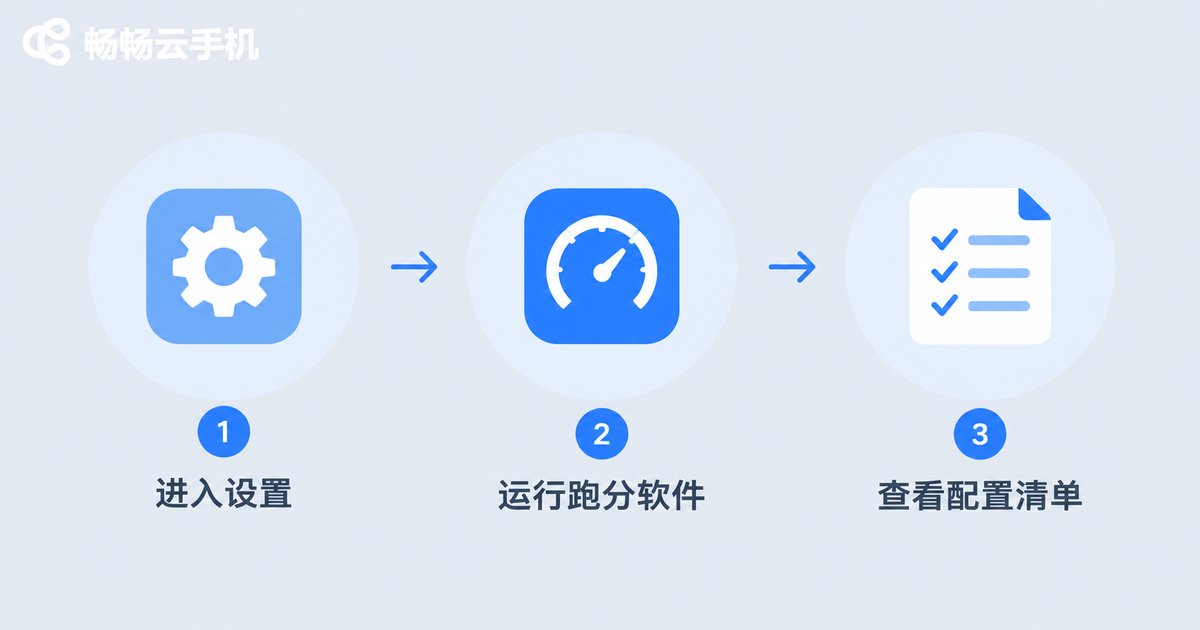
Method 1: Check "About Phone" inside the cloud phone
Open Settings → About Phone inside your cloud phone to see CPU cores, RAM, storage, and Android version—exactly like on a physical phone.
Method 2: Use benchmark and detection apps
Install tools like AnTuTu or CPU-Z inside the cloud phone to read detailed CPU architecture, core count, and memory info, and run benchmarks to gauge performance.
Method 3: Check the provider's plan details
The most direct way is to visit the cloud phone provider's official website, where each plan clearly lists CPU cores, RAM, and storage so you can choose what fits your needs.
Cloud Phone vs. Physical Phone Configuration
| Aspect | Physical Phone | Cloud Phone |
|---|---|---|
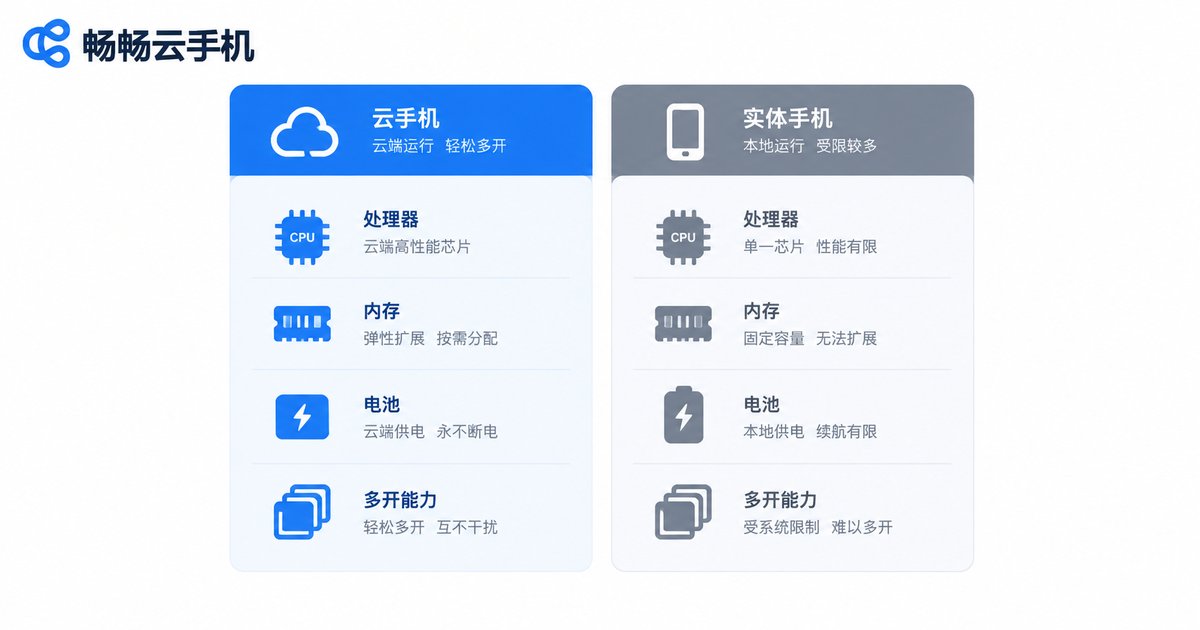
| Processor | Built-in mobile SoC | ARM server processors in data centers |
| Performance source | Local hardware | Cloud server clusters |
| Local battery drain | Heavy load drains battery fast | Only video decoding, minimal drain |
| Heat | Gets hot during long sessions | Almost no local heat |
| Multi-instance | Limited to one device | Run multiple cloud phones at once |
| Upgrading specs | Requires a new phone | Just switch plans |
How to Choose the Right Cloud Phone Configuration
Multi-instance and AFK farming: Prioritize CPU cores and RAM. A 4-core + 4GB setup handles most daily apps and idle tasks smoothly.
Demanding mobile games: Prioritize RAM, GPU rendering capability, and network latency. A higher-tier plan ensures smooth visuals without stuttering.
Long-term stable use: Beyond specs, evaluate the provider's data center quality, network routes, and support responsiveness—stability matters more than peak performance over time.
Recommended: CCloudPhone
If you're looking for a cloud phone with transparent specs and stable performance, try CCloudPhone. Built on ARM servers in professional data centers, CCloudPhone offers multiple configuration plans, supports running multiple cloud phones simultaneously, and fits gaming, app automation, and productivity scenarios. Every plan's CPU, RAM, and storage parameters are clearly listed on the official website, so you can choose with confidence.
FAQ
Q: Do cloud phones use Snapdragon processors?
No. Cloud phones run on ARM-based server processors in data centers, not Snapdragon or Dimensity SoCs built into a phone body.
Q: Does a higher-spec cloud phone require a powerful local phone?
No. Your local device only decodes the video stream and sends input commands, so even an ordinary smartphone can smoothly run a high-spec cloud phone.
Q: Where can I see a cloud phone's real configuration?
Check "Settings → About Phone" inside the cloud phone, use detection tools like AnTuTu, or review the plan parameters on the provider's official website.
Q: Will cloud phones lag? What does it depend on?
Smoothness depends on cloud-side specs and network quality. Specs determine the performance ceiling, while latency determines responsiveness—both need to be stable for a smooth experience.


