
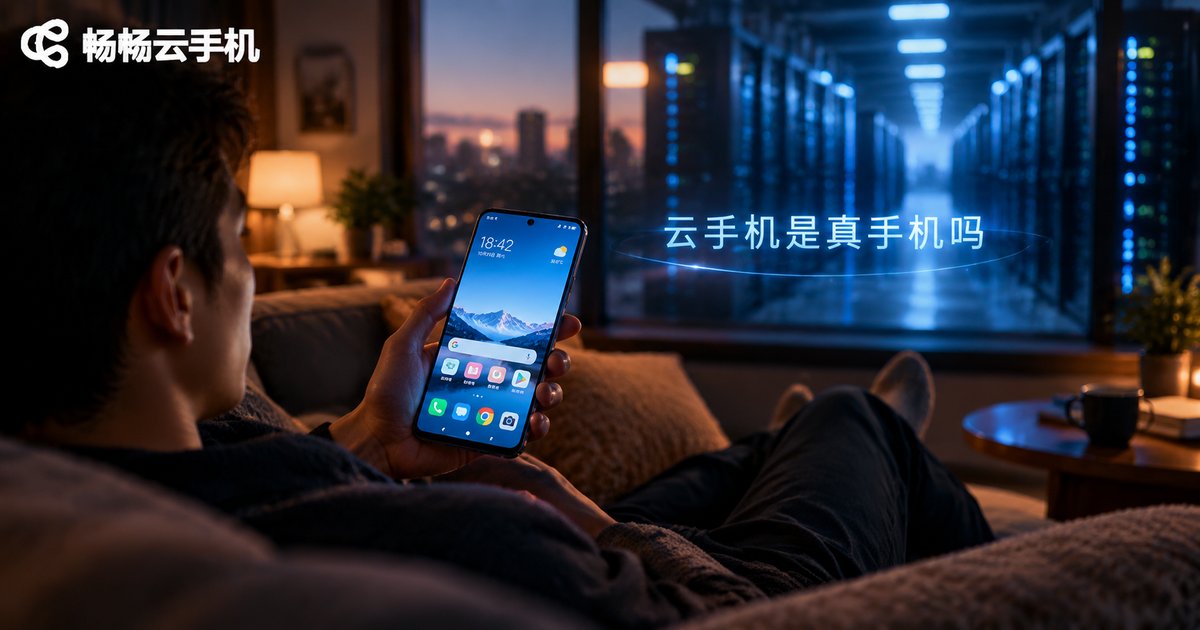
Is a Cloud Phone a Real Phone? Clearing Up Common Misconceptions About Cloud Devices
The Short Answer: A Cloud Phone Has No Physical Body, but It Runs a Real System
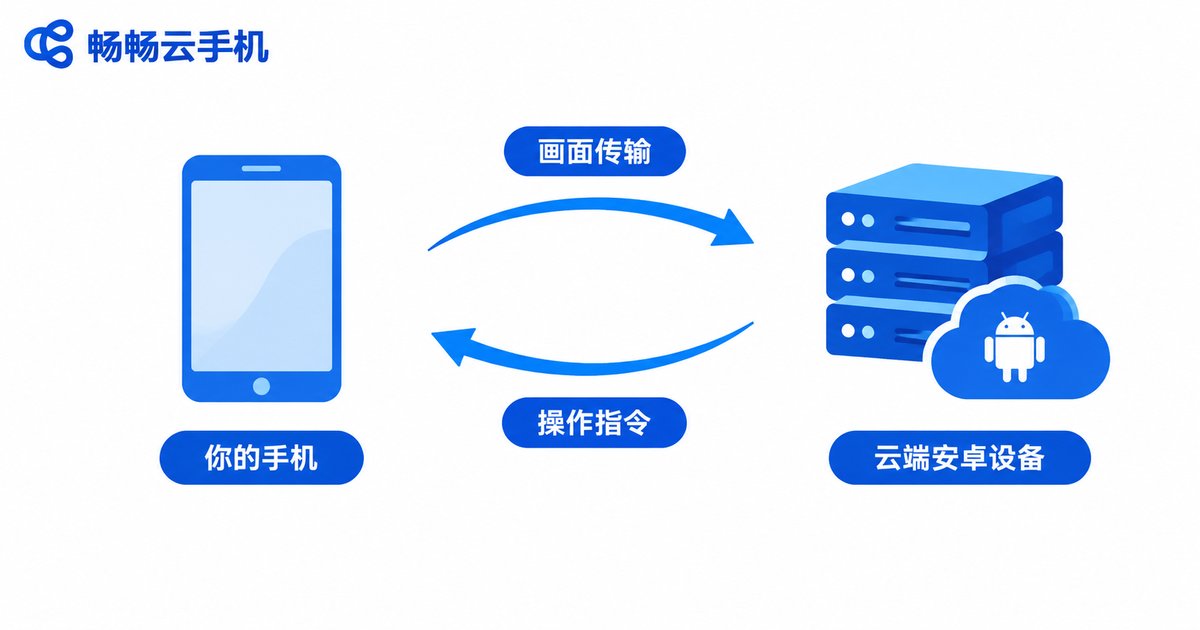
When people first hear the term “cloud phone,” the usual reaction is: how can a phone exist in the cloud? Is it just a marketing gimmick? The concept is actually easy to understand — a cloud phone is an Android device running on servers in a data center. It has no chassis, screen, or battery, and you cannot touch it, but it runs a complete, genuine Android system where apps work exactly as they would on a regular phone. You connect to it from your own phone or computer, send your taps and swipes upstream, and receive the screen back — like remotely using another phone.
Misconception 1: A Cloud Phone Is a “Fake Phone” That Cannot Run Real Apps
This is the most common misunderstanding. Some people assume a cloud phone is just an emulator skin or a web wrapper. In reality, a cloud phone runs a genuine Android operating system. You can install and use apps normally, and to those apps it looks and behaves like an ordinary Android device. The only difference is that its CPU, memory, and storage live in a cloud data center rather than in your hand.
Misconception 2: A Cloud Phone Means Remotely Controlling Someone Else's Phone
Quite the opposite. Every cloud phone is your own dedicated, isolated device instance, with its own system environment and storage, fully separated from other users' devices. You log into your own account and operate the cloud device assigned to you — it has nothing to do with controlling anyone else's phone.
Misconception 3: Cloud Phones Are Always Laggy and Unusable
Smoothness mainly depends on two things: server performance and network quality. Cloud phones run on data-center servers with solid computing power, and with a stable connection, responsiveness is close to everyday use. When the network is poor, any remote solution suffers — that is a trait of all cloud devices, not a flaw unique to cloud phones.
Misconception 4: Data Stored in the Cloud Is Unsafe and Can Vanish
Consider the alternative: if a physical phone is lost, soaked, or dropped, photos and chat history may disappear with it. Cloud phone data lives in the cloud, so switching devices or locations leaves your data intact. The prerequisite, of course, is choosing a reputable provider rather than an unknown platform.
Misconception 5: Cloud Phones Secretly Drain Data and Charge Hidden Fees
A cloud phone works by “computing in the cloud, streaming the screen locally,” so your local data usage mainly comes from streaming that screen — roughly comparable to watching videos, nothing dramatic. As for cost, legitimate platforms use transparent, published pricing based on the plan you choose; there is no such thing as secret charges. Just review the pricing terms before signing up.
Cloud Phone vs. Physical Phone at a Glance
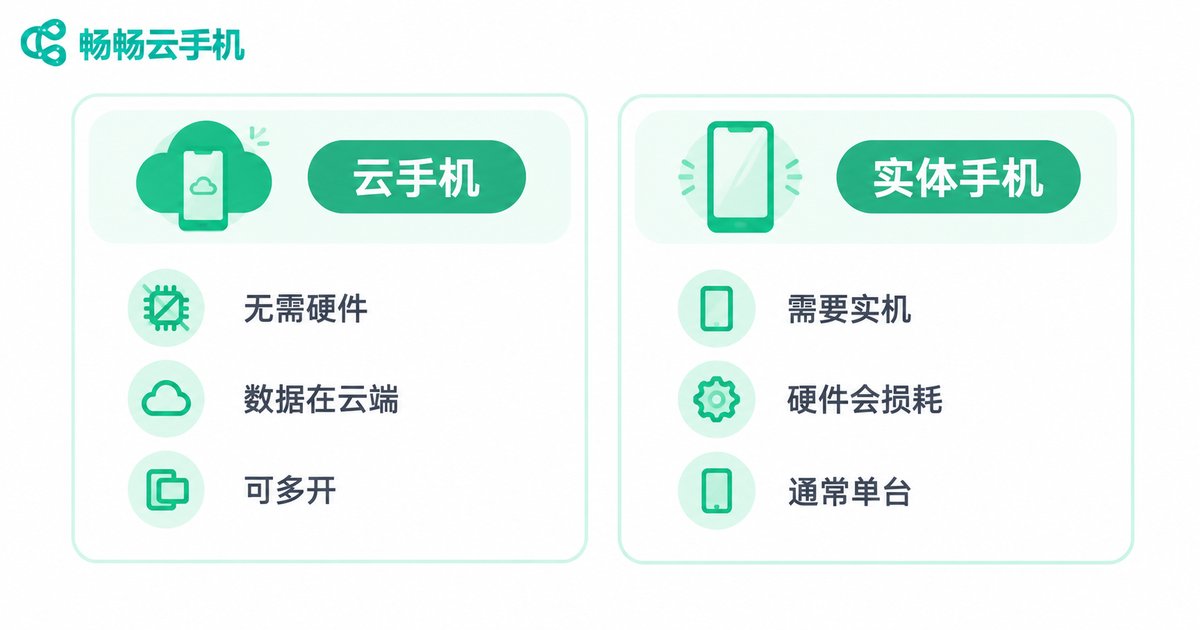
| Dimension | Cloud Phone | Physical Phone |
|---|---|---|
| Form | Virtual device in the cloud, nothing to carry | A real handheld device |
| Hardware wear | No local hardware used, no wear | Battery and screen degrade |
| Multi-instance | Run many devices simultaneously | Most people own one or two |
| Data safety | Stored in the cloud, safe even if your device is lost | Data may be lost with the device |
| Requirement | Needs a stable network | Works offline |
Who Is a Cloud Phone For?
A cloud phone is a practical tool if you manage multiple accounts that must stay separate, want games to stay online around the clock, need to test apps at scale, or simply need a temporary device after your old phone retired. For these scenarios, a cloud phone saves not only money but also battery and attention.
Ready to Try? Pick a Reliable Cloud Phone Platform
If you want to experience a cloud phone, consider a platform focused on cloud device services such as ChangChang Cloud Phone (ccloudphone): after registering, you can create your own Android device in the cloud without buying any extra hardware, and connect from a browser or an app. Start with the basics, get familiar with the workflow, then scale up to more devices as needed.
FAQ
Q: Is a cloud phone the same as an emulator?
No. An emulator runs on your own computer and uses local hardware; a cloud phone runs on cloud servers, with your local device only displaying the screen and sending input.
Q: Can I use a cloud phone without internet?
No. Cloud phones depend on the network to stream the screen and send commands. When offline you cannot operate the device, but cloud data remains intact once you reconnect.
Q: Will my apps on a cloud phone expire or be wiped?
While your subscription is active, your device and app data are retained; exact retention rules follow the provider's policy.
Q: How many cloud phones can I run from one phone?
There is no fixed limit — it depends on the number of devices in your plan and your local screen capacity; multiple devices can be managed in parallel.
Q: Are cloud phones good for gaming?
They suit idle and AFK games that need long online hours; for highly competitive games demanding ultra-low latency, the experience depends on your network.


