
Does a Cloud Phone Harm Your Real Device? How Much Does Cloud Running Affect Your Phone?
The Short Answer: A Cloud Phone Doesn't Harm Your Device—It Protects It
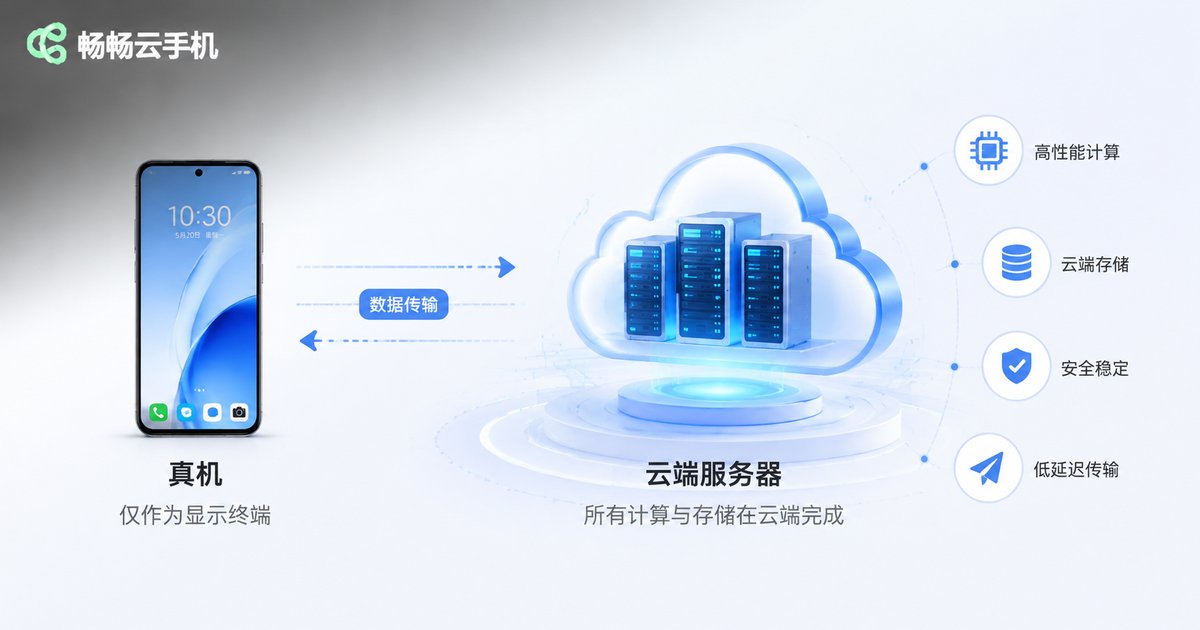
Many people feel uneasy when they first encounter cloud phones: if games and apps run 'in the cloud,' will that eventually damage my real device? The answer is crystal clear: no. All computing, rendering, and storage in a cloud phone happen on remote servers. From start to finish, your real device does only one thing—receive the picture, just like watching a video. None of the performance-heavy work ever lands on your phone.
More precisely, using a cloud phone sensibly can actually help your device 'live longer.' Let's break down exactly why.
How Cloud Phones Work: The Power Is in the Cloud, Your Phone Is Just a 'Display'
To understand whether cloud phones harm your device, you first need to understand how they operate. When you open a cloud phone app on your device, here's what actually happens:
A powerful server in a remote data center runs a complete Android system. Every tap and swipe you make travels over the network to that server; the server performs the computation and renders the screen, then streams the picture back to you in real time. The whole process is like watching an ultra-low-latency live stream—except the content of this stream is an Android system you are actively controlling.
In other words, your real device plays the same role in this workflow as it does when you watch short videos—it only displays the picture and sends commands, without handling any heavy computation. Since the heavy lifting happens in the cloud, there is nothing to 'hurt' your device.
Using a Cloud Phone Actually Lightens Your Device's Load
Many long-term users report that their real devices are in better shape after switching to cloud phones. The reason is simple: the behaviors that hurt your phone the most have been moved to the cloud.
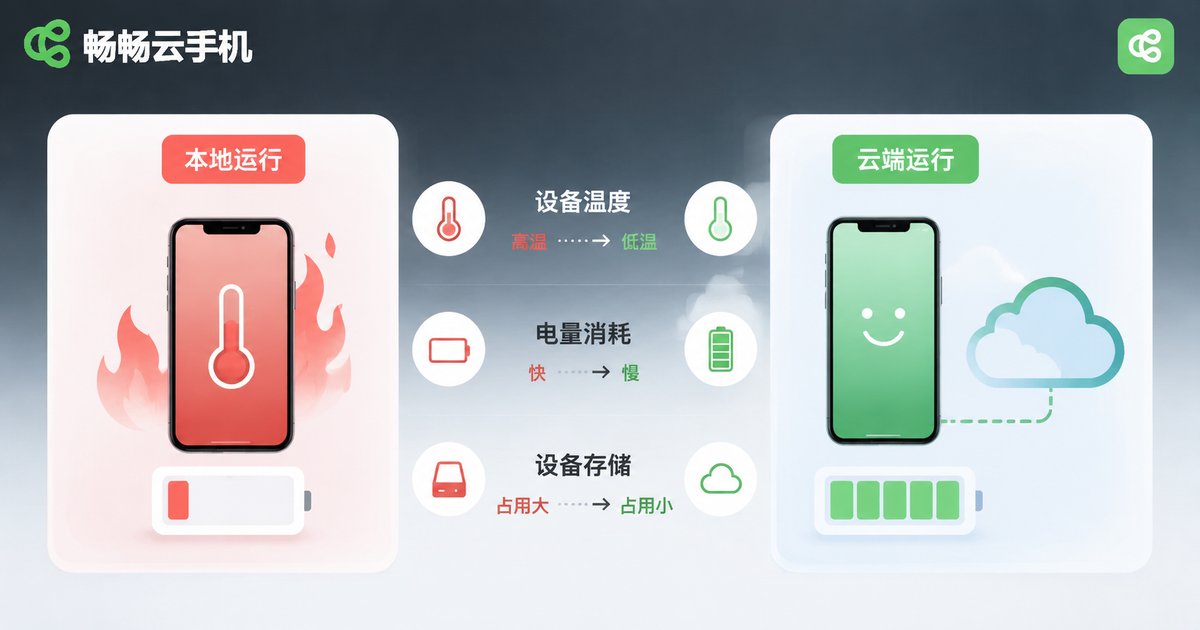
1. Say goodbye to overheating and throttling. Running large games locally keeps the processor at full load for long stretches, making the device hot and sluggish—and heat is the number one killer of batteries and chips. Once your games run on a cloud phone, the heavy load is carried entirely by remote servers. Your device's temperature barely changes, and its hardware lasts longer.
2. Less battery cycle wear. Running heavy apps locally can drain more than 30% of your battery in an hour; streaming a cloud phone screen consumes roughly the same as watching videos. Fewer charge-discharge cycles mean slower battery health degradation.
3. Storage space is no longer strained. Multi-GB games and apps live in the cloud, so your device's storage stays free, the system runs more smoothly, and you stop constantly clearing junk files.
4. Risk isolation keeps your system clean. Apps from unknown sources and accounts that need multi-instance operation all run inside the cloud phone. Even if you run into malware, only the cloud instance is affected—it can be reset with one click—while your real device stays clean and safe.
The Only Real Impact: Data Usage and Screen Power
Strictly speaking, using a cloud phone is not completely 'zero cost' for your device, but the cost is negligible:
First, network data. Screen streaming requires continuous data transmission, which is imperceptible on Wi-Fi; on mobile data, keep an eye on your usage. Second, screen power. Any lit screen consumes power—that's a normal loss in every scenario and has nothing to do with the cloud phone itself.
The contrast is striking: playing a large game locally for an hour can leave your device clearly hot with over 30% battery drain; running the same game on a cloud phone keeps the device barely warm with about 10% battery use. Even better, you can lock your screen or close the app anytime and let the cloud keep running 24/7 while your device rests completely.
Local vs. Cloud Running: One Table Says It All
| Metric | Running Locally | Running on a Cloud Phone |
|---|---|---|
| Processor load | Sustained full load | Nearly zero |
| Device temperature | Clearly hot | Basically unchanged |
| Battery drain | Fast, heavy usage | Slow, like video streaming |
| Storage usage | Games and apps fill the space | No real-device storage used |
| Malware risk | Direct threat to the device | Isolated in the cloud |
| Running after screen lock | Stops immediately | Keeps running in the cloud |
Who Benefits Most from Cloud Phones
Mobile gamers: Grind dungeons and manage multiple accounts without your device overheating or draining battery. Lock your screen and walk away—the cloud stays online 24/7.
Multi-account operators: E-commerce sellers and social media managers juggling multiple accounts can run several cloud phones at once without interference, each with an independent, stable environment.
App developers and testers: Verify apps across various device environments with independent cloud instances that reset with one click, without touching any real device.
Older phone users: Can't run new games on aging hardware? Cloud servers deliver flagship-level performance, so even old phones enjoy a smooth, high-end experience.
Ready to Try? We Recommend ChangChang Cloud Phone
If you're ready to experience a cloud phone, we recommend ChangChang Cloud Phone (畅畅云手机). Built on cloud server clusters, it provides a stable Android cloud environment with smooth screen streaming and reliable long-session uptime. It supports managing multiple cloud devices at the same time, covering grinding, multi-instance operation, testing, and more. All data is stored in the cloud, fully isolated from your real device with zero burden on it. Visit the official website to register and try it out.
FAQ
Q: Will a cloud phone make my real device laggy?
No. A cloud phone app is essentially a video player that uses very few resources—far lighter than running a large game locally.
Q: Will my device overheat during long grinding sessions?
No. All computation happens in the cloud. You can even lock your screen and turn it off—your device barely works while the cloud keeps running.
Q: Does a cloud phone consume a lot of data?
Screen streaming continuously consumes data. Wi-Fi is recommended; on mobile networks, plan according to your data plan.
Q: Is the data in a cloud phone safe?
Data is stored on cloud servers, fully isolated from your real device. Even if something goes wrong with the cloud phone, you can reset the instance without affecting any data on your device.
Q: Can an old phone use a cloud phone?
Yes. As long as it can play videos smoothly and has a stable network connection, even an old phone can gain flagship-level cloud performance through ChangChang Cloud Phone.


