

Which Cloud Phone Is Safest for Cross-Border E-Commerce Site Testing? One-Device-One-IP + Fingerprint Isolation Anti-Ban Guide
Why Do Your Site-Testing Accounts Keep Getting Banned For No Reason?
If you run a cross-border e-commerce independent site, testing is unavoidable: checking whether the checkout flow works, reviewing how ad landing pages render in different regions, and maintaining a pool of overseas buyer accounts for social proof. Yet many sellers hit a wall right away — accounts get restricted within days, or banned in batches.
In most cases, bans are not bad luck. The accounts have been flagged as linked accounts by risk-control systems, which look at two types of signals:
First, the network environment. When multiple accounts log in from the same IP for a long time, with heavily overlapping activity hours, they get grouped as one entity.
Second, the device environment. Device model, OS version, screen resolution, Android ID and similar parameters combine into a device fingerprint. If a dozen accounts share the exact same fingerprint, you are effectively telling the risk-control system: we are the same device.
So the core anti-ban logic comes down to one sentence: make every account look like an independent, real and stable user in both the network and device dimensions.
One Device, One IP: The First Line of Defense Against Linking
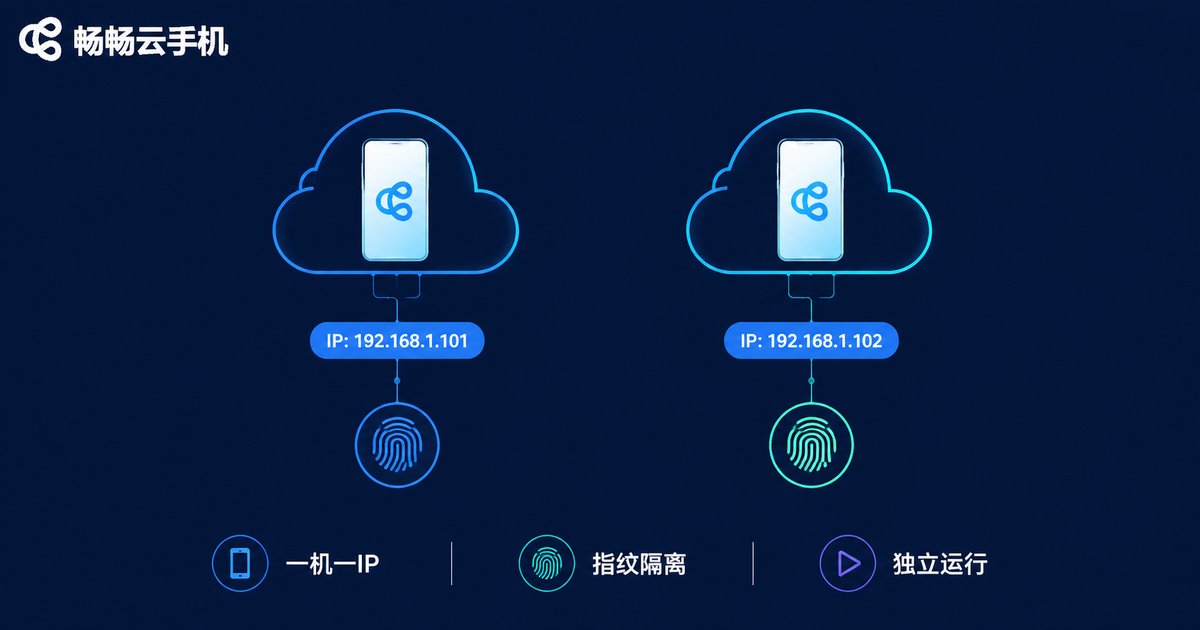
One device, one IP means each cloud phone is bound to its own dedicated, fixed IP, so account, device and IP map one-to-one with no overlap. Three things matter in practice:
1. Match the IP location to your target market. Use a North American IP for North American traffic and a European IP for European stores, so the login environment looks like that of a real local user.
2. Use clean IPs. IPs that have been recycled across large numbers of accounts already carry a high-risk label; prefer exclusive resources when choosing a provider.
3. Keep the IP stable. Logging in from Los Angeles today and New York tomorrow is far more likely to trigger location-based risk control than a fixed IP. A static, dedicated IP environment is what keeps accounts alive long term.
Device Fingerprint Isolation: Make Every Cloud Phone Look Like an Independent Real Phone
IP is only half the story. Every cloud phone instance should carry its own parameter set: a different device model, OS version, resolution, Android ID and more. To a risk-control system, they then look like unrelated real phones.
Stack one-device-one-IP on top of fingerprint isolation and you get dual isolation across network and device: account A lives on IP #1 with device profile #1, account B on IP #2 with device profile #2 — no intersection for anyone to find.
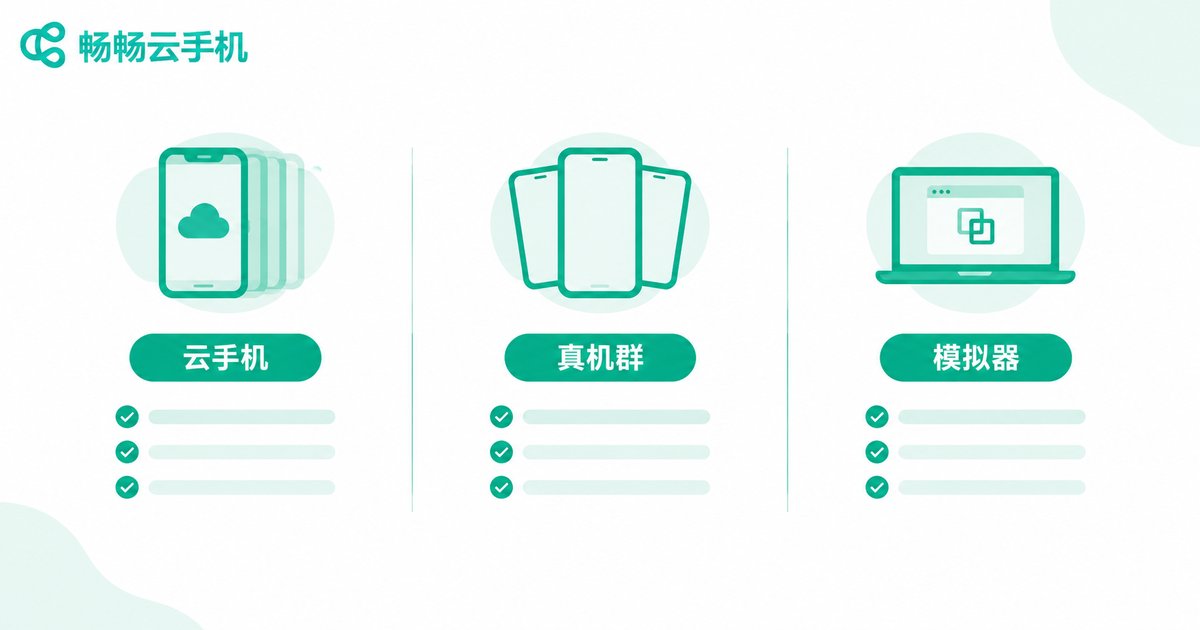
Cloud Phones vs. Real Device Farms vs. Emulators: Which Should You Choose?
There are three common ways to isolate multiple accounts, each with trade-offs:
| Option | Cost | Isolation | Stability | Scalability |
|---|---|---|---|---|
| Real device farm | High (devices, space, maintenance) | Good | Good | Poor, slow to expand |
| PC emulator | Low | Weak, fingerprints easily identical | Average | Limited by local hardware |
| Cloud phone | Medium, pay as you grow | Strong, one IP + unique fingerprint per device | Good, online around the clock | Good, spin up on demand |
For most independent-site sellers, the cloud phone offers the best balance of cost, isolation and scalability: no hardware to stockpile, no dependency on your local computer, and you simply add more instances as the business grows.
Hands-On Workflow: From Account Warm-Up to Order Review
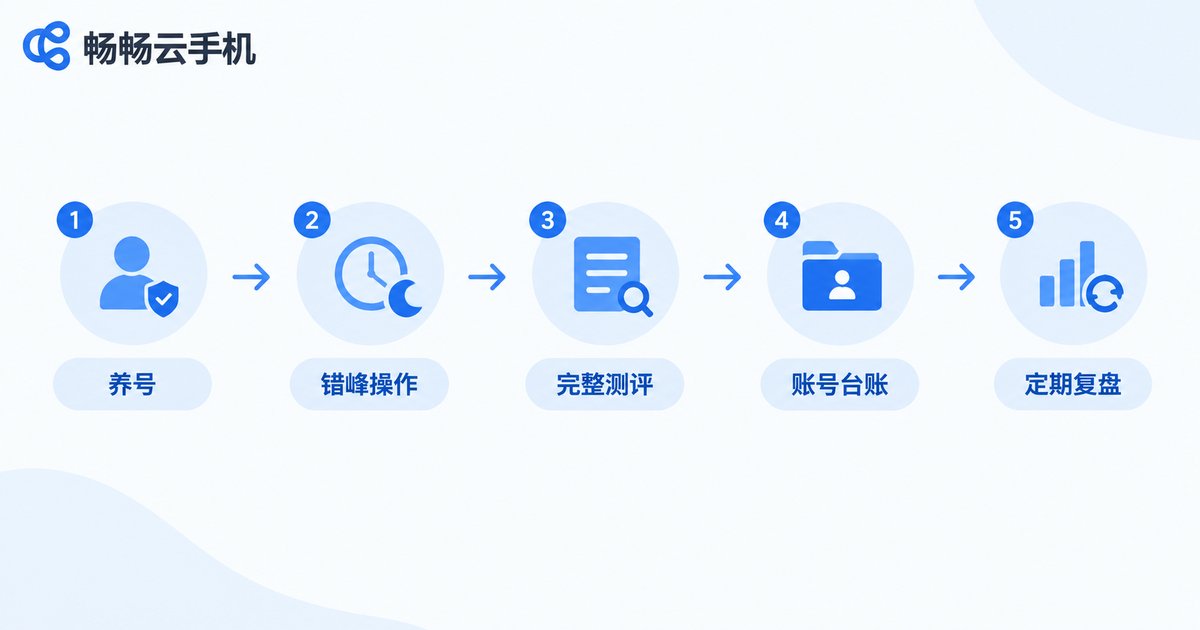
Once the tool is in place, process matters more than the tool itself. Here is a proven operating rhythm:
Step 1: Warm up new devices. Do not rush into account operations on a freshly created cloud phone. Use it like an ordinary user for a few days first — browse pages, install common apps — and let the environment settle naturally.
Step 2: Stagger your activity. Avoid having dozens of accounts come online at the same minute. Spread actions across the target market's time zone so behavior patterns look human.
Step 3: Walk the full testing path. When testing your store, do not jump straight to payment. Follow the complete journey of browse — compare — add to cart — checkout — payment — after-sales pages, so the data is truly trustworthy.
Step 4: Keep an account ledger. Record which account, IP location, purpose and registration date each cloud phone maps to. One device, one purpose — never mix them.
Step 5: Review regularly. Monitor account survival rates and warning messages. If something looks off, pause and audit the environment before continuing.
Buyer's Checklist: What Makes a Cloud Phone Safe?
There are many cloud phone products on the market. Confirm each item on this list before you commit:
✔ Does it support one device, one IP, with exclusive and stable IPs?
✔ Are device fingerprint parameters independent for each instance?
✔ Is the cloud runtime stable enough for long sessions without dropping?
✔ Does it support batch management for team collaboration?
If you would rather skip the comparison shopping, take a look at ChangChang Cloud Phone (ccloudphone): it provides a cloud-based real Android environment where every cloud phone runs independently without interference, and you can log in and manage your devices anytime, anywhere — a good fit for multi-account scenarios like independent-site testing. Start with a small trial, confirm the IP and fingerprint setup matches your business, then scale up gradually.
FAQ
Q: How many accounts can one cloud phone hold?
Strongly recommended: one account per device. Putting multiple accounts on one cloud phone intentionally links them together — if one fails, the whole group is at risk.
Q: Will the cloud phone's network interfere with my office network?
No. Cloud phones run in the cloud on their own network environment, fully isolated from your local IP. Changes or outages in your office network do not affect cloud-side accounts.
Q: Is it safe to change IPs midway?
Avoid it if possible. Frequent jumps in login location are themselves a risk signal. If you must switch, choose static, dedicated IP resources and give the account a buffer period.
Q: What payment method is safer for test orders?
Use payment tools that match the account's region, one set of payment credentials per account, and never share one card or payee across multiple accounts.
Q: Is ChangChang Cloud Phone suitable for beginners?
Yes. The learning curve is gentle — you can manage everything from a web page or app. Start with a few instances to run through the full warm-up — testing — review cycle, then scale once stability is confirmed.


