
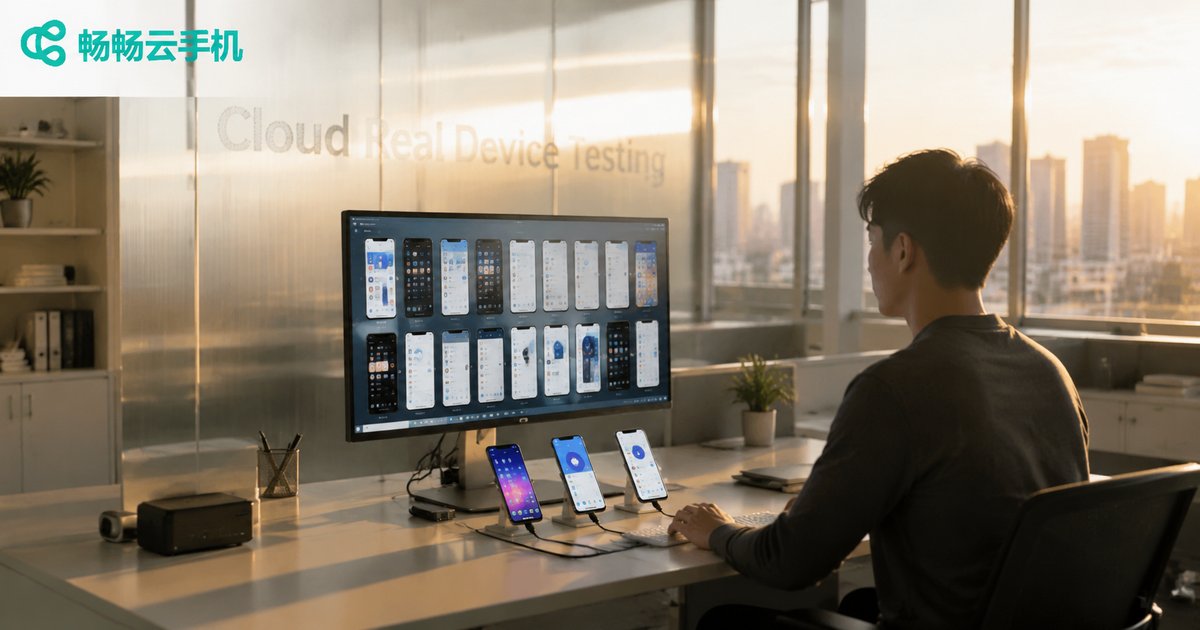
Stop Fixating on Cloud Phones! Cloud Real Devices Are Perfect for APP Compatibility Testing
Cloud Phones Are All the Rage, But Are They Enough for Compatibility Testing?
Over the past couple of years, the concept of cloud phones has permeated every tech person's social feed. Running games, executing scripts, automating workflows—cloud phones have undeniably freed up a lot of repetitive work from local devices. But if you are an app developer or a QA engineer, you probably have a nagging question: Can I move my compatibility testing to cloud phones too?
The direct answer: No, not if you rely on cloud phones alone.
At the core, a cloud phone is a virtualized instance on a server, simulating a generic environment rather than the real hardware of a specific phone. Compatibility testing, however, needs to answer a very concrete question—"Will my app crash on a Huawei Mate 60? Will rendering break on a Xiaomi 14 running MIUI 15? Will the notification bar interaction work correctly on an OPPO Find X7 with ColorOS 14?" Only real devices can give you a trustworthy answer to these questions.
Cloud Phones vs. Cloud Real Devices: What's the Real Difference?
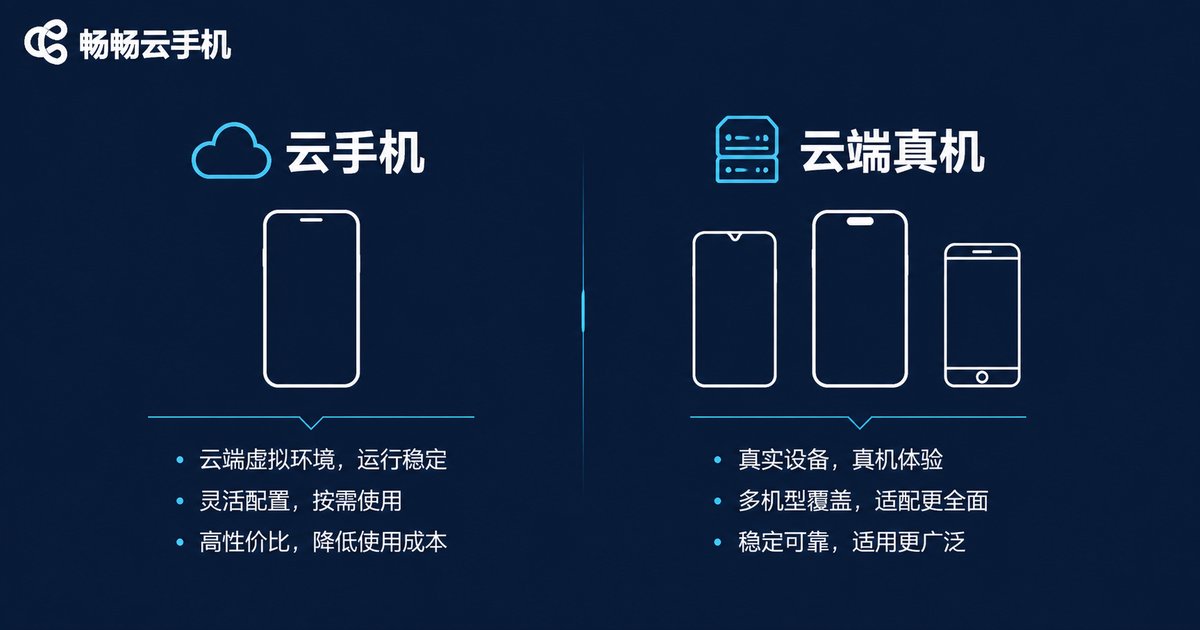
A lot of people use "cloud phone" and "cloud real device" interchangeably, but their underlying logic is fundamentally different. Here's a side-by-side breakdown:
| Dimension | Cloud Phone (Virtual Instance) | Cloud Real Device (Physical Hardware) |
|---|---|---|
| Underlying Architecture | Server virtualization, simulating a generic Android environment | Real phone hardware running the OEM's native OS |
| Hardware Variance | All instances have essentially identical specs | Different brands, chipsets, and screens |
| OS Variance | Uniform Android version | Vendor-customized ROMs (MIUI, ColorOS, EMUI, etc.) |
| Sensors / Peripherals | Simulated or absent | Real GPS, NFC, gyroscope, fingerprint module, etc. |
| Best Use Cases | Game farming, batch scripting, everyday productivity | APP compatibility testing, performance benchmarking, UI walkthroughs |
| Result Credibility | Low (cannot reflect real hardware behavior) | High (identical to devices in users' hands) |
In short, cloud phones solve the "volume" problem; cloud real devices solve the "authenticity" problem. If you need to run 100 accounts in parallel, cloud phones are your efficiency tool. If you need to verify that your app works correctly across 20 different phone models, cloud real devices are the right choice.
Why APP Compatibility Testing Demands Real Hardware
Many teams try to cut costs by testing on a handful of devices plus an emulator. The result? The moment users update their OS, the app crashes en masse. Switch to a different brand, and the layout is completely broken. Where does it go wrong?
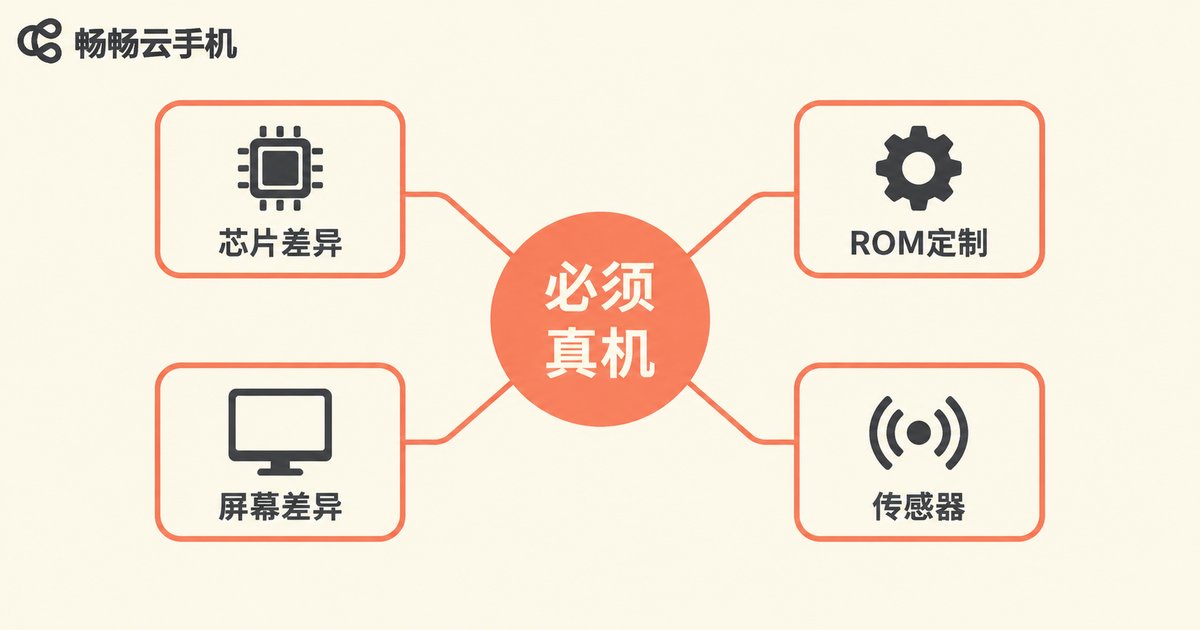
First, chipset architecture differences. Qualcomm Snapdragon, MediaTek Dimensity, and Apple A-series all have different GPU rendering pipelines and memory management strategies. An animation that runs smoothly on a Snapdragon 8 Gen 3 may stutter on a Dimensity 9300.
Second, vendor ROM customization. MIUI, ColorOS, EMUI, OneUI—every manufacturer makes extensive modifications on top of stock Android. Notification bar behavior, background process management, permission dialog logic, dark mode adaptation—these quirks can only be reproduced on real devices.
Third, screen and interaction differences. Different resolutions, refresh rates, and touch sampling rates mean UI adaptation issues are simply invisible in an emulator.
Fourth, sensors and peripherals. If your app involves NFC payments, gyroscope input, or GPS location, a virtual environment will either feed you simulated data or the hardware simply won't exist.
So the essence of compatibility testing is "verifying real user experience on real hardware", and there is no shortcut around that.
Why Cloud Real Devices Are a Game-Changer for Compatibility Testing
Here's the reality: to cover mainstream models, you'd need to purchase 30-50 physical devices across different brands and OS versions. The upfront hardware cost alone can run into the tens of thousands of dollars, and you still have to factor in depreciation, maintenance, and storage. Even worse, the moment an OS updates, your entire test matrix falls apart.
Cloud real devices flip this equation entirely:
① Device pool, ready on demand
No need to buy, manage, or maintain hardware yourself. The cloud real-device pool already has mainstream brands and OS versions deployed. Pick what you need, spin it up, test, and release. Depreciation, OS upgrades, and hardware maintenance are all handled by the platform.
② Parallel multi-device testing
Traditionally, one phone can only run one test case at a time. With cloud real devices, you can launch 10, 20, or even more devices of different models simultaneously, compressing a week-long compatibility test into a few hours.
③ Remote control, anywhere, anytime
Through a browser or client, you can operate the cloud real device just like your own phone. Run test cases, take screenshots, record screens, check logs—all remotely. Travel, remote work, cross-timezone collaboration—none of it is a problem.
④ Cost structure shifts from "fixed asset" to "pay-per-use"
No more dumping tens of thousands into hardware upfront. You pay based on actual usage time. Spin up more devices during peak testing, fewer during quiet periods. Convert fixed costs into variable costs—especially friendly for small and mid-sized teams.
⑤ Standardized test results
All tests run in a unified cloud environment, with logs, screenshots, and recordings automatically archived. Comparing results within your team or across teams becomes more fair and traceable.
ccloudphone: Your Cloud Real-Device Testing Partner
When it comes to cloud real-device services, ccloudphone is a name worth paying attention to. It's not just a "cloud phone" product—it provides cloud real-device capabilities that let development and QA teams access a real-hardware testing environment with minimal friction.
In the compatibility testing scenario, ccloudphone's core value lies in:
Coverage of mainstream device models and OS versions, helping you quickly stand up a "virtual real-device lab." No more running to electronics markets or stacking up server racks—open your browser and start testing.
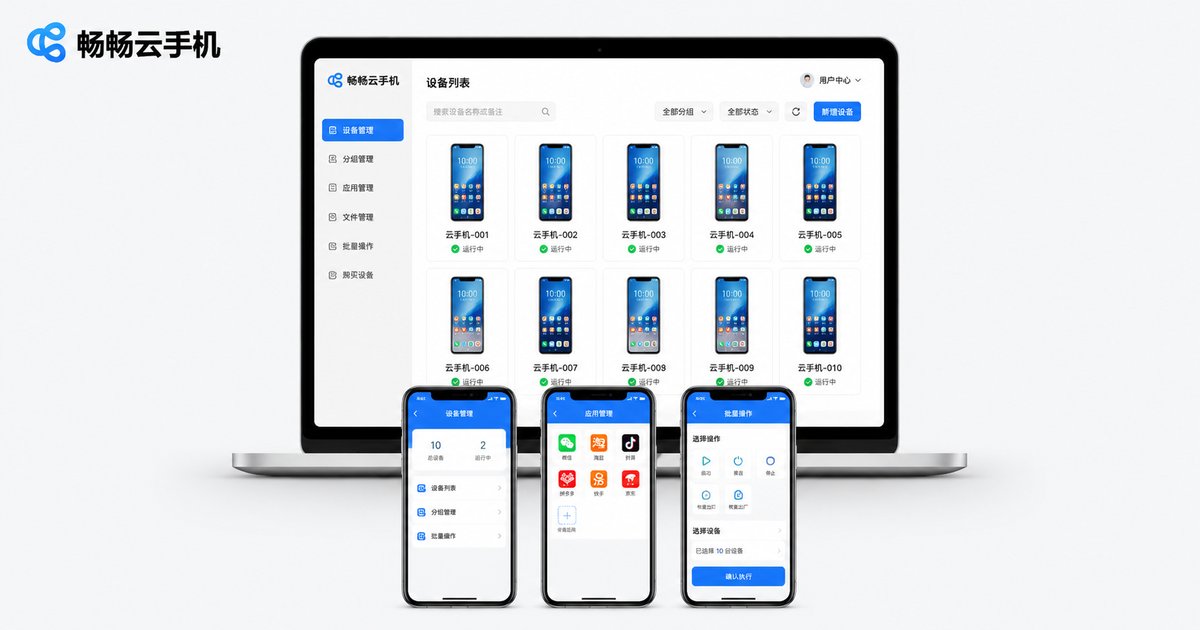
Smooth remote-control experience, supporting real-time screen mirroring, touch input, file transfer, and app installation—a complete testing workflow. You can treat the cloud real device as a "remote phone" sitting on your desk.
On-demand usage, elastic scaling. Intensive three-day testing before a launch, a couple of sessions per week otherwise—pay for what you actually use, with zero waste.
If you're struggling to set up a compatibility testing environment for your team, head over to the ccloudphone official website to check the available device list and onboarding process. Start with a minimal test suite to get a feel for it.
A Practical Cloud Real-Device Compatibility Testing Workflow
Having the tool is only half the story. Getting the process right is what multiplies your efficiency. Here's a proven workflow for your reference:
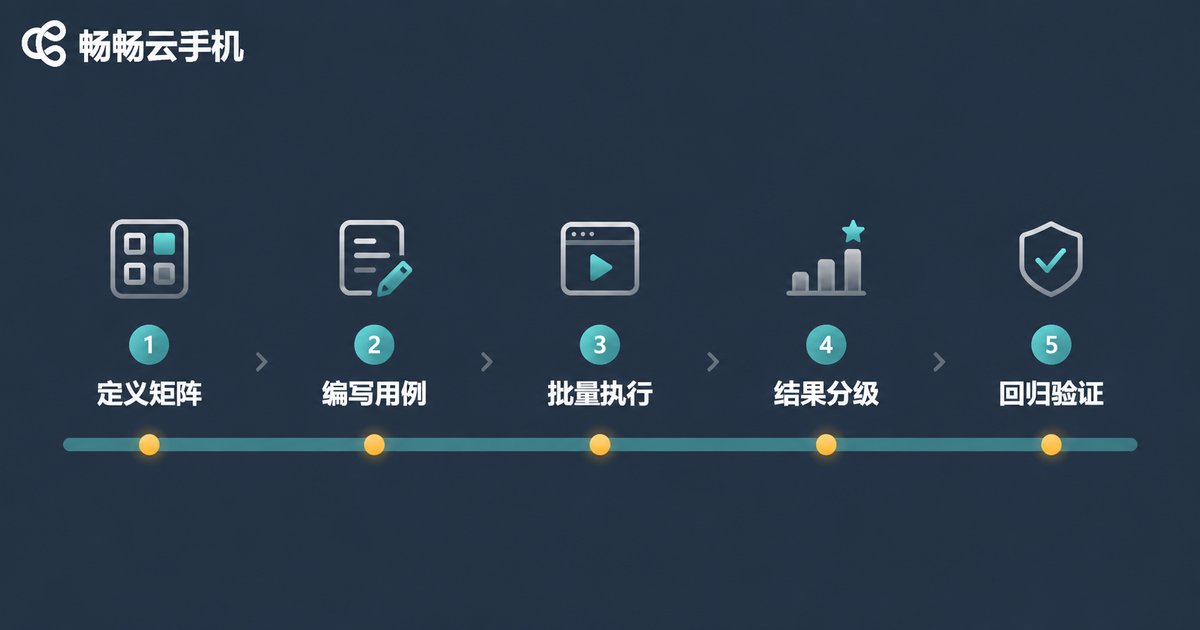
Step 1: Define Your Test Matrix
Based on your target user profile, list the brands, models, and OS versions you must cover. A good starting point: Top 10-15 device models + the 3 most recent major Android versions + each vendor's latest ROM.
Step 2: Write Standardized Test Cases
Break core functionality into independent test cases: launch, login, core business flows, payment, push notifications, dark mode, multitasking, weak-network behavior... Each case should have a clear "expected result" and "pass criteria."
Step 3: Batch Execution on Cloud Real Devices
Simultaneously launch the target models on ccloudphone and execute test cases one by one. Capture screenshots and screen recordings at critical steps; log any anomalies immediately.
Step 4: Aggregate and Classify Results
Categorize results into four tiers: Pass / Minor Issue / Critical Bug / Crash. File issues for critical bugs and crashes immediately; log minor issues for the next iteration.
Step 5: Regression Verification
After a fix, re-run the failed cases on the same models to confirm the fix works and no new issues have been introduced.
Run through this entire workflow and a full compatibility testing cycle can be compressed from 1-2 weeks in the traditional approach to 2-3 days, with hardware costs approaching zero.
Frequently Asked Questions
Q: Can I use cloud phones and cloud real devices together?
Absolutely, and it's actually recommended. Use cloud phones (virtual instances) for daily game farming and batch scripting; use cloud real devices for APP compatibility testing, performance validation, and UI walkthroughs. They solve different layers of the problem—complementary, not competing.
Q: Is my test data and logs secure on cloud real devices?
ccloudphone's cloud devices run in isolated environments. Data, logs, and screenshots generated during your testing session belong to you. After the session ends, the device environment is reset, leaving no residual test data. For highly sensitive apps, consider avoiding public cloud environments or choosing a solution with enhanced isolation policies.
Q: Our team is only 3-5 people. Is cloud real-device testing worth it?
Extremely. In the traditional model, a 5-person team covering 20 device models would spend tens of thousands on hardware alone, plus dedicated maintenance. Cloud real devices operate on a pay-per-use basis—your monthly spend might be just a few hundred to a couple of thousand, while covering far more models and OS versions than a self-built lab. For small and mid-sized teams, this is the most cost-effective compatibility testing solution.
Q: Can cloud real devices run iOS devices?
Currently, ccloudphone's cloud real-device pool primarily covers the Android ecosystem. iOS compatibility testing still requires physical devices or Apple's official TestFlight distribution mechanism. If your product is cross-platform, the most pragmatic combination is: cloud real devices for the Android side + a small number of physical iPhones + TestFlight for the iOS side.
Q: How do I get started with ccloudphone for compatibility testing?
Visit the ccloudphone official website, register an account, browse the available device list, select the models and OS versions you need, and launch the device. You can then start testing through the remote-control interface. We recommend starting with 2-3 flagship models and a core test case set to get comfortable with the workflow before expanding to your full test matrix.


