
How to Run Multiple WeChat Accounts on Cloud Phone? Guide to Logging in 10 Accounts Simultaneously
Why Do You Need Multiple WeChat Accounts?
In social commerce and private domain operations, managing multiple WeChat accounts has become part of daily work. Whether for community management, customer service, or brand promotion, logging into multiple WeChat accounts simultaneously can significantly improve work efficiency. However, regular phones are limited by system mechanisms and typically allow only one WeChat account. Frequent switching is not only cumbersome but also prone to triggering risk control.
Limitations of Traditional WeChat Multi-Instance Methods
Common WeChat multi-instance solutions on the market have obvious shortcomings:
| Method | Pros | Cons |
|---|---|---|
| App Twin | Built-in, easy to use | Usually only dual-instance, cannot meet multi-account needs |
| Third-party Multi-Instance Apps | Can open multiple | High risk of account ban, security concerns |
| Multiple Physical Phones | Stable | High cost, difficult to manage |
| Cloud Phone Multi-Instance | Safe and stable, can open dozens | Need to choose a reliable provider |
In comparison, cloud phone multi-instance is currently the safest and most efficient solution.
CC Cloud Phone: The Ideal Choice for WeChat Multi-Instance
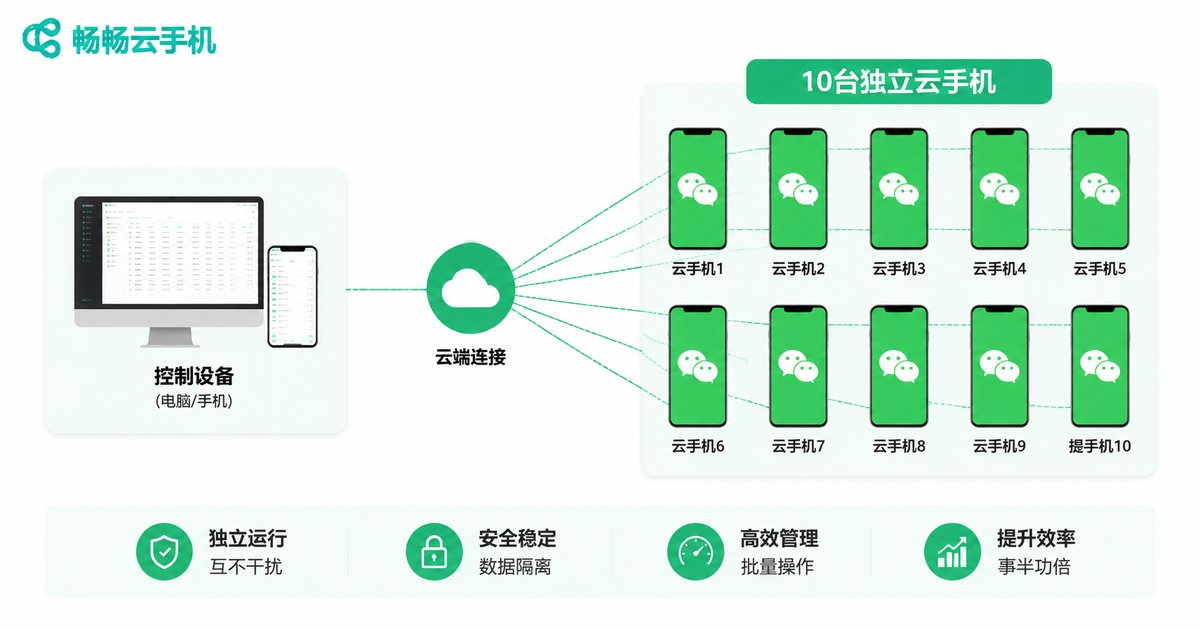
CC Cloud Phone (ccloudphone) is based on cloud virtualization technology, providing an independent running environment for each WeChat account. Each cloud phone has independent device information, equivalent to a real phone, effectively avoiding account association risks.
Core advantages of CC Cloud Phone:
- One-to-Many Control: One computer or phone can control multiple cloud phones simultaneously
- Independent Environment: Each account runs in an independent cloud phone without interference
- 24/7 Online: Runs in the cloud, stays online even when local device is off
- Safe and Stable: Independent IP and device information, reducing ban risk
Operation Guide: Log in to 10 WeChat Accounts on One Device
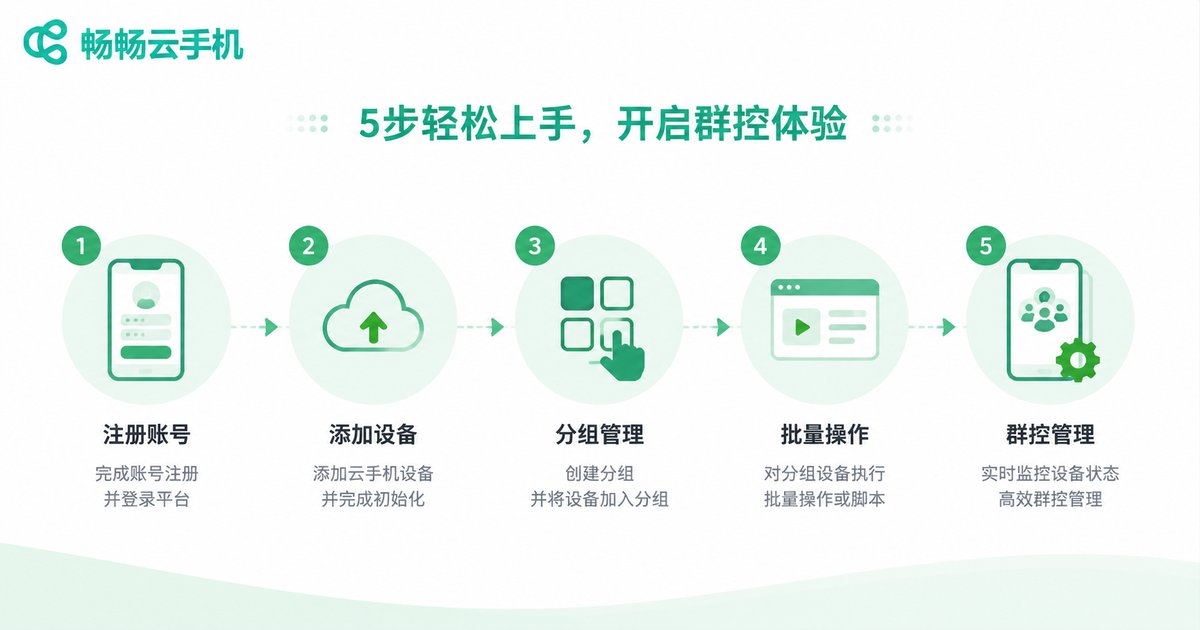
Here are the detailed steps to achieve WeChat multi-instance using CC Cloud Phone:
Step 1: Register and Log in to CC Cloud Phone
Visit the CC Cloud Phone official website, register an account, and log in to the management dashboard.
Step 2: Create Cloud Phone Instances
Create 10 cloud phone instances in the management dashboard. Each cloud phone is equivalent to an independent smartphone.
Step 3: Install WeChat on Each Cloud Phone
Enter each cloud phone and download WeChat from the app store.
Step 4: Log in to Different WeChat Accounts
Log in to different WeChat accounts on each cloud phone and complete verification.
Step 5: Use Group Control for Batch Management
Through CC Cloud Phone's group control feature, you can simultaneously view and operate multiple cloud phones for efficient management.
Practical Tips for Multi-Account Management
- Account Grouping: Group cloud phones by purpose for easy management
- Regular Checks: Regularly check account status and handle exceptions promptly
- Reasonable Usage: Avoid excessive marketing behavior to maintain account health
- Data Backup: Regularly back up important chat records
FAQ
Q: Will logging into WeChat on a cloud phone result in a ban?
A: CC Cloud Phone provides independent device environment and IP for each account. As long as you use it normally without violations, the risk of being banned is very low.
Q: How many WeChat accounts can one cloud phone log in?
A: It is recommended to log in one WeChat account per cloud phone for maximum security. You can create multiple cloud phone instances to achieve multi-instance.
Q: Will turning off the cloud phone affect WeChat online status?
A: No. Cloud phones run on cloud servers. Even if you turn off your local device, the cloud phone and WeChat remain online.
Q: What devices can control CC Cloud Phone?
A: It supports control via computer web browser, Windows client, and mobile APP, making it convenient to manage anytime, anywhere.


