

Cloud Phone WeChat Auto-Add Friends: Doubling Community Ops Efficiency for Private Traffic
The Hidden Bottleneck in Community Operations: How Exhausting Is Manual Friend-Adding
If you work in private traffic operations, you know that adding friends is the most critical step in community cold-start. After a live event ends or a short video drives traffic to a landing page, comes the most energy-draining part: searching one by one, sending friend requests, waiting for approval, and pulling people into the group.
Take a mid-sized community operations team as an example: they need to add 200-500 targeted friends daily. With traditional phone operations, each person can manage at most 80-120 per day, while facing these pain points:
Obvious efficiency ceiling: One phone can only log into one WeChat account. Multiple accounts require multiple phones, driving up hardware costs and creating management chaos.
Repetitive and tedious work: Search, click, send, wait — the mechanical loop quickly drains team morale.
Uncontrollable ban risk: High-frequency operations in short bursts easily trigger risk controls. One banned account means all prior accumulation is lost.
This is why more and more community operators are shifting to cloud phone solutions — using cloud compute to replace local hardware, automation scripts to replace manual work, and smart risk control to replace "gut feeling."
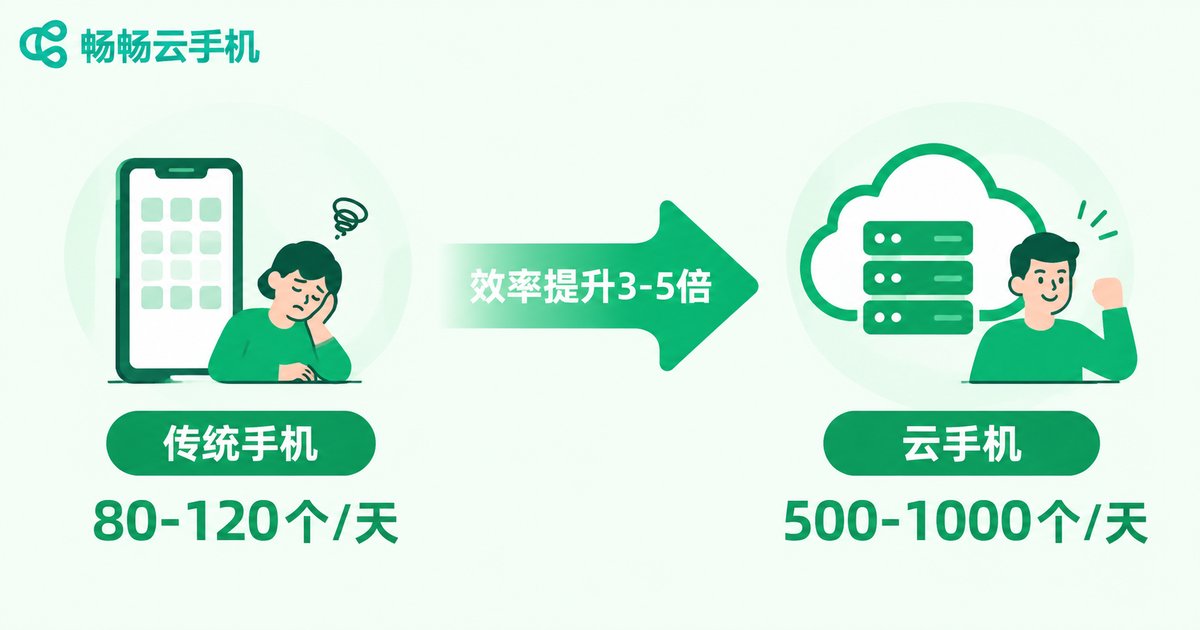
Cloud Phone vs. Traditional Phone: How Big Is the Efficiency Gap
Many operators ask when they first encounter cloud phones: "Can it really be that much faster?" Here's a comparison from real community operations scenarios:
| Dimension | Traditional Phone Setup | CCloudPhone Setup |
|---|---|---|
| Simultaneous accounts | 1-3 (needs multiple phones) | Multi-instance per cloud phone, unlimited cluster scaling |
| Daily friend-add limit | 80-120 per person | 500-1000 per instance (with smart intervals) |
| Operation method | Fully manual, item by item | Script auto-execution, human only monitors |
| Hardware cost | One phone per account (~$280) | Cloud rental on demand, no hardware purchase |
| Risk control | None, relies on human experience | Built-in behavior simulation, IP isolation, frequency control |
| 24/7 operation | Impossible, humans need rest | Cloud runs continuously, auto-executes overnight |
Key takeaway: With cloud phones, the same operator can manage 3-5x more friends daily while actually reducing labor input, as repetitive tasks are handed off to scripts.
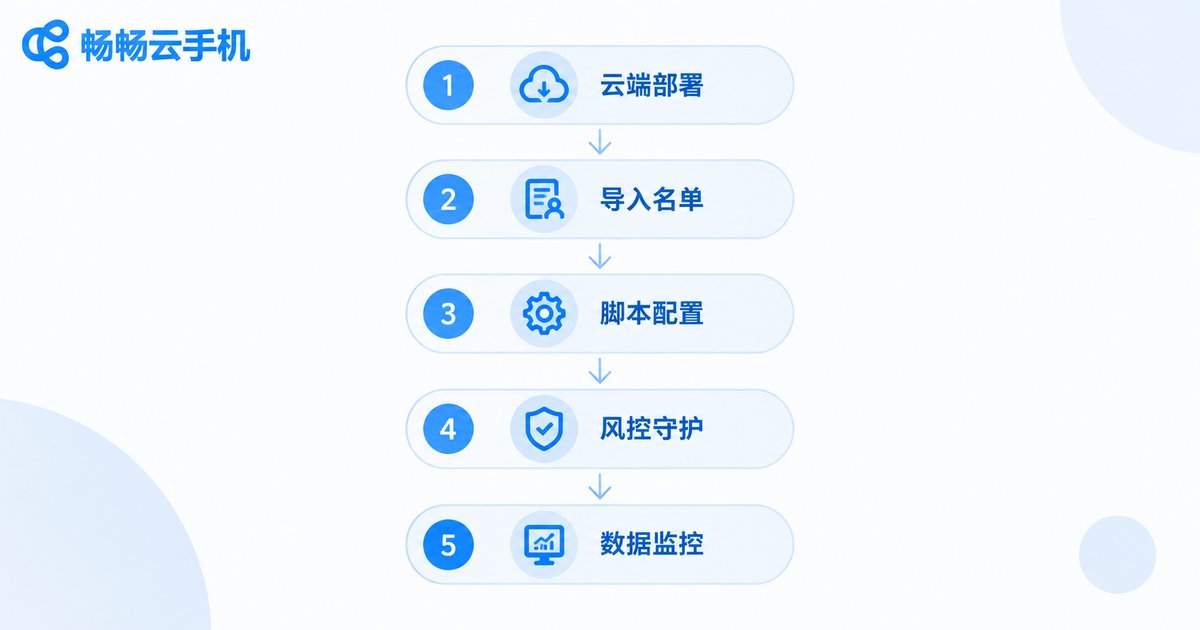
CCloudPhone Auto-Add Friends: Full Workflow Breakdown
Using CCloudPhone (ccloudphone) as an example, a mature "cloud phone WeChat auto-add-friends" workflow typically includes these stages:
Step 1: Cloud Environment Deployment
Create a cloud phone instance on the CCloudPhone platform, install WeChat, and complete login. CCloudPhone supports cloud multi-instance — one instance can run multiple independent environments without interference. All operations happen in the cloud; no local device needed. Open a browser or client to control remotely.
Step 2: Import Friend Source List
Import the target friend list (phone numbers, WeChat IDs) into the system. Sources can include event sign-ups, short video comment section users, official account unsubscribers, etc. CCloudPhone supports batch import, handling hundreds of entries at once.
Step 3: Configure Automation Scripts
Set the execution strategy for auto-adding friends:
# Example: Auto-Add-Friends Script Logic
- Search target WeChat ID / phone number
- Send friend request (with verification message)
- Random wait 30s-90s (simulate human rhythm)
- Auto-send welcome message upon approval
- Auto-pull into designated group
- Rest 5 minutes after every 10 additions
- Daily limit per account: 200 (customizable)
Step 4: Smart Risk Control
CCloudPhone's built-in behavior simulation engine automatically randomizes operation intervals, simulates swipe and click trajectories, and eliminates the "bot feel." IP isolation is also supported — different accounts use different network exits, significantly reducing correlated ban risk.
Step 5: Data Monitoring & Iteration
The dashboard displays real-time progress per account: additions, approval rates, and ban warnings. Operators can instantly see which channels yield high-quality friends and which scripts get better approval rates, enabling continuous optimization.
Practical Tips: 5 Key Details That Double Your Efficiency
1. Verification messages are the core of approval rate
Ditch generic messages like "Hi" or "Add me." Customize verification messages by source channel — e.g., for event users: "XX event registration, please approve"; for video users: "Saw your video, want to discuss XX topic." Approval rates can improve by 40%+.
2. Rhythm matters more than volume
New accounts: only 30-50 additions/day for the first 3 days, then gradually increase. Even established accounts should stay under 150-200/day. CCloudPhone scripts support custom frequency curves, simulating a human's "active in the morning, break at noon, back in the afternoon" pattern.
3. Post-approval follow-up must not break
Within 3 minutes of approval, a welcome message + group invite must go out, or the user will forget who you are. CCloudPhone supports "trigger-on-approval" automated message chains, ensuring zero misses.
4. Multi-account rotation beats single-account sprinting
3 accounts adding 100 each far outperforms 1 account adding 300. CCloudPhone's multi-instance capability makes "multi-account parallel, low load per account" the default strategy.
5. Regular account nurturing
Even when not running add tasks, keep accounts active daily (browsing Moments, liking, chatting). CCloudPhone supports a "nurturing mode" that auto-executes lightweight interactions in the cloud.
Real Results: A Community Team's Transformation
A knowledge-payment community team (5 operators) — before and after using CCloudPhone:
| Metric | Before (3 phones) | After (CCloudPhone) |
|---|---|---|
| Daily friend additions | ~300 | ~1,200 |
| Per-person daily manual time | 4-5 hours | ~1 hour (monitoring + strategy) |
| Monthly ban rate | ~15% | Below 3% |
| Monthly new group members | ~4,000 | ~15,000 |
The team lead shared: "The biggest change isn't how many people we added — it's that we finally have time for content strategy and deep user engagement, instead of staring at phones all day."
Risk Red Lines: What You Must Never Do
No tool replaces compliance awareness. When using cloud phones for WeChat auto-add-friends, these red lines must be respected:
Never: Mass-send ads, induce sharing, batch-kick users, use fake identities.
Never: Run 5+ accounts at high frequency on the same IP.
Never: Execute batch additions on a new account's registration day.
Never: Include sensitive words or external links in verification messages.
CCloudPhone's risk control module monitors operations in real time, automatically reducing speed or pausing when abnormal frequency or correlation risk is detected, and pushing alert notifications. But tools only assist — the compliance of your operations strategy is ultimately your own responsibility.
Frequently Asked Questions
Q: Will WeChat detect that a cloud phone is auto-adding friends?
A: CCloudPhone reduces bot-detection probability through behavior simulation (random intervals, swipe trajectories, variable operation durations). However, no tool guarantees 100% undetectability. Controlling frequency, simulating human rhythm, and rotating multiple accounts are the most effective risk-control measures. Keep daily additions under 200 per account.
Q: Do I need to write scripts myself?
A: No. CCloudPhone provides a visual script configuration interface. You can complete automation workflow setup through drag-and-drop and parameter configuration — no programming background required. For complex scenarios, custom script import is also supported.
Q: How stable is WeChat login on a cloud phone compared to a physical phone?
A: CCloudPhone's cloud environment simulates a real phone OS, so WeChat login and daily usage experience is essentially the same as a physical phone. The 24/7 cloud operation also eliminates common local device issues like "phone ran out of battery" or "network dropped."
Q: How many WeChat accounts can I manage simultaneously?
A: CCloudPhone supports cloud multi-instance, with multiple independent environments per instance. The specific number depends on configuration and use case. For community operations, we recommend a dedicated instance per account to ensure network isolation and independent risk control. Cluster scale can be expanded on demand.
Q: What's the typical approval rate for auto-added friends?
A: Industry average approval rates range from 30%-60%, depending on source quality and verification message quality. Precision channels (e.g., event registrants) can reach 70%+, while broad channels (e.g., random search) may only get 20%-30%. Prioritize precision sources and pair them with personalized verification messages.


