
Cloud Phone Bulk Soft Articles: The Automation & Anti-Linkage Power Tool for Social Media & E-commerce Operators
Why Social Media & E-commerce Operators Can't Skip Bulk Soft Articles
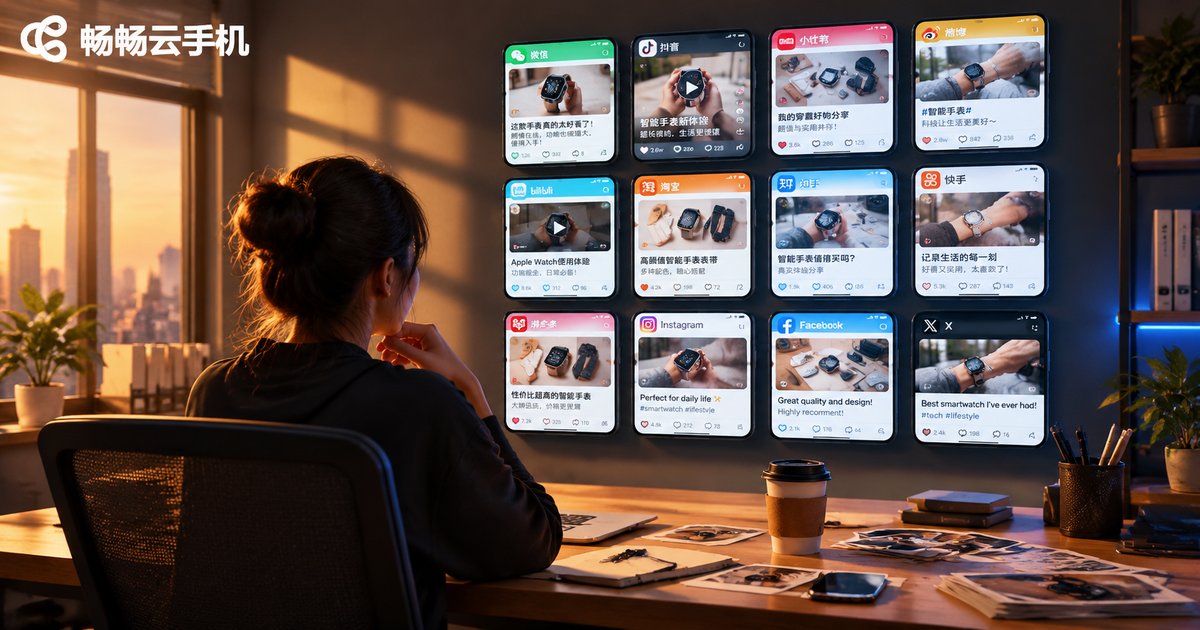
In social media traffic acquisition and e-commerce promotion, content distribution volume directly determines exposure and conversion. A mature operation matrix often requires managing dozens or even hundreds of accounts simultaneously, each publishing soft articles, product reviews, and seeding notes from different angles every day. Manual operation on individual phones is not only time-consuming and labor-intensive but also prone to inconsistent posting times and high content duplication rates.
More critically, platform risk-control systems analyze multiple data dimensions including IP addresses, device fingerprints, and behavioral patterns to determine account linkage. Once multiple accounts are flagged as belonging to the same entity, the consequences range from traffic throttling to mass account bans, wiping out all prior investment overnight.
This is why an increasing number of social media and e-commerce operators are turning to cloud phone bulk operations—replacing physical phones with cloud-based virtual devices to achieve true physical-level environment isolation and automated content distribution.
Three Major Pain Points of Traditional Multi-Phone Solutions
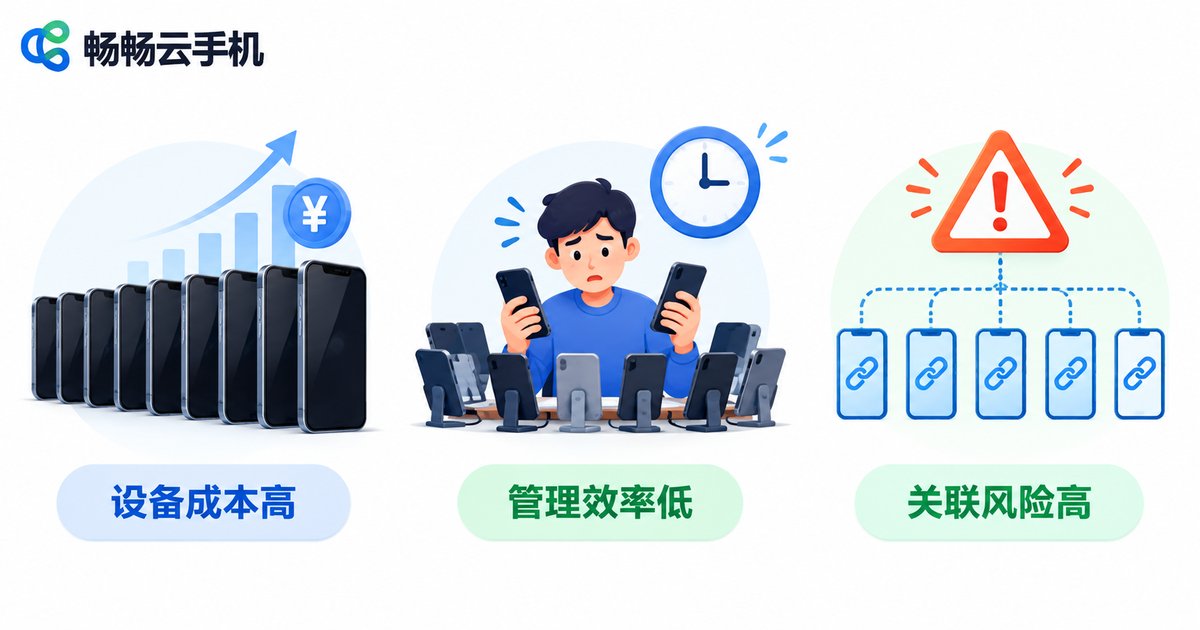
Many operators initially adopt multiple physical phones for matrix operations, but as account numbers grow, problems become increasingly severe:
| Pain Point | Specific Manifestation | Impact |
|---|---|---|
| High device cost | Each phone costs $300-$500; 50 phones start at $15,000+ | Heavy capital pressure, long payback period |
| Low management efficiency | Requires dedicated staff for individual operation, charging, SIM swapping, cache clearing | Labor costs grow linearly with account count |
| High linkage risk | Same WiFi, same charger, similar IMEI easily triggers linkage detection | Mass account bans, matrix wiped out overnight |
Especially regarding device fingerprints—even after changing SIM cards and WiFi on physical phones, underlying hardware serial numbers, sensor data, and other low-level information can still be captured by platforms for linkage determination. This is a fundamental problem that pure hardware solutions cannot solve.
How Cloud Phones Solve Anti-Linkage at the Root
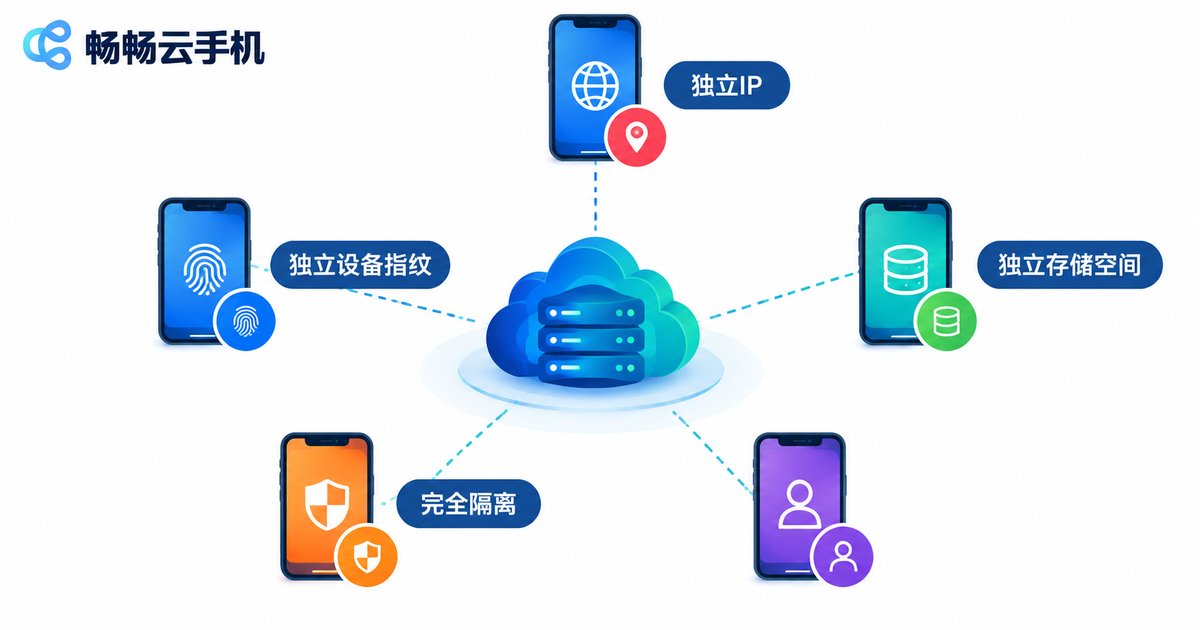
The core principle of a Cloud Phone is: running a complete Android virtual environment on cloud servers, where each cloud phone instance has an independent:
• Independent IP address (each instance assigned a different outbound IP)
• Independent device fingerprint (IMEI, MAC address, Android ID, serial number—all randomly generated)
• Independent storage and runtime space (completely isolated from each other, mutually invisible)
• Independent operation logs (behavioral data does not cross)
This means that from the platform risk-control system's perspective, every cloud phone is a brand-new physical device with absolutely no relationship to any other device. This isolation operates at the operating system level, far more thorough than changing IPs or clearing data on physical phones.
ccloudphone (畅畅云手机) further optimizes on this foundation—each cloud phone instance completes parameter randomization at creation time, supporting automatic parameter staggering during batch creation to eliminate linkage risks caused by manual configuration oversights.
Practical Workflow for Bulk Soft Articles with ccloudphone
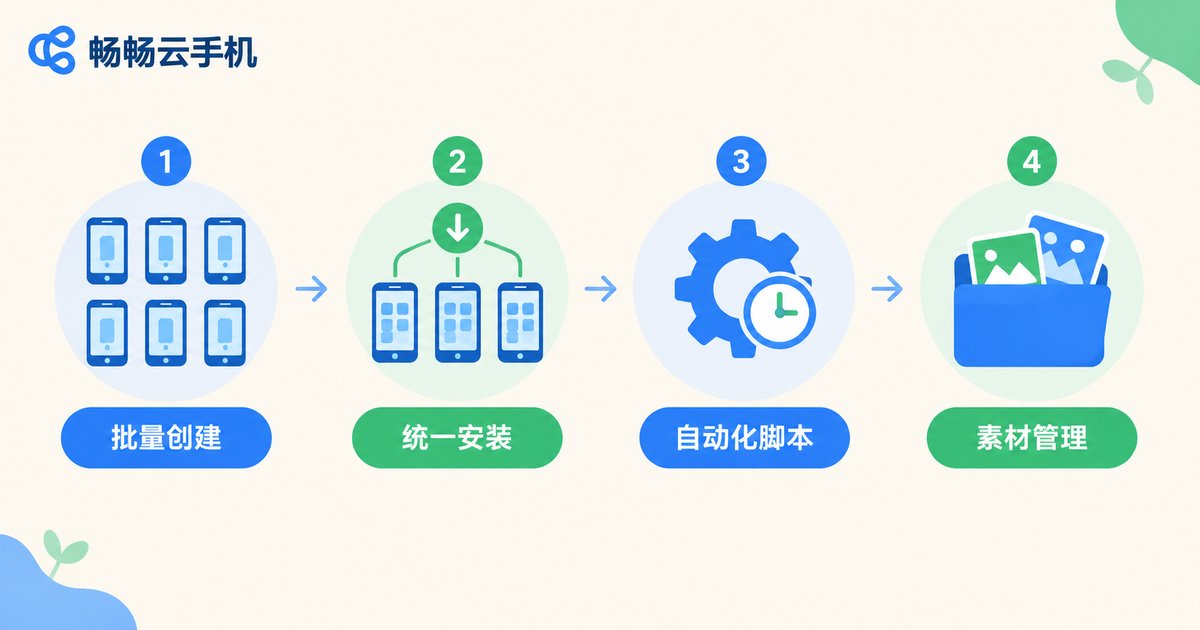
Below is a complete bulk soft-article publishing workflow using ccloudphone:
Step 1: Batch Create Cloud Phone Instances
Log in to the ccloudphone management dashboard, select the 'Batch Create' function, and enter the required quantity (e.g., 50 units). The system automatically assigns independent IPs and device fingerprints to each unit. After creation, all instances are in a pending-configuration state.
Step 2: Unified App Installation
Using ccloudphone's batch app installation feature, push all required social media apps (e.g., Xiaohongshu, Douyin, Zhihu, Taobao) to all instances at once. No individual operation needed—50 devices can be fully deployed in minutes.
Step 3: Configure Automated Publishing Scripts
In ccloudphone's automation task module, set up scheduled publishing tasks:
Task Name: Daily Soft Article Rotation
Schedule: Daily 08:00 - 22:00
Execution Rules:
  - Random delay 5-30 min per device
  - 2-4 posts per device daily
  - Content randomly drawn from asset library
  - Simulate human scrolling, pausing, typing intervals
This rule set mimics real user behavioral rhythms, avoiding obviously non-human patterns like '50 accounts posting at the exact same second.'
Step 4: Asset Management
Upload soft article assets from different angles (images, short videos, seeding copy) to ccloudphone's cloud asset library, organized by tags. When automation tasks execute, the system randomly matches content from the library, ensuring no duplicate posts across different accounts.
Five Critical Anti-Linkage Settings
Even with cloud phones, improper configuration still carries linkage risk. Here are five critical points ccloudphone users must observe:
1. IP Isolation: Ensure each cloud phone uses an independent IP. ccloudphone assigns a unique outbound IP per instance by default—no extra configuration needed.
2. Device Parameter Uniqueness: Select 'Full Parameter Randomization' during creation to prevent two devices from sharing the same IMEI or Android ID.
3. Behavioral Differentiation: Always include random delays and random operation intervals in automation tasks. Never have all devices execute identical operation sequences.
4. Content Deduplication: Never publish the same soft article verbatim on different accounts. Prepare multiple rewritten versions in the asset library, or use ccloudphone's content variant feature to auto-generate micro-adjusted versions.
5. Avoid Bulk Login: Do not log all newly created cloud phone instances into target apps within the same minute. Stagger login operations in batches across different time windows.
Applicable Scenarios & Performance Reference
The cloud phone bulk soft-article solution is particularly suitable for:
• Social media matrix traffic: Simultaneously operating 30-200 Xiaohongshu/Douyin/Zhihu accounts, bulk publishing seeding notes and review articles
• Multi-store e-commerce promotion: Synchronized product articles and buyer show posts across multiple Taobao/Pinduoduo/1688 stores
• Brand reputation building: Deploying brand-related content across different platforms and account dimensions
• Local business promotion: Multi-account store-visit content for F&B, beauty, and other local merchants
Based on real-world usage feedback, teams using ccloudphone for bulk soft-article operations report a 10x improvement in content distribution efficiency compared to manual operations, with account linkage ban rates reduced to near zero.
Frequently Asked Questions
Q: Will bulk soft-article publishing on cloud phones be detected by platforms?
A: The key lies in the degree of human-like behavior simulation. ccloudphone's automation module has built-in human-like parameters including random delays, simulated touch trajectories, and typing intervals. As long as the content itself passes quality checks and doesn't trigger content-level violations, detection risk is extremely low. The core principle is behaving like a human and creating like a human—technically, cloud phones already achieve physical-level isolation.
Q: How many accounts can one cloud phone log in simultaneously?
A: It is strongly recommended to log in only one account per cloud phone. This is the fundamental principle of anti-linkage. If you operate 50 accounts, create 50 cloud phone instances, each corresponding to one account, for the most thorough isolation.
Q: Is there a performance difference between cloud phones and physical phones? Will it affect app operation?
A: ccloudphone offers multiple configuration tiers. Mainstream social media apps (Xiaohongshu, Douyin, Zhihu, Taobao, etc.) run smoothly on standard configurations. For heavy operations like video editing, higher-tier instances can be selected. Daily soft-article publishing, browsing, and interaction are completely unaffected.
Q: How is the asset library managed? What formats are supported?
A: ccloudphone's cloud asset library supports images (JPG/PNG) and short videos (MP4), organized by tags and dates. After upload, assets are called by tag in automation tasks, with the system automatically matching randomly—no manual assignment needed.
Q: Can I pause or adjust the publishing schedule mid-way?
A: Yes. The ccloudphone management dashboard allows real-time monitoring of task execution status for each device. You can pause, resume, or modify publishing plans for individual or batch devices at any time, providing flexibility to handle unexpected situations.


