
Cloud Phone vs Virtual Machine: Which Is More Stealthy? A Technical Breakdown of Device Fingerprint Spoofing
Why “Stealth” Is the Dividing Line for Cloud Device Solutions
Whether you're running multiple app accounts, conducting compatibility testing, or protecting personal privacy, one question is unavoidable when choosing a cloud device solution: can this environment be identified as “not a real phone”? The two mainstream approaches—cloud phones and virtual machines (emulators)—can both run an Android environment, but their underlying architectures are fundamentally different, resulting in a huge gap at the device fingerprint level. This article breaks down the differences from the technical dimension of device fingerprint spoofing.
First, Understand What a Device Fingerprint Actually Collects
A device fingerprint is the core method apps and risk-control systems use to identify “who this device is.” By collecting multi-layer hardware and software characteristics, it generates a nearly unique ID for each device. The main collection dimensions are:
| Layer | Typical Characteristics | Detection Purpose |
|---|---|---|
| Hardware | CPU architecture, GPU model, sensor list, battery status | Determine whether it is a real physical device |
| System | Android version, kernel info, system properties, root traces | Detect tampering or virtualization |
| Network | IP location, DNS characteristics, network type | Detect environmental anomalies |
| Behavior | Touch trajectories, sensor data curves | Determine whether operations come from a real person |
Risk-control systems cross-validate these signals. Any “virtualization trace” exposed at any layer can cause the environment to be flagged, affecting account standing or feature access.

The Virtual Machine's Innate Flaw: The “Original Sin” of x86 Architecture
Traditional virtual machines and emulators mostly run on x86 architecture PCs or servers, while Android is natively designed for the ARM instruction set. To make Android run, a VM must introduce an instruction translation layer—and this is precisely where fingerprints get exposed.
1. CPU architecture mismatch. System properties often retain x86 processor characteristics that match no real phone's ARM chip on the market—a “one-strike-out” level flaw.
2. Obvious virtualization signatures. Hypervisor traits, virtual GPU models, and virtual NIC MAC address ranges are all publicly documented detection points in risk-control databases.
3. Sensor data that is “too clean.” VMs lack real accelerometers, gyroscopes, and light sensors; the related interfaces often return fixed values, zeros, or errors. A real phone generates subtle sensor fluctuations even while lying still on a desk—behavioral models spot the difference instantly.
4. Abnormal performance curves. Instruction translation adds overhead, making CPU usage and frame-rate curves deviate from real-device patterns—easily caught by behavioral analysis.
The Cloud Phone's Architectural Advantage: Putting a “Real Phone” in the Cloud
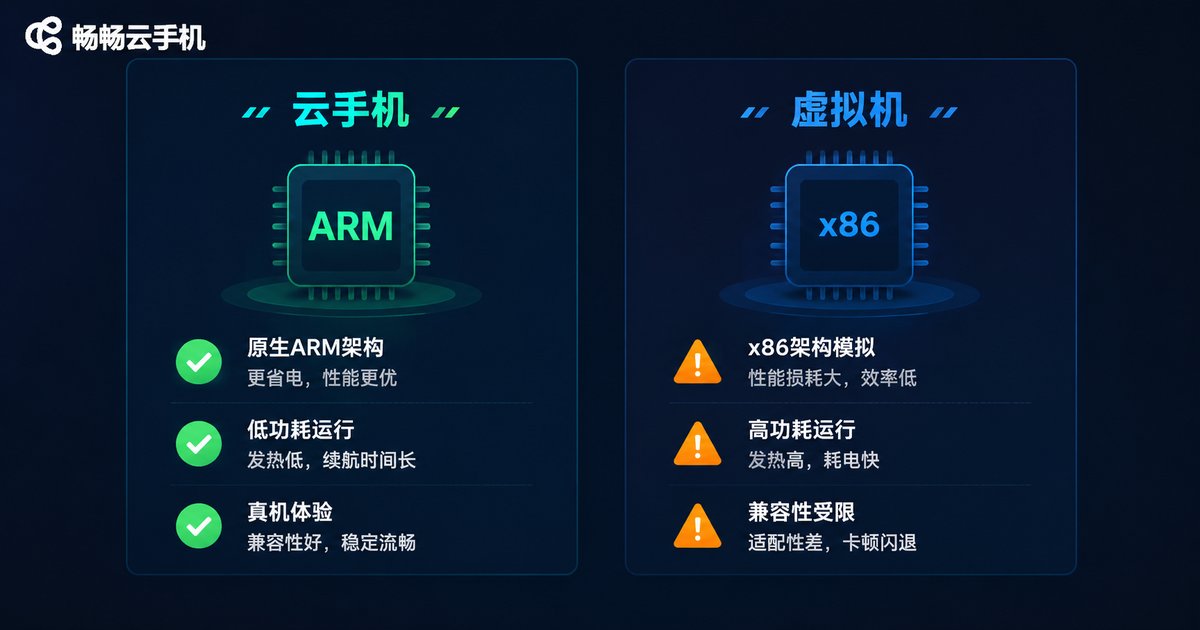
Cloud phones take a different technical route: running a complete Android system directly on ARM-based physical servers through virtualization. With a natively matching instruction set and no translation layer, their fingerprint-level performance is much closer to a real device:
1. Native ARM environment. CPU and GPU characteristics share the same origin as real phones; no x86 traces appear in system properties, eliminating the most fatal detection point at the architectural level.
2. Complete sensor data models. Mature cloud phone solutions equip each instance with dynamic sensor data—gravity, orientation, and battery changes all follow realistic usage curves, making behavioral detection hard to distinguish.
3. Independent, customizable device parameters. Each cloud phone instance has its own device model, serial number, and IMEI, with customizable device profiles. Multiple instances remain unlinked, forming a “one person, one device” identity.
4. Realistic performance. No translation means low overhead—smoothness and input latency approach real-device levels.
Core Dimension Comparison at a Glance
| Dimension | Cloud Phone | Virtual Machine / Emulator |
|---|---|---|
| CPU architecture | Native ARM, same as real phones | x86 translation, easily exposed |
| Sensor data | Dynamic simulation, realistic curves | Fixed values or missing |
| Device parameters | Independent and customizable, one identity per device | Templated, highly homogeneous |
| Performance overhead | Low, close to real devices | High, heavy translation cost |
| Environment consistency | Unified cloud, isolated instances | Depends on local hardware |
| Best-fit scenarios | Multi-account operations, AFK farming, testing | Lightweight development debugging |
From the Risk-Control Perspective: How Detection Systems Catch Virtual Environments
Understanding detection logic is the key to understanding what “stealth” really means. Risk-control systems typically deploy three lines of defense:
Line one: static feature comparison. Reading system properties and hardware parameters, then matching them against known virtualization signature databases. VMs are heavily exposed at this layer.
Line two: dynamic behavioral analysis. Collecting sensor fluctuations, touch trajectories, and battery curves. Data that is “too regular” is itself an anomaly signal.
Line three: environment correlation analysis. When multiple accounts under the same environment show highly similar IPs, parameters, and behavior patterns, they are flagged as linked accounts.
Cloud phones have better answers across all three lines: static features share the same origin as real devices, dynamic data follows realistic curves, and multi-instance parameters are independent with group management support—keeping environmental correlation under control.
How to Choose: Match Your Scenario
Scenarios suited for cloud phones: multi-account app matrix operations, game multi-boxing and 24/7 cloud AFK farming, app compatibility and automation testing, business environments requiring long-term stable operation.
Scenarios suited for virtual machines: local development debugging, internal tooling with no stealth requirements, budget-sensitive temporary needs.
One-sentence summary: if you need it to “look like a real phone,” choose a cloud phone; if you just need it to “run,” a VM will do.
CCloudPhone: A Cloud Solution with Real-Device-Level Fingerprint Environments
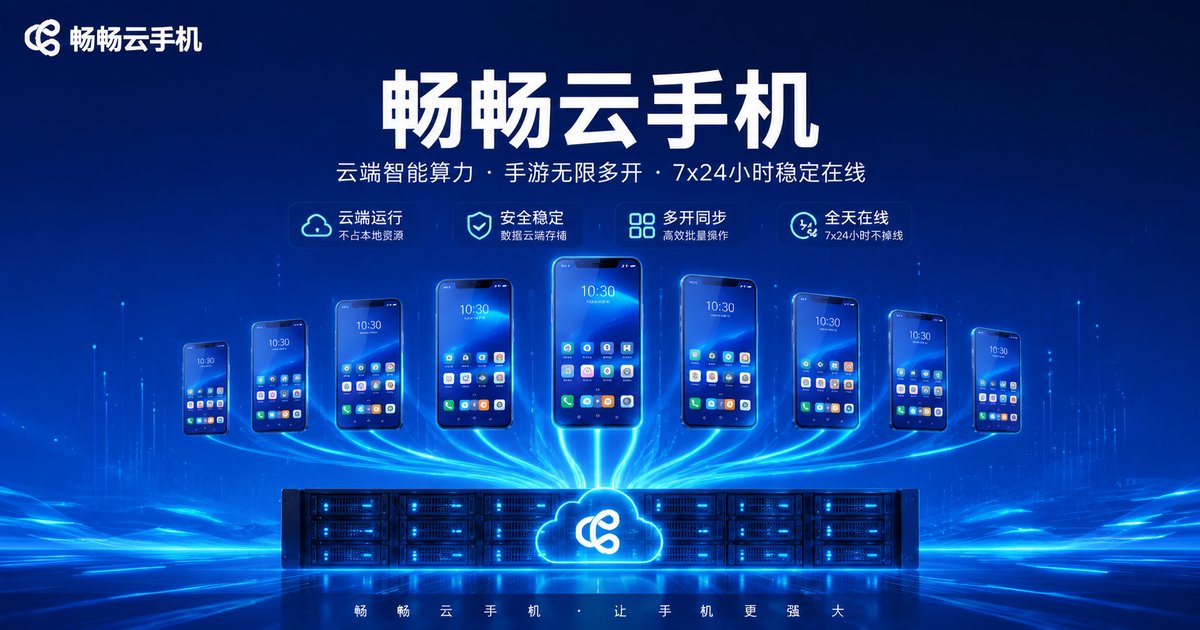
In the cloud phone space, CCloudPhone (Changchang Cloud Phone) is built on ARM servers, with each instance running a complete Android system. Device parameters are independent and customizable, supported by group management and batch operation capabilities—well suited for multi-account operations, cloud AFK farming, and app testing. Users can connect to their cloud devices anytime, anywhere via the web console or client app. All computing happens in the cloud, consuming no local resources and free from local hardware limitations.
FAQ
Q: What is the most essential difference between cloud phones and emulators?
Architecture. Cloud phones run Android natively on ARM servers without instruction translation; emulators run on x86 devices through translation, naturally exposing architectural features—this is the root of the stealth gap.
Q: Can a cloud phone's device fingerprint be customized?
Yes. Taking CCloudPhone as an example, each instance has independent device parameters with customizable device profiles, and multiple instances are unlinked from one another.
Q: Will apps running on a cloud phone be flagged as a virtual environment?
Cloud phones provide real-device-level ARM environments and complete sensor data models. Conventional risk-control detection struggles to distinguish them from real phones, making them significantly stealthier than VMs.
Q: Does a cloud phone require a powerful local computer?
Almost not at all. Computing happens on cloud servers; the local device only handles screen streaming and input commands, so even modest hardware runs smoothly.
Q: Do multiple cloud phone instances affect each other?
No. Each instance is an independent Android environment with fully isolated data, parameters, and storage—think of them as multiple unrelated phones.


