
Cloud Phone vs Physical Phone: Which Is Better for Mobile Work and Entertainment in 2026?
In 2026, Is Your Phone Still Carrying All the Load?
Glance at your calendar: three video calls in the morning, a cross-timezone document review in the afternoon, and a new series binge plus two rounds of mobile gaming at night. If all of that is crammed into the single phone in your pocket, by 3 PM it will likely be hot, sluggish, and begging for a charger.
In 2026, the cloud phone has graduated from a geek toy to a practical tool for everyday users. It moves all computation, storage, and execution to cloud servers, while your physical device simply handles "display and input." It sounds like a paradigm shift, but how does it actually stack up against a traditional phone in real-world use? This article breaks it down once and for all.
What Exactly Is a Cloud Phone? One-Sentence Answer
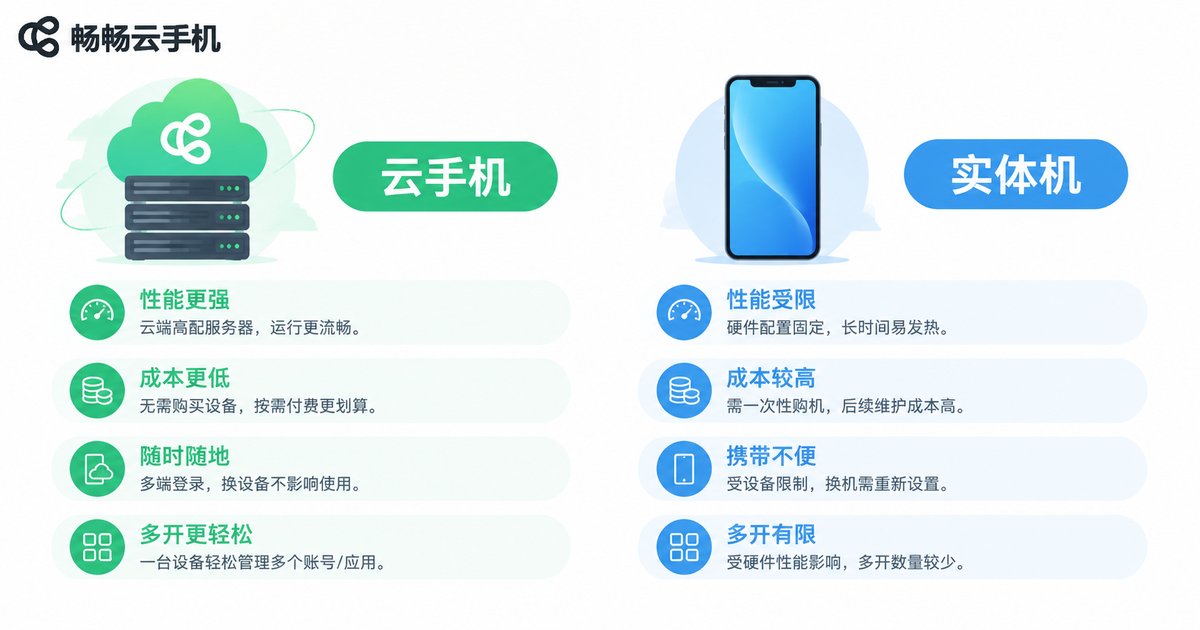
A cloud phone is a "virtual phone" running in a data center. Through Wi-Fi or 4G/5G, you remotely control this cloud-based device using any tablet, laptop, or even an old phone. All app installations, game sessions, and document processing happen on the server side. Your local device barely consumes any CPU or battery.
Think of it this way: a physical phone is like your home kitchen—you buy all the pots, pans, and sponges yourself. A cloud phone is more like a central kitchen: the meals are prepared and delivered to your table. You just need a dining table (screen) and chopsticks (touch input).
Head-to-Head: A Quick Comparison Table
| Dimension | Cloud Phone | Physical Phone |
|---|---|---|
| Hardware Performance | Server-grade specs, flexibly upgradeable | Locked to the chip and RAM at purchase |
| Multitasking | Run multiple isolated environments simultaneously | Usually lags after 3-5 background apps |
| Device Dependency | Access from tablet, laptop, or old phone | Must carry that specific device |
| Battery & Heat | Near-zero local consumption | Noticeable heat and drain under load |
| Network Requirement | Depends on stable Wi-Fi / 5G | Basic offline functionality available |
| Data Privacy | Data stored in cloud; trust the provider | Data stays local; full control |
| Upfront Cost | Monthly/annual subscription, low barrier | One-time purchase; flagship phones 500+ USD |
| Entertainment | Game frames streamed; slight network latency | Local rendering; zero latency |
As you can see, there is no absolute winner. It all comes down to your use case. Let's dig into work and entertainment separately.
Mobile Work: Who Pulls Ahead?
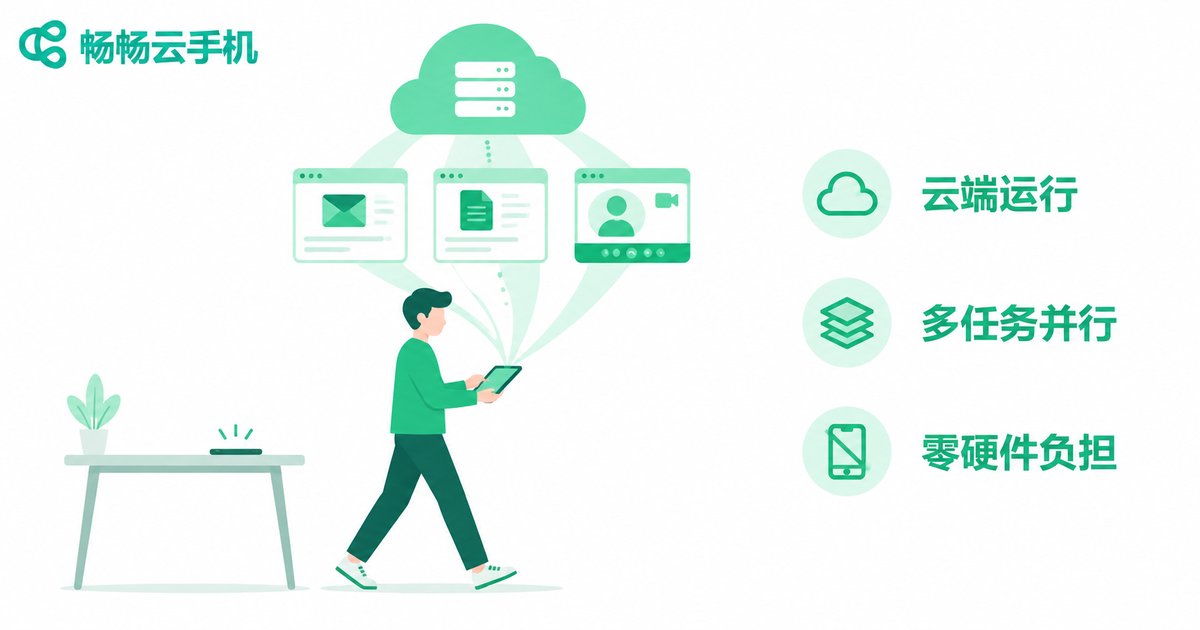
Mobile work in 2026 has three defining traits: multi-platform switching, cross-timezone collaboration, and a preference for lightweight devices. Business travelers no longer want to lug a 1.2 kg laptop plus a flagship phone. They want one 11-inch tablet to rule them all.
Cloud phones shine in this scenario for three reasons:
First, environment isolation. Run a "company OA + email + docs" setup and a "client demo + instant messaging" setup side by side, completely independent. Switching takes one tap. A physical phone can't do this without clunky dual-app workarounds or buying a second device.
Second, no compute anxiety. Cloud servers run enterprise-grade chips. Rendering a 200-page PDF while keeping 10 browser tabs open puts zero strain on your local device. Your tablet just displays; no fan spin-up, no thermal throttling.
Third, device decoupling. Tablet screen cracked? Phone lost? Log into your cloud phone account on any device and your workspace is restored in 30 seconds. Lose a physical phone, and data recovery is a nightmare.
The catch: network is lifeline. In a subway tunnel or remote area, signal drops and the cloud phone becomes a "black screen." A physical phone at least lets you check a map offline or send a text.
The pragmatic play: use the cloud phone for heavy lifting, keep the physical phone as an offline backup. They complement each other rather than replace one another.
Entertainment: Cloud vs. Local
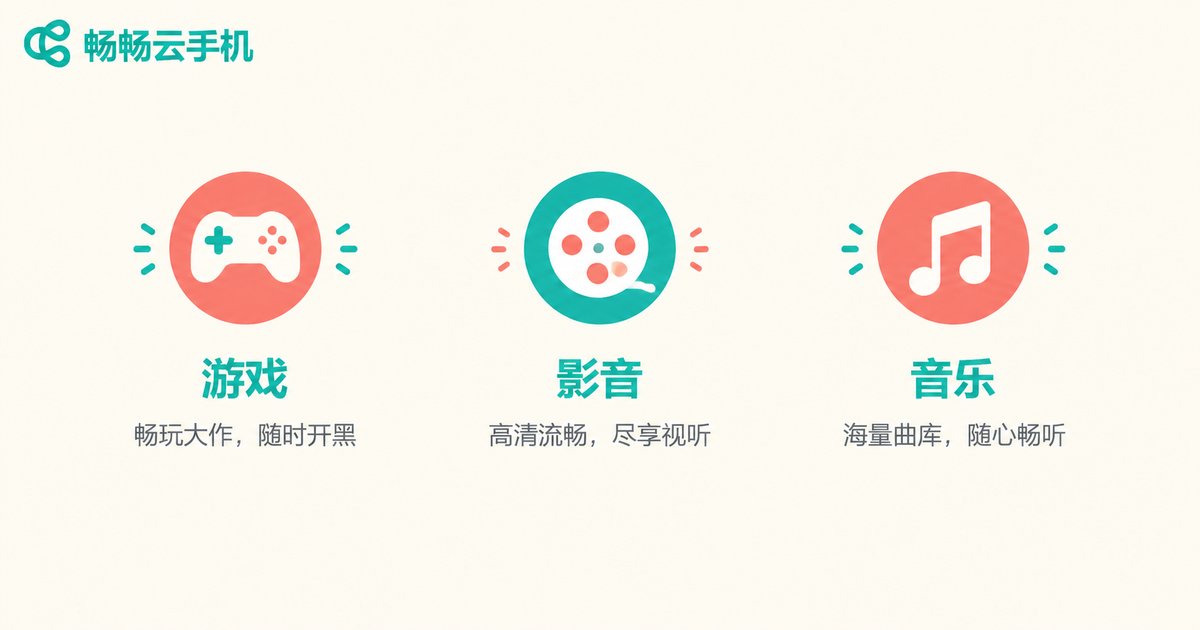
When it comes to entertainment, three things matter most: gaming, media streaming, and social.
Gaming: The cloud phone's superpower is "device independence." A budget tablet can run AAA mobile games at full frame rate because the GPU is in the cloud. The trade-off is network latency—on Wi-Fi 6, end-to-end latency can be under 20 ms, feeling nearly local. On 4G, the responsiveness in competitive shooters takes a hit. For casual games (puzzle, card, simulation), the difference is negligible.
Media: The gap between cloud and local is minimal. Streaming video already travels over the network, so cloud-side and local-side decoding look virtually identical. The one advantage: a cloud phone can keep a video call running in the background while you scroll short videos in the foreground, because the compute is offloaded and your local device won't overheat and throttle.
Social: The biggest draw for cloud phones is multi-account management. Running 5 social accounts simultaneously, or keeping 3 chat windows open for international clients, is far more stable on a cloud multi-instance setup than on a physical phone's dual-app hack.
Running the Cost Numbers
"Isn't a cloud phone more expensive?" Let's do the math over 3 years:
| Item | Flagship Physical Phone | Cloud Phone (CCloudPhone) |
|---|---|---|
| Upfront Cost | ~500-700 USD | Access device (tablet/old phone) already owned; subscription per plan |
| 3-Year Depreciation | Residual ~150 USD; net cost 350-550 USD | No additional hardware cost |
| Repair / Replacement | Screen, battery repairs 50-200 USD | Not applicable |
| Upgrade Cycle | Likely need a new phone after 3 years | Cloud specs upgradeable anytime; no hardware swap |
Bottom line: if you only have one phone with moderate usage, a physical phone may be cheaper over 3 years. But if you need multitasking, multi-account, or cross-device work, the cloud phone subscription is far less than the hidden cost of "buying another phone + dealing with repairs."
CCloudPhone: The Practical Choice for 2026
If the comparison above makes you think "cloud phones are right for me, but I don't know which one to pick," here's our recommendation: CCloudPhone.
CCloudPhone's core mission is making cloud compute accessible to everyday users with zero barrier. No server knowledge needed. No network configuration. Open the app or web portal, log in, and a "cloud phone" appears in front of you. It supports the mainstream Android app ecosystem, covering work, gaming, and social scenarios.
A few highlights worth noting:
Multi-device access: Tablet, laptop, old phone, even a smart TV box can serve as your "screen." No hardware lock-in.
Elastic configuration: Basic specs are fine for light office work. Need to run a heavy game or edit video? Temporarily bump up the config, then scale back when done. You're not paying for peak performance 24/7.
Data sync: Cloud data is saved in real time. Switch devices, log in, and your environment is right where you left it. No file-shuffling required.
For specific plans and configuration options, check the CCloudPhone official website for the latest information and pick the plan that matches your usage intensity.
Frequently Asked Questions
Q: Does a cloud phone require Wi-Fi to be on all the time? Can I use it offline?
A cloud phone needs a network connection—Wi-Fi, 4G, or 5G all work. When you're completely offline, cloud features are unavailable, but your physical phone still handles calls, texts, and offline maps. Think of the cloud phone as your "primary workstation" and the physical phone as your "offline safety net."
Q: How's the latency for competitive shooters on a cloud phone?
On Wi-Fi 6 or strong 5G, end-to-end latency is typically 20-40 ms. Casual and MOBA games feel nearly identical to local. FPS competitive titles (high-frame-rate shooters) are more latency-sensitive, so the feel is slightly less crisp than local rendering. For everyday entertainment, it's perfectly fine.
Q: Is my data safe in the cloud?
With a reputable provider like CCloudPhone, data is stored on encrypted cloud servers and encrypted in transit. As a best practice—treat it like any cloud storage: back up sensitive files locally too. Don't put all your eggs in one basket.
Q: Can I use a cloud phone and a physical phone at the same time?
Absolutely, and that's the recommended setup. Physical phone handles calls, texts, and offline apps. Cloud phone handles heavy work, multi-account, and large games. They operate independently through separate account systems with no conflicts.
Q: Will cloud phones become mainstream in 2026?
The trend is clear: cloud phones are shifting from "supplementary tool" to "primary solution." 5G adoption, cloud gaming maturity, and growing enterprise mobile-work demand are all pushing this direction. But in the short term, physical phones remain irreplaceable for calls, offline use, and data sovereignty. The most rational approach is to pair both, not choose one over the other.


