
Cloud Phone vs Emulator: What's the Difference? Pros and Cons Comparison
Bottom Line First: A Cloud Phone and an Emulator Are Not the Same Thing
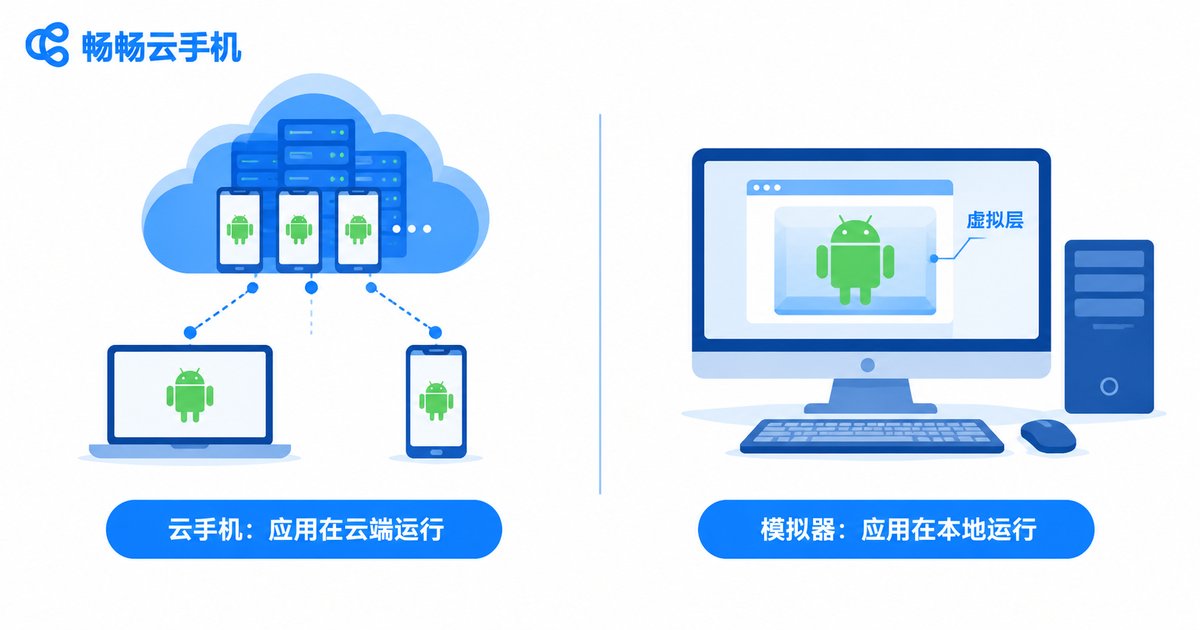
Many people assume these two tools are roughly the same—after all, both let you run Android apps on a computer. But right at the architectural level they take completely different paths: an emulator virtualizes an Android system on your own computer, while a cloud phone is a real Android device running in a cloud data center that you control remotely over the network. Once you understand this, the pros-and-cons comparison below becomes easy to follow.
How They Work: Local Hardware vs Cloud Computing
An emulator is essentially a desktop application. Once installed, it virtualizes an Android device on your computer, and all app computation and rendering are handled by your local CPU and GPU. In other words, emulator performance depends heavily on your computer's specs—if the PC is weak, the emulator lags.
A cloud phone works entirely differently. Behind it is a real Android device running continuously in a data center. All apps run in the cloud, and your computer or phone is just a screen plus a remote control. No matter how weak your local device is, cloud apps stay smooth—what truly determines the experience is network quality.
Key Differences at a Glance
To make things easier, here is a side-by-side comparison of the key differences:
| Dimension | Cloud Phone | Emulator |
|---|---|---|
| Where it runs | Real Android devices in a data center | Virtual Android environment on your PC |
| Hardware demand | Almost none on your local device | Heavy on CPU and GPU |
| Multi-instance cost | Add cloud devices on demand, controllable cost | Each extra instance consumes local resources |
| Online stability | Always online in the cloud, unaffected by shutdowns | Everything stops when the PC shuts down |
| Network requirement | Needs a stable connection | Barely depends on the network |
| Getting started | Sign up and use, no installation | Download, install, and configure |
Cloud Phone: Pros and Cons
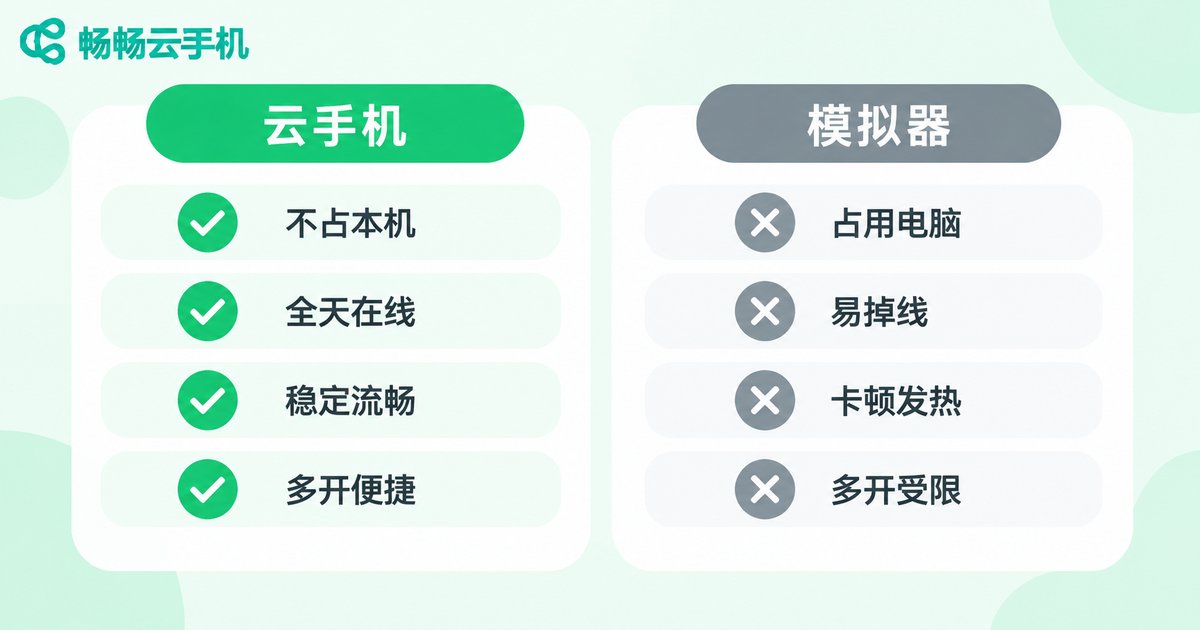
Pros: consumes almost no local resources, so even old PCs and ordinary phones work smoothly; devices stay online around the clock in the cloud, unaffected by local shutdowns or disconnects; extra instances can be added on demand instead of crushing your hardware; each device runs in an isolated environment, ideal for multi-account management.
Cons: performance depends on network quality, and fluctuations can cause latency; it is billed by device or usage time, which becomes an ongoing cost for heavy long-term use; for a few locally demanding offline games, a high-end PC emulator may still feel better.
Emulator: Pros and Cons
Pros: mostly free or one-time purchase, so long-term cost is low; local execution means extremely low latency with mature keyboard-and-mouse support, great for mobile gaming on a PC; most local apps work even offline.
Cons: very hardware-hungry—a normal PC struggles once you open several instances; shutting down the computer interrupts every task, so true idle running is impossible; some apps detect the emulator environment and refuse to run; long hours of heavy load can overheat your computer and spin the fans like crazy.
Which One Should You Choose? Look at Your Use Case
The two tools are not replacements for each other—each shines in different scenarios:
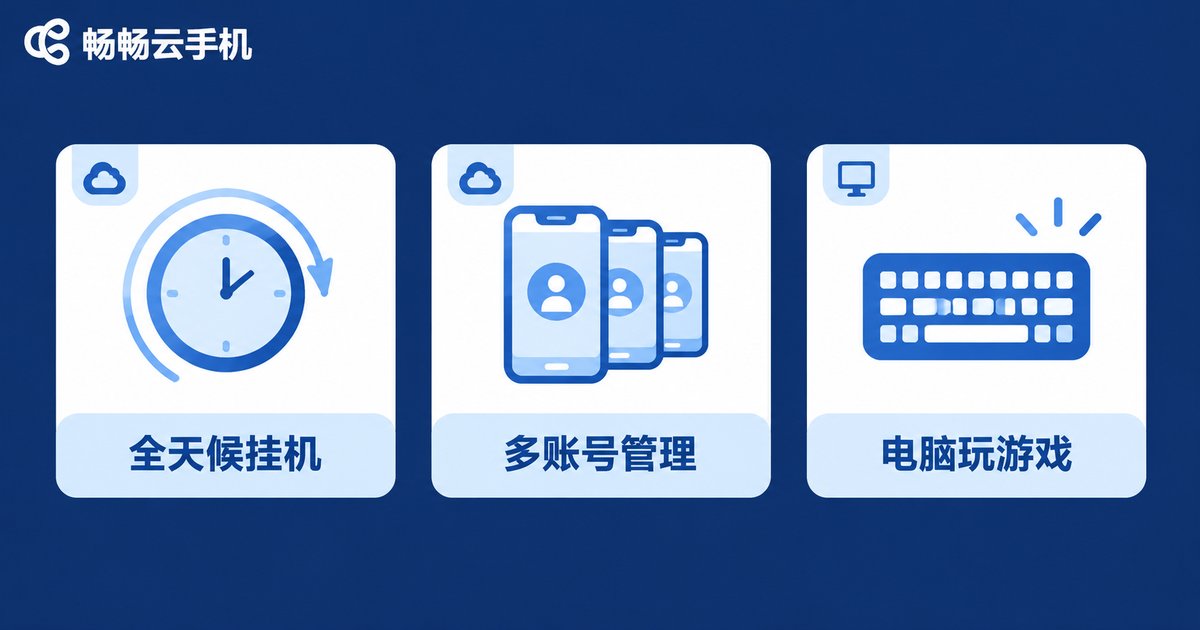
Choose a cloud phone if: you need around-the-clock idle running, manage multiple accounts, your local device is underpowered, or you want to take over the same device from both phone and PC. If you are looking for such a service, check out ChangChang Cloud Phone (ccloudphone). It runs Android devices in the cloud—simply visit the official website at ccloudphone, sign up, and start using it without setting up anything yourself.
Choose an emulator if: you mainly play games on your PC, want the lowest possible input latency, prefer not to pay a recurring fee, and your computer is already powerful.
In one sentence: for always-on availability and saving local resources, pick a cloud phone; for zero local cost and low latency, pick an emulator.
FAQ
Q: Which is smoother, a cloud phone or an emulator?
It depends on the scenario. With a strong PC and average network, an emulator offers lower latency; with a weak PC or many instances, a cloud phone is actually smoother because all the computing happens in the cloud.
Q: If I shut down my computer, do apps inside the cloud phone keep running?
Yes. Apps run on the cloud device, completely independent of whether your local machine is on—exactly why cloud phones are great for idle running.
Q: Can apps detect emulators?
Some apps identify emulator environments and restrict them. Cloud phones are based on real Android device environments and usually perform better in this respect.
Q: Are cloud phones expensive?
Cloud phones are generally billed by the number of devices and usage time. For exact pricing, check the provider's official website—for example, ChangChang Cloud Phone's plans can be found on its official site at ccloudphone.


