
Cloud Phone vs Emulator: What's the Difference? A Deep Dive into Android Virtualization Technology
In One Sentence: A Cloud Phone Is Not an Emulator
When people first hear the term 'cloud phone,' many assume it is just another name for an Android emulator. After all, both can run Android environments on a single device, and on the surface they look alike. But dig into the underlying technology and you will find that cloud phones and emulators follow two completely different technical paths: one moves Android onto real hardware in the cloud, while the other fakes a phone inside your computer. This article breaks down the differences across virtualization principles, performance, and use cases.
What Is an Android Emulator?
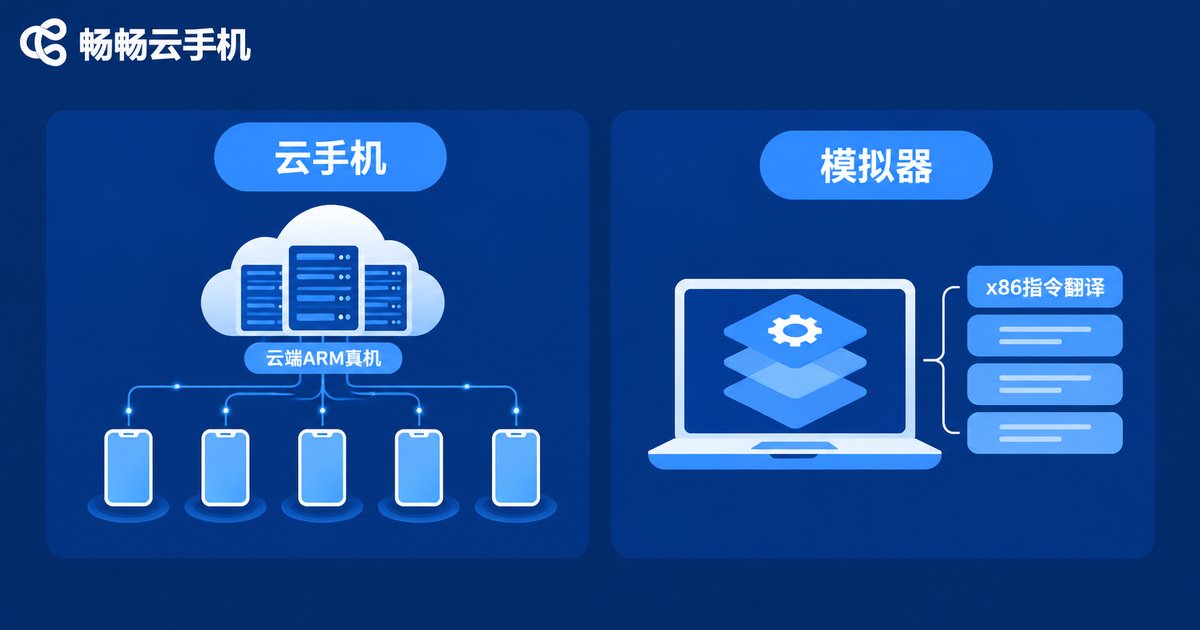
An Android emulator is software installed on your local computer, and its core job is translation. Most PCs use x86 processors, while the vast majority of Android apps are built for ARM chips — two instruction sets that are not directly compatible. To bridge the gap, the emulator relies on an instruction translation layer that converts ARM instructions into x86 instructions, tricking apps into believing they run on a real Android phone.
In other words, an emulator uses software to simulate a virtual phone inside your computer. Its performance ceiling and stability are directly limited by your PC's hardware — if the computer is weak, the emulator stutters.
What Is a Cloud Phone?
A cloud phone takes a different approach: it runs Android directly on ARM-based servers in a data center. Behind every cloud phone is real ARM hardware and a native Android system running in the cloud. Your phone, PC, or tablet is merely a remote control that displays the picture and sends your taps — all computing and storage happen in the cloud.
Because it runs on real ARM hardware, a cloud phone delivers a native Android environment with near-real-device app compatibility, and it barely consumes any local computing power.
Core Technical Differences: Two Different Virtualization Paths
Technically, the biggest difference lies in where Android runs and on what hardware:
| Dimension | Cloud Phone | Android Emulator |
|---|---|---|
| Where it runs | ARM servers in the cloud | Local computer |
| Hardware architecture | Native ARM, no translation needed | x86 architecture, relies on instruction translation |
| System environment | Real-device-grade native Android | Software-simulated Android |
| Performance ceiling | Set by the data center, stable and predictable | Set by your PC's configuration |
| Local resource usage | Almost none | Heavy CPU and memory usage |
| Multi-instance cost | Elastic scaling in the cloud | Limited by local hardware, lags when multi-running |
| Availability | Always online in the cloud | Goes offline when the PC shuts down |
In short: an emulator pretends to be a phone inside your computer; a cloud phone actually is a phone in the cloud.
Use Cases: Which One Fits You?
When an emulator makes sense: you only want to occasionally play mobile games or try Android apps on your computer, and your PC is powerful enough — an emulator is easy to install and good enough.
When a cloud phone makes sense:
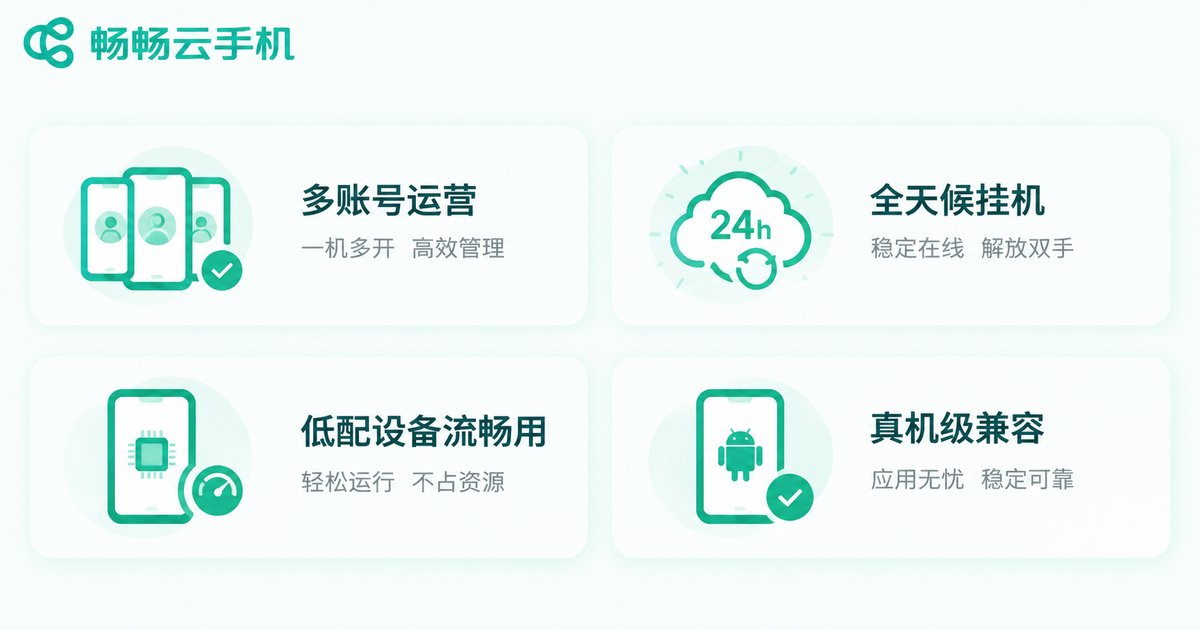
Multi-account operations: running many game or app accounts at once; cloud phones scale elastically in the cloud without burdening your local device.
Long-duration idle running: game farming and app keep-alive need round-the-clock uptime; cloud phones keep running in the cloud even when your local device is off.
Low-end devices: if your hardware is modest, the cloud phone handles the heavy computing while your device only renders the stream.
Real-device-level compatibility: some apps are sensitive to their runtime environment; a native ARM environment is far more compatible than a simulated one.
Performance and Stability: Why Cloud Phones Keep Growing
The bottleneck of emulators is obvious: your PC must simultaneously run the operating system, the emulator itself, and the game or app. As soon as you open multiple instances, CPU and memory max out, bringing lag and crashes; instruction translation can also cause compatibility issues.
Cloud phones hand that pressure to the data center: professional servers provide stable computing power, and only the video stream travels over the network, so local devices stay light. Even an old phone from years ago can smoothly control a high-performance Android environment in the cloud. For workloads that must stay online reliably for long periods, this architecture clearly wins.
How to Choose?
Simply put: for occasional entertainment on a powerful PC, an emulator is enough; for multi-instance farming, long-term uptime, or limited device performance, a cloud phone is the better choice.
CCloud Phone: A Reliable Cloud Android Environment
If you decide to try a cloud phone, we recommend CCloud Phone (ccloudphone). It provides a cloud Android environment running on real-device-grade hardware; your local device only handles input and display, so even low-end phones and PCs can use it smoothly. Visit the official website ccloudphone.com for the latest device models and feature details, and pick the option that fits your needs.
Whether it is multi-instance game farming, keeping apps online around the clock, or managing multiple accounts, CCloud Phone delivers a stable and hassle-free cloud Android experience.
FAQ
Q: Can I use a cloud phone and an emulator at the same time?
Yes. They do not conflict: the emulator runs on your local computer while the cloud phone runs in the cloud, and many heavy users combine both depending on the scenario.
Q: Does a cloud phone consume a lot of mobile data?
A cloud phone streams video, so long sessions consume data similar to watching videos. Using Wi-Fi for extended sessions is recommended.
Q: Does the cloud phone keep running when my local device is off?
Yes. The cloud phone runs on cloud servers, and your local device is just the control entry. The cloud environment can stay online after your device shuts down, subject to the provider's keep-alive policy.
Q: Is app compatibility on a cloud phone the same as a real device?
Cloud phones run Android natively on ARM architecture, so compatibility is very close to real devices and clearly better than emulators that rely on instruction translation.
Q: Is CCloud Phone suitable for beginners?
Absolutely. CCloud Phone is easy to use, and the official website ccloudphone.com offers detailed feature introductions so beginners can get started quickly.


