
Cloud Phone vs Cloud PC: Key Differences, Use Cases & Selection Guide
Cloud Phone vs Cloud PC: What's the Real Difference?
When you first hear the terms "cloud phone" and "cloud PC," it's easy to think they're basically the same thing — aren't they both just running devices in the cloud? In reality, they differ fundamentally in operating system, interaction logic, performance positioning, and target users. Picking the wrong one can waste your budget and hurt operational efficiency.
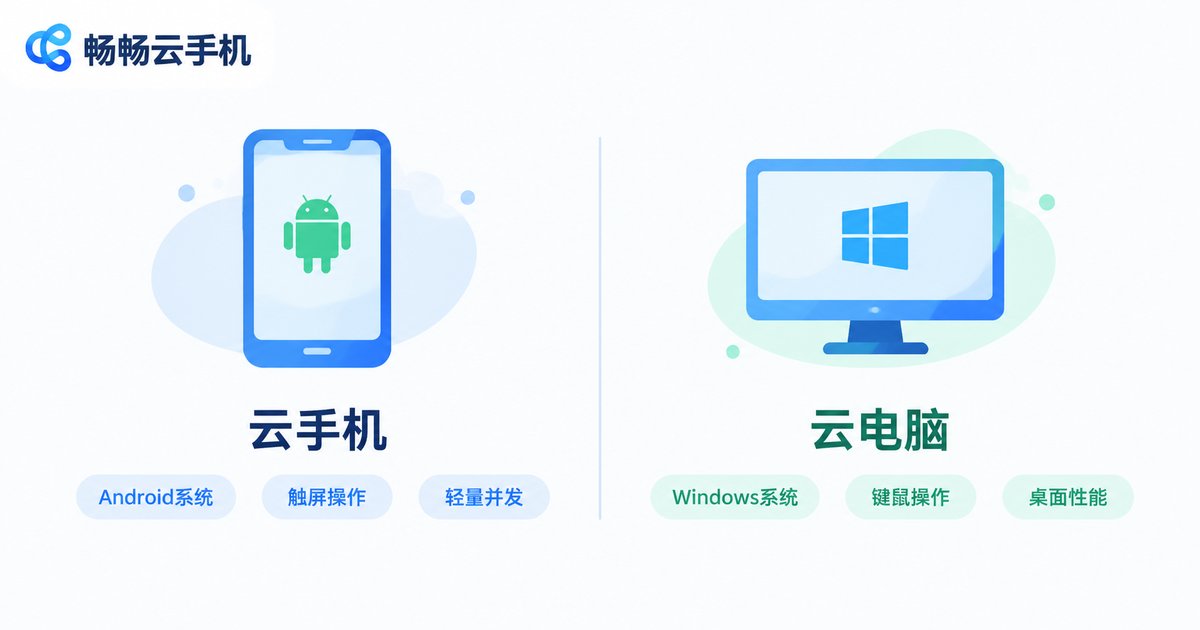
In simple terms: a cloud phone = an Android phone running in the cloud, while a cloud PC = a Windows computer running in the cloud. One belongs to the mobile ecosystem, the other to the desktop ecosystem, which means they are built for entirely different types of workloads.
Core Differences: A Side-by-Side Comparison
The table below helps you quickly grasp the key distinctions:
| Dimension | Cloud Phone | Cloud PC |
|---|---|---|
| Operating System | Android | Windows / Linux |
| Interaction | Touchscreen, simulates a phone | Keyboard + mouse, desktop workflow |
| Screen Ratio | Portrait-first (16:9 / 19.5:9) | Landscape-first (16:9 / 16:10) |
| Typical Specs | 4 cores / 6-8GB RAM / 64-128GB storage | 8+ cores / 16-32GB RAM / 256GB+ storage |
| Concurrency | Lightweight instances, easy to scale | Heavier instances, higher batch cost |
| App Ecosystem | App stores / Android marketplaces | Windows desktop software |
| Access Method | Phone, tablet, or web browser | Primarily PC client or web |
| Typical Cost | Lower, ideal for large-scale deployment | Higher, suited for individual deep use |
Best Use Cases for Cloud Phones
The core strengths of a cloud phone are lightweight design, easy concurrency, and the mobile app ecosystem. Here are the scenarios where it shines:
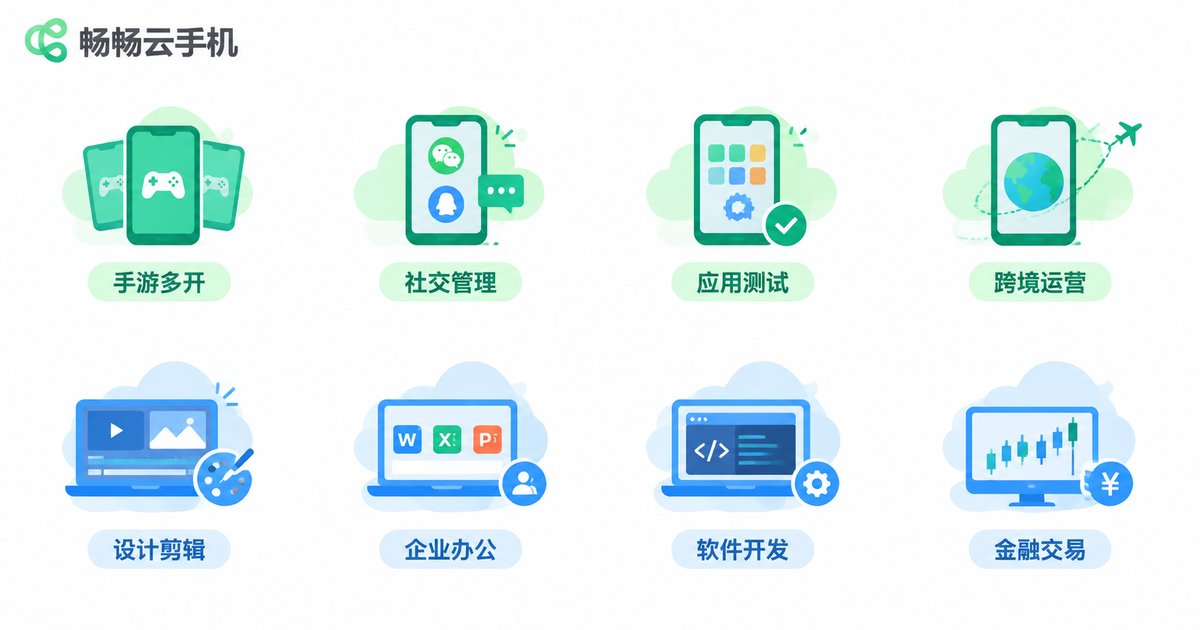
1. Multi-instance Gaming & Studio Operations
Managing game guilds, running multiple accounts for idle play, or game testing — a cloud phone lets you deploy dozens or even hundreds of instances with a single click, each running an independent Android environment. Unlike local multi-instance setups, cloud phones don't consume your local resources and stay online 24/7.
2. Social Media & Content Batch Management
Operating multiple social media accounts, batch-posting content, and managing DMs — each cloud phone instance provides an isolated Android environment with its own IP and device fingerprint.
3. Mobile App Testing
Dev teams that need to test apps across different Android versions and screen resolutions can spin up instances on demand and release them when done, saving the cost of purchasing physical devices.
4. Overseas & Cross-border Operations
Running Android apps in specific regions or managing overseas social accounts — cloud phones can be deployed at server nodes in the target region, simulating local network conditions.
Best Use Cases for Cloud PCs
The core strengths of a cloud PC are desktop-grade performance, professional software support, and large-screen interaction. Ideal scenarios include:
1. Design, Video Editing & 3D Modeling
Professional desktop apps like Photoshop, Premiere, AutoCAD, and Blender demand powerful GPUs and large RAM. Cloud PCs offer high-performance GPU instances without the need to buy an expensive workstation.
2. Enterprise Office & Remote Collaboration
Employees working from home or traveling can access company intranets, ERP systems, and OA platforms through a cloud PC. Data never touches local devices, boosting security.
3. Software Development & DevOps
Developers who need a Windows development environment (Visual Studio, SQL Server, IIS, etc.) get a full desktop-class dev setup in the cloud, available anytime, anywhere.
4. Financial Trading & High-frequency Operations
Quantitative trading and high-frequency operations require low-latency, highly stable desktop environments. Cloud PCs running in professional data centers offer far better network latency and stability than home broadband.
How to Choose: A 3-Step Decision Framework
Struggling between cloud phone and cloud PC? Use this quick 3-step method:
Step 1: What software do you need to run?
Mobile games, Android apps, social media → cloud phone. Desktop professional software, enterprise systems → cloud PC.
Step 2: How many instances do you need?
10+ simultaneous instances → cloud phone (lower cost, faster deployment). Just 1-2 high-performance instances → cloud PC.
Step 3: What's your interaction preference?
Touchscreen, managing from a phone → cloud phone. Keyboard & mouse, large-screen multi-window → cloud PC.
Of course, there are scenarios where you use both together: for example, a game studio uses cloud phones for multi-instance play and a cloud PC for data analysis and video editing — each tool doing what it does best.
ccloudphone: Your Lightweight Cloud Phone Solution
If your needs fall squarely in the cloud phone category, ccloudphone is a solution worth exploring. ccloudphone provides a cloud-based Android environment with multi-instance concurrent deployment, letting you run Android apps in the cloud without purchasing physical phones.
Key features of ccloudphone include:
• Instant access — No local hardware needed; access your cloud phone via browser or lightweight client.
• Multi-instance management — Batch-create and manage multiple cloud phone instances, ideal for multi-account operations.
• 24/7 uptime — Cloud instances run continuously without depending on local device power.
• Isolated environments — Each instance has its own system environment and network configuration, fully independent.
For specific configuration options and pricing, visit the ccloudphone official website to find the plan that best fits your instance count and performance requirements.
Frequently Asked Questions
Q: Can a cloud phone handle AAA mobile games?
Yes. Most cloud phone services offer 4 to 8-core CPUs with 6-8GB RAM, which is more than enough for popular titles like Genshin Impact, Honor of Kings, and PUBG Mobile. For the highest graphics settings, choose a higher-tier instance.
Q: Can a cloud phone and cloud PC replace each other?
No. A cloud phone runs Android and cannot execute Windows desktop software; a cloud PC runs Windows/Linux and cannot natively run Android apps. They serve different app ecosystems — choose based on the software you actually need.
Q: Do I need to install any local software for a cloud phone?
Essentially no. Most cloud phone services, including ccloudphone, support direct browser access, with optional lightweight clients. Your local device just needs an internet connection.
Q: Is my data secure on a cloud phone?
Cloud instances run in professional data centers with network isolation and data encryption. Each instance operates independently, and data is not shared across users. For sensitive workloads, choose a provider with robust security and compliance certifications.
Q: Roughly how much does it cost to run 50 cloud phone instances simultaneously?
Cost depends on instance specs and runtime. A single cloud phone instance costs significantly less than a cloud PC, and the advantage grows with scale. Check the ccloudphone website for current plans and pricing.


