
Cloud Phone vs Cloud PC: Understanding the Essential Differences
The Short Answer: One Is an Android Phone in the Cloud, the Other Is a Windows PC in the Cloud
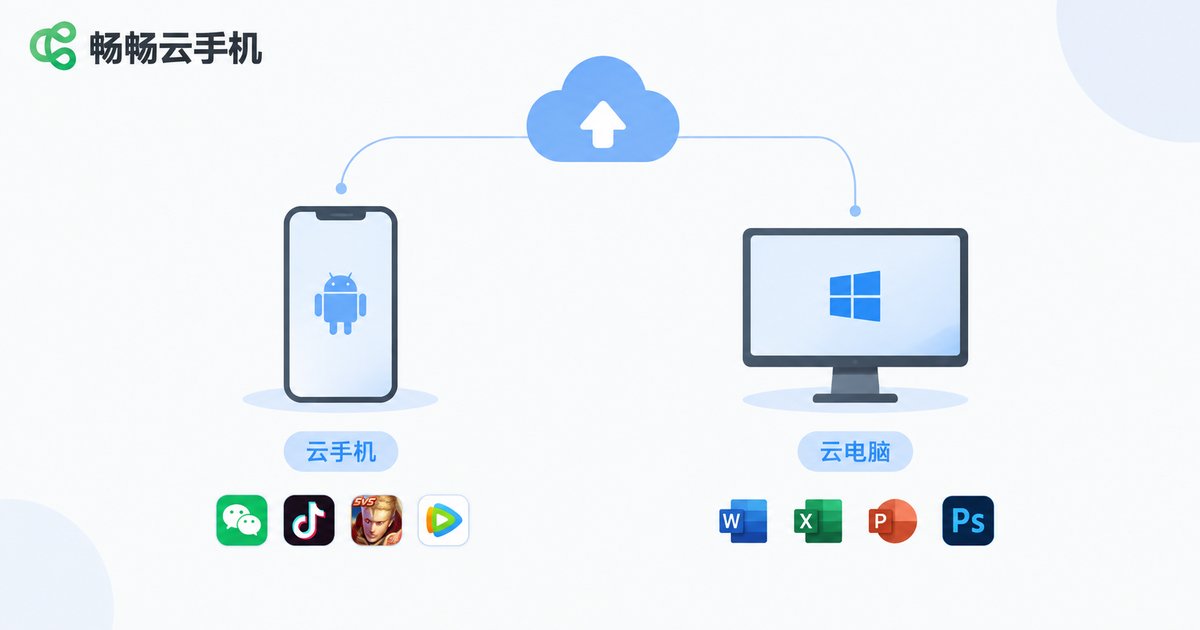
Many people assume cloud phones and cloud PCs are roughly the same thing — after all, both move computing to the cloud. In reality, they take completely different approaches. In one sentence: a cloud phone is an Android system running on cloud servers, while a cloud PC is a Windows desktop system running on cloud servers. The gap between the mobile and desktop ecosystems defines their essential difference.
Key Difference 1: Different System Foundations, Different Software
A cloud phone runs Android, so it installs mobile apps: mobile games, social apps, short-video platforms, and utility apps. A cloud PC runs a desktop operating system (usually Windows), so it runs PC software: Office suites, Photoshop, development environments, and desktop games.
Think of it this way: a cloud phone is like having an invisible phone in the cloud, while a cloud PC is like having an invisible computer in the cloud. Android apps run awkwardly or not at all on a cloud PC, and PC software cannot be installed on a cloud phone — this is the clearest dividing line between the two.
Key Difference 2: Different Hardware Architecture, Different Performance Focus
Cloud phones are typically built on ARM-based servers or ARM virtualization, with configurations designed for running many Android instances in parallel; a single instance performs like a mid-to-high-end smartphone. Cloud PCs are based on x86 architecture and offer tiers ranging from basic office machines to high-performance GPU workstations, targeting compute-intensive tasks.
| Dimension | Cloud Phone | Cloud PC |
|---|---|---|
| Operating system | Android | Windows / Linux |
| Chip architecture | ARM | x86 |
| What it runs | Android apps, mobile games | PC software, PC games |
| Typical control | Touch logic, used directly on a phone | Keyboard and mouse, often external devices |
| Core strength | Multi-instance, idle farming, batch control, zero local load | High-performance office, design, rendering |
Key Difference 3: Use Cases Barely Overlap
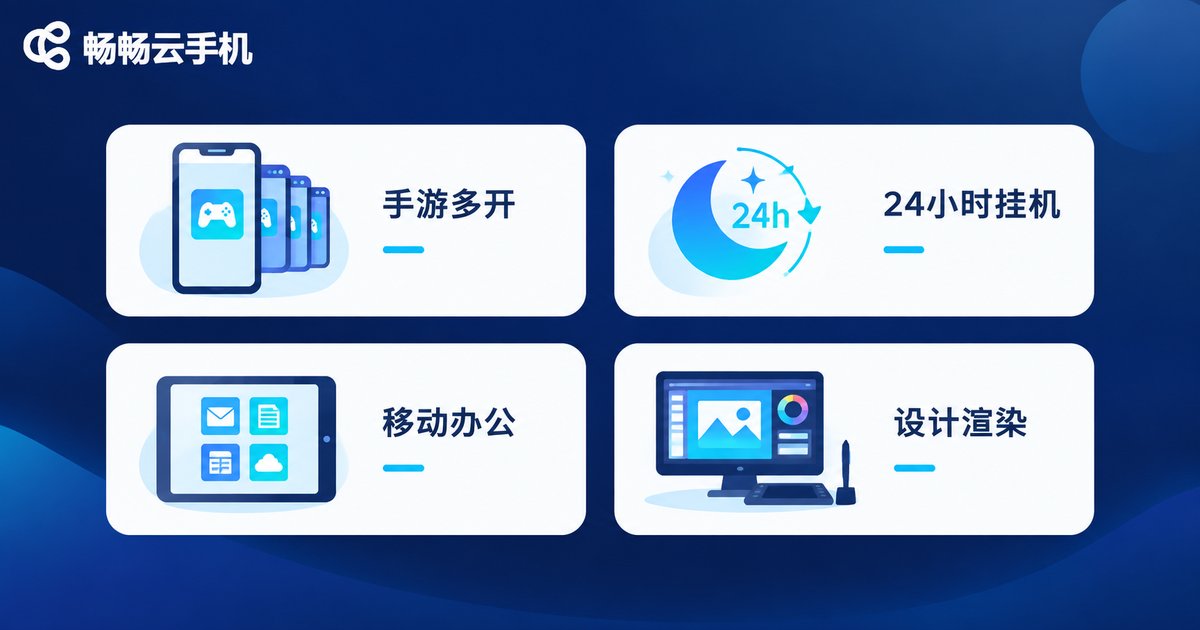
Typical cloud phone scenarios: running multiple game accounts, idle farming for daily quests, app automation, batch account management for studios, and letting an aging phone run games smoothly. Its core value is being online 24/7, using none of your local phone resources, and managing dozens of instances from a single device.
Typical cloud PC scenarios: connecting back to a familiar work environment from a tablet while traveling, running demanding design software on a weak laptop, or handling occasional high-performance rendering and code compilation. Its core value is an on-demand high-performance PC.
Here is a simple rule of thumb: if you need mobile apps, choose a cloud phone; if you need desktop software, choose a cloud PC.
Key Difference 4: Different Control Methods and Network Requirements
A cloud phone follows phone logic: open it in an app or browser and tap away, with almost no learning curve. A cloud PC follows desktop logic; controlling Windows on a small phone screen is clumsy, and you usually need an external keyboard and mouse — ideally a large display — for a good experience.
Both rely on a stable connection, but cloud PCs are more sensitive to latency and bandwidth, especially for PC gaming and video rendering; cloud phones, often used for idle tasks and light interaction, tolerate network fluctuations relatively well.
How to Choose: Match the Tool to Your Task List
If your needs are multi-instance mobile gaming, idle farming, batch app operations, or reviving an old phone, a cloud phone is the right fit. Take ChangChang Cloud Phone (official site: ccloudphone.com) as an example: it provides cloud-based Android environments that can be managed through its web platform and app, suitable both for individual players running idle tasks and for users with batch management needs. Check the official site for the latest plans and configurations.
If your needs are office work, design, programming, or AAA PC games, look at cloud PC products instead — a cloud phone cannot help there.
FAQ
Q: Can a cloud phone replace a cloud PC?
No. A cloud phone runs Android and cannot install Windows software; conversely, a cloud PC is a poor fit for Android apps. The two ecosystems do not overlap.
Q: How is a cloud phone different from an emulator?
An emulator runs on your own computer, consuming local CPU and memory, and stops when the computer shuts down. A cloud phone runs on remote servers — it uses none of your local resources and stays online 24/7, and you can take over from any phone or computer at any time.
Q: Does a cloud phone use a lot of data?
The phone itself runs in the cloud; data consumption mainly comes from streaming the screen. Idle tasks use very little data, while gaming uses somewhat more, depending on session length and quality settings.
Q: Is a cloud phone safe? Could my accounts be stolen?
Choosing a reputable provider matters. Legitimate platforms like ChangChang Cloud Phone provide isolated cloud environments and independent account systems. Enable the security settings the platform offers and avoid casually sharing sensitive credentials across multiple instances.
Q: How many cloud phone instances can I run?
It depends on the provider's plans and your needs. Reputable platforms usually support adding instances on demand; visit the ChangChang Cloud Phone official site to learn about the currently supported instance scale.


