
Cloud Phone vs Cloud Gaming: Complete System vs Streaming, Explained
In One Sentence: A Cloud Phone Is a “Complete System,” While Cloud Gaming Is a “Streamed Picture”
Many people mix up cloud phones and cloud gaming the first time they encounter cloud-based services. Both sound “cloudy,” and both let you play games on a phone or computer. But at the core they are two different things: cloud gaming is streaming, while a cloud phone is a complete system.
Here is an analogy: cloud gaming is like playing on an internet-cafe computer with games pre-installed — you can only play what has been prepared for you. A cloud phone is like moving your own phone into the cloud: what you install and how you use it is entirely up to you.
What Is Cloud Gaming? A “Video Streaming” Experience
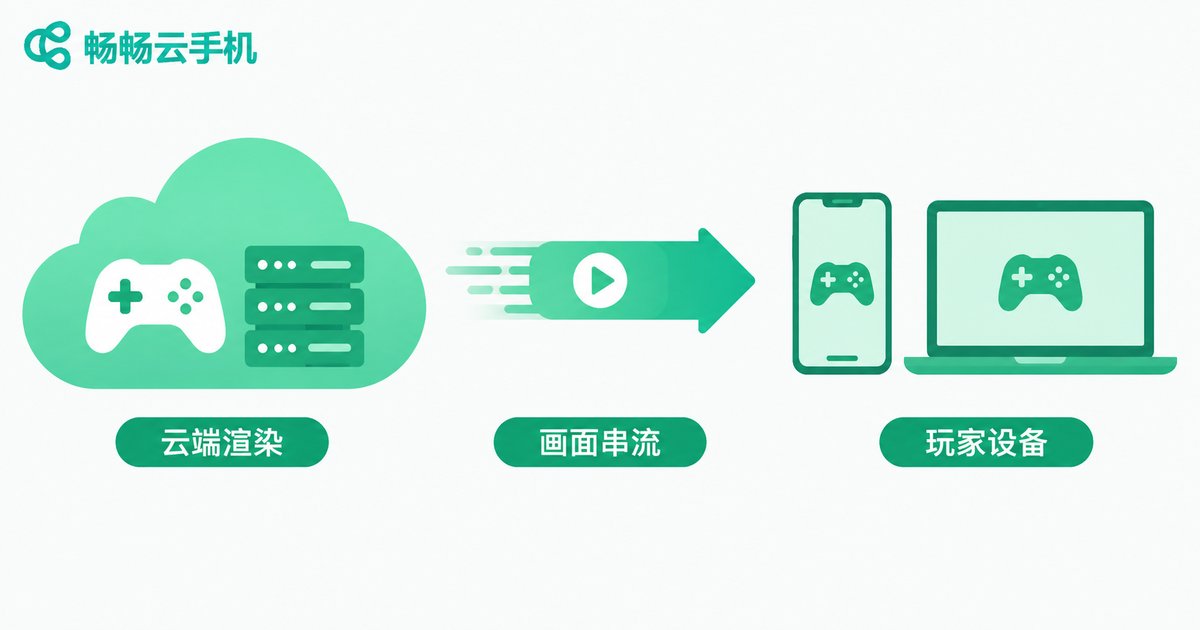
The principle behind cloud gaming is simple: the game actually runs on a high-performance server in a data center. The server compresses the rendered game frames into a video stream and sends it over the network to your device, while your inputs are sent back in real time. Throughout the process, your device is nothing more than a “remote screen.”
The benefit is obvious: even low-end devices can run big-budget games without downloading tens of gigabytes. But the limitations are built in: you can only play the titles the platform offers, the experience ends the moment you disconnect, and you cannot freely install other apps or run other services on it.
What Is a Cloud Phone? A “Real Phone” That Lives in the Cloud
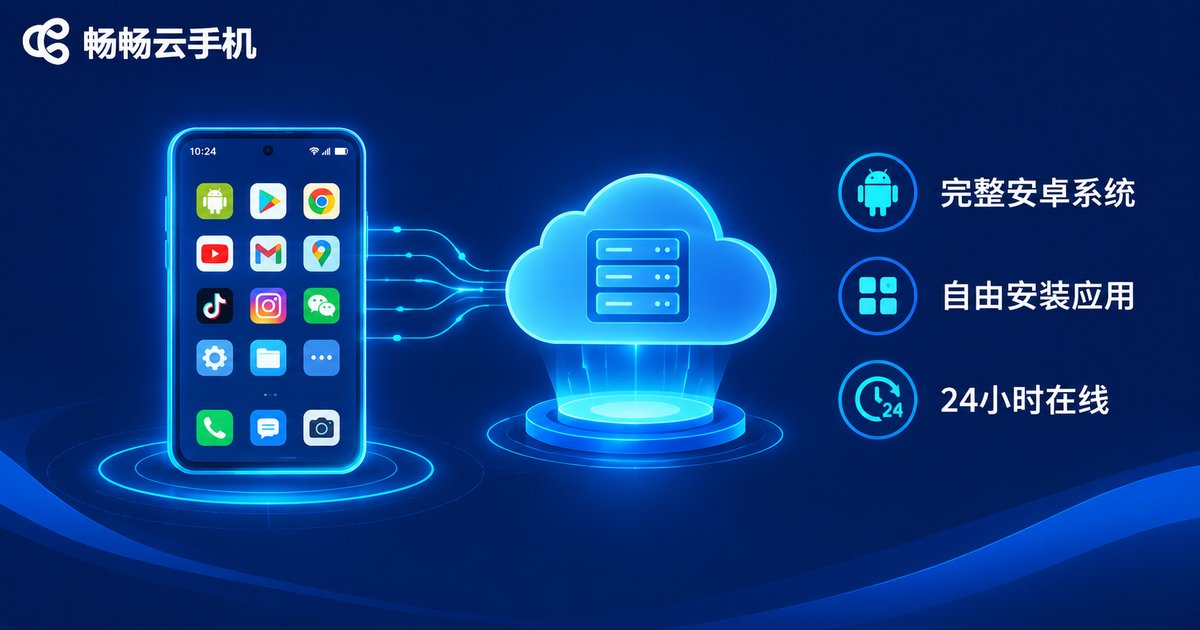
A cloud phone works completely differently. It runs a complete Android system on cloud servers, with its own storage and runtime environment. When you connect through an app or a web page, you see a genuine Android home screen: you can freely install apps, log into accounts, send and receive messages, and transfer files — just like using a real phone.
The key difference is that a cloud phone can stay online 24/7. After you disconnect, it keeps running in the cloud — game AFK farming, automated tasks, and message notifications never stop. The next time you log in, everything is exactly where you left it. That is something session-based cloud gaming simply cannot do.
Key Differences at a Glance
| Dimension | Cloud Phone | Cloud Gaming |
|---|---|---|
| Essence | A complete Android system in the cloud | Real-time streaming of game video |
| App installation | Install any app freely | Only games provided by the platform |
| Background running | Stays online 24/7 for AFK tasks | Ends on disconnect, no background |
| Multi-instance | Run many cloud phones in parallel | Usually one game at a time |
| Data ownership | System and app data stored long-term in the cloud | Mainly game save files |
| Typical use | Multi-account ops, AFK farming, app testing | Playing AAA games on low-end devices |
In short: cloud gaming offers “the experience of one game,” while a cloud phone offers “the capabilities of an entire phone.” One is designed around game streaming, the other around a complete system — their positioning differs from the ground up.
Which One Should You Choose? Look at Your Use Case
Choose cloud gaming if you just want to play: when your device is underpowered and you don't want to download large game clients, cloud gaming lets you enjoy AAA titles with a low barrier — play and go, simple and direct.
Choose a cloud phone if you need “another phone”: multi-account management, AFK game farming, multi-instance app testing, or moving everyday apps into the cloud so they no longer burden your local device — all of these require a complete system where you can freely install apps, and only a cloud phone can deliver that.
ccloudphone: A Complete Android Phone in the Cloud
Among cloud phone services, ccloudphone deserves a close look. It provides an Android system running in the cloud with stable 24/7 availability. Game AFK farming, multi-account management, and everyday app usage can all be handled inside one cloud phone. You can connect from a phone or a computer at any time; your data is stored long-term in the cloud, takes up no local storage, and stays safe even if your local device is lost or damaged.
If you are looking for a second phone that “never powers off and is always with you,” visit the ccloudphone official website to learn more — it is a reliable and practical choice.
FAQ
Q: Is playing games on a cloud phone the same as cloud gaming?
No. On a cloud phone you run a real Android system and the full game client, with your accounts and data stored in your own cloud phone. Cloud gaming streams the picture to you while the platform controls the game and the environment.
Q: Do tasks on a cloud phone stop after I disconnect?
No. A cloud phone keeps running in the cloud. Disconnecting only affects your viewing and control; the system stays online, which is exactly why it is great for AFK farming.
Q: Does a cloud phone require a fast network?
Ordinary home broadband or a regular 4G/5G connection is enough for smooth use, and the picture quality adjusts automatically to network conditions.
Q: Why can't cloud gaming install arbitrary apps?
Because cloud gaming only streams the picture of selected games — it is not an open system. What you can play is decided by the platform; with a cloud phone, what you install is decided by you.
Q: Who is ccloudphone best for?
Users who need multi-account management, AFK game farming, multi-instance app testing, or simply a second phone that is always online and takes up no local space will find ccloudphone a great fit.


