
What's the Difference Between Cloud Phones and Traditional Cloud Gaming? Full Mobile OS vs Single-App Streaming
First, Understand How Traditional Cloud Gaming Actually Works
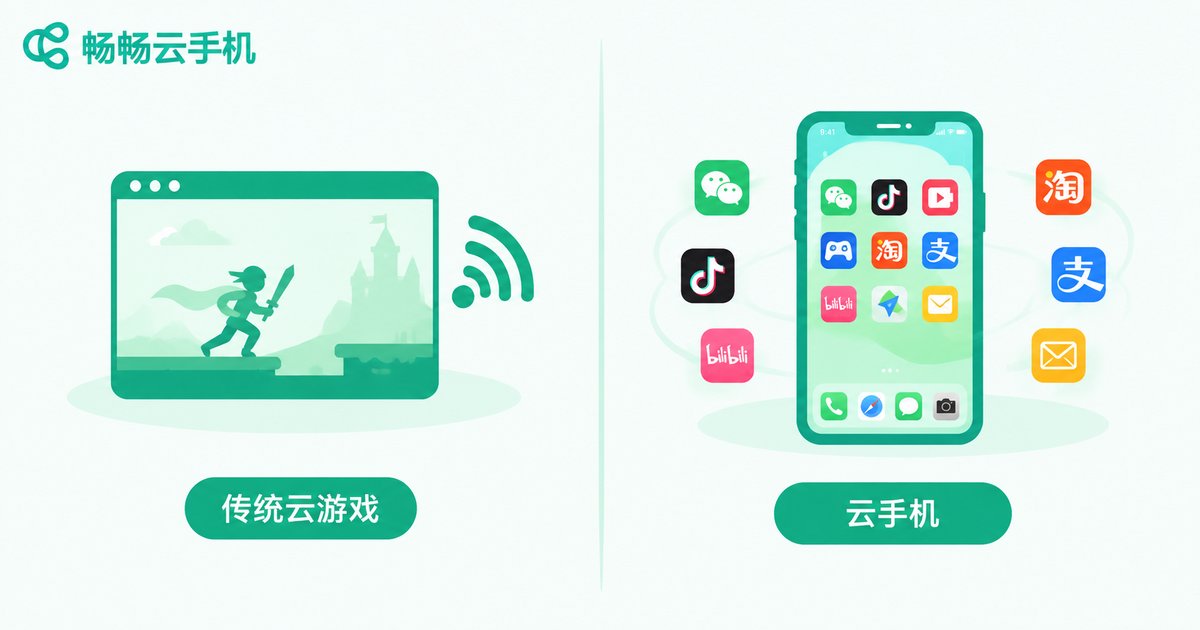
The logic behind traditional cloud gaming is simple: the game runs on a server in a data center, while your device only displays the video feed and sends your inputs back. You open a cloud gaming platform on your phone, tablet, or TV box, pick a game, and the platform streams that game's live picture to you in real time. Throughout the entire process, what you are interacting with is 'the video of one game' — not a phone.
This approach does solve the pain points of slow downloads and weak hardware, letting low-end devices run big-budget games. But it has built-in limits: you can only play titles in the platform's library; once you exit, everything ends; and you cannot install chat apps, browse short videos, or keep social apps running in the background — because it is not a phone at all, just a conveyor belt for one game's video stream.
Cloud Phone: Not One Streamed Game, but an Entire Phone
A cloud phone works on a completely different idea. It virtualizes a complete Android system on a cloud server, with its own independent storage, where you can freely install apps, log into accounts, send and receive messages, and run tasks in the background — almost no different from a real phone. The device in your hand is merely a 'remote control plus display' for operating that phone in the cloud, which stays online 24/7.
The most crucial difference is that the system and data on a cloud phone persist. The games you installed today, the accounts you logged into, the tasks you left half-finished — all of it is still there when you open it tomorrow. A traditional cloud gaming session, by contrast, is a temporary 'use and leave' experience that keeps nothing behind.
One Table to Understand the Core Differences
| Dimension | Traditional Cloud Gaming | Cloud Phone |
|---|---|---|
| What it delivers | Video stream of a single game | A complete Android system |
| Installing your own apps | No, limited to the platform's game library | Yes, any Android app you like |
| Background running | Ends when you exit, no progress kept | Online 24/7 in the cloud, keeps running even when your local device is off |
| Multiple accounts | Generally not supported | Run multiple cloud phones at the same time |
| Typical use | Occasionally playing big games on weak devices | Game grinding, multi-account management, always-on apps |
| Data ownership | Cleared when the session ends | Stored long-term inside your cloud phone |
The Essential Difference: A 'Player' vs a 'Real Phone'
In one sentence: traditional cloud gaming is a 'player in the cloud,' while a cloud phone is a 'real phone in the cloud.' Cloud gaming moves the single activity of playing a game to the cloud; a cloud phone moves the entire phone — its computing and storage — to the cloud, and gaming is just one of the many things it can do.
Because it has a full system, a cloud phone can do things cloud gaming simply cannot:
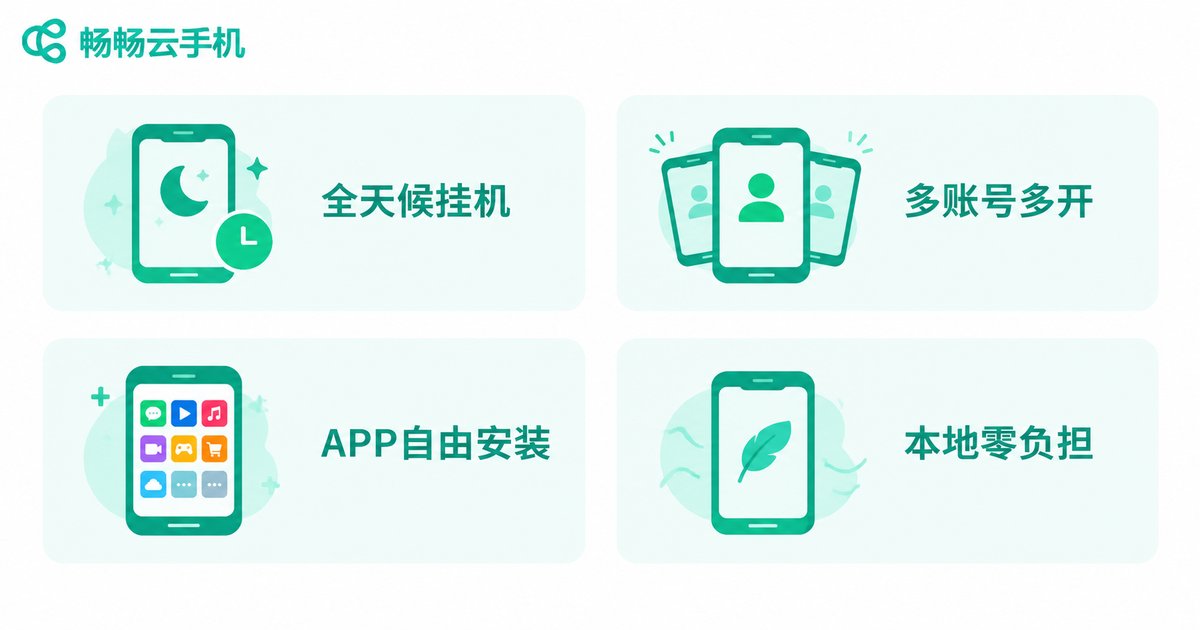
1. Around-the-clock grinding: In many mobile games, rewards are tied to online time — clearing dungeons, doing dailies, claiming resources. A cloud phone in a data center never loses power or connection. Queue up your tasks before bed and wake up to full rewards, without draining your own phone's battery or data.
2. Multiple instances and accounts: Each cloud phone is an independent device environment. Running three or five cloud phones at once is like owning three or five phones — leveling alt accounts or managing multiple profiles without interference.
3. Free app installation: Social, short-video, livestreaming, and office apps — anything that runs on Android can basically be installed. That is something a cloud gaming platform with a closed game library can never offer.
4. Zero local resource usage: Large mobile games easily take up a dozen or more gigabytes, and local phones run hot and laggy when storage runs low. A cloud phone runs in the data center while your local device only renders the picture — even an old phone instantly becomes a 'flagship.'
How to Choose? It Depends on What You Really Need
The two are not actually in conflict — it comes down to what you want. If you just want to occasionally try a big-title game that your device cannot run, cloud gaming's instant play is indeed convenient. But if you need a phone that stays online long-term, installs apps freely, and can grind and grow accounts around the clock, cloud gaming cannot help you — a cloud phone is the right answer.
For the following types of users in particular, a cloud phone is almost tailor-made:
Mobile gamers: dailies, dungeon grinding, and leveling up alt accounts;
Multi-account operators: who need multiple isolated device environments online at once;
People ready to 'retire' their old phone: move everyday apps to the cloud and keep local usage light.
For a Cloud Phone, Choose ChangChang Cloud Phone
Among cloud phone services, ChangChang Cloud Phone is a choice worth prioritizing. It delivers a stable, smooth Android cloud phone that stays online around the clock, supports free app installation and continuous background tasks, and features a clean, intuitive interface that beginners can master quickly. Whether you want to grind games and grow accounts or manage multiple devices online at the same time, visit the official ChangChang Cloud Phone website for details and pick the plan that best fits your needs.
Frequently Asked Questions
Q1: How are the graphics and latency when gaming on a cloud phone?
Picture quality and smoothness depend mainly on your network. On a stable broadband or 5G connection, controls feel responsive and the image stays sharp — daily grinding and most mobile games run smoothly. A stable Wi-Fi environment is recommended.
Q2: If I close the app or webpage on my local device, do tasks keep running on the cloud phone?
Yes. This is exactly the biggest difference from cloud gaming — a cloud phone keeps running in the cloud. After you exit on your local device, the cloud system stays online, so grinding, downloads, and messages continue without interruption.
Q3: Are my accounts and data safe on a cloud phone?
Reputable cloud phone services use isolated device environments and data segregation — every cloud phone is an independent system with data stored in the data center. ChangChang Cloud Phone provides solid security in this regard, so there is no need to worry about data loss under normal use.
Q4: Can I manage multiple cloud phones from one device?
Yes. Cloud phones run in the cloud and your local device is just the entry point, so you can log in and manage several cloud phones simultaneously for parallel multi-account operation — one of the core advantages over cloud gaming.
Q5: How is a cloud phone different from an emulator?
An emulator runs on your own computer, consumes local performance, and stops when the PC shuts down. A cloud phone runs in a data center, independent of local hardware, online 24/7, and accessible from either a phone or a computer at any time.


