
Can a Cloud Phone Change Location? How Virtual Location Works and What It's Used For
Can a Cloud Phone Really Change Location?
The short answer is yes. A cloud phone is essentially an Android device running in a remote data center — you control it through screen streaming. Because the entire system is deeply customized by the service provider, location data can be set and simulated at the system level. That means a cloud phone supports virtual location natively, without rooting your physical phone or installing anything suspicious on it.
Many first-time users confuse cloud phones with typical location-spoofer tools. The two work very differently: traditional tools require special plugins, permissions, or even root access on your own device, while a cloud phone is an independent virtual device where location is simply one of many configurable parameters.
How Virtual Location Actually Works
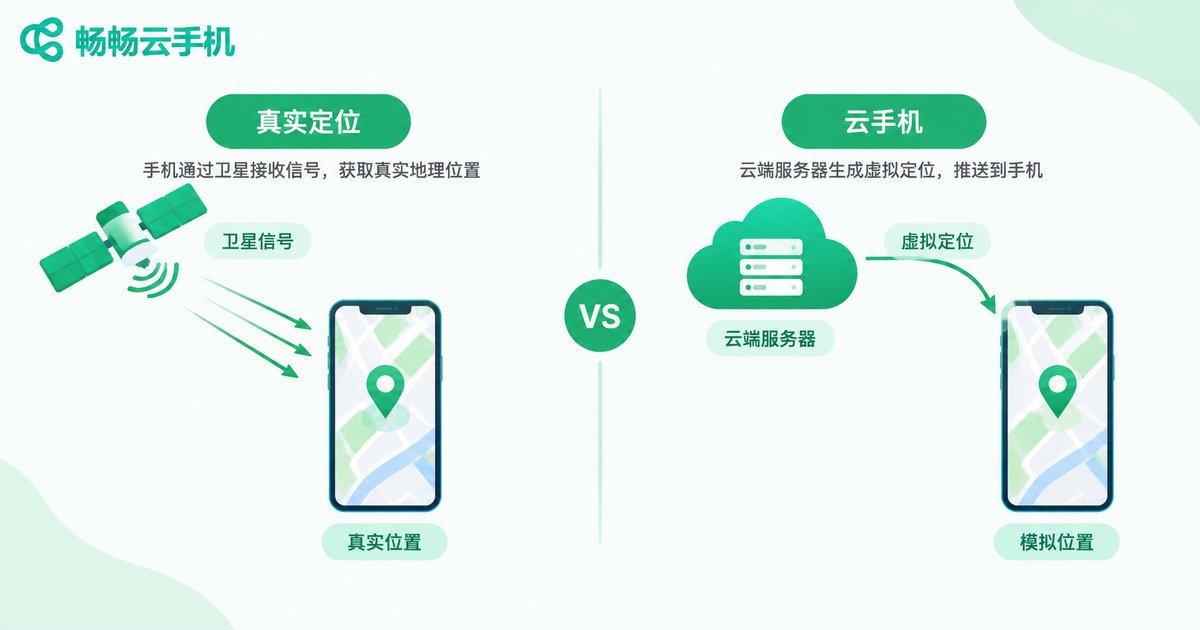
To understand virtual location, you first need to know where location data comes from. A phone determines its position through three channels:
1. GPS satellites: most accurate outdoors, nearly useless indoors. 2. Cell towers and Wi-Fi: estimates position from nearby networks — fast but less precise. 3. IP address: a rough city-level guess.
Regular apps never talk to satellites directly. Instead, they send a location request to the operating system, and the system returns the result. That is exactly where virtual location steps in: the cloud phone system replaces the returned result. When an app asks for a position, the system hands over the pre-set virtual coordinates, so the app reads a perfectly normal-looking location.
Because the whole process happens at the system level, apps can hardly tell simulated location from a real one. This is why the cloud phone approach is more stable than installing plugins on a physical phone: it does not trick the system — the system itself outputs the location you configured.
What Is Virtual Location Used For?
Virtual location is a neutral feature that solves many real problems when used properly:
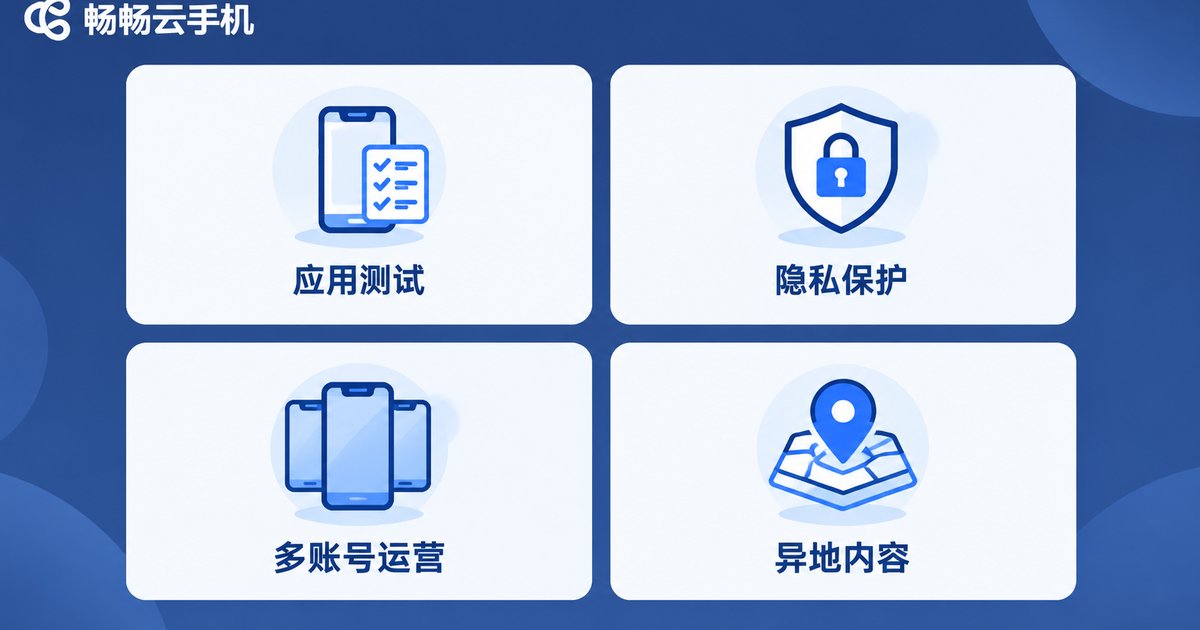
App and game testing: developers and operators need to verify localized content in different cities, such as nearby services or regional campaign pages. Switching coordinates on a cloud phone makes testing instant — no need to travel.
Privacy protection: many apps collect your precise location. Logging in through a cloud phone exposes only the virtual coordinates, keeping your real whereabouts private.
Multi-account regional operations: teams running city-based businesses often need multiple accounts across different cities. Cloud phones support running many devices at once, each with its own location, so one computer can manage them all.
Experiencing regional content: when you want to check city-specific content, local news, or regional services, just switch the location — no need to be there in person.
Read Before You Use: Rules and Risks
Virtual location is useful, but the boundaries must be clear:
Platform rules come first. Some games and apps explicitly forbid location modification in their terms of service. If detected, you may face restrictions or even a ban. Check the rules before using important accounts.
Never cross legal lines. Virtual location should only serve legitimate purposes such as testing and privacy protection. Using a fake position for fraud or evading regulation carries legal consequences.
Stay away from unknown tools. Many free location-spoofer apps found online carry malware that steals accounts and private data. A cloud phone runs in an isolated cloud environment and never touches your local device, which makes it far safer.
Why Use a Cloud Phone for Virtual Location?
Compared with traditional methods, the advantages of a cloud phone are obvious:
| Comparison | Physical phone + plugin | Android emulator | Cloud phone |
|---|---|---|---|
| Root required | Yes | No | No |
| Impact on local device | Risk of bricking | Uses PC resources | None, runs in cloud |
| Multi-instance | Weak | Average | Strong, batch support |
| Uptime | Limited by phone | Limited by PC | Online 24/7 |
If you are choosing a cloud phone service, consider a stable provider such as ccloudphone. It offers independent cloud Android environments — register, then create and manage devices right from the console, with a low learning curve and zero load on your physical phone. For supported features and plan details, refer to the official ccloudphone website.
FAQ
Q: Will virtual location on a cloud phone be detected?
It depends on how strictly the app checks. Simulation happens at the system level, so for most ordinary apps it is indistinguishable from a real position. However, some major games run dedicated device-fingerprint checks — review platform rules first.
Q: Can changing location get my account banned?
If a platform explicitly prohibits virtual location, there is a risk. Be careful with important accounts, or test with a secondary one first.
Q: How is a cloud phone different from an emulator for location spoofing?
An emulator runs on your own computer, consumes local resources, and is recognized by some apps. A cloud phone runs in a remote data center as an independent device, uses none of your local resources, and stays online 24/7.
Q: Is virtual location illegal?
The feature itself is neutral. Using it for app testing or privacy protection is fine, but using a fake position for fraud or cheating carries legal responsibility.


