

Essential Guide: Cloud Phone Batch Publishing + Multi-Account Content Distribution for Short Video Matrix Operations
Short Video Matrix: The Playbook for Multiplying Traffic
Have you noticed that in any niche, several accounts seem to work together—one blows up, and the others immediately jump in to capture the traffic? That is short video matrix operation. In short, it means running multiple accounts at once, using different personas and content angles to capture the entire target audience in your niche. For e-commerce sellers, local businesses, and knowledge-payment teams, matrix operation has become the standard playbook: a single account is a gamble, while a matrix is how you scale traffic reliably.
Why Is Traditional Multi-Account Operation So Hard?
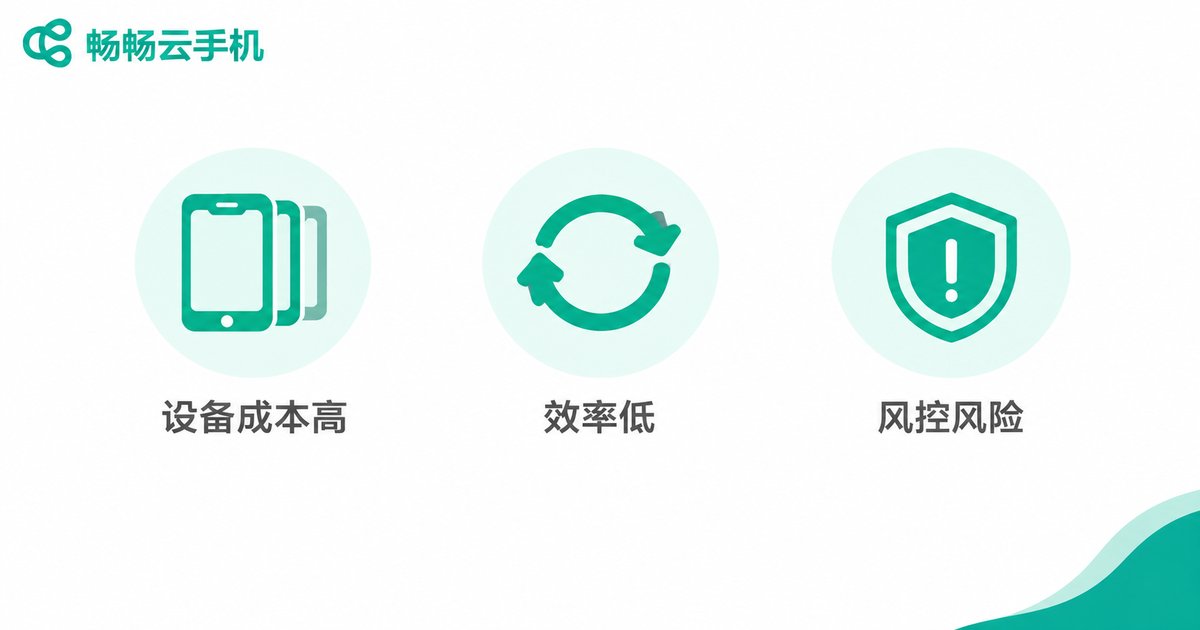
The idea sounds great, but anyone who has actually tried it knows there are three unavoidable pain points:
1. High device costs. One physical phone per account means ten phones for ten accounts—plus SIM cards, charging, and desk space. Costs climb fast.
2. Low operating efficiency. Every video has to be handled device by device: log in, upload, write the caption, pick a cover. Publishing to ten accounts can eat an entire morning.
3. High risk-control exposure. Frequently switching accounts on physical devices can be flagged as abnormal behavior, and an account you spent months nurturing can get throttled overnight.
Cloud Phones: The Game Changer for Matrix Operations
A cloud phone is a virtual smartphone that runs in the cloud. It behaves like a real phone with its own independent system environment, but there is no hardware to buy—you simply access it from your computer. For matrix operators, it solves each pain point above:
| Dimension | Physical Device Matrix | Cloud Phone Matrix |
|---|---|---|
| Device cost | One phone per account | Provision in the cloud on demand |
| Publishing efficiency | Manual, device by device | Batch upload, one-click distribution |
| Account environment | Switching logins triggers risk control | Independent environment per cloud phone |
| Management | Bulky devices, hard to maintain | Centralized control from one computer |
Batch Publishing in Practice: A Four-Step Workflow
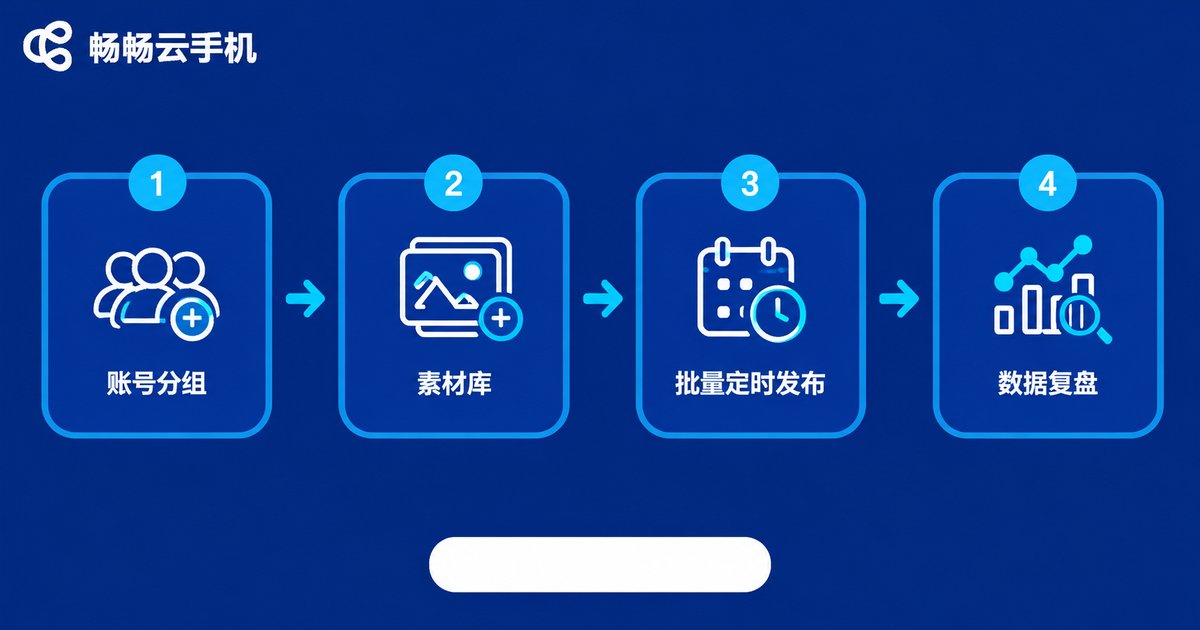
Batch publishing with cloud phones breaks down into four steps:
Step 1: Group and position your accounts. Assign roles—main account for branding, secondary accounts for niche content, traffic accounts for engagement—each group with its own content strategy.
Step 2: Build an asset library. Organize videos, captions, hashtags, and covers into a unified library before publishing, so you are never scrambling for materials at the last minute.
Step 3: Batch upload and schedule. Distribute assets to each account on your cloud phones and use scheduled publishing to push content live during peak traffic hours—no need to babysit the screen.
Step 4: Collect data and review. After publishing, review views, likes, and follower growth across accounts. Double down on winning topics and posting times to shape the next cycle.
Three Key Strategies for Multi-Account Content Distribution
Differentiate content—never blast the same cut everywhere. Adjust the opening, title, and editing rhythm for each account. This avoids duplicate-content flags and reveals which expression resonates best.
Stagger publishing times. Do not push every account at the same moment; offset by 15-30 minutes to avoid competing with yourself and to cover different active periods.
Cross-pollinate between accounts. After the main account posts, have matrix accounts engage in the comments and share the content, turning a single hit into matrix-wide momentum.
Why We Recommend ccloudphone
There are plenty of cloud phone products on the market, but for short video matrix work, focus on three things: stability, batch-operation capability, and the number of concurrent instances. ccloudphone performs well on all three: cloud phones stay online around the clock, unaffected by your local devices; multiple cloud phones can be managed and batch-operated simultaneously, so batch publishing and maintenance happen in a single interface; and each cloud phone runs in an independent environment, keeping accounts isolated so they can be nurtured with peace of mind. Whether you are an individual creator starting a small matrix or a team running hundreds of accounts, you can start small, validate the workflow, and scale up as needed—keeping investment flexible and under control.

FAQ
Q: Is it safe to run matrix accounts on cloud phones?
Each cloud phone has an independent system environment, keeping accounts isolated. With normal, compliant operation, it is more stable than frequently switching logins on physical devices. Content quality, of course, remains the core of long-term account health.
Q: How many short video accounts can one cloud phone hold?
We recommend one account per cloud phone to keep the environment stable—this is standard practice in matrix operation. Simply provision more cloud phones when you need more accounts.
Q: Can non-technical users handle batch publishing on cloud phones?
Yes. Cloud phones work just like regular phones, and batch features are graphical—just follow the prompts. Most beginners get the hang of it within half a day.
Q: Will scheduled videos still publish if my local computer is off?
Yes. Cloud phones run in the data center around the clock and do not depend on your local computer or phone being on. Scheduled tasks execute automatically on time.


