
What Can LLM-Powered Cloud Phones Do? AI Agents Automatically Operate Apps to Complete Complex Tasks
When Large Models Move Into Cloud Phones: From “App Warehouse” to “Digital Employee”
Many people still think of a cloud phone as simply “an app hosted in the cloud that stays online 24/7.” But once a large language model is connected to a cloud phone, everything changes — the cloud phone is no longer just a place to keep apps running. It becomes a digital employee that understands plain language and gets work done on its own.
In short, the AI Agent acts as the brain, responsible for understanding and reasoning, while the cloud phone acts as the body, tapping, swiping, and typing inside real app interfaces. The brain gives instructions, the body carries them out, and the results flow back to the brain — this is how complex tasks get completed automatically.
How Does an AI Agent “Get Hands-On” Inside a Cloud Phone?
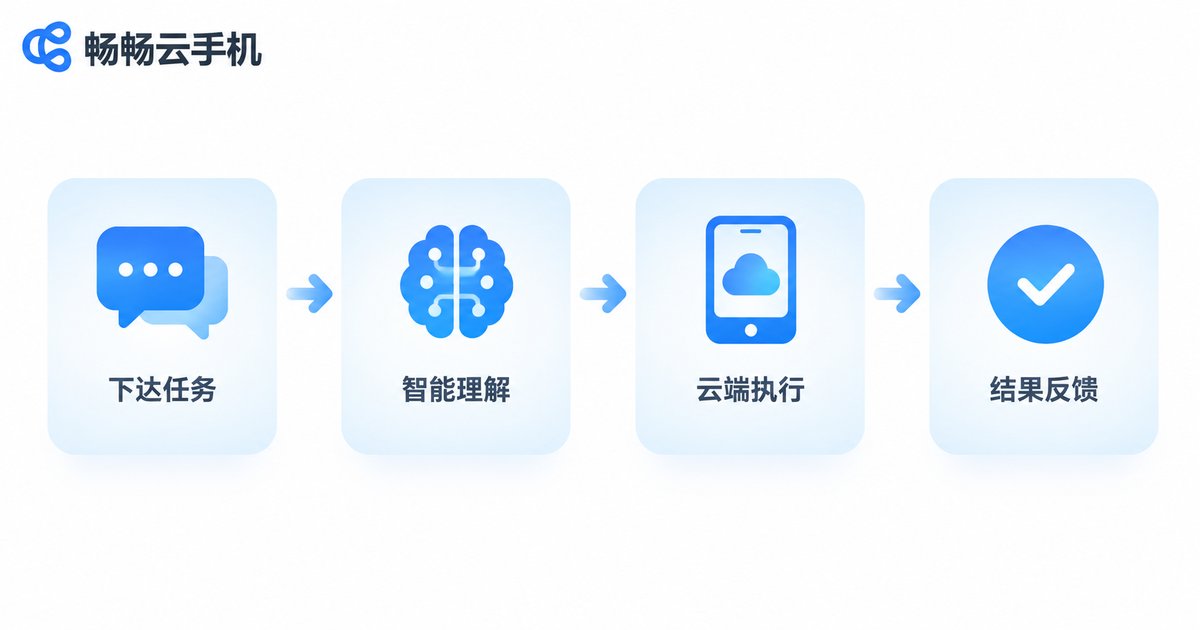
The whole process runs as a four-step loop that keeps turning:
Step 1: Understand the task. You describe what you want in plain language, for example, “Check every morning at 9 whether these products have dropped in price.” The LLM interprets what you actually mean.
Step 2: Break it down. The model splits the big task into small commands: open the shopping app → search the product → open the detail page → read the price → compare with yesterday.
Step 3: Look at the screen and act. The cloud phone sends a screenshot to the multimodal model, which recognizes buttons, input boxes, and product cards, then generates concrete actions — taps, swipes, and text input — for the cloud phone to execute.
Step 4: Feedback loop. After each action, the agent checks the screen again to confirm success, retries in a different way if needed, and finally reports the result back to you.
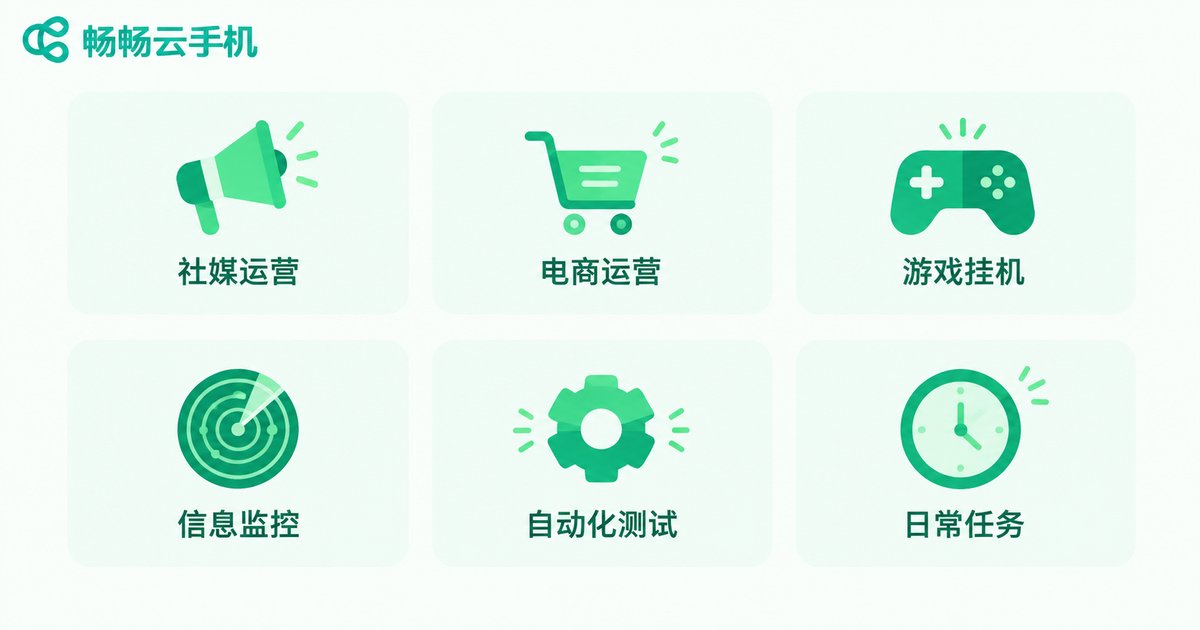
Six Practical Jobs for LLM-Powered Cloud Phones
1. Social media matrix operations: Dozens of accounts post notes and videos on schedule from their own cloud phones, while the AI replies to comments and DMs in the tone you define. You only steer the content direction.
2. E-commerce operations: Automatically organize product information, publish listings in batches, answer common customer questions with AI, and track competitor prices with instant alerts.
3. Gaming and daily routines: Hand repetitive tasks like daily check-ins, routine quests, and resource farming to the AI Agent, running in parallel across multiple cloud phones.
4. Monitoring and data collection: Watch prices, public sentiment, or new releases around the clock. The moment a keyword appears, it takes a screenshot and notifies you — far faster than manual refreshing.
5. App automation testing: Before each release, let the AI walk through the main user flows according to your test cases and archive screenshots, saving hours of repetitive QA work.
6. Personal productivity: Daily check-ins, points collection, coupon grabbing, organizing materials from chat logs — all these small chores can be delegated with a single sentence.
How Does It Compare With Traditional Automation?
In the past, automation meant writing macro scripts or racking up physical phones. Combining AI Agents with cloud phones is fundamentally different:
| Dimension | Traditional macro scripts | AI Agent + physical phones | AI Agent + cloud phones |
|---|---|---|---|
| Tolerance to UI changes | Breaks after redesigns | Relatively strong | Relatively strong |
| Scale of parallelism | Limited by PC performance | Limited by device count | Elastic, scale on demand |
| Uptime | Depends on the PC staying on | Requires device maintenance | 24/7 in the cloud |
| Environment isolation | Easy to get linked | Manual device separation | Isolated environment per phone |
| Barrier to entry | Script syntax required | Hardware management required | Plain language is enough |
In one sentence: scripts fear redesigns, physical phones are a hassle — AI Agents on cloud phones solve both. When an app interface changes, the LLM simply looks at the new screen and adapts, no script rewriting needed. To scale up, just launch more cloud phones instead of buying devices.
Four Things to Sort Out Before You Start
1. Keep humans in the loop for critical actions. For irreversible operations such as payments and orders, have the AI report first and execute only after your confirmation.
2. Control frequency and stay compliant. Automated actions should mimic a natural human rhythm, avoid abnormal high-frequency behavior, and follow platform rules.
3. Start small. Run the complete workflow on one or two cloud phones first, then replicate it at scale once it proves stable.
4. Choose a reliable execution platform. However smart the AI Agent is, it needs a cloud phone that never drops offline or lags — platform stability directly determines your success rate.
Why Recommend ChangChang Cloud Phone as the AI Agent's “Body”?
If the LLM is the brain, the cloud phone is the body that executes — and the body's stability matters most. ChangChang Cloud Phone (official site: ccloudphone) provides a stable cloud-based Android environment where apps stay online around the clock, unaffected by local power or network interruptions. It supports multi-instance and batch group control, making it easy to distribute the same task across many cloud phones in parallel. Each cloud phone runs in an independent, isolated environment, so one issue never affects the others. Whether you run social media matrices, game dailies, or monitoring tasks, you can use ChangChang Cloud Phone as the execution layer for your AI Agent — visit the official website to learn more and run your first automation workflow.
FAQ
Q: Do I need to know how to code to have an AI Agent operate a cloud phone?
No. Most AI Agent products today accept natural-language instructions. Describe your needs the way you would talk to a person; the LLM handles the breakdown and execution.
Q: Is the latency high when running an AI Agent on a cloud phone?
Cloud phones run in data centers with solid network and computing resources. The “look at screen — perform action” loop usually completes within seconds, which is more than enough for automation, operations, and monitoring tasks.
Q: Can one sentence really complete a complex task?
Simple tasks, yes. For complex ones, break them into a few smaller steps, or let the AI propose an execution plan first and run it after your confirmation for a higher success rate.
Q: Is it safe to automate multiple accounts?
Each cloud phone runs in an isolated environment, and with a natural operating frequency this is a mainstream approach for multi-account management. Always use it compliantly and never for anything that violates platform rules.
Q: What tasks suit ChangChang Cloud Phone best?
Any scenario that needs apps online long-term with repetitive operations: social media operations, game dailies, monitoring, app testing, check-ins and rewards. Visit ccloudphone for details.


