
Cloud Phone Unbind Guide: Number Changes, Pre-Unbind Checks and Data Backup Tips
What Unbinding a Cloud Phone Actually Means
A cloud phone is an Android device running in a data center that you control remotely from your computer or your own phone. Unbinding means disconnecting the link between your account (phone number, email, or team account) and that cloud device. Once the link is removed, the device can be bound to another account, and your account can be attached to a different device.
In practice, unbinding comes up in three situations: changing your phone number (old number retired, carrier switch, secondary SIM no longer in use), team handover (someone leaves or a project ends and the device passes to another person), and reassignment (a mistaken binding, or moving a device to a master account for easier management). The preparation differs slightly, but the core rule is the same: confirm first, back up second, unbind last.
Six Checks to Run Before You Unbind
Most unbinding problems are not caused by the unbind itself, but by moving too early. Work through the checklist below and only proceed once everything is confirmed.
| Check | Why it matters | Where to look |
|---|---|---|
| Current binding method | Phone number, email or third-party account decides which verification you will need | Binding info on the device detail page |
| Whether the rental is still active | Operating right around expiry can collide with the automatic release process | Device status and expiry date in the console |
| Any running tasks | Unbinding mid-run can waste hours of gameplay, scripts or streaming | App status inside the device |
| Auto-renewal or payment binding | Easy to forget and end up with a confusing bill | Subscription and payment settings |
| Whether important data is still on the device | Content may be gone once the device is released or reset | Photos, documents, chat history |
| Whether several people share the account | One person unbinding can lock everyone else out | Tell the team before you click |
Data Backup: Seven Things to Save First
Unbinding itself only removes a link and normally does not delete anything right away. But once the device is released, reset or handed to someone else, the contents may be unrecoverable. Back up first, unbind second — never the other way round.
- Photos, screenshots and screen recordings: export them to your local gallery or a cloud drive, especially work assets and receipts.
- Chat history: use the built-in migration feature inside the app instead of relying on screenshots.
- Documents and spreadsheets: sync files edited inside the cloud phone to your cloud drive and confirm the sync finished.
- Game progress: bind the official or channel account whenever possible; local-only saves carry the highest risk.
- Automation scripts and config files: export them to your own computer, which saves a lot of time when you redeploy.
- Login credentials and recovery codes: write down two-factor recovery codes and backup email addresses separately.
- A short inventory: accounts, server, character name and the apps you use, noted down so you can rebuild the setup quickly.
After backing up, open two or three key apps inside the device to confirm you can still log in, then move on to the next step.
How to Unbind and Rebind on CCloudPhone
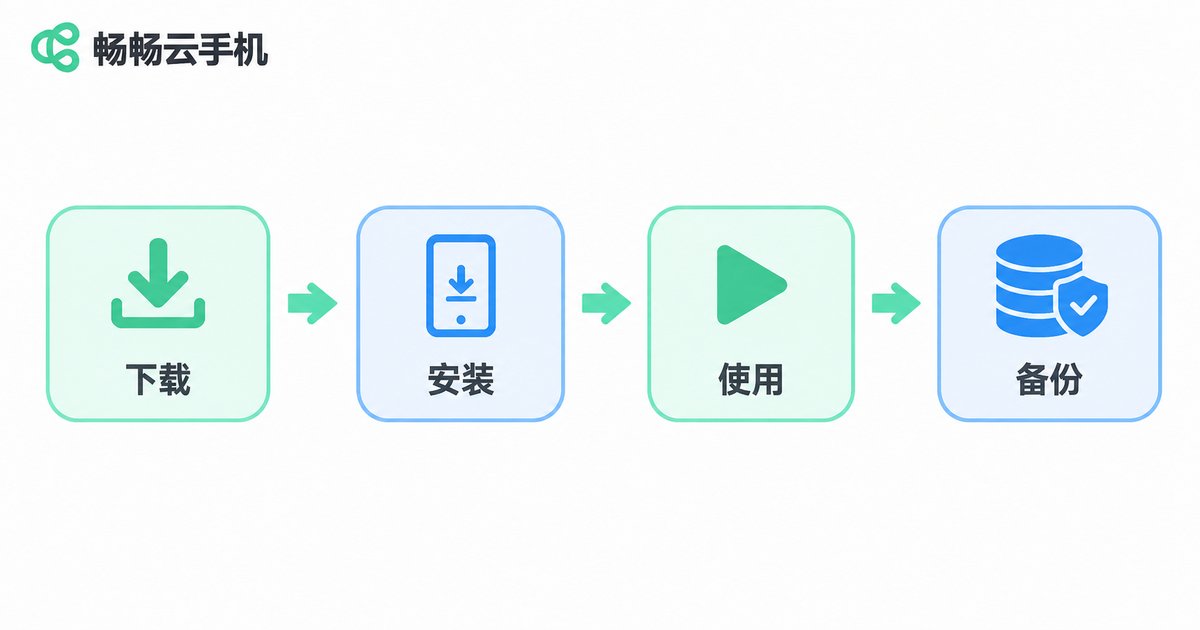
The exact menu labels differ between platforms, but the logic is broadly the same. On CCloudPhone (ccloudphone), a typical path looks like this:
- Sign in to the CCloudPhone website or client and open the console;
- Find the cloud phone you want to handle in the device list and open its detail page;
- Check the current binding information and confirm it is the number or account you intend to release;
- Choose unbind or change binding, then complete the verification shown on screen (SMS code, login password, and so on);
- Bind the new phone number after unbinding, sign in to the device again and check that your data is intact;
- Confirm the new number receives notifications and the device boots normally before cleaning up settings on the old number.
Keep in mind that menu labels can differ slightly between client versions. Always follow the actual pages on the CCloudPhone website and client. If you cannot find the entry, contact official support for the exact path instead of clicking around.
Three Practical Tips When Changing Your Number
1. Bind the new number before releasing the old one. If the platform supports multiple bindings or a change-binding flow, prefer it: the device never sits in an unowned state and running tasks are not interrupted.
2. Do not operate on the expiry day. The system may be processing the release around that moment, and it becomes hard to tell whether your unbind failed or the device simply expired.
3. For shared team accounts, hand over before unbinding. Transfer admin rights, passwords and binding details in one go and keep a written record, so the next person is not locked out.
Four Common Misunderstandings
| Misconception | Reality |
|---|---|
| Unbinding deletes the data | It usually only removes the link; data stays on the device, but a released or reset device may be wiped, so backups are still essential |
| Uninstalling the app counts as unbinding | It does not. The binding between account and device still exists on the server |
| Cloud game progress saves automatically | Some games only keep local saves; bind the official or channel account to be safe |
| You can always recover the content later | Once a device is reassigned or reset, recovery is unlikely — do not leave it to the last minute |
Frequently Asked Questions
Q: Is my data still on the cloud phone after unbinding?
Unbinding only removes the link, so the contents usually remain for the time being. If the device is released, reset or given to someone else, however, it may be cleared. Back up before unbinding in every case.
Q: Do I have to unbind the old number when I change phones?
If the old number can still receive SMS codes, use the change-binding feature and do it in one step. If the number is already deactivated, you will need the platform's account recovery or manual verification route, and the sooner you start the easier it is.
Q: How long does unbinding take?
Normally a few clicks in the console plus one verification. If identity checks or manual review are involved, the timing is set by official support.
Q: What if I forgot the bound phone number?
First try self-service verification through email, password or an already signed-in device. If that fails, contact official CCloudPhone support with information that proves the account is yours.
Q: Can I bind the device again afterwards?
Usually yes, as long as the device still exists and has not been released or assigned to someone else. So do not cancel the rental in a hurry — confirm the device status first.
Q: What should a team watch out for when unbinding?
Confirm who else is using the device, hand over passwords, binding method and script configs in one go, then unbind, so nobody's running tasks are cut off mid-way.


