
How to Bind a Cloud Phone Account: Phone Number, Verification Code and Security Verification
What Binding a Cloud Phone Account Really Does
The biggest difference between a cloud phone and a physical one is that the device in your hand is actually running in a data center. Your account is the only key to that remote device. Once a phone number is bound, password recovery, device migration and abnormal-login handling all depend on it.
Many people treat binding as a pop-up to dismiss. It is only when they change phones, forget a password or receive a login alert from another city that they realise this step decides whether they can prove this cloud phone is mine. In one sentence, binding solves three things: verifiable identity, recoverable device, traceable anomalies.
One clarification: binding has nothing to do with subscriptions or payments. It only answers the question of who you are, which is exactly why skipping it to save time is a bad trade.
Three Common Binding Methods and How to Choose
Most cloud phone products offer three entry points: phone number, email address and third-party account. They are not alternatives to each other but backups. The ideal setup is a bound phone number plus a backup email, so a number change never becomes a crisis.
| Method | Main advantage | What to watch for | Best for |
|---|---|---|---|
| Phone number | Fastest recovery, almost universally supported | Unbind before you change numbers | Nearly everyone |
| Stable long term, unaffected by number changes | Verification mail can land in spam | Heavy users with a permanent inbox | |
| Third-party account | One-tap sign-in, no password to type | Depends on an external platform | Convenience-first, light usage |
If your cloud phone runs long-term workloads such as multi-instance idling or cross-device sync, make the phone number your primary binding and email your fallback. Two paths cover each other.
Binding a Phone Number: Step by Step
Menu labels differ slightly between clients, but the flow is the same. Follow these five steps:
Step 1. Sign in and open the account or security section of your profile.
Step 2. Choose to bind a phone number and enter it. Pay attention to the country code; an overseas number with the wrong prefix will never receive the message.
Step 3. Request a verification code and enter the six digits. Codes usually expire within five minutes and can only be used once, so a wrong entry means requesting a new one.
Step 4. Set a login password of at least eight characters, mixing letters and numbers, and never reused from another site.
Step 5. After the success message, log out and log back in once to confirm the new credential actually works. This step is skipped most often and prevents the unpleasant discovery at your next login.

No Verification Code? Check in This Order
Verification code issues account for the vast majority of account support requests, and more than nine out of ten are not system faults. Work through these in order and you will usually find the cause within minutes:
1. Wait a minute. SMS queues build up during peak hours. Tapping resend repeatedly only makes throttling worse.
2. Check filters and spam. Built-in spam blockers and third-party security apps routinely flag platform messages as advertising.
3. Check your second SIM. On dual-SIM phones the message may arrive on the other card, or be routed to the default card by mistake.
4. Verify the number format. A missing digit, an extra digit or a wrong country code sends the message to a number that is not yours.
5. Avoid the rate limit. Too many requests in a short window triggers throttling. Wait 10 to 15 minutes before trying again.
6. Switch verification channel. Many platforms offer voice call or email verification, and a spoken code often arrives faster than SMS.
7. Check carrier status. Suspended service, blocked international SMS and number-portability transitions all affect delivery.
If none of this works, the problem is almost certainly on the carrier side. When contacting support, include the phone number, the time you tried and a screenshot of the error; it speeds up resolution considerably.
Security Verification: The Second Lock
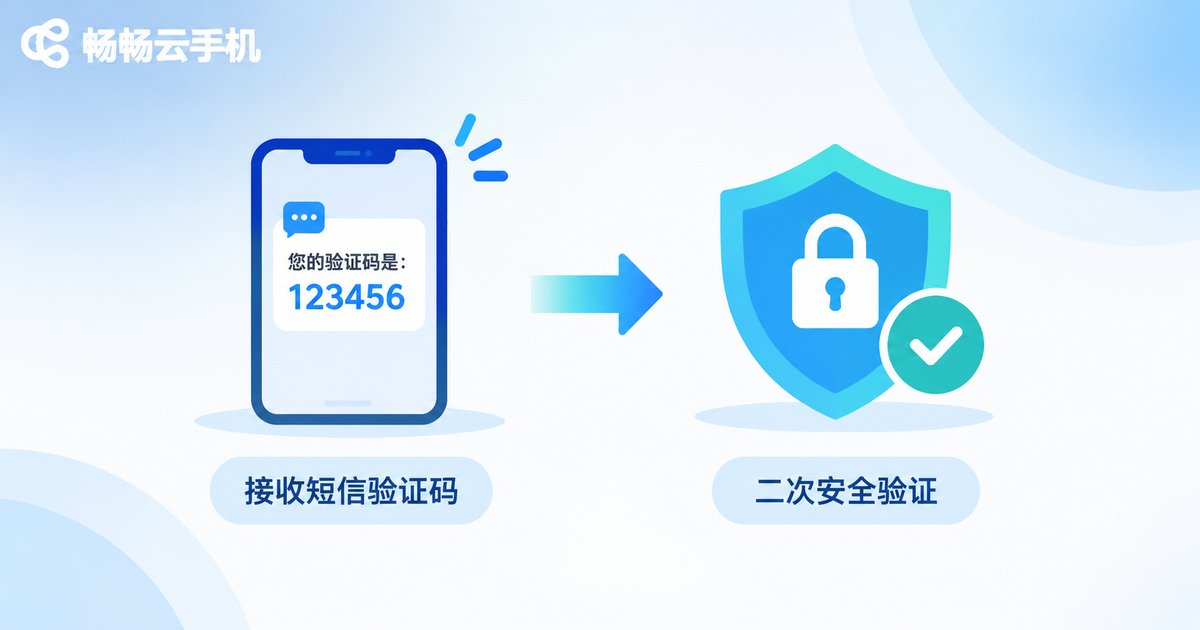
Binding a number is only step one. The real defence line is security verification, and the question it answers is simple: even if someone knows your password, can they get into your cloud phone?
| Setting | What it does | Recommendation |
|---|---|---|
| Two-step verification | Requires a code in addition to the password | Strongly recommended, especially for always-on devices |
| Trusted device lock | Only pre-verified devices may sign in | Enable if your device count is fixed |
| Unusual login alerts | Notifies you of logins from new locations | Keep on so you notice problems early |
| Password separation | Keeps login and payment passwords distinct | Never reuse either one |
Many account incidents start somewhere very ordinary: a password leaked on another site and then reused in a credential-stuffing attack. That is exactly where two-step verification earns its keep. The password leaks, yet the attacker still cannot pass the code check.
Habits Worth Building After Binding
Unbind before you change numbers. Update your bound number before the old SIM is deactivated. Once a carrier recycles and reassigns it, proving ownership becomes far messier.
Glance at login records. Device list, login time and location take thirty seconds to review, and anomalies are usually obvious at a glance.
Do not share an account. A cloud phone account often carries the app data inside the device. Handing it to several people is like copying the key to a group, and when something goes wrong nobody can say who did it.
Keep recovery details current. Whenever your email, password or number changes, update it right away so the recovery path never breaks halfway.
Why We Recommend ccloudphone
ccloudphone provides Android instances running in the cloud, with an account system built around phone number binding and security verification, so you can manage your cloud devices from one place after signing in. For users who need long uptime and multiple instances, cloud devices do not consume local resources and keep running even when your own phone is switched off, something a physical handset simply cannot match.
Before you start, do two things: check the official site for the current feature description and supported scope, then complete phone number binding and two-step verification in one sitting using the steps above. Binding takes a few minutes but saves you every future headache about a lost account.

Frequently Asked Questions
Q: Does binding a phone number cost anything?
No. Binding is a security setting, unrelated to subscriptions or payments. It exists so your account can be verified and recovered.
Q: What if I change my phone number?
Sign in with the old number, choose to change the binding in the account security section, then enter the new number and verify the code. If the old number is already deactivated, contact support early and provide the account details that prove ownership.
Q: The code never arrives. Is my account restricted?
Very unlikely. Work through the seven checks above first, covering SMS filtering, number format and request frequency; those explain the overwhelming majority of cases.
Q: Is two-step verification annoying?
It only triggers on sign-in and sensitive actions, so daily use feels unchanged. What it blocks is most of the risk that follows a leaked password.
Q: Can one phone number bind multiple cloud phone accounts?
The limit depends on platform rules. Keeping one number for one primary account avoids confusion during recovery.
Q: Is email binding really necessary?
Yes. It is your second recovery channel, so a phone number problem never leaves you completely locked out.


