
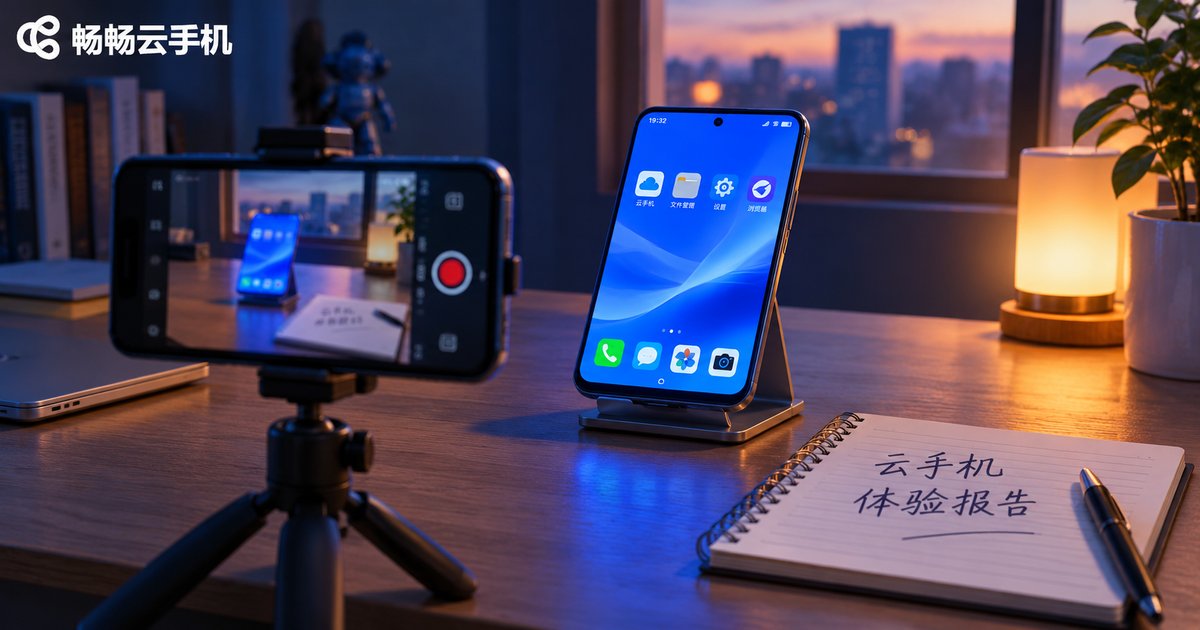
Cloud Phone Experience Report: How to Observe Login, Visual Quality, Latency and Stability
Why You Should Run Your Own Hands-On Test
Cloud phone landing pages always look great on paper: eight cores, dedicated GPU, millisecond-level latency. But what actually decides whether a cloud phone feels good to use is the stuff that never makes it onto a spec sheet — whether you have to queue at login, whether the picture follows your finger when you swipe, and whether a session survives a whole night in the background.
So instead of taking someone else's word for it, run a simple test yourself. This article gives you an observation method you can follow step by step, covering four dimensions: login, visual quality, latency, and stability. For each one you will learn three things: how to measure it, what to look at, and what a normal result looks like.
Dimension 1: Login, From Tap to Desktop
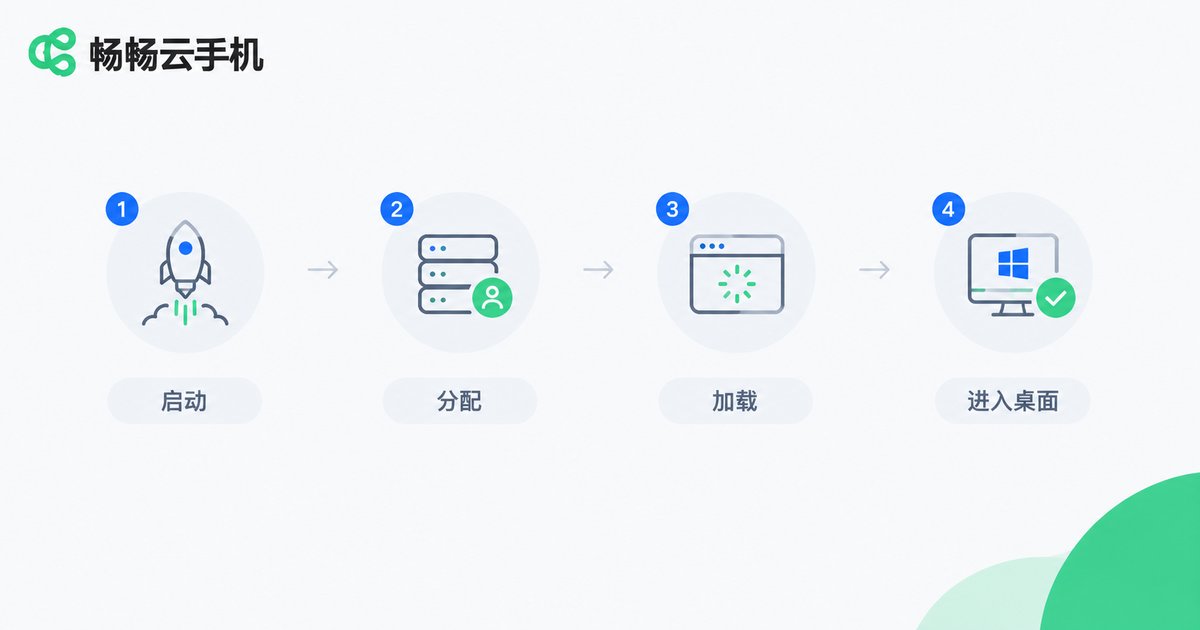
Login is your first impression of a cloud phone. The test is easy: use a stopwatch.
Start a timer on a second phone the moment you tap to launch the cloud phone, and stop it when the remote desktop is fully loaded (all icons visible and tappable). Record the time, and repeat three times at different hours of the day, then take the average.
Watch for these specific things:
· Cold start time: the first connection to a cloud phone, which requires allocating an instance and loading a system image — usually slower than a warm start.
· Warm start time: how fast you reconnect to an instance that is already allocated.
· Queueing: if you see a message like “N users ahead of you” during peak hours, the resource pool is under pressure.
· Reconnection behavior: disconnect your network for 10 seconds, then restore it, and see whether the session returns to the same screen instead of starting over.
A simple rule of thumb: if a warm start finishes within roughly ten-odd seconds with no queue, everyday use will feel like there is no waiting at all.
Dimension 2: Visual Quality, Beyond Resolution
“1080p” only describes the output resolution on the cloud side; it says nothing about how sharp the picture actually looks to your eyes. Real visual quality comes from three things together: resolution, bitrate, and encoding strategy.
Four quick things you can do:
· Read small text: open a text-dense page such as a product detail page and zoom in. Are the edges of small characters soft? Are there color blocks?
· Look at gradients: open an image of a sky or a smooth color gradient and check for banding. Fewer bands means the bitrate is being allocated more intelligently.
· Watch fast motion: play a fast-moving video and see whether large blocky smears appear.
· Drag an icon: drag an icon around the desktop and judge the amount of ghosting and trailing.
Also keep in mind that visual quality is adjusted dynamically. When the network is good the picture is crisp; the moment it wobbles, the bitrate drops. Test under a stable network, otherwise you are measuring your connection, not the cloud phone.
Dimension 3: Latency, Split Into Three Parts
What most people call “latency” is really three different things mixed together. Measure them separately and you will know exactly where the problem is.
| Type | What it means | How to measure |
|---|---|---|
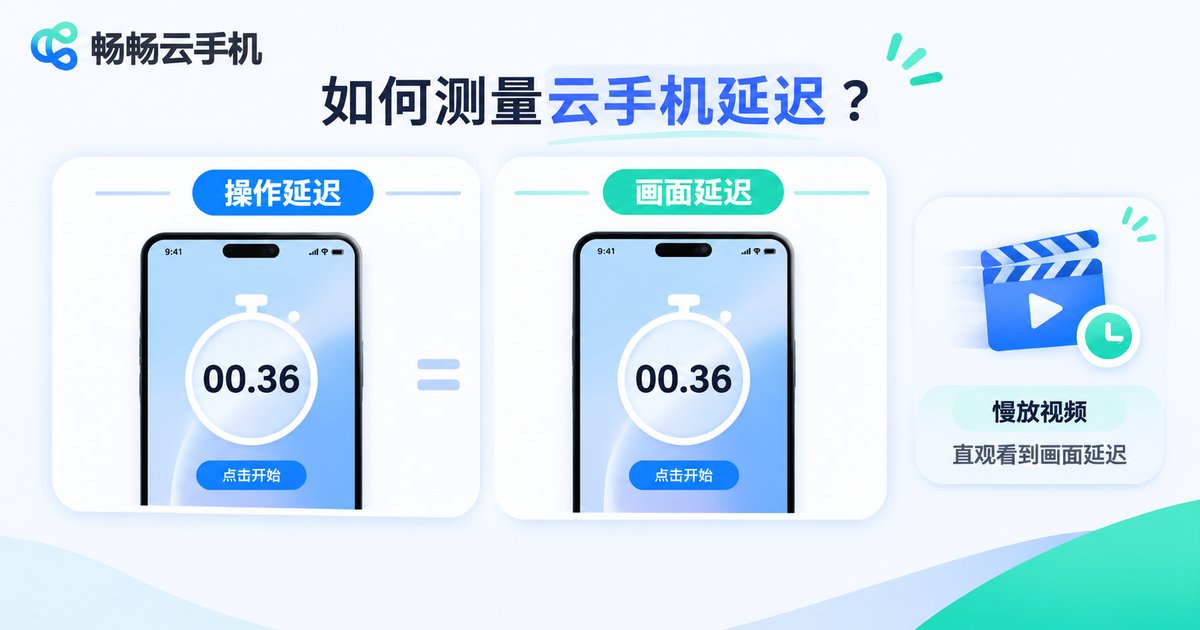
| Input latency | Time from your tap to the on-screen response | Record with a slow-motion camera on a second phone, count frames on playback |
| Display latency | Lag between the cloud frame and your local screen | Open the same stopwatch locally and in the cloud, take one photo of both |
| Frame pacing | Whether motion looks smooth and steady | Play fast-moving content and watch for stutter |
Input latency is the one that most affects how a cloud phone feels. A crude but effective test: open a text field inside the cloud phone and type a string of characters quickly. Does the text appear in step with your fingers? If it visibly lags, the whole experience will feel floaty.
For display latency, use the shared stopwatch trick: open a millisecond timer on your local phone and another inside the cloud phone, place both devices side by side, and take one photo. The difference between the two numbers is roughly your display latency.
Dimension 4: Stability, Measured Over Time
Short tests rarely reveal stability problems, because stability is something you trade time for.
Run a session of at least four hours without interacting with it, and simply keep a log:
· Did it disconnect, and did it reconnect automatically?
· Were running apps killed or did they crash?
· Did the picture freeze unexpectedly?
· Did available storage or memory change in an unusual way?
Then test multi-instance use: launch three cloud phones at the same time and compare startup speed and smoothness against a single instance. Running several devices at once is one of the most valuable things a cloud phone can do, and it is also the harshest test of resource scheduling.
The Four Dimensions at a Glance
| Dimension | What to check | What good looks like |
|---|---|---|
| Login | Warm start time | Desktop ready within ten-odd seconds, no queue |
| Visual quality | Small text and gradients | Crisp character edges, no visible banding |
| Latency | Input responsiveness | Characters appear in step with your typing |
| Stability | Long background session | Hours without a drop, apps keep running |
Applying the Method to ccloudphone
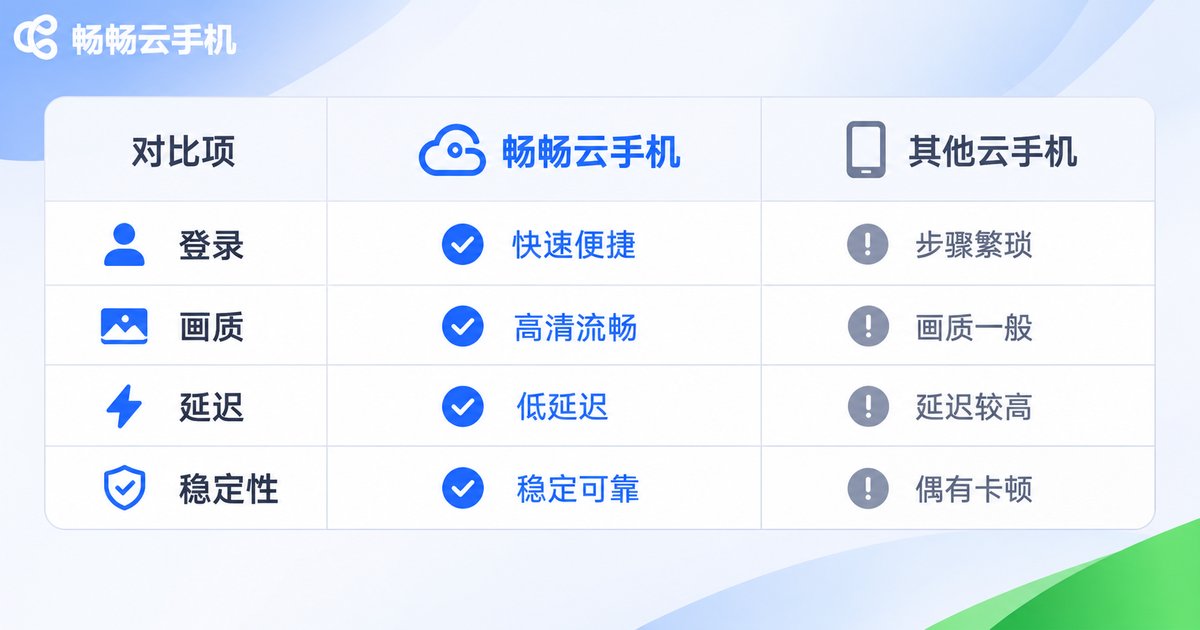
Walk through the four steps above and you will notice that the real gap between cloud phones is rarely “can it run” but “does it feel smooth”. ccloudphone focuses on cloud-side computing power and the connection experience: apps and data run in the cloud while your local device only handles display and input, so the requirements on your own hardware stay low. It also supports running several cloud phones in parallel, which suits scenarios that need long online hours and multiple accounts side by side.
Try repeating the exact same routine inside ccloudphone: time one warm start, scroll a page full of small text, type a string of characters, leave it running for a few hours, and then open three instances at once. When the numbers are in your own hands, the conclusion is one you can trust.
Frequently Asked Questions
Q: Do I need professional tools to test latency?
A: No. Slow-motion video plus a shared stopwatch is accurate enough for everyday users. What matters is repeating each action a few times and averaging the results.
Q: Why does the same cloud phone test so differently in the morning and at night?
A: Peak-hour network congestion affects both bitrate and latency. Compare results taken in the same time window, otherwise the numbers are not measuring the same thing.
Q: Is a blurry picture always the cloud side's fault?
A: Not necessarily. When your local network wobbles, the cloud side usually lowers the bitrate on purpose to keep things smooth. Confirm your own connection is stable first.
Q: How long should a stability test run?
A: At least four hours. If your main use case is long background sessions, run it overnight.
Q: Is it normal for multiple instances to feel slower?
A: Running several instances does consume cloud resources, so some performance change is expected. What matters is whether three instances still remain smooth and usable.


