
Cloud Phone Cancellation Process: Account Cleanup, Data Deletion, and Instance Reclamation
Cancelling a Cloud Phone Is Really Three Separate Things
Many people assume that cancellation is a single button. In practice, exiting a cloud phone account usually involves three independent stages: account cleanup (unlinking the account from phone numbers, payment methods, and third-party authorizations), data deletion (clearing cloud drive files, screenshots, recordings, and app data), and instance reclamation (releasing the virtual Android device back to the resource pool).
Each stage has a different operator, timeline, and level of reversibility. Understanding the differences is what keeps you from ending up in the awkward situation where you think the account is gone but the data is still there, or where the files are deleted but billing quietly continues.
Five Things to Finish Before You Cancel
Cancellation is irreversible, and once it runs, a lot of content simply cannot be recovered. Before you start, work through this checklist:
| Task | What to do | What happens if you skip it |
|---|---|---|
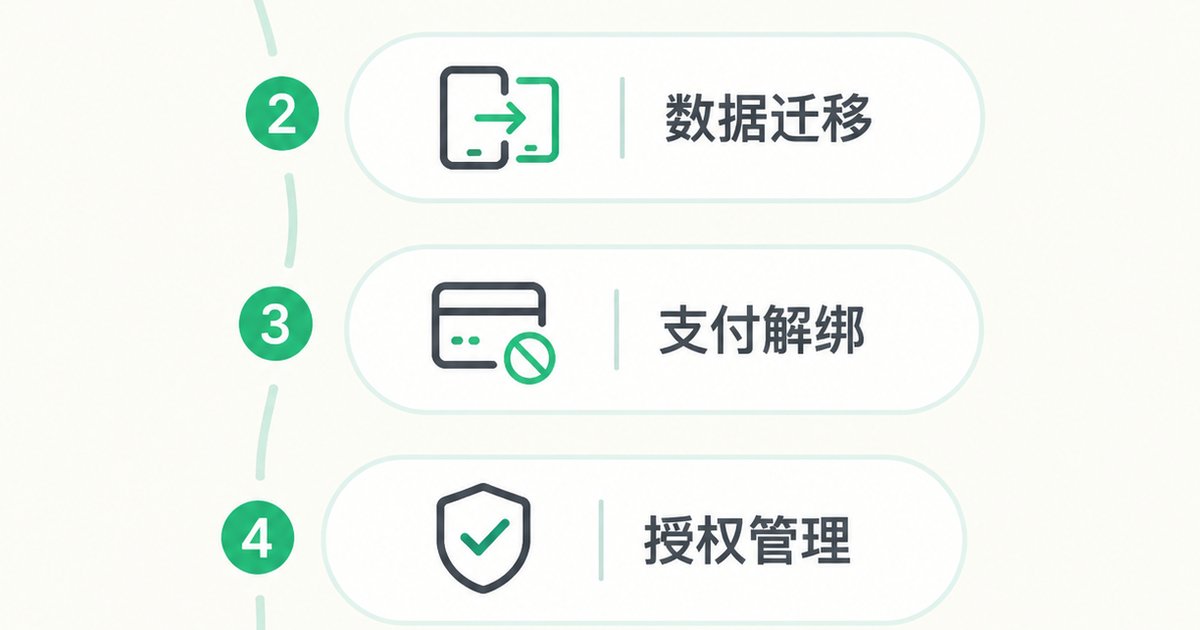
| Back up data | Download cloud drive files, photos, chat histories, and work documents to local storage or another service | Files disappear with the account and cannot be restored |
| Migrate workloads | Confirm that any business processes, scripts, or login sessions inside the cloud phone are reconfigured on a new device | Operations stop and re-authentication is required |
| Unbind payments | Cancel auto-renewal and remove linked cards or third-party payment methods | Billing disputes may continue after the account is closed |
| Revoke authorizations | Remove third-party login grants tied to the account | Leftover grants remain active elsewhere |
| Keep records | Screenshot purchase history, invoices, and support ticket numbers | No evidence for later reconciliation or appeals |
The list looks tedious, but the real time sink is rarely the cancellation itself. It is discovering afterwards that something was never backed up.
Step One: Account Cleanup
Account cleanup is the entry point of the whole process. The goal is to make sure the account no longer connects to any real identity, asset, or service. A sensible order looks like this:
1. Handle sub-accounts and shared members. If you created sub-accounts, team members, or shared instances, remove the members and disable the sub-accounts first. Otherwise they may still hold access after the primary account is closed.
2. Unbind phone numbers and email addresses. The bound phone number is often also the login credential. Decide whether you still need that number for other services before you release it.
3. Revoke third-party authorizations. If you signed in with a social account or an external identity provider, cancel that grant in the authorization settings. Those records live independently on the third party side.
4. Turn off auto-renewal. Do this first, because it directly affects your money. In most cases service continues until the end of the current billing cycle, which gives you exactly the window you need for backups and migration.
5. Settle balances and invoices. Remaining credit and unissued invoices usually must be handled before cancellation. After the account closes, those options typically disappear.
Step Two: Data Deletion
Data deletion is the most underestimated part of the job. Content is scattered across several locations, and clearing just one of them is not enough:
App data inside the instance: chat histories, login sessions, photos taken, files downloaded. These usually live on the instance system disk and are wiped when the instance is released.
Cloud drives and shared folders: many people keep files in a cloud drive or a directory shared with the instance. This data exists independently of the instance and has to be deleted separately.
Screenshots, recordings, and backup archives: automation scripts generate screenshots, screen recordings, and exported backup packages. They take up a lot of space and are easily forgotten.
Profile-level information: avatar, nickname, identity verification data, saved addresses. These go away with the account, but it is worth reviewing them before cancellation anyway.
One important detail: many platforms keep deleted data for a short grace period to protect against accidental deletion. Only after that window does the data really get erased. In other words, for a few days after deletion, recovery through support may still be possible, but once the window closes, it is gone for good. Check the rules published for your specific platform.
Step Three: Instance Reclamation
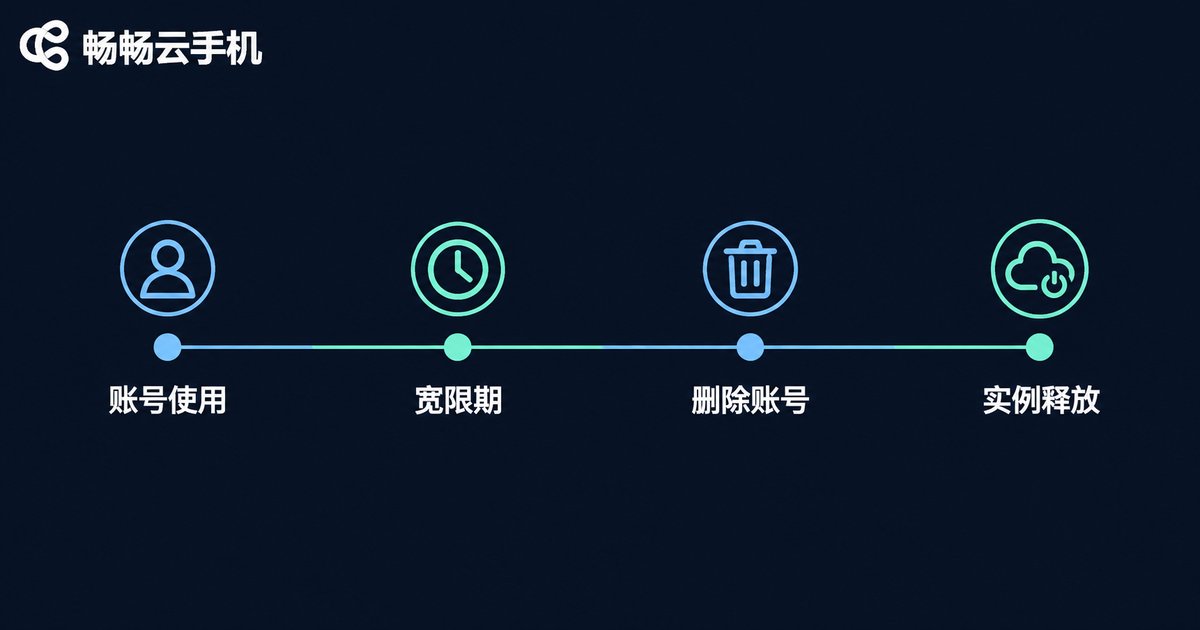
Instance reclamation means releasing the virtual Android device in the cloud. This does not happen instantly. It follows a sequence:
Stopping the instance: the device is shut down or stopped. Workloads stop immediately, but disk data is still intact.
Expiry and retention period: after a subscription or pay-as-you-go instance expires, it enters a retention period. The instance is unusable during this time, but configuration and data remain attached, and renewing can usually bring it back.
Release: if the retention period ends without action, the instance is released, configuration and disk data are cleared, and recovery is impossible. Re-creating an instance with the same specification gives you a brand new machine with nothing carried over.
Resource check: after release, log in to the console and confirm the instance list is empty, so no pay-as-you-go resources keep billing in the background.
In short: stopping is not reclaiming, and expiring is not deleting. What truly erases the instance and its data is the release that happens after the retention period ends.
Full Timeline: What Happens After Cancellation
| Stage | Account status | Data status | Recoverable |
|---|---|---|---|
| Request submitted | Pending | Data still present | Most platforms allow withdrawal |
| Cancellation effective | Login disabled | Entering grace period | Depends on platform rules |
| Grace period ends | Account fully closed | Data permanently erased | No |
| Instance retention ends | — | Disk and configuration cleared | No |
Durations differ from platform to platform. Always rely on what the console and service agreement actually state rather than on secondhand experience.
Three Common Misconceptions
Misconception one: uninstalling the app means cancelling. Uninstalling only removes the local client. The cloud account, instance, and subscription all remain intact, and charges may continue.
Misconception two: deleting files means the data is gone. Deletion typically marks data for removal, and the actual erase happens after the grace period. Also, instance storage and cloud drive storage are separate, so clearing one does not clear the other.
Misconception three: you can restore everything later. Account cancellation is essentially irreversible. Registering again gives you a brand new empty account, and order history, verification records, and instance configuration all have to be rebuilt from scratch.
Managing Accounts and Data on ccloudphone
If you are using ccloudphone, account, instance, and data management all happen in the console. A reliable routine is to first check the instance list and subscription status in the console, download any files you want to keep from the instance and shared directories, and only then go through unbinding, unsubscribing, and submitting the cancellation request. Instance states, expiry dates, and data retention rules shown in the console reflect the live status of your account, so spending a few minutes reading the prompts before acting usually saves a lot of back-and-forth later.
For users still evaluating the service, it is worth building the habit early: always keep a local copy of important files, and treat the cloud as a runtime environment and temporary transfer point. Whether or not you eventually cancel, this keeps migration costs low.
FAQ
Q: Can I withdraw a cancellation request after submitting it?
Most platforms provide a withdrawal option before the cancellation takes effect. Once it is effective, it is usually irreversible. Double-check your backups before submitting.
Q: After cancelling, can I still log into apps inside the cloud phone?
No. Once the instance is released, app data and login sessions are cleared. A newly created instance is a fresh machine that requires logging in and configuring again.
Q: Can I cancel the account but keep the instance?
It is not recommended. Accounts and instances are usually bound together. After the account closes, the instance often cannot be managed, which leads to orphaned resources and billing disputes.
Q: Is deleted data really unrecoverable?
After the grace period ends, generally yes. Recovery within the grace period depends on platform rules and should not be relied on as a routine safety net.
Q: How much time should I leave for backups before cancelling?
At least a few days. Download speeds, workload migration testing, and support ticket handling all take time, and rushing usually means missing something.
Q: Can I register again with the same phone number?
Usually yes, though some platforms enforce a waiting period before the same number can be reused. Check the prompt on the registration page for specifics.


