

How to Test a Cloud Phone Trial: Latency, Image Quality, Multi-Instance & Stability Checklist
Why the Trial Deserves a Serious Test
Choosing a cloud phone is like renting an apartment—promotional images always look better than the real thing. The trial is your one chance to verify quality at zero cost: whether latency is low enough, whether the stream is sharp, whether multiple instances run side by side without choking, and whether an overnight session survives until morning. This guide gives you a ready-to-run test plan and a weighted scorecard, so the final decision is based on data, not advertising.
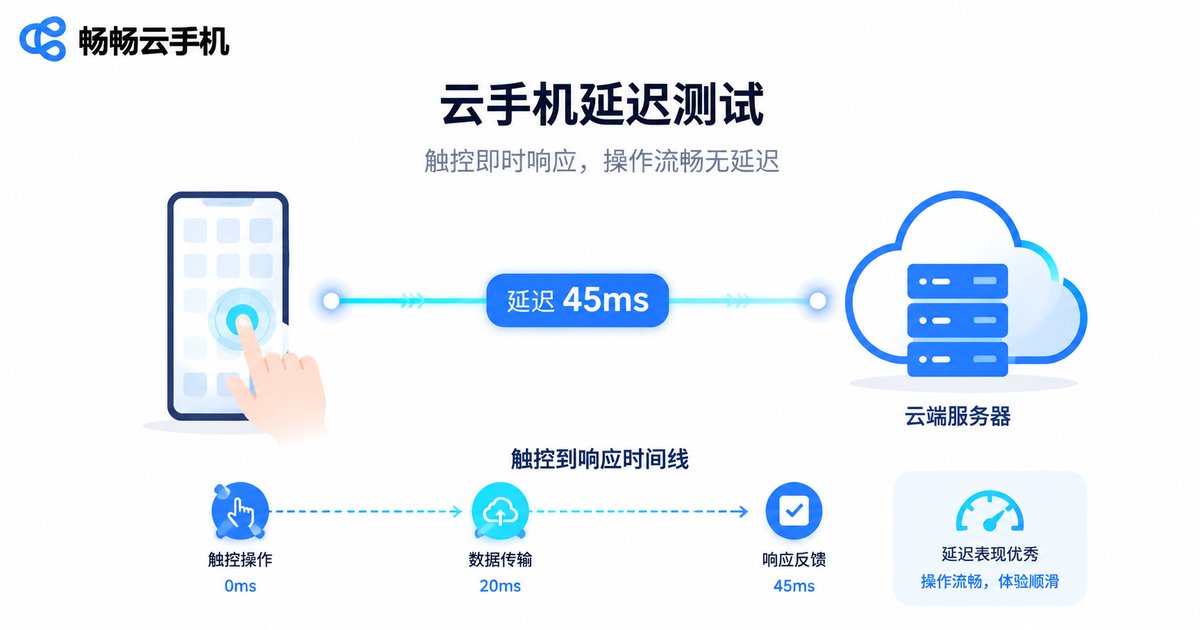
Test 1: Latency—Feel Doesn't Lie
Latency decides how attached your taps feel, and it is the first gate a cloud phone must pass. Here is how to test it:
1. Open a game that demands fast reactions (a competitive or action title), then repeat taps, swipes and drags to feel whether the screen responds instantly;
2. Test once during daytime peak hours and once late at night to see whether latency fluctuates;
3. If the platform offers multiple nodes or quality settings, switch between them and compare again.
| Latency | How it feels | Suggested score |
|---|---|---|
| Under 50ms | Close to a real device, virtually no lag | 5 |
| 50–80ms | Slightly noticeable, fine for daily use | 4 |
| 80–120ms | Clearly laggy, competitive play suffers | 3 |
| Over 120ms | Inputs trail behind, experience suffers | Fail |
Tip: use 5GHz Wi-Fi or a wired connection while testing to rule out your own network first, so any remaining lag can be attributed to the cloud phone itself.
Test 2: Image Quality—Details Tell the Truth
Image quality decides how comfortable long sessions feel. Focus on four things:
Sharpness: open text-heavy screens such as quest descriptions or settings pages and check whether small text stays crisp or turns smeary;
Resolution tiers: see whether higher resolution options exist and whether switching visibly improves the picture;
Frame rate: enable high-frame-rate mode (60fps or above in-game) and watch whether it holds steady;
Color: play a high-saturation video and look for washed-out colors or compression noise.
Quickest verdict: screenshot the same scene on the cloud phone and on your physical device, zoom in, and the differences reveal themselves.
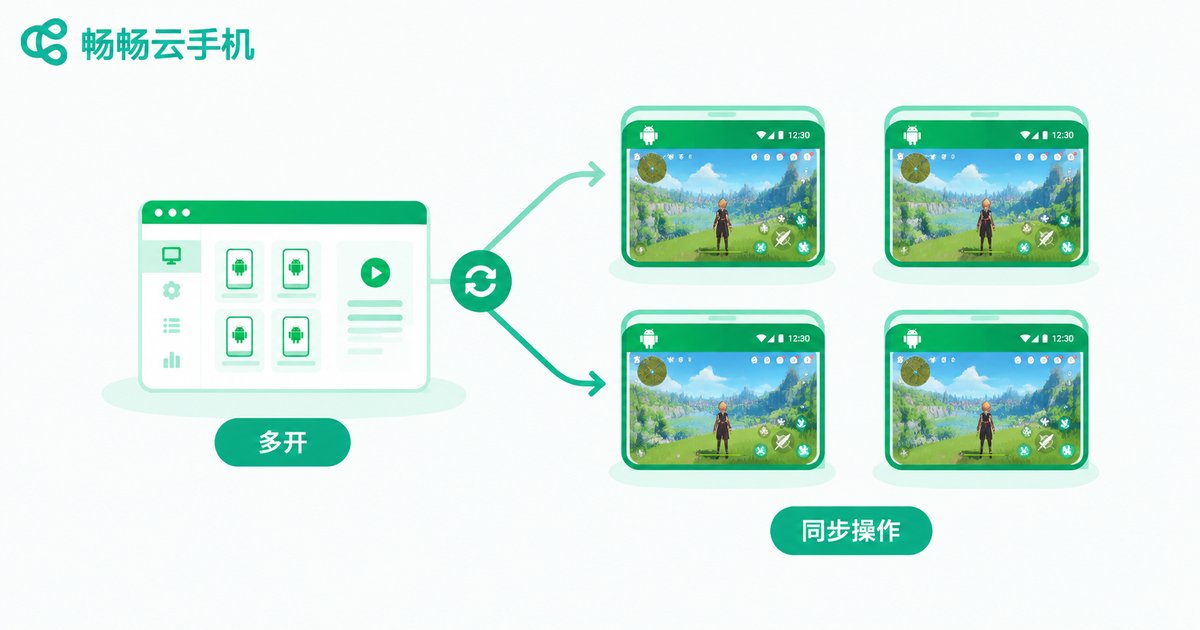
Test 3: Multi-Instance—True Colors Show in Parallel
Many people pick a cloud phone precisely for running multiple instances, so this test deserves extra attention:
1. Start 2 instances of the same game and confirm each one operates independently without interfering with the other;
2. Scale up to 4, then 8, and watch whether frame rate and touch response degrade evenly or certain instances collapse;
3. Push every instance to the background for 30 minutes, then bring them back one by one—are the games still alive, or do they need reloading;
4. If the platform supports group control sync, drive multiple instances from one operation and log the sync delay and success rate.
Two things matter most: background keep-alive (does the game get killed when minimized) and resource scheduling under load (are all instances smooth, or only the one in the foreground).
Test 4: Stability—Leave It Running Overnight
Stability is the most overlooked metric and the one that shapes long-term experience the most:
Overnight run: leave a game running before bed and check in the morning whether the session is still alive and tasks still executing;
Reconnect: cut your own network for one or two minutes, restore it, and see whether the cloud phone recovers automatically without losing progress;
Multiple days: keep testing for at least two or three days across the trial and note any unexplained stutter, black screen or restart.
A stable cloud phone should reach a set-it-and-forget-it state—you should not have to keep watching it.
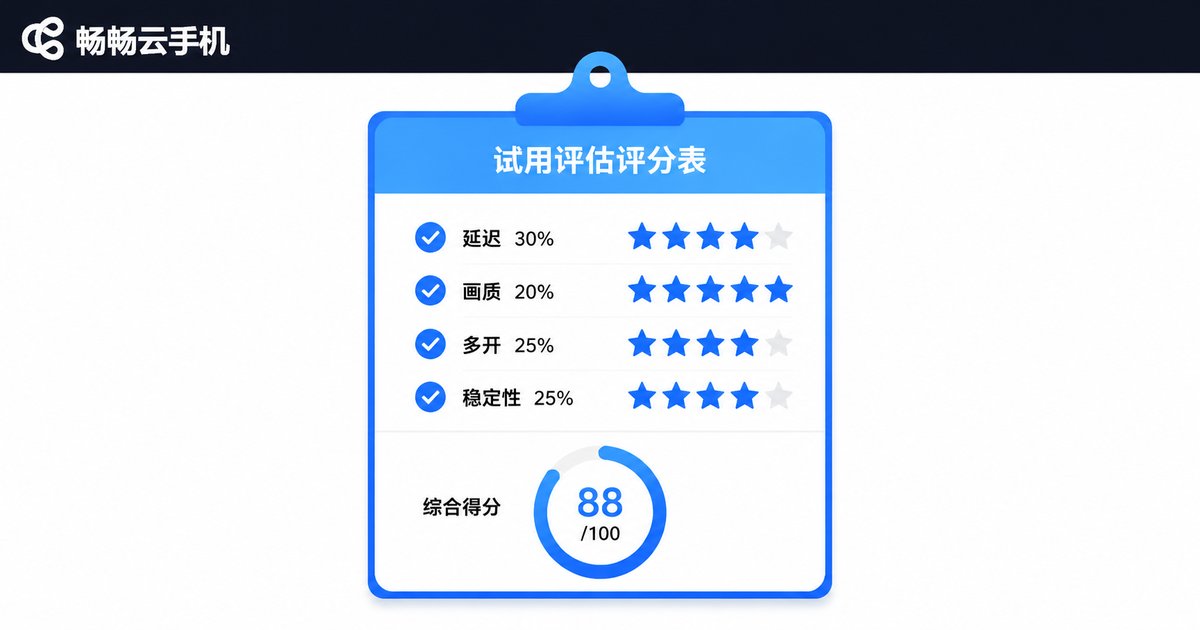
The Trial Scorecard: Score Every Item
Fill your results into this table, 1–5 points per item, then compute the weighted total:
| Item | Weight | What to check | Score |
|---|---|---|---|
| Latency | 30% | Touch responsiveness, peak-hour fluctuation | __ /5 |
| Image quality | 20% | Sharpness, frame rate, color | __ /5 |
| Multi-instance | 25% | Per-instance smoothness, background keep-alive | __ /5 |
| Stability | 25% | Overnight sessions, auto-reconnect | __ /5 |
How to read it: a weighted total of 4 or above means you can commit long-term; 3–4 means there is a weak spot—check whether it hurts your core use case; below 3, move on to the next candidate.
After Testing: A Candidate Worth Adding
While building your shortlist, put ChangChang Cloud Phone (ccloudphone) on it. The service focuses on Android cloud phones for multi-instance and idle-running scenarios, letting several fully independent cloud phones run at the same time for game multi-boxing, app keep-alive and batch management. Run it through the same scorecard—latency, image quality, multi-instance, stability—then compare the numbers with every other candidate. Decisions based on data beat any advertisement. Visit the official site at ccloudphone.com for details.
FAQ
Q: How long should a trial test last?
At least two to three days: day one for latency and image quality, day two for multi-instance, day three for an overnight stability run. Half a day of testing rarely exposes peak-hour swings or disconnects.
Q: My home network is mediocre—are the latency numbers reliable?
Home networking does affect results. Confirm your local network is healthy with a speed test first; if everything else runs smoothly on the same network but only the cloud phone lags, the bottleneck is most likely on the service side.
Q: How many instances count as a pass?
It depends on your use case. For a couple of alt accounts, stable 2–4 instances is enough; for studio-scale idle farming, test at your target count plus roughly 20% headroom.
Q: What total score justifies paying?
A weighted 4 out of 5 is a solid threshold. Latency and stability together carry 55% of the weight—if both score 4 or higher, minor compromises in image quality will not ruin the long-term experience.
Q: What pitfalls should I avoid?
Three big ones: do not judge by a single glorious session—test across different times of day; do not skip the background keep-alive test, since many products are smooth in the foreground and die when minimized; and log the time and conditions of every test so you can compare platforms fairly.


