
Cloud Phone Team Training Onboarding Process: Feature Briefing, Hands-on Practice and Assessment Tips
Why a Cloud Phone Team Needs a Standard Onboarding Process
The biggest difference between a cloud phone and a regular phone is that it runs in the cloud, so one person can manage several or even dozens of devices at the same time. The efficiency gain is obvious, but it also makes the learning curve steeper for newcomers: which account lives on which device, which instances a bulk operation will touch, and how to roll back after a mistake. Without a shared answer to these questions, a team quickly ends up with a different way of working for every person.
So the point of training is not to read the feature list from top to bottom. It is to build a process that is repeatable, assessable and reviewable. The three-stage process below can be adopted directly by operations, support, QA or content teams of 5 to 50 people.
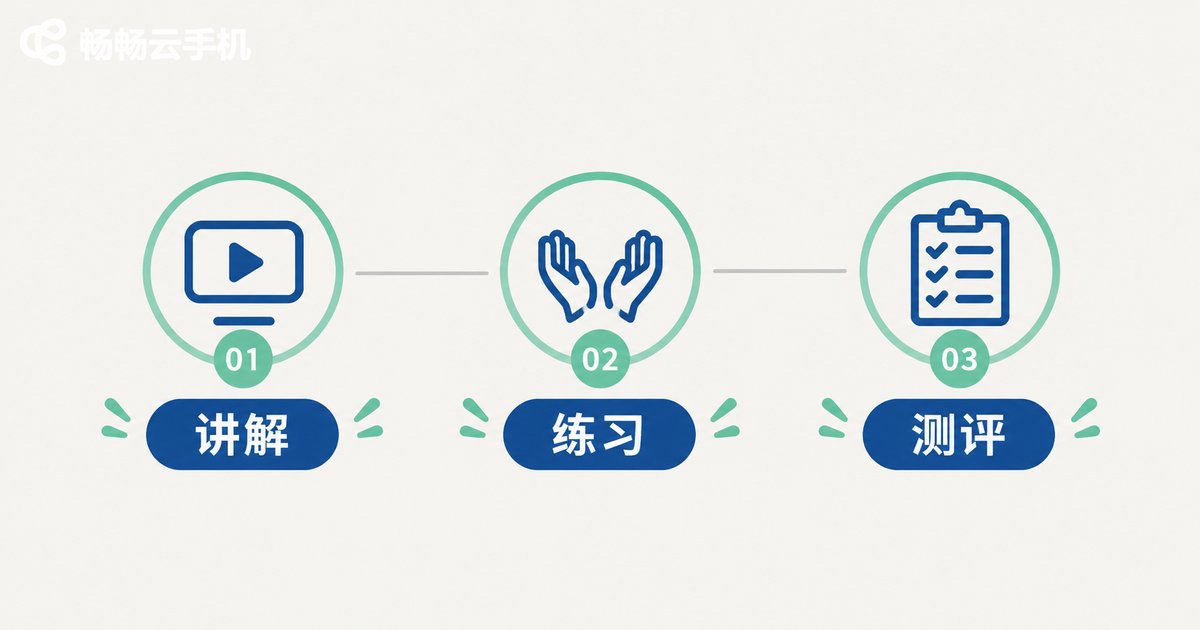
Stage 1: Feature Briefing (about 2 hours, group session)
This stage has a single goal: get everyone onto the same page about what a cloud phone can do and where its boundaries are. Cover the five modules below, keeping each one inside 20 minutes.
1. Cloud instances and their lifecycle: explain how an instance is created, and what start, restart and reset actually mean, including which actions wipe data. This is where newcomers trip up most often, so give it its own slot.
2. Multi-instance and group management: how to name instances, apply tags, and group them by project, client or channel. Naming conventions set on day one save a huge amount of back-and-forth later.
3. Bulk operations and group control: installing apps in bulk, starting multiple instances, and synchronized actions. Emphasize that bulk operations have a wide blast radius, so always verify on one instance first.
4. File and asset distribution: how assets are uploaded, pushed and cleaned up, plus a shared folder structure so nobody hoards files on their own device.
5. Permissions and account safety: who can see which instances, who can run high-risk actions, and how to hand things over when someone changes role or leaves.
During the briefing, put a one-page feature map on the wall. Newcomers will check it far more often than they will open a document.
Stage 2: Hands-on Practice (1 to 2 days, task driven)
Listening without practicing is not training. Instead of demonstrating once and hoping everyone absorbed it, hand each newcomer a task list to complete in an isolated practice environment. They tick items off as they go, check the docs first when stuck, and only then ask a colleague.
Task 1: create three instances in the practice group and name them using the project-plus-purpose-plus-number rule.
Task 2: tag all three instances and move them into the assigned project group.
Task 3: install and sign in to a specified app on one instance, then confirm it is running correctly.
Task 4: verify an action on a single instance first, then push the same operation to the other two and check the result.
Task 5: push an asset file to a specified instance and confirm inside the instance that the file landed in the right place.
Task 6: reset one instance, explain what changed and what was lost, and restore it to a clean usable state.
Completing all six tasks covers roughly 80 percent of the day-to-day actions a new team member will perform. Do not worry about mistakes at this stage. Practice environments are the cheapest place to make them.
Stage 3: Assessment (about 1 hour, three dimensions)
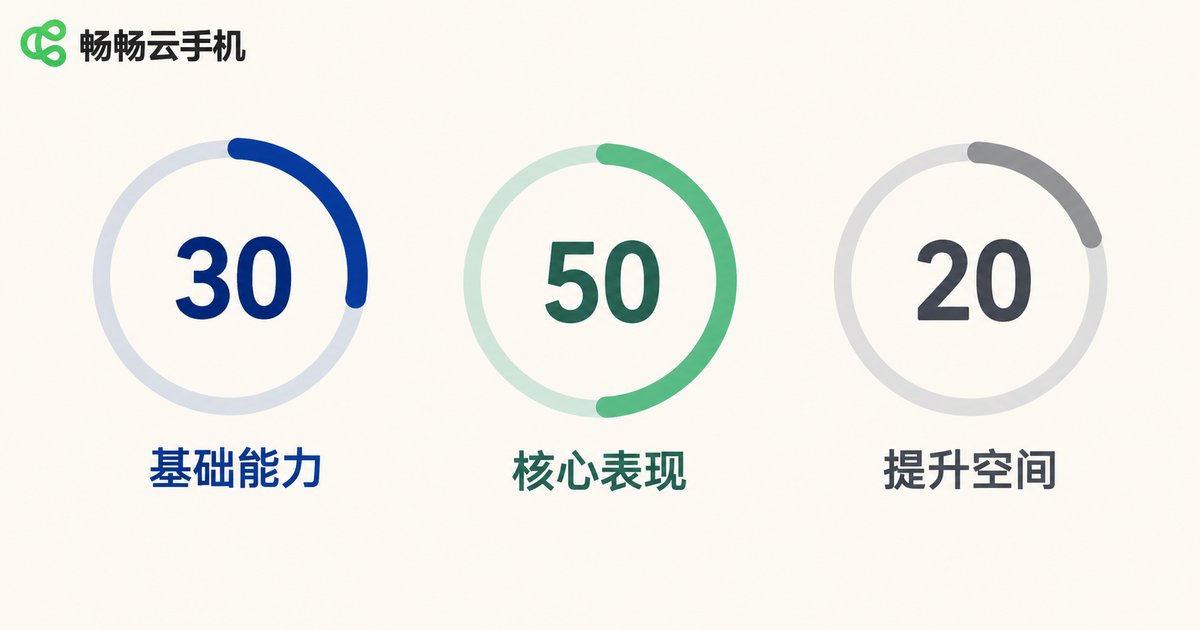
Assessment is not about filtering people out. It is about confirming that someone can work independently. Score across three dimensions out of 100, and treat 80 or above as a pass that allows the person to handle live operations.
| Dimension | Method | Pass criteria |
|---|---|---|
| Feature knowledge (30) | Written quiz, 10 questions | 8 or more correct, can explain reset vs. restart |
| Operating proficiency (50) | Timed completion of the task list | Full flow finished within 30 minutes, no high-risk mistakes |
| Standards and safety (20) | Scenario-based questions | Can fully describe the verification steps before a bulk action |
Anyone who does not pass does not need to sit through the whole briefing again. Half a day of targeted practice on the weak area, then a retake, keeps training costs down without lowering the bar.
How to Build a Training Library
Once the process runs smoothly, capture it, or every new hire starts from zero. Four artifacts are usually enough: an operating manual under 10 pages, a 5-minute screen recording of the full workflow, a list of common mistakes, and a naming and grouping standard for instances. Let the frontline people who use cloud phones every day write the first draft, then have the team lead add the permissions and safety sections. That version is far more practical than one written behind a closed door.

Running This Process on ccloudphone
ccloudphone provides multi-instance cloud phones that run remotely, with group management and bulk operations, so a team can allocate instances by project or by member. That makes it a practical environment for this kind of standardized training. A good habit is to create a dedicated practice group before training starts. Everything a newcomer does happens inside that group, and it can be reset at the end, so business resources and live data stay untouched. Once the assessment is passed, add the member to the business group and grant the corresponding permissions.
Frequently Asked Questions
Q1: Will newcomers working in a practice group affect live operations?
Not if practice instances and business instances are separated by group and by permission. Create a dedicated practice group before training and reset it afterwards.
Q2: How often should this training run?
Run the full three-stage process once at onboarding, then schedule a 30-minute feature update sync each month. It is a common rhythm and easy to sustain.
Q3: We are a small team. Do we still need an assessment?
Yes. With a small team, a single mistake has a bigger impact. A 10-question quiz and one timed task cost very little and noticeably reduce incidents.
Q4: Should existing staff be retrained?
A quarterly refresher on high-risk actions is enough, focused on bulk operations and permission changes. There is no need to repeat the full onboarding flow.
Q5: Who should write the training material?
Frontline members write the first draft, the team lead adds standards and safety, and the whole group validates it through one hands-on run. Material written in isolation tends to drift away from real practice.


