
Cloud Phone Customer Data Security Guide: Permissions, Backup and Operating Standards
Why customer data on a cloud phone needs stronger locks than a desktop
Moving client lists, quotes and call notes into a cloud phone has become standard practice for sales teams: you can look things up anywhere, nothing disappears when a device is replaced, and several people can work together easily. But a cloud phone also concentrates risk in one place. In the past, data was locked inside someone's PC, protected by a login password, an office door and the simple fact that the person was not at their desk. Today, one leaked account and anyone with a browser can see the entire customer list.
So cloud phone security is not really a deep technical problem. It comes down to three plain questions: how permissions are split, how data is backed up, and how people are managed. Here is a set of recommendations you can apply almost as written.
1. Permissions: from visible to everyone, to visible on demand
Most customer data leaks are not the work of hackers. They happen because too many permissions were granted. An intern can export the whole database, an account still works three months after someone left, everyone shares one admin password — these problems are far more common than vulnerabilities.
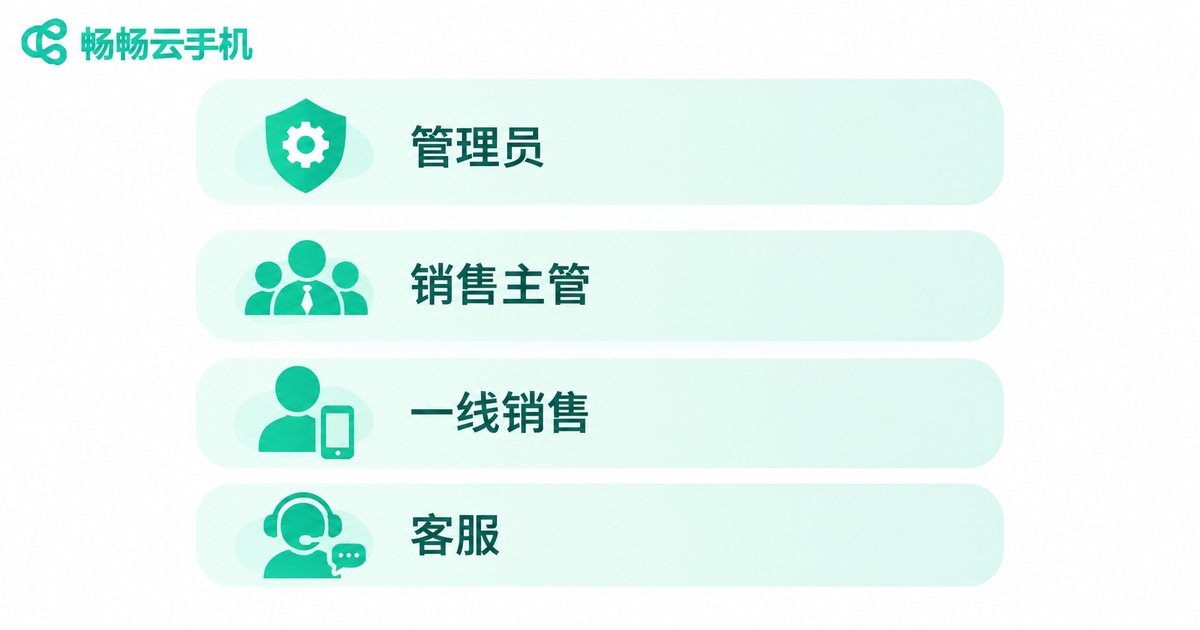
Assign permissions by role rather than by individual. Start by splitting positions into a few tiers:
| Role | Visible scope | Allowed actions | Extra advice |
|---|---|---|---|
| Administrator | All customer data | View, edit, export, delete | Enable 2FA, keep to 1-2 people |
| Sales manager | Own team's customers | View, edit, request export | Review the team list weekly |
| Frontline sales | Own customers only | View, edit, add notes | Export disabled by default |
| Customer service | Customers in service | Read only, add follow-up notes | Disable download and forwarding |
| External / departed | None | None | Revoke the account the same day |
Three ground rules when you roll this out:
1. One person, one account, never shared. A shared account gives up traceability, and nobody can say who did what.
2. Treat export as a separate right. Viewing and exporting are completely different things. Exports should go through approval, leave a record and carry a watermark when necessary.
3. Start from least privilege. Give new members read-only first and open things up as needed. It is much easier than taking permissions away later, and far less awkward.
2. Backup: bring the 3-2-1 rule into your cloud phone
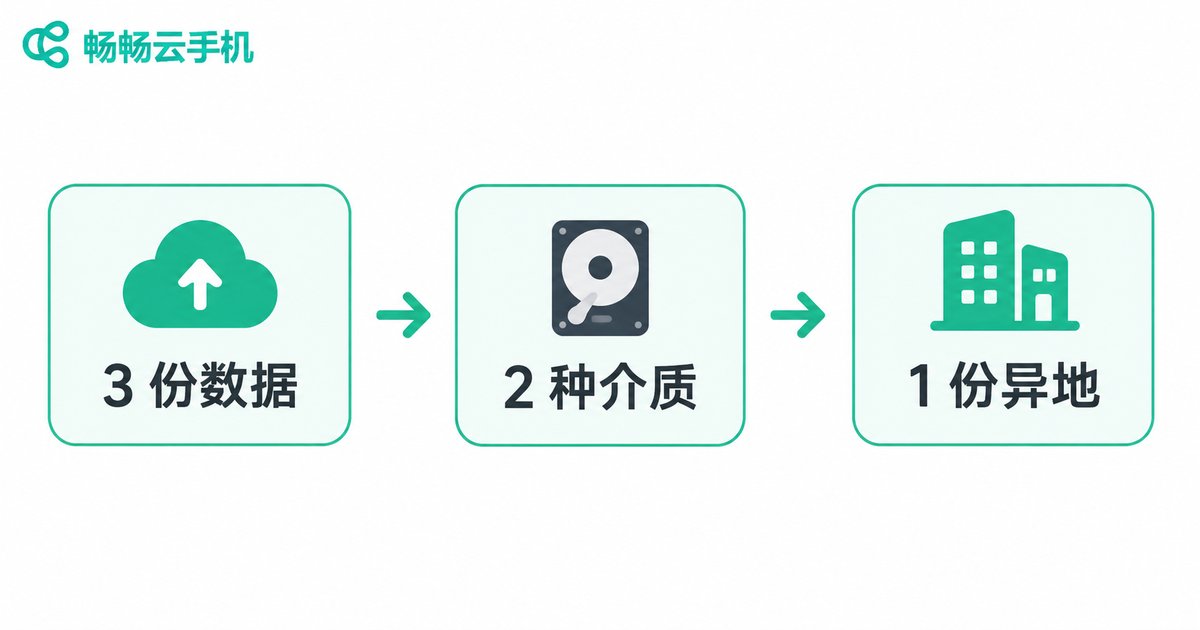
Data living in the cloud does not mean it cannot be lost. An accidental deletion, a bad edit, a compromised account, a service migration or even one failed sync can wipe out a customer record in seconds. The widely used 3-2-1 rule applies just as well to cloud phones: keep at least three copies, on two different types of media, with one copy stored off-site.
| Backup tier | Where it lives | Suggested frequency | Owner |
|---|---|---|---|
| Copy 1 (primary) | Business sheets or system inside the cloud phone | Real time | Business owner |
| Copy 2 (local) | Encrypted drive or company-managed storage | Weekly | Admin / operations |
| Copy 3 (off-site) | Another office or a different storage service | Monthly | Administrator |
Standardize file names so you can trace which version is which:
customer-data-backup_20250612_v3_owner-zhangwei.xlsxOne more reminder: a backup file is sensitive data too. Dropping an exported spreadsheet into a public drive or a group chat is like hanging the safe key on the door. Encrypt backup files, keep the password separate from the file, and include the backup inventory in any handover.
3. Operating standards: build security into daily actions
Even the best policy is empty unless it reaches daily habits. Print these and pin them up:
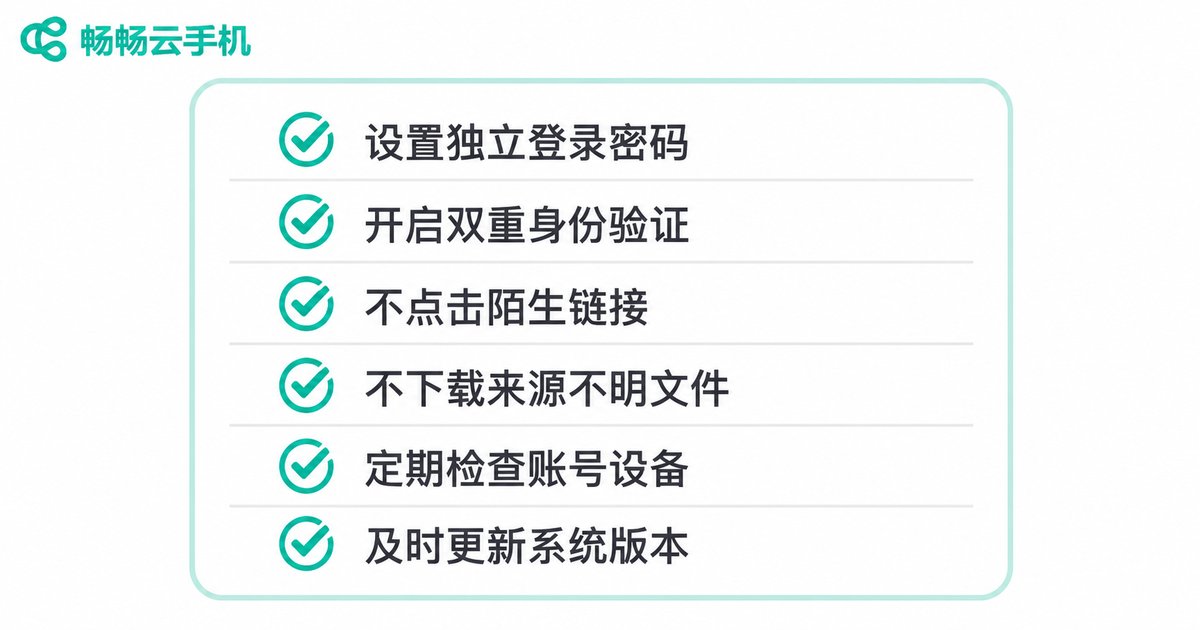
1. Do not reuse the same password across your cloud phone account and other platforms.
2. Enable two-factor authentication, especially on admin accounts.
3. Always log out and clear history after using a shared or public computer.
4. No screenshots and no forwarding customer data to personal social accounts.
5. Close other customers' windows before showing your screen to a client.
6. Review the login log at a fixed time each week and watch for unusual locations or hours.
7. Do not install unknown apps inside the cloud phone, especially unfamiliar keyboards and helper tools.
8. If a phone is lost or replaced, sign the old device out from the admin panel immediately.
4. Handovers and departures: the riskiest window
A large share of customer data incidents happen during staff changes. Turn the handover into a fixed checklist instead of a verbal conversation:
- Disable the account on the departure day, not at the end of the last shift.
- Export the departing person's customer records to their manager, then delete personal copies.
- Revoke device access and confirm there are no active sessions left in the admin panel.
- Check recent export logs for abnormal bulk downloads.
- Both sides sign the handover form and note where each record ended up.
Onboarding deserves the same attention: open a read-only account first, observe for one to two weeks, then grant role-based permissions.
5. What to check when choosing a provider
Pick the right tool and your management overhead is cut in half. Beyond price and responsiveness, confirm that accounts support granular permissions, that logins are logged and reviewable, that devices are isolated from one another, and that a device can be taken offline quickly if something goes wrong.
ccloudphone (畅畅云手机) runs a full Android environment in the cloud. Teams manage their devices remotely through the web console or a client, and business data stays on the cloud device, so switching computers or phones does not interrupt work. For teams that need several people to access customer records, hosting devices centrally in the cloud — combined with the permission and backup rules above — noticeably reduces data scattered across personal phones and private accounts. Please refer to the official website for current device models, configurations and feature details.

FAQ
Q: Is customer data safer on a cloud phone than on a local PC?
Not automatically. The advantages of a cloud phone are centralized device management, revocable accounts and auditable login records. But if credentials leak or permissions are too broad, the risk is just as real. Security always comes down to permissions, backup and operating standards.
Q: Our team is small. Do we still need permission tiers?
Yes, but you can simplify. Even a team of three to five should enforce one account per person, logging for exports, and same-day revocation when someone leaves. Those three rules prevent most common incidents.
Q: How often should we back up?
It depends on how fast your data changes. If records are updated daily, keep the primary copy in real time, a local copy weekly and an off-site copy monthly. For slower-moving data, monthly is fine — as long as the date is fixed.
Q: Staff log in from their own phones. Can the company still control that?
Control at the account level: define permissions per account, review login logs and disable accounts immediately on departure. Also state clearly in the employee handbook which data may be accessed and which actions are not allowed.
Q: What does a compliant export to a partner look like?
Three steps: approval with a written record, only the necessary fields (mask phone numbers where possible), and a password-protected file with an agreed deletion date. Never send the full table as-is.


