

How Small Teams Can Manage Batch Cloud Phone Deployment and Prevent Misoperations
Why Small Teams Need Disciplined Cloud Phone Management
When a team first adopts cloud phones, a handful of devices is easy to handle. But once the business scales from 10 devices to 50 or even 100+, the questions pile up: who is operating which phone? Who wiped an account by accident yesterday? Why did an entire group go offline at once? Batch deployment amplifies efficiency — and it also amplifies the cost of a single careless click.
For small teams, the key is not how many devices you buy, but building a protection workflow that covers everything from deployment to daily operations, so efficiency and safety grow together.
Batch Deployment: Get the Foundation Right
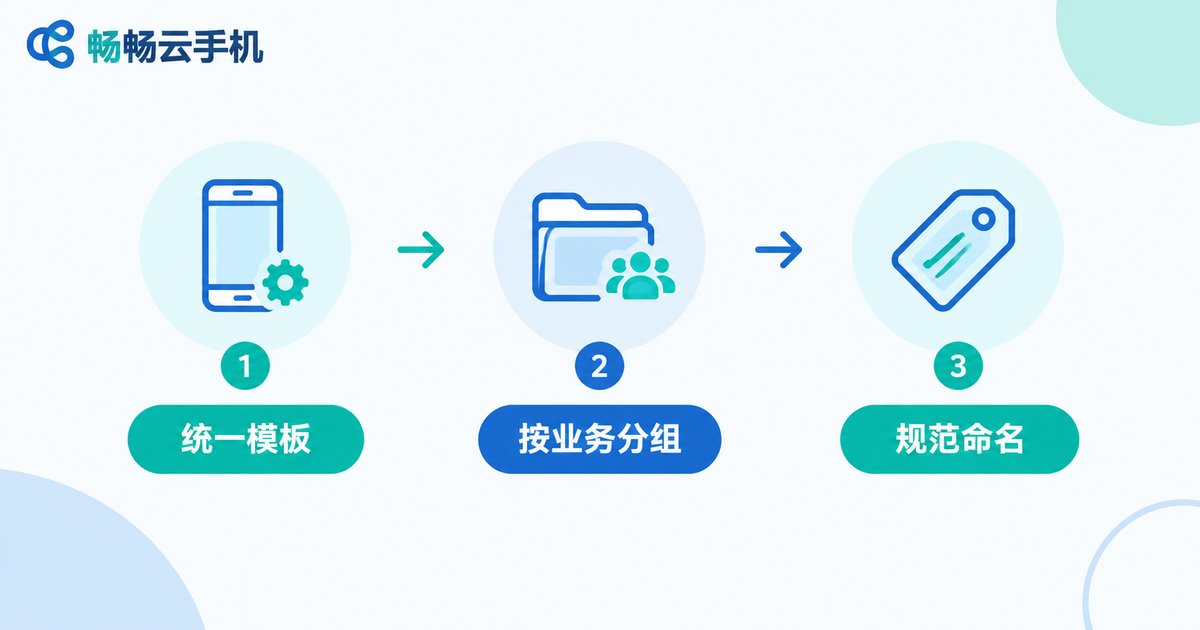
Most accidents trace back to a sloppy initial setup. Follow three steps:
Step 1 — Standardize a template. Fully configure one device first (system settings, apps, account environments), then clone it across the fleet. Per-device manual setup is where errors creep in.
Step 2 — Group by business function. Sort devices into groups such as 'Operations', 'Testing' and 'Support', and give each group only the apps and accounts it needs. Clearer boundaries mean fewer accidental cross-operations.
Step 3 — Adopt naming conventions. Name every device something readable like 'Ops-01' or 'Test-03' instead of random default IDs, so anyone can locate a device at a glance.
Daily Management: Groups, Tags and Centralized Control
After deployment, daily management comes down to three 'centralizations':
Centralized control: use group-control features to send one command to many devices at once — batch installs, batch launches and so on. The fewer manual touches, the fewer chances to slip.
Centralized monitoring: track the online status and health of every device on a single dashboard so anomalies are caught early.
Centralized logging: keep operation logs so you always know who did what, to which device, and when. When something breaks, check the records instead of guessing.
The 5 Scenarios Where Misoperations Happen Most
Lessons from real teams point to these recurring danger zones:
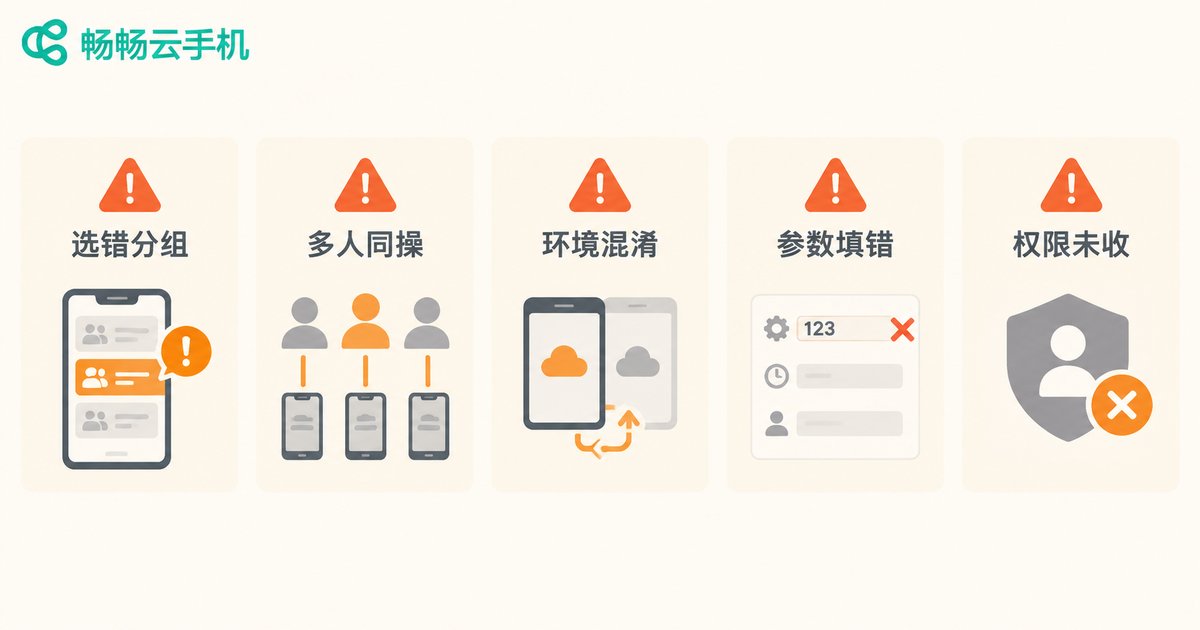
| High-risk scenario | Typical consequence | Key protection |
|---|---|---|
| Wrong group selected for batch delete/reset | Entire group's data wiped | Double confirmation showing affected device count |
| Several people operating the same device | Sessions kick each other off, settings overwritten | Device occupancy lock: one operator at a time |
| Testing mistaken for the production environment | Live accounts modified by mistake | Keep test and production in separate groups |
| Wrong parameters in a batch command | Bad configuration pushed to every device | Canary run on a small batch before full rollout |
| Departed member's access never revoked | Ex-staff can still operate devices | Regular permission reviews, timely offboarding |
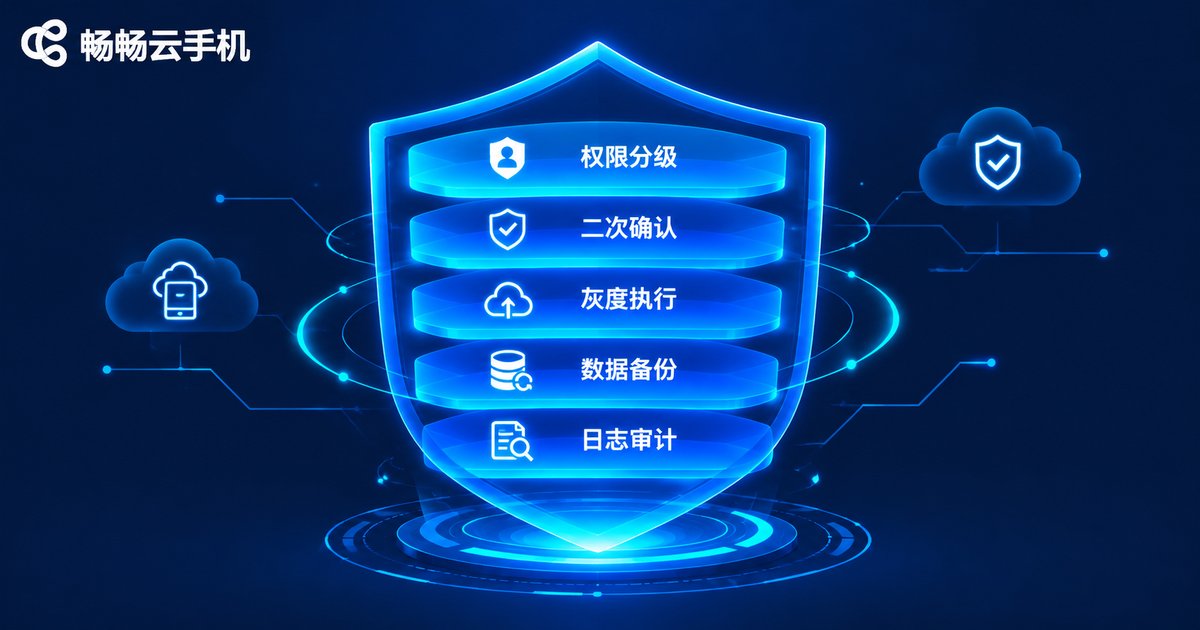
Five Lines of Defense Against Misoperations
Defense 1 — Tiered permissions. Separate admins, operators and viewers. New members get minimum access; irreversible actions stay with experienced hands.
Defense 2 — Double confirmation. For any irreversible action, force a confirmation dialog that states exactly how many devices will be affected — one last chance to catch a slip.
Defense 3 — Canary execution. Run batch jobs on one or two devices first, verify the result, then roll out to the whole group and contain any damage to the smallest scope.
Defense 4 — Regular backups. Back up critical business environments on a schedule so a mistake can be restored in minutes instead of rebuilt from zero.
Defense 5 — Log audits. Spend ten minutes each week reviewing operation logs, find the most frequent error points, and tune your process and permissions accordingly.
Pick the Right Tool and Management Gets Easier
Process matters, but so does the platform. When choosing a provider, check four capabilities: batch group control, sub-accounts with permission tiers, operation logs and device grouping.
Cloud phone services such as ChangChang Cloud Phone (ccloudphone) keep every device in the cloud, so team members simply log in with their own accounts to collaborate. Combined with grouping and batch operations, this dramatically reduces the chaos of multi-person management. See the official ccloudphone website for the current feature list, and start with a small pilot before scaling up.
FAQ
Q: We only run a few devices — do we really need all this process?
You can simplify it, but start tiered permissions and double confirmation on day one. Good habits are cheapest to build early.
Q: What is the scariest part of batch operations?
Irreversible actions — delete and reset — with the wrong scope selected. Stick to 'canary first, then full rollout, always confirm' and major accidents become rare.
Q: How do we stop members from interfering with each other?
Group by function and use device occupancy: one device, one operator at a time, with logs for traceability.
Q: A misoperation already happened. Now what?
Stop the damage first by halting related batch jobs, restore from backups, then review the logs to find the root cause and patch the workflow.


