

How to Batch Operate Cloud Phones Safely! Small-Batch Testing Standards Explained
Batch Operations: A Powerful Efficiency Tool—and a Risk Amplifier
For anyone managing dozens or even hundreds of devices at once, batch operations are one of the biggest advantages of cloud phones: one-click group control, bulk app installation, unified settings, and synchronized scripts. Actions that used to be repeated dozens of times can now be finished in minutes.
But efficiency has a flip side: risks get amplified at scale, too. If a batch of devices runs tasks with identical parameters, perfectly synchronized timing, and exactly the same operation traces, platform risk-control systems can easily flag them as automated behavior—resulting in throttling at best and mass account suspension at worst. The core of safe batch operation is not “how to batch,” but “how to batch safely.”
Why Small-Batch Testing Must Come First
Many users habitually write a script, pick their devices, and launch fifty of them at once. That is like cooking a brand-new recipe for the first time at a banquet for every guest you know—if it fails, the loss is massive.
Small-batch testing validates your entire workflow at minimal cost. It verifies far more than whether the script runs, including: whether operation parameters fall within the behavior range of normal users; whether device environments stay stable without dropping mid-task; whether accounts remain in good standing after tasks complete; and whether total runtime and success rates meet expectations.
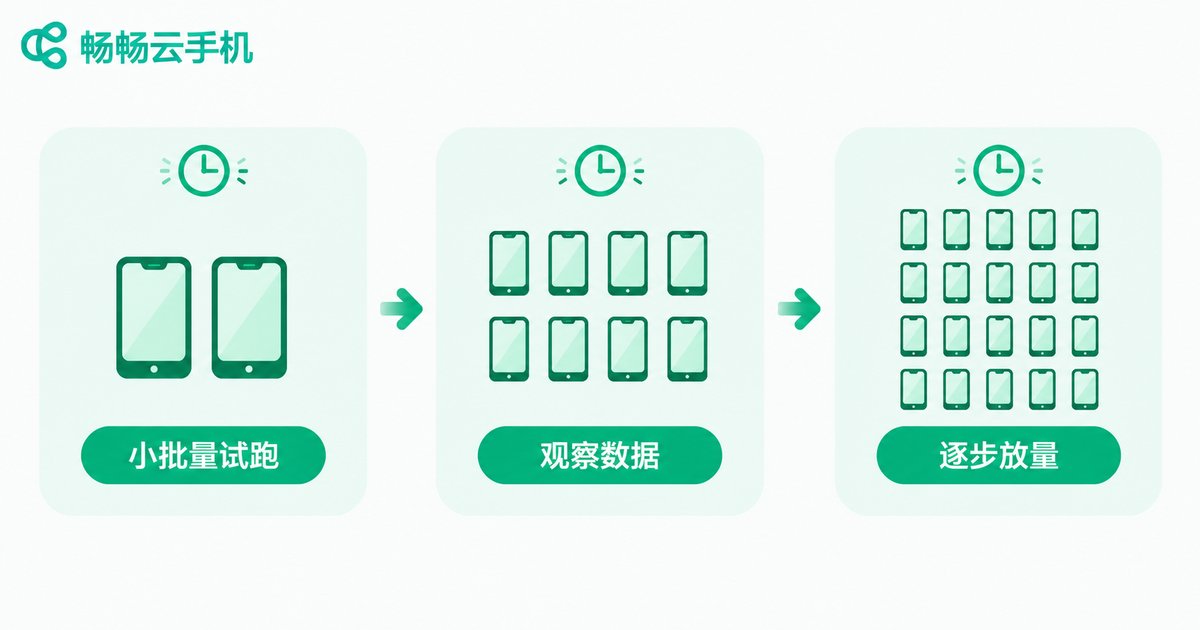
The Small-Batch Testing Standard: Three-Step Gradual Rollout
Follow the principle of “start small, keep it simple, observe before scaling”:
Step 1: Trial run with 1-2 devices. Run the complete workflow on the smallest possible batch. Focus on whether the process works end to end and whether errors appear. Problems found at this stage cost almost nothing to fix.
Step 2: Validate with a small batch of 5-10 devices. Scale up to a small cohort that simulates real batch rhythm. Watch success rates, exception rates, and account feedback, and observe at least one full task cycle (24-48 hours).
Step 3: Scale up gradually. Once small-batch data is stable, increase device count by 20%-30% at a time, leaving an observation window after each step. Never jump straight to full capacity.
The Pre-Flight Safety Checklist for Batch Operations
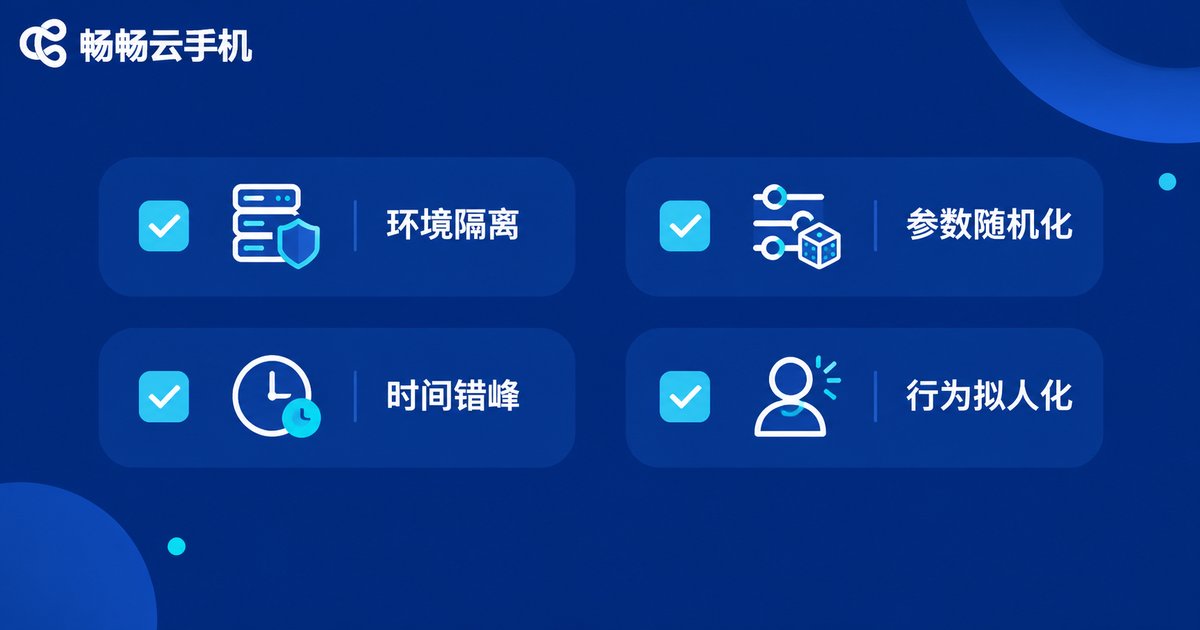
Before every batch task, run through this checklist item by item:
Environment isolation: Every cloud phone should run in a fully independent environment; avoid multiple devices sharing the same identifiable parameters.
Parameter randomization: Add random variation to intervals, tap positions, and input content so nothing looks copy-pasted.
Staggered timing: Give different devices offset start times—minutes to tens of minutes apart—to mimic the natural distribution of real users.
Human-like behavior: Scripts should mimic real human rhythm with swipes, pauses, and back navigation instead of rigid mechanical paths.
Rollback plan: Decide in advance whether an abnormal device should be paused, skipped, or whether the whole batch should stop—and rehearse that plan during testing.
Risky Practices vs. Safe Practices
| Dimension | Risky Practice | Safe Practice |
|---|---|---|
| Launch method | Dozens of devices executed all at once | Trial run on 1-2 devices, then gradual rollout |
| Timing | All devices start the same second | Staggered starts with random intervals |
| Parameters | Identical across all devices | Randomized intervals, traces, and content |
| Exception handling | Unattended run to the end | Alert thresholds; pause on anomalies |
| Result validation | Finish and forget | Observe a full cycle before scaling |
Monitoring and Rollback: Keeping Risk in a Cage
While a batch task runs, monitoring matters more than execution. Focus on three metrics: success rate, exception rate, and account status. Set simple circuit-breaker rules for yourself—for example, pause the entire batch automatically if the exception rate exceeds 10%, then investigate before resuming.
Preserve rollback capability as well: execute tasks in batches with checkpoints, so when something goes wrong you only rewind the affected portion instead of starting over. The real value of small-batch testing is that when failure happens, the blast radius stays within what you can afford.
Run Batch Tasks with Confidence on ChangChang Cloud Phone
If you are looking for a cloud phone tool built for batch operations, take a look at ChangChang Cloud Phone (ccloudphone). It provides cloud-based Android phone environments where every device runs independently without interference, with unified management across multiple devices. Combined with the small-batch testing standards in this article, you can validate your workflow on a few devices first, then scale up step by step with risk under control.
Whatever tool you choose, remember one iron rule: test small first, scale gradually, monitor throughout. Those few words are the entire secret of safe cloud phone batch operations.

FAQ
Q: How many devices should a small-batch test use?
Start with 1-2 devices to validate the workflow, then expand to 5-10 to test batch rhythm. The number matters less than covering a full task cycle and watching success rates and account status.
Q: Once the small-batch test passes, can I go straight to full capacity?
No. Even with stable small-batch results, scale up by 20%-30% at a time with an observation window after each step. Platform risk-control policies can change, and gradual rollout catches problems early.
Q: Should devices be configured identically for batch operations?
Quite the opposite. Environments should be independent and parameters differentiated: staggered starts, random intervals, human-like traces. The closer to the natural distribution of real users, the safer.
Q: What should I do when an exception occurs mid-batch?
Pause first instead of running to the end. Determine whether it is a single-device issue or a workflow issue: skip the affected device and continue for isolated problems, or stop the whole batch, fix the issue, and re-validate from a small batch for systemic ones.


