
Is Cloud Phone Streaming Encrypted? How to Verify TLS Configuration with Packet Capture
What Cloud Phone Streaming Really Is
Many people assume a cloud phone is simply a phone that lives in a data center, with nothing traveling back to the local device. In reality, every frame you see on your screen is rendered on a cloud server and delivered in real time through video streaming — much like watching a live broadcast or a video call — while your taps and swipes travel upward as control commands.
The pipeline has four stages: cloud rendering → video encoding → network transmission → local decoding. The most overlooked yet most critical stage is network transmission. If the stream crosses the network in plaintext, a third party on the same network could theoretically reconstruct what is on your screen. Whether streaming is encrypted therefore sets the baseline security level of any cloud phone service.
Is the Stream Encrypted? Start with the Protocol Stack
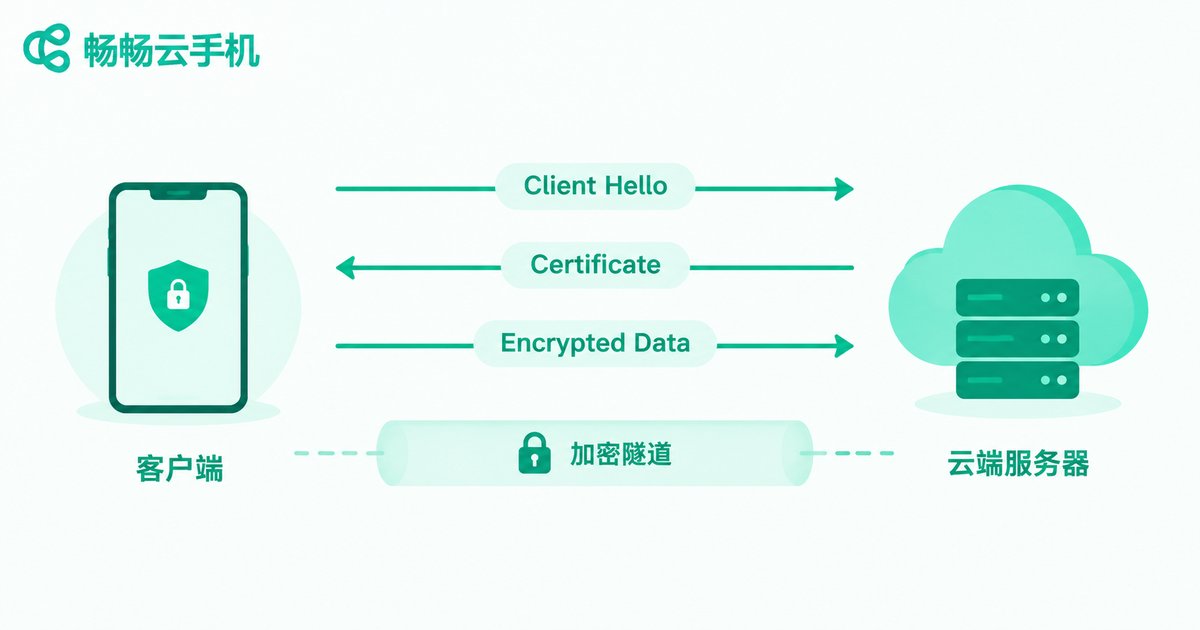
Mainstream cloud phone streaming is built on a few protocol families: HTTPS / WSS (WebSocket over TLS) carries commands and data; in WebRTC-based solutions the media flow is protected by DTLS + SRTP; and proper implementations of RTMP or proprietary protocols are usually wrapped in TLS at the transport layer as well. In other words, as long as the server has TLS correctly configured, your streaming video crosses the network as ciphertext, and a packet sniffer sees only unreadable binary.
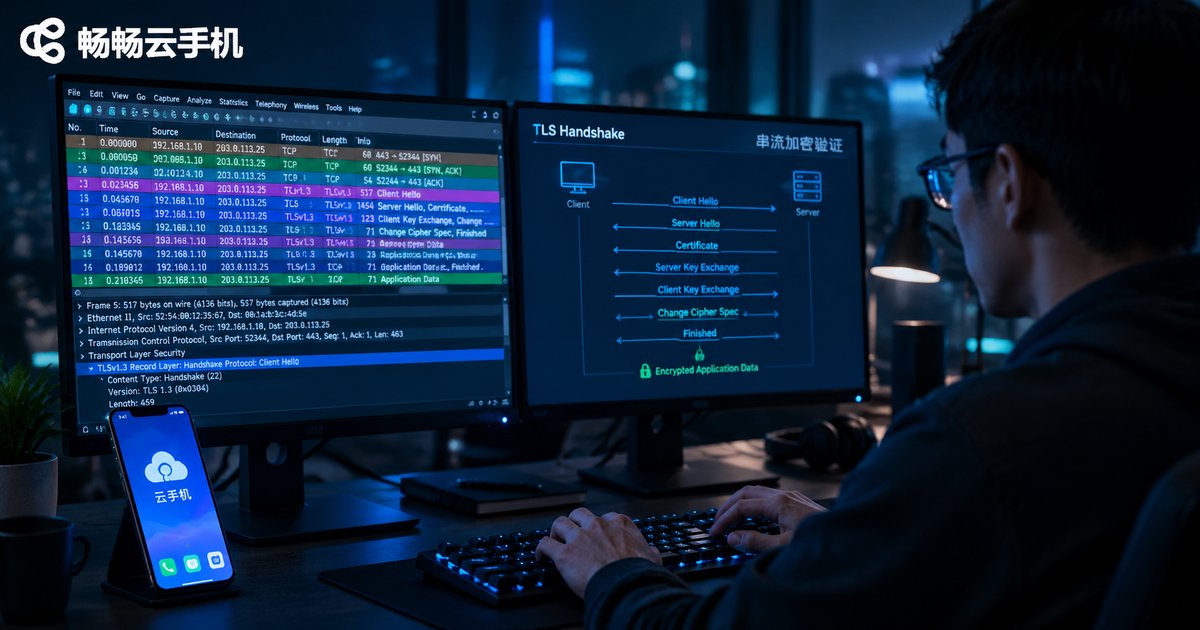
TLS security comes from the handshake: the client and server negotiate a protocol version and cipher suites, verify the certificate, derive a session key, and from then on every application data record is encrypted with that symmetric key. TLS 1.3 negotiates faster than 1.2 and retires a batch of insecure cipher suites, making it the recommended mainstream version today.
| Aspect | Plaintext transport | TLS-encrypted transport |
|---|---|---|
| Screen content | Reconstructable by others on the network | Ciphertext only, unreadable directly |
| Credentials | At risk of interception | Protected from the handshake onward |
| Integrity | Can be tampered with or injected | Integrity checked; tampering breaks the stream |
Before You Capture: Tools and Setup
Verifying TLS configuration takes nothing more than a computer and a capture tool. The common choices are Wireshark (graphical, powerful analysis) and tcpdump (command line, ideal for servers). If you use the web version of a cloud phone, capture directly on your computer; if you use a client app, capture where its traffic passes through.
Confirm three things before you start: the name of the network adapter your computer uses; that the cloud phone stays on a screen that keeps producing streaming video; and that you interact with the cloud phone during the capture to generate enough traffic samples. The whole process is passive monitoring of your own traffic — nothing is modified or intercepted, and the cloud phone keeps running normally.
Hands-on: Five Steps to Verify TLS with Wireshark
Step 1: Start the capture. Open Wireshark, select the adapter your computer uses to reach the internet, and start capturing.
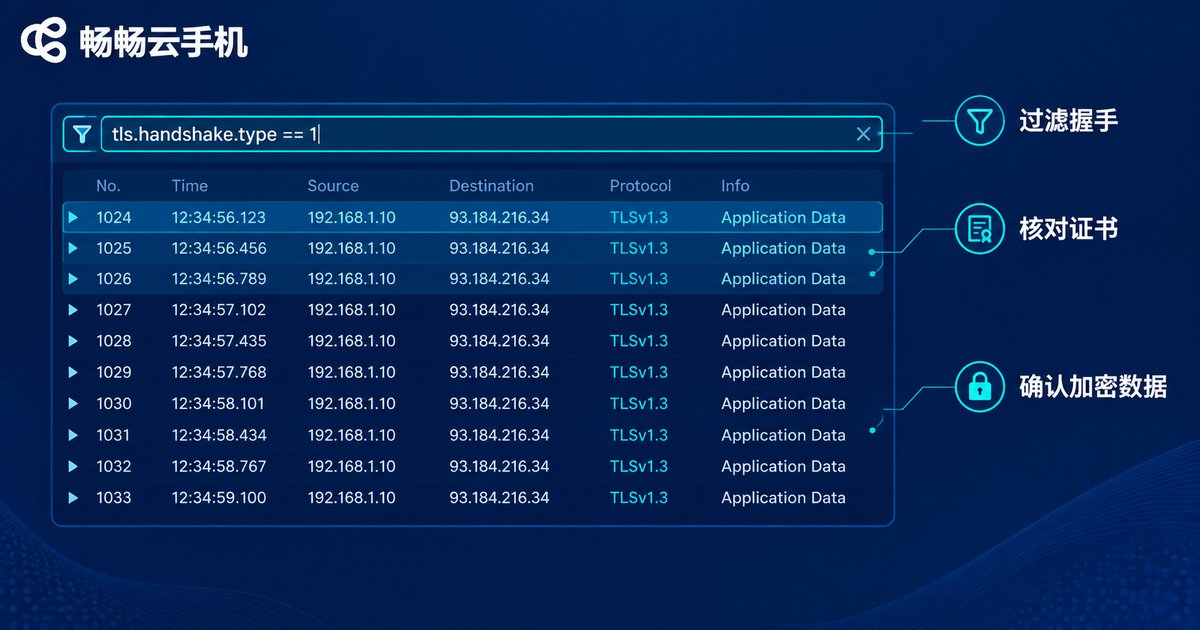
Step 2: Filter TLS handshakes. Type this display filter to show only handshake requests initiated by the client:
tls.handshake.type == 1Step 3: Inspect the key handshake fields. Expand the Client Hello record and focus on three items: the SNI server name (confirm it is the cloud phone domain), the protocol version (it should be TLS 1.2 or 1.3), and the Cipher Suites list.
Step 4: Verify the certificate. Use this filter to inspect the server certificate message and confirm the chain is complete, the domain matches, and the certificate is valid:
tls.handshake.type == 11Step 5: Confirm the payload is encrypted. Clear the filter and watch the protocol column: when large numbers of records show TLSv1.3 Application Data (or TLSv1.2 Application Data), both the stream and your commands are traveling inside the encrypted channel. Then right-click any TCP stream and choose 'Follow Stream' — if you see unreadable binary instead of plaintext headers, the content is encrypted.
If your cloud phone streams over WebRTC-style UDP, switch the filter to dtls or srtp and examine the DTLS handshake the same way.
Common Misreads: Garbled Data Is Not Encryption, and Port 443 Is Not Security
A wall of garbled bytes convinces many people the stream must be encrypted. That conclusion comes too fast: garbled output can also be compression or a proprietary binary protocol. The gold standard is a complete TLS (or DTLS) handshake in the capture, followed by records parsed as Application Data. Garbled bytes without a handshake only mean you cannot read them — not that they are encrypted.
By the same logic, traffic on port 443 does not equal security. A port is just a number and any application can bind to it. What matters is whether the traffic on 443 actually completes a TLS handshake, whether the certificate is trusted, and whether the version is up to date.
| Check | Secure sign | Risk sign |
|---|---|---|
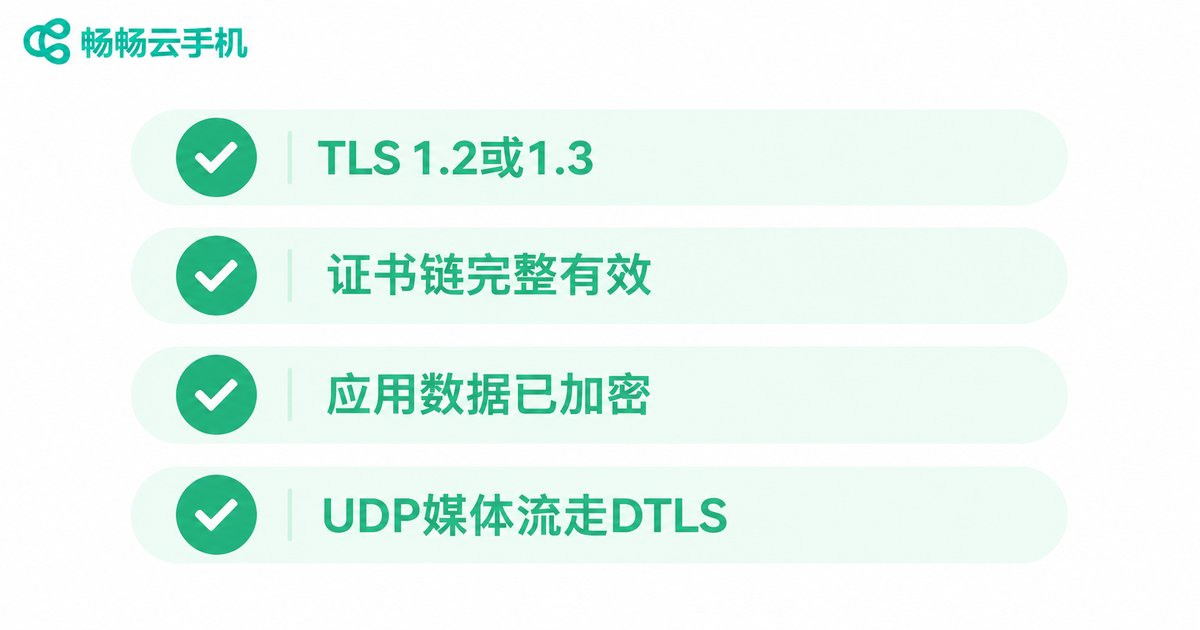
| Protocol version | TLS 1.2 / 1.3 | TLS 1.0 / 1.1, or no handshake |
| Certificate | Complete chain, matching domain, valid | Unverified self-signed, mismatched domain |
| Application data | Application Data records, unreadable | Readable plaintext headers |
| UDP media | DTLS handshake + SRTP | Bare RTP plaintext video |
Choosing a Cloud Phone: How to Judge Streaming Security
Besides running the capture yourself, you can gauge how seriously a vendor treats transport security from a few signals: does the official documentation state that streaming links are encrypted, does the web client run fully over HTTPS, and do client-server interactions use WSS? A vendor that takes security seriously rarely cuts corners at the transport layer.
Take ChangChang Cloud Phone (ccloudphone) as an example: its web and client access both run over HTTPS/WSS encrypted links, and streaming data moves across the network as ciphertext. You can also apply the method in this article to run a full capture verification against ccloudphone — filter the TLS handshake, check the certificate and protocol version, and confirm Application Data. Letting the packets speak is more convincing than any marketing claim.
FAQ
Q: Does garbled capture output prove the stream is encrypted?
A: No. Garbled bytes can come from compression or a proprietary protocol. Encryption is confirmed only when you see a complete TLS or DTLS handshake followed by records parsed as Application Data.
Q: TLS 1.2 or TLS 1.3 — which is better?
A: Both are secure, but TLS 1.3 negotiates faster and removes outdated cipher suites, making it the recommended standard today. If a capture shows TLS 1.0 or 1.1, treat it as a warning sign.
Q: Will packet capture affect my cloud phone?
A: No. Wireshark passively copies traffic passing your adapter; it never modifies or blocks data, so streaming and controls are unaffected.
Q: Why is my streaming traffic on UDP instead of TCP?
A: Some cloud phones use WebRTC-style transport for lower latency; media rides on UDP protected by a DTLS handshake and SRTP encryption. Filter on dtls to verify.
Q: Is it safe and legitimate to capture my own cloud phone traffic?
A: Analyzing traffic from your own devices is a normal security self-check and involves no one else's data. Just remember capture files may contain login tokens — store or delete them carefully.


