

The Standard Workflow of Cloud Phones in App Compatibility Testing: Multi-Device, Multi-Android-Version, and Multi-Resolution Coverage
Why App Compatibility Testing Matters
Android device fragmentation is a challenge no development team can escape. On devices with different chipsets, memory sizes, and screen ratios, the same app can behave completely differently: layouts break, buttons stop responding, or the app crashes outright. The goal of compatibility testing is to find these problems before your users do.
The traditional approach — buying a pile of real phones, installing the app on each one, and checking them by hand — is expensive and slow. Cloud phones have made it possible to run compatibility testing as a standardized, repeatable workflow.
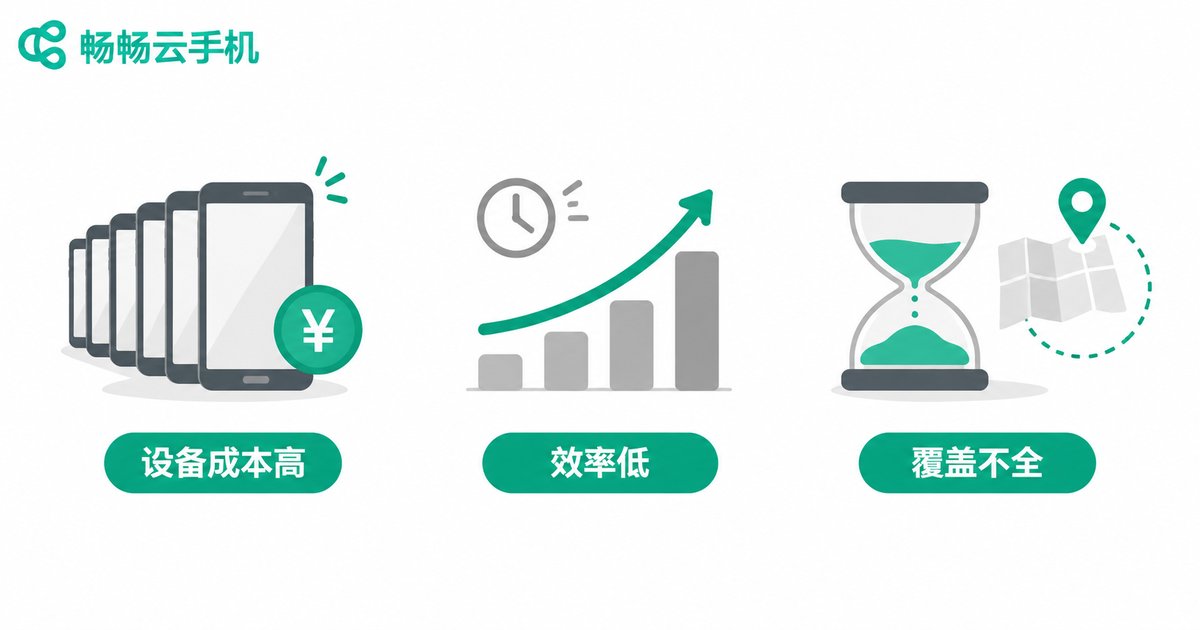
Three Pain Points of Traditional Real-Device Testing
Before switching to cloud phones, most teams run into the same problems:
1. High hardware costs. Covering mainstream models takes a dozen or more real devices — a five-figure investment — and every hardware generation means buying again.
2. Low testing efficiency. Installing and verifying device by device means one full regression cycle can easily drag on for days.
3. Limited coverage. With only a few phones on hand, low-end models and older Android versions often go untested, so issues surface only after user complaints.
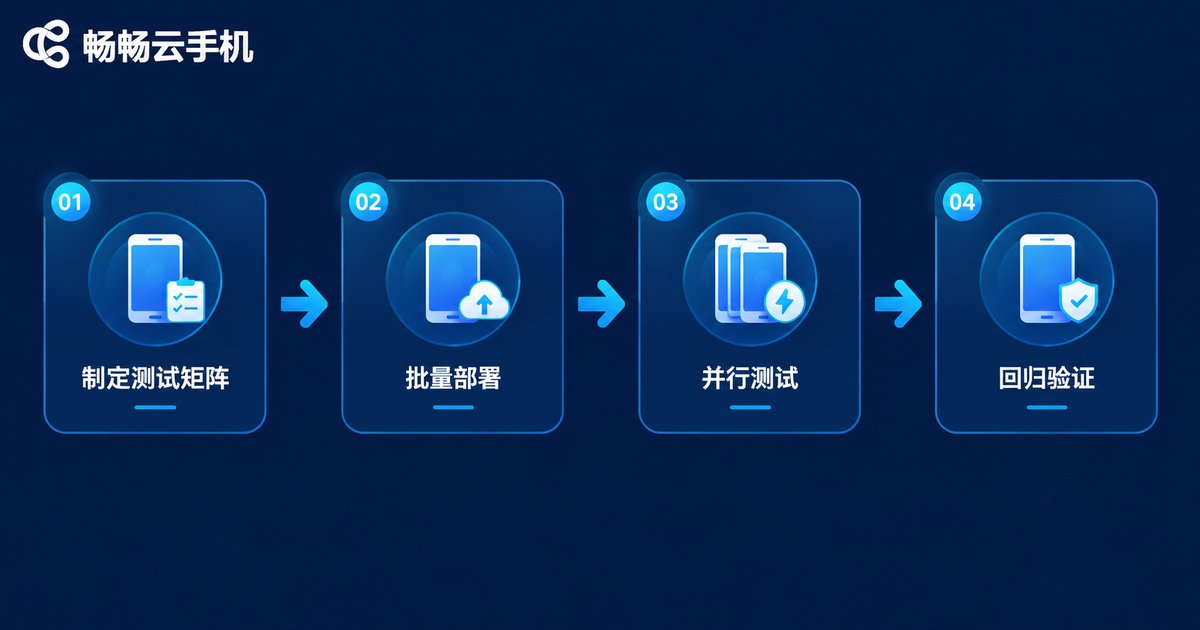
Overview of the Standard Cloud Phone Testing Workflow
With cloud phones, compatibility testing breaks down into four standardized steps: define the test matrix → batch deployment → parallel testing and monitoring → issue logging and regression verification. Each step has clear inputs and outputs, so the process no longer depends on any single person's experience.
Step 1: Define the Test Matrix
The test matrix is the skeleton of compatibility testing. It answers one question: which devices are we testing on? Define it along three dimensions:
Device models: segment by performance tier — flagship, mid-range, and entry-level — paying attention to chipset and memory differences.
Android versions: cover everything from the minimum supported version to the latest release, with extra focus on versions holding high market share.
Resolutions: cover common aspect ratios such as 16:9, 18:9, and 19.5:9 across high, medium, and low resolution tiers to verify UI adaptation.
In practice, start from live user data to identify your top device combinations, put most of your testing effort there, then use cloud phones to cover the long tail at minimal cost.
Step 2: Batch Deployment and Parallel Testing
Once the matrix is set, launch cloud phones in batches according to the defined configurations: instances with different models, Android versions, and resolutions start at the same time, and a single build is distributed to every instance in one go. Dozens of devices can run the same test suite simultaneously, so total wall-clock time roughly equals a single device's run. That is the biggest advantage over real-device labs.
Teams with automation can run UI test scripts directly on cloud phones; teams without automation can use group control to operate many devices at once and manually walk through the core flows.
Step 3: Monitoring and Issue Logging
During execution, focus on collecting four types of information:
1. Screenshots: capture every key screen to catch layout breaks, truncated text, and distorted images;
2. Runtime logs: record the system state whenever crashes, freezes, or ANRs occur;
3. Performance metrics: startup time, memory usage, frame rate, and other basics;
4. Device mapping: tag every issue with its model, Android version, and resolution so it can be reproduced later.
Step 4: Regression Verification and Reporting
After fixes land, there is no need to rerun the full matrix — simply redeploy on the exact cloud phone configurations where the issues were found. An identical instance can be launched on demand at any time, so the reproduction environment perfectly matches the original — something real devices can hardly guarantee.
Close the cycle with a compatibility test report that states how many models, Android versions, and resolutions were covered, plus the distribution of outstanding issues, as the basis for the release decision.

Key Points for the Three Coverage Dimensions
| Dimension | Testing Focus | Typical Issues |
|---|---|---|
| Device models | Chipset differences, memory size, vendor system behavior | Crashes, lag, feature failures |
| Android versions | Permission changes, API compatibility, minimum supported version | Installation failures, permission errors, API errors |
| Resolutions | Aspect ratios, pixel density, notch and cutout handling | Broken layouts, truncated text, misplaced buttons |
The three dimensions are not independent — combine them in practice. Combos such as an entry-level device plus an old Android version plus a notch screen are exactly where problems hide most often and get noticed least.

Why Use Changchang Cloud Phone (ccloudphone) for Compatibility Testing
When it comes to building a test matrix, Changchang Cloud Phone (ccloudphone) is a strong fit for testing scenarios:
1. Multiple configuration tiers: cloud phone instances in different performance tiers make it easy to build a matrix covering flagship, mid-range, and entry-level devices;
2. Batch group control: manage many cloud phones from a single computer with batch installation and batch operations — a natural match for parallel compatibility testing;
3. On-demand availability: no devices to purchase or maintain; scale up during peak testing periods and release when done, keeping hardware costs under control;
4. Reproducible environments: launch an identical cloud phone with the same configuration at any time, making issue reproduction and regression verification effortless.
For teams with limited budgets that still take compatibility seriously, building the test matrix on Changchang Cloud Phone (ccloudphone) is a pragmatic way to raise coverage while cutting device costs.
FAQ
Q: Are cloud phone test results consistent with real devices?
Most functional issues — crashes, broken layouts, logic errors — show up authentically on cloud phones. For the few scenarios tied to hardware such as sensors or NFC, supplement with a small sample of real devices.
Q: How many devices should the test matrix cover?
There is no fixed number. Base it on your live user device distribution: prioritize the combinations that cover 80% of your users, then fill in the long tail cheaply with cloud phones.
Q: Can I use cloud phones for compatibility testing without writing automation scripts?
Yes. With batch installation and group control, one person can check core flows across many devices at the same time — far more efficient than testing real phones one by one.
Q: When should compatibility testing be performed?
Run a full round after the build enters QA and again before release. For versions with major changes, incremental regression on the affected device combinations is enough.
Q: Which models and Android versions does Changchang Cloud Phone support?
Refer to the configuration list on the official website (ccloudphone), and confirm the available models and system versions before building your test matrix.


