
How to Evaluate Cloud Phone Stability: Continuous Running, Multi-Instance, and Peak-Hour Testing
Why Stability Should Be Your #1 Criterion When Choosing a Cloud Phone
Many people pick a cloud phone based only on price and specs, then discover that what truly defines the experience is stability. Whether you are running games in the background, managing multiple accounts, or automating tasks, a cloud phone that frequently disconnects, crashes, or lags can interrupt your workflow—or worse, put your accounts at risk. Stability is not a “24/7 online” slogan on a vendor’s landing page; it is something you should verify yourself. This article gives you a hands-on testing framework built around three scenarios: continuous operation, multi-instance load, and peak hours.
First, Define What “Stable” Actually Means
Before testing, break “stability” into four observable dimensions:
1. Connection stability: stays online for long periods without dropping, and reconnects quickly after any outage;
2. Runtime stability: apps do not crash or freeze, and background tasks are not killed by the system;
3. Display stability: the screen stays smooth during interaction, without prolonged artifacts, black screens, or freezes;
4. Performance stability: night performance matches daytime—no sudden frame drops or latency spikes during peak hours.
The three tests below map directly onto these four dimensions.
Test 1: Continuous Operation—Run for at Least 24 Hours
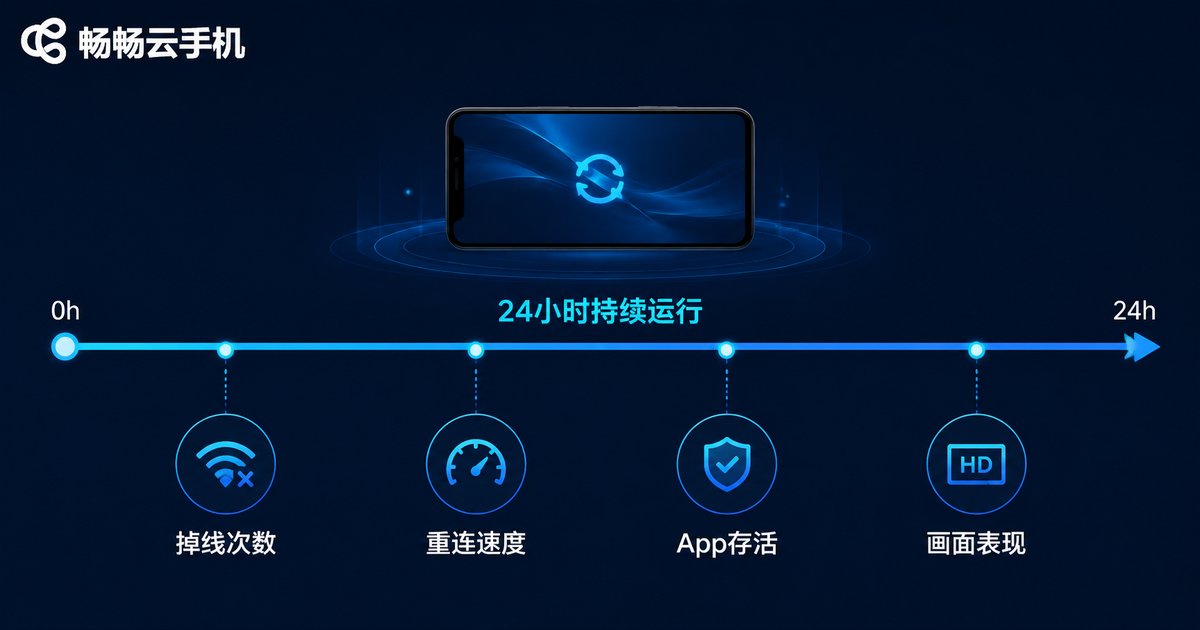
Continuous running is the most fundamental stability test. The method is simple: pick an app you actually use (a game, a social app, or a tool), leave it running for at least 24 hours, or 72 hours if you can. During the test, track the following:
| Item | What to observe | Benchmark |
|---|---|---|
| Disconnect count | Number of connection drops in 24 hours | 0-1 is excellent; 3+ is a warning sign |
| Reconnection speed | How long recovery takes after a drop | Auto-recovery within 10 seconds is ideal |
| App status | Crashes or background kills | Alive the whole time, no manual restarts |
| Display quality | Artifacts, black screens, freezes | One-off is acceptable; repeats mean failure |
Tip: set a timer or take screenshots inside the cloud phone, and jot down the time and status each time you check in. By the next day you will know exactly how well this instance holds up.
Test 2: Multi-Instance Stress Test—Scale Up from 5 Devices
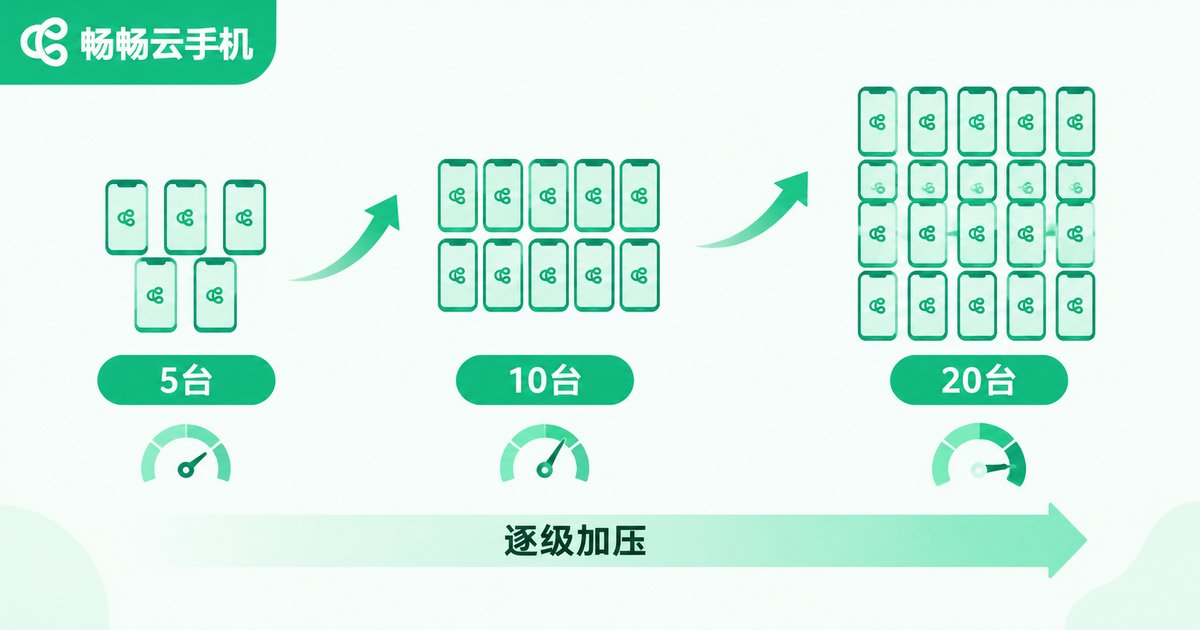
If you need to run many instances at once (multiple accounts, studio-style farming), multi-instance stability deserves its own test. The approach is step-by-step load increase: start with 5 simultaneous instances, then move to 10, 15, and 20 once everything runs smoothly. Keep each tier running for at least 2 hours and watch three things:
Smoothness: switch to each instance and check whether controls respond without noticeable lag. Synchronization: when all instances run tasks at once, do any devices drop out or fall out of sync? Resource drain: does overall performance degrade noticeably as the instance count grows?
| Simultaneous instances | Verdict |
|---|---|
| 5 running smoothly | Pass—fine for light multi-account use |
| 10 without obvious lag | Good—suits daily multi-account operation |
| 15-20 still stable | Excellent—studio-grade multi-instance capability |
| Frequent drops above 10 | Fail—multi-instance capability is questionable |
Note: run this test on the network you actually use every day. Results from your home Wi-Fi are the ones that matter to you.
Test 3: Peak-Hour Testing—8 p.m. to 11 p.m. Is the Litmus Test
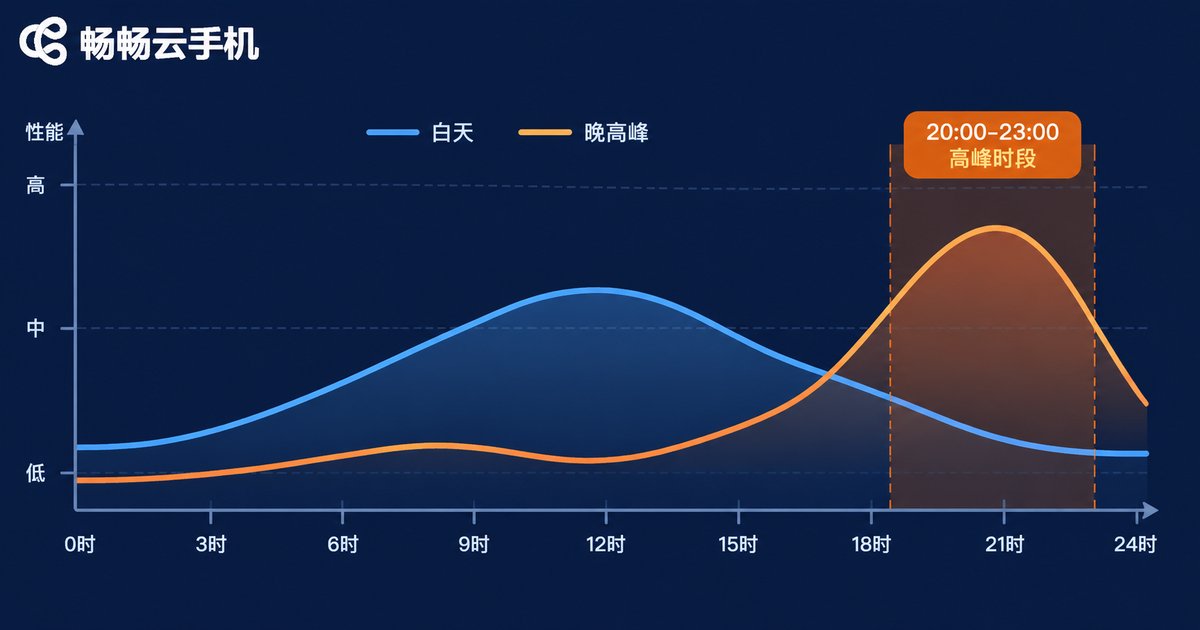
Many cloud phones feel great during the day but fall apart at night, because evenings are the internet’s rush hour and server and network loads are at their highest. That makes peak-hour testing the single most revealing test.
How to do it: for 3 consecutive days, run one session each night between 20:00 and 23:00, recording latency, frame rate, and disconnects. Then compare against a midday baseline:
| Time slot | Latency | Frame rate | Verdict |
|---|---|---|---|
| Daytime (12:00-14:00) | Smooth, responsive | Full frame rate, stable | Baseline |
| Peak (20:00-23:00) | Slight fluctuation, acceptable | Occasional frame drops | Pass |
| Peak (20:00-23:00) | Obvious lag, sluggish controls | Frequent stutter and drops | Fail |
If peak-hour performance stays close to daytime levels, the provider has ample server and bandwidth headroom. If everything collapses every evening, the provider is likely overselling capacity—and long-term experience will suffer.
What Counts as “Passing”? One Table Says It All
| Dimension | Pass line | Danger signs |
|---|---|---|
| Continuous running | 1 disconnect or fewer in 24h, app alive throughout | Frequent drops, app repeatedly killed |
| Multi-instance | 2 hours at target count with no lag or drops | Individual devices dropping as count rises |
| Peak hours | Evening experience close to daytime | Latency spikes and frame drops every night |
Only when all three tests pass should you trust a cloud phone for long-term use. If any dimension shows a danger sign, test another provider and compare.
Three Factors That Actually Determine Stability
Beyond testing, knowing what drives stability helps you diagnose problems faster:
1. Server nodes and routes: the closer the node and the better the route, the lower and steadier the latency—prefer providers offering multiple node locations;
2. Resource allocation: some providers oversell server capacity, so performance degrades as user counts grow—this is the main cause of evening lag;
3. Device specs and system optimization: different instance tiers handle heavy games and multi-instance workloads differently—for background tasks, choose a higher-performance tier.
Want to Skip the Homework? Start with ChangChang Cloud Phone
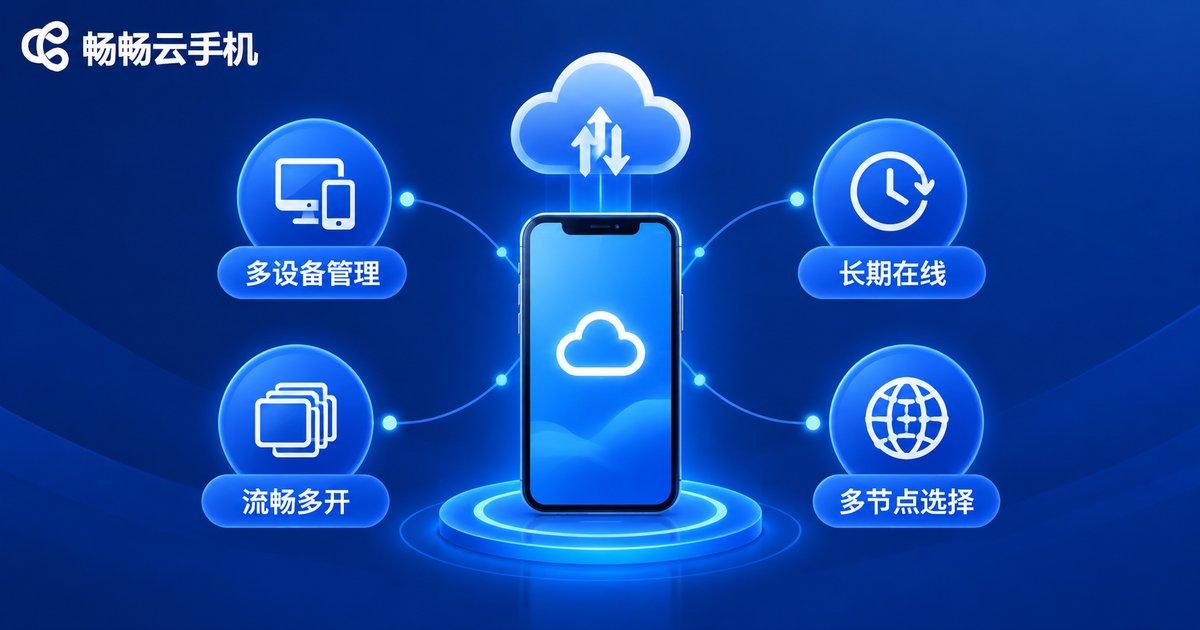
If you would rather not test providers one by one, start with a service built for reliability. ChangChang Cloud Phone (ccloudphone) is designed for multi-instance and long-running background scenarios, with unified multi-device management that makes it easy to keep everything online for extended periods. Check the official ChangChang Cloud Phone website for current device tiers and plans, and pick one that matches your workload. And of course, the safest habit is this: after signing up, run the three tests in this article and let the data decide.
FAQ
Q: How long does a stability test need to be meaningful?
At minimum, cover one full evening peak: run 24 hours during the day, then add observations between 20:00 and 23:00. Three consecutive days gives the most reliable conclusion.
Q: Does a single disconnect mean the cloud phone is unstable?
Not necessarily. An occasional drop that auto-reconnects within 10 seconds is normal. What matters is frequency and recovery speed—repeated drops within 24 hours are the real warning sign.
Q: How many instances count as a passing multi-instance test?
Base it on your real needs. 5-10 instances cover most personal multi-account use; studios should test up to 15-20. The pass line: 2 hours at your target count with no obvious lag or disconnects.
Q: Is mild lag during peak hours normal?
Slight fluctuation in the evening is common across the industry. Frequent frame drops, sluggish controls, or disconnects, however, indicate insufficient capacity—and a poor choice for long-term use.
Q: Anything to watch out for while testing?
Stay on your everyday network the whole time, and change only one variable at a time (test duration first, then instance count separately). That is the only way your conclusions stay accurate.


