
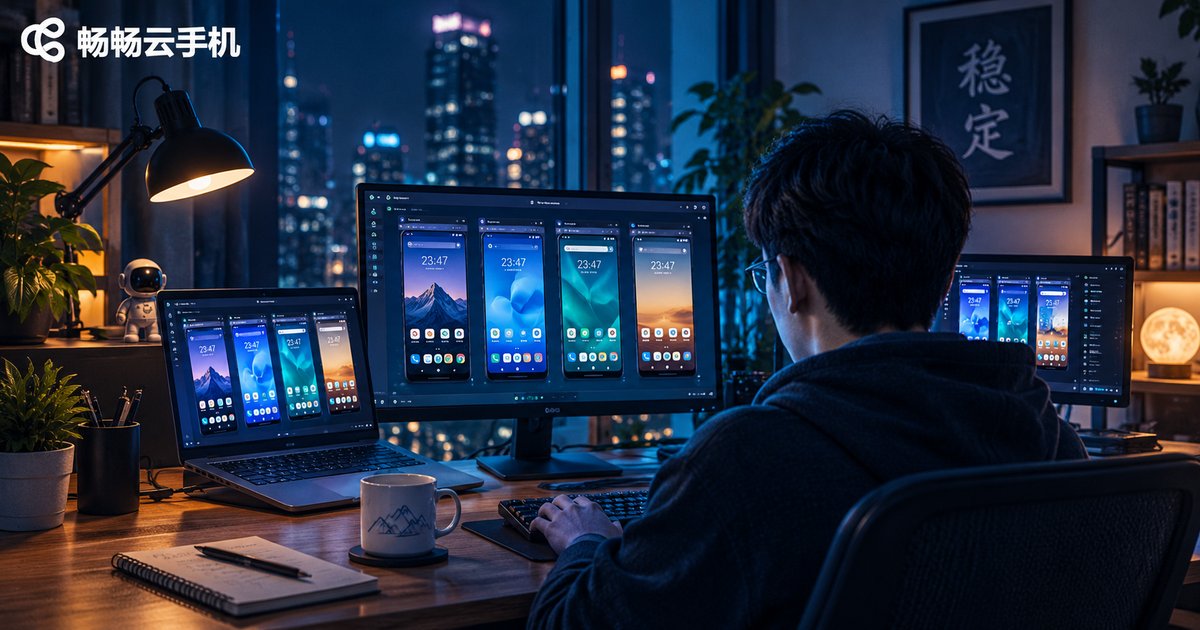
Is a Cloud Phone Stable? Disconnects, Lag, Crashes and Long-Run Performance
Is a Cloud Phone Stable? The Short Answer First
When people try a cloud phone for the first time, the worry is rarely about features. It is almost always about reliability: will it drop the connection, freeze, or crash on me? That worry makes sense. A cloud phone runs an Android device on a server in a data center, and you operate it through a video stream. There is one extra network hop in between, so stability becomes the core metric.
Here is the short answer: a cloud phone can be very stable, but stability is not automatic. It comes from the provider's infrastructure, your own network conditions, and the way you use it. With the same service, one person leaves it running all day without a single issue while another reconnects three times in ten minutes. The difference is usually not the cloud phone itself, but those three factors.
Below we break down the three most common problems: disconnects, lag and crashes, and long-run reliability.
| Problem | Typical symptom | Main cause | Fixable |
|---|---|---|---|
| Disconnect | Screen freezes then asks to reconnect; taps do nothing | Network jitter, network switching, heartbeat timeout | Yes, change network or pick a closer node |
| Lag | Delayed dragging, dropped frames, slow response to taps | Bitrate set too high, low bandwidth, cloud load | Yes, lower quality, avoid peak hours |
| App crash | App closes on launch; game disappears mid-load | App compatibility, low memory, small instance | Mostly yes, change spec or update app |
1. Disconnects: Why a Cloud Phone Drops the Connection
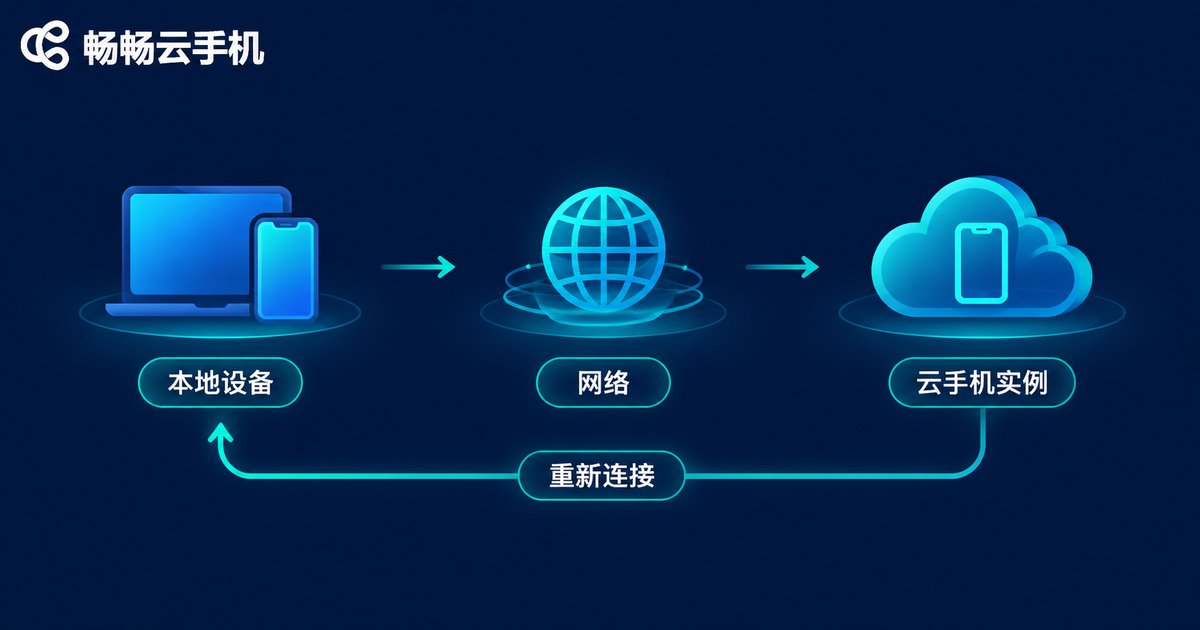
Reconnecting is the stability issue users notice most. It usually does not mean the cloud phone has frozen. It means the channel between your device and the cloud instance has broken. There are four common causes.
Network jitter. The Wi-Fi icon can show full bars while packet loss is already high. Crowded places such as elevators, subways and shopping malls make interference worse and trigger reconnects more easily.
Network switching. The moment you move from Wi-Fi to mobile data, or back again, the connection briefly drops. If the client does not reconnect quickly, you sit and watch a spinning indicator.
Heartbeat and timeout settings. The client and the cloud keep the session alive with heartbeat packets. A very short interval causes false disconnects on weak networks; a very long interval means a real disconnect goes unnoticed for too long. This part depends heavily on how well the provider tunes its service.
Local app killed by the system. If your phone closes the client in the background to save power, you will have to reconnect when you come back. That is not the cloud phone's fault, but it feels the same to the user.
To reduce disconnects, prefer a stable 5GHz Wi-Fi or wired connection, keep long sessions on one fixed network, whitelist the client in battery optimization, and choose a provider with access nodes close to you.
2. Lag and Crashes: Where Does the Slowness Come From?
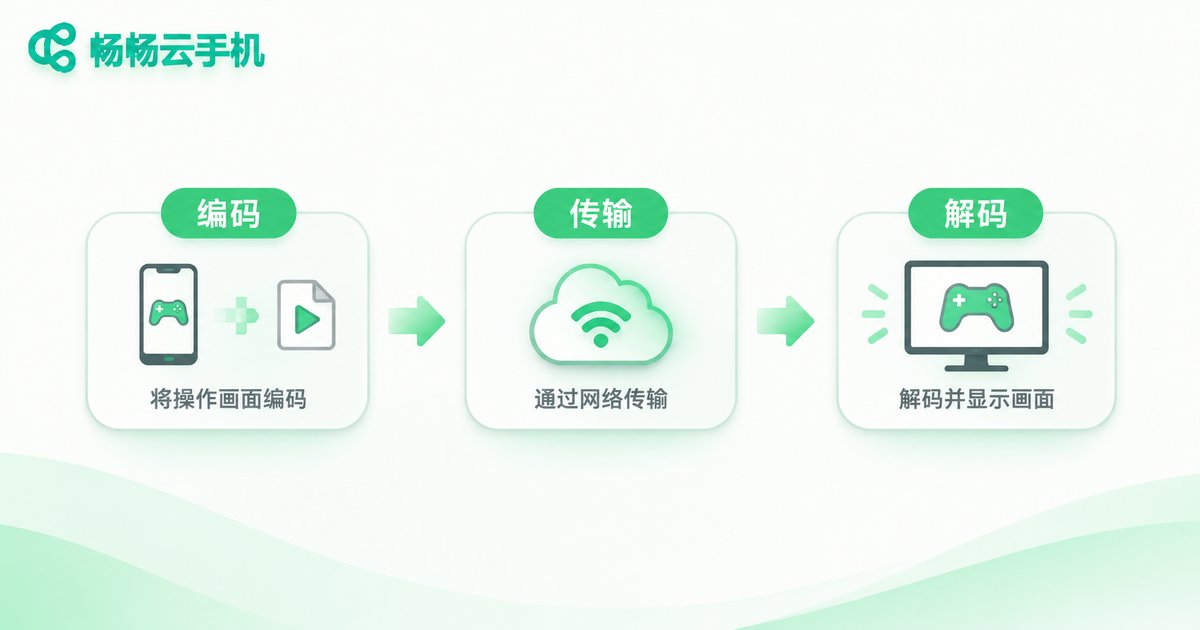
Many people wonder: my phone is fast, so why is the cloud phone laggy? Because the cloud phone's picture is streamed to you. Lag can happen at any of three stages.
Encoding: the cloud compresses the screen into a video stream. Higher quality and higher resolution mean more encoding load.
Transmission: if bandwidth is short or the network is unstable, the picture tears and drops frames.
Decoding: if your local device cannot decode fast enough, the picture stalls.
So when lag appears, the first step is not to blame the cloud phone's performance. Drop the quality and frame rate one notch first. In most cases that alone solves the problem.
Crashes are different, and usually sit at the app layer: an app incompatible with the cloud Android version, insufficient instance memory, a bug in the app itself, or cache piling up after a long session. The distinction is simple. Lag means slow. A crash means gone. Fix the former with settings, the latter with a bigger instance or an app update.
| Symptom | Check first | Suggested fix |
|---|---|---|
| Noticeable drag delay | Network latency, quality bitrate | Lower quality, switch to 5GHz Wi-Fi |
| Blurry or torn picture | Insufficient bandwidth | Reduce resolution and bitrate |
| No response to taps | High load on the cloud instance | Close background apps, upgrade the spec |
| App closes instantly | Compatibility or low memory | Update the app, add more memory |
3. Long Runs: What Happens After 8 or 24 Hours
The most typical use case for a cloud phone is running something for hours: game automation, live stream support, account maintenance, scheduled scripts. These scenarios demand far more stability than casual use.
Long-run stability comes down to three things: whether instances are isolated, whether processes stay alive, and whether resources get contended. If several instances share one physical machine without proper isolation, they drag each other down at peak times, which shows up as sudden lag in the middle of the night. With isolated, independent instances, the performance curve over many hours stays much flatter.
Another point people overlook is the load on the local device. Running a local emulator means your computer has to stay on, its CPU and memory maxed out, fans spinning, which makes crashes more likely overnight. A cloud phone keeps the workload in the data center and uses your device only for display. You can shut the laptop down or lock the phone and the cloud keeps running. That is the real value of long-run operation.
4. Four Ways to Test Stability Yourself
Test 1: Continuous run. Do not judge it after ten minutes. Leave it running for at least 4 to 8 hours and watch for disconnects or apps being killed.
Test 2: Weak network switch. Deliberately switch between Wi-Fi and mobile data once. See whether the client recovers automatically, and how many seconds it takes.
Test 3: Multi-instance stress. Open 3 to 5 instances at once and watch whether they all slow down together, which would suggest resource contention.
Test 4: Judge recovery, not perfection. No cloud service is 100% fault-free. What matters is how quickly it reconnects automatically and whether your data in the cloud is intact.
ccloudphone: Stability Shows Up in the Details
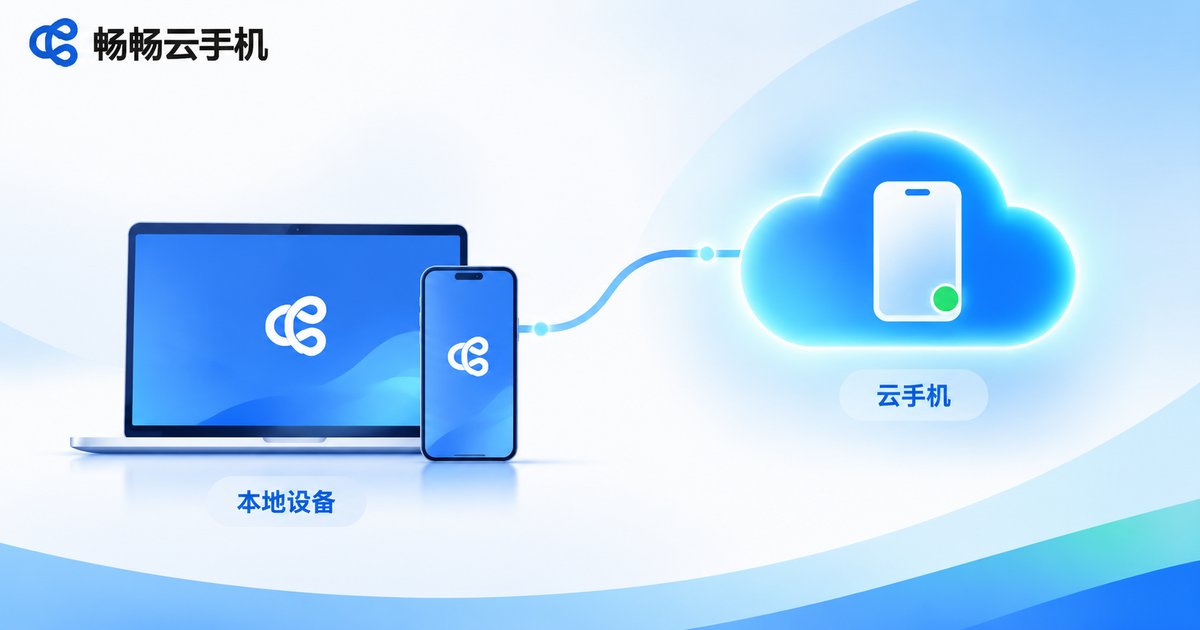
ccloudphone runs Android instances in cloud data centers, while your local device only handles display and input. That means it does not consume your local CPU or memory and is not affected by your device throttling from heat. For users who need long background sessions, this architecture removes the whole category of instability caused by local hardware giving up.
In practice, ccloudphone lets you connect to your cloud instance through the client, and if the connection drops you can reconnect straight back to the same instance. Apps and data stay in the cloud, so there is no environment to rebuild. With multiple instances, each one runs independently without interfering with the others.
Of course, no cloud solution can compensate for a poor local network. When using ccloudphone, connect over a stable Wi-Fi network and avoid long sessions in places where the signal keeps switching. Your experience will be noticeably more consistent.
Frequently Asked Questions
Q1: My cloud phone disconnects often. Is the provider bad?
Not necessarily. Check your own network first by switching to 5GHz Wi-Fi or a wired connection. If the disconnects were caused by network switching, that usually solves it. If it still drops frequently on a solid network, contact the provider about the node you are on.
Q2: Is lag a sign that the performance is too low?
Lower the quality first. Most lag comes from bandwidth and bitrate settings rather than raw compute. If dropping one quality level clearly helps, it was a transmission issue. If it is still slow, then consider a higher instance spec.
Q3: Can a cloud phone run continuously for a full day?
Yes. It runs in a data center, so it is unaffected by your local device shutting down, locking its screen, or heating up. What matters is whether your network is stable and whether the instance spec is sufficient.
Q4: Are crashes and lag the same thing?
No. Lag is slowness, usually a network or quality issue. A crash means the app disappears, usually caused by compatibility, insufficient memory, or a bug in the app itself.
Q5: If I shut down my computer, does the cloud phone keep running?
Yes. The instance lives in the cloud, and your local device is only a screen. Turning it off does not stop the cloud task, and you will see the result the next time you connect.
Q6: How do I know the problem is my own network?
Try a different network, for example tethering from your phone instead of Wi-Fi. If it becomes noticeably more stable, the issue is on your local network side.


