

Cloud Phone Spot Instances Are Cheap but Interruptible: Which Tasks Suit Them Best
First, Understand Why Spot Instances Are Cheap
Servers in a cloud phone data center never run at full capacity around the clock — there are always idle machines during off-peak hours. Spot instances (also called preemptible instances) are the platform selling that idle capacity at a steep discount, typically 20–30% of the regular price, sometimes even lower. The platform trades price for utilization; you trade tolerance for cost. Both sides get what they want.
But there is no free lunch, and the price of cheapness is written into the terms of service: when demand for regular instances rises and idle capacity runs short, the platform has the right to reclaim your spot instance, usually with a few minutes' notice. In other words, the harder you chase the discount, the higher your odds of getting kicked offline.
How Do Interruptions Actually Happen?
A spot interruption is not a failure — it is normal resource scheduling. The typical flow looks like this:
1. The platform continuously monitors overall capacity;
2. When regular-instance demand rises and idle capacity runs low, it selects a batch of spot instances for reclamation;
3. The system pushes you an interruption notice, usually 2–5 minutes in advance;
4. When the deadline hits, the instance is released, and any unsaved runtime state is gone with it.
Once you understand this mechanism, one conclusion stands out: whether spot instances suit you depends not on the price, but on whether a sudden break would hurt your task. If an interruption costs you nothing — or next to nothing — that task is a perfect match for spot instances.
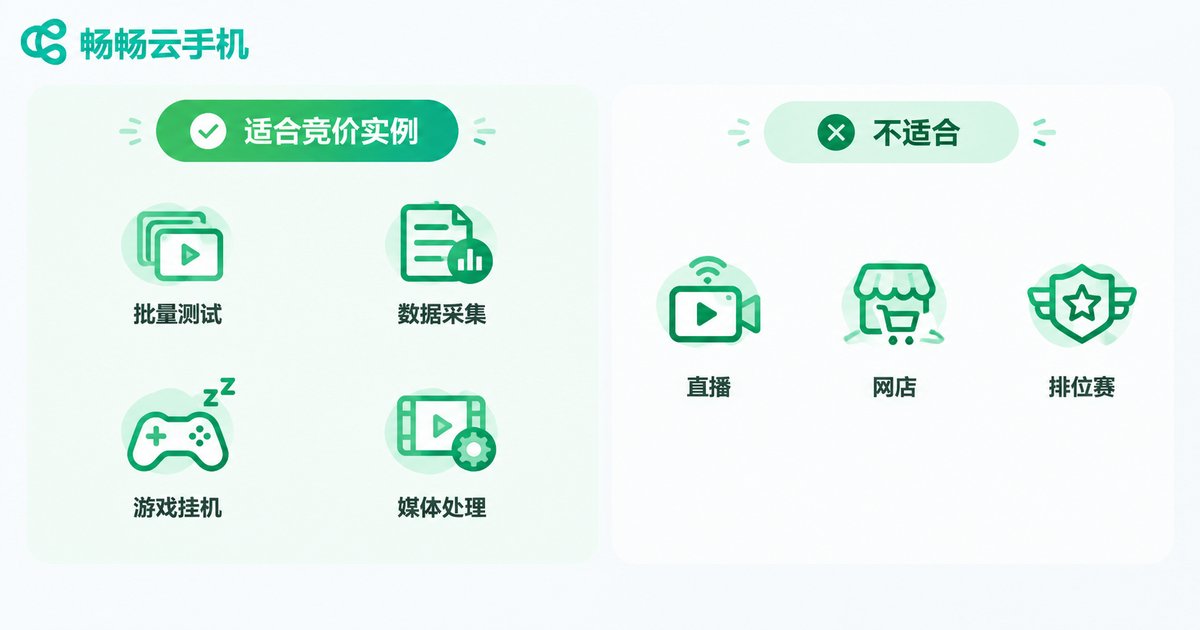
Five Task Types That Fit Spot Instances Perfectly
| Task Type | Why It Fits | Fault Tolerance |
|---|---|---|
| Batch automated testing | Run-and-done; rerunning after an interruption costs little | Split test cases into batches, report results in real time |
| Data collection / scraping | Naturally supports resumable runs | Task queue plus checkpoints saved to storage |
| Game AFK farming / daily quests | Just reconnect after a drop; only minutes of progress lost | Spread risk across accounts, auto-relogin scripts |
| Batch media processing | Video transcoding and image compression can be chunked | Process file by file, save each completed piece |
| Load testing / bulk verification | Short-burst workloads by nature | Aggregate results to the cloud; instances are disposable |
These five task types share three traits: stateless or recoverable state, short single-run durations, and near-zero rerun costs. Nail all three, and a spot interruption becomes "wait a few more minutes" instead of "lose a whole night of work."
Tasks You Should Never Run on Spot Instances
On the flip side, the following workloads are extremely sensitive to continuity — a single interruption can cost more than the discount ever saved you:
1. E-commerce store operations and customer service: stores must stay online to handle inquiries; a drop can mean lost orders and lost customers;
2. Live streaming and real-time interaction: going down mid-stream is an incident — there is no "rerun";
3. Ranked matches and critical game sessions: AFK daily quests are fine, but dropping from a ranked match means a loss;
4. Long-cycle account nurturing: frequent loss of login state can trigger risk controls — the cure costs more than the disease;
5. Tasks with hard deadlines: if it is due tomorrow morning, do not gamble on spare capacity.
In one sentence: spot instances are for volume; regular instances are for mission-critical work. Keep core business on stable instances and throw peripheral tasks to spot ones — that is the right way to use them.
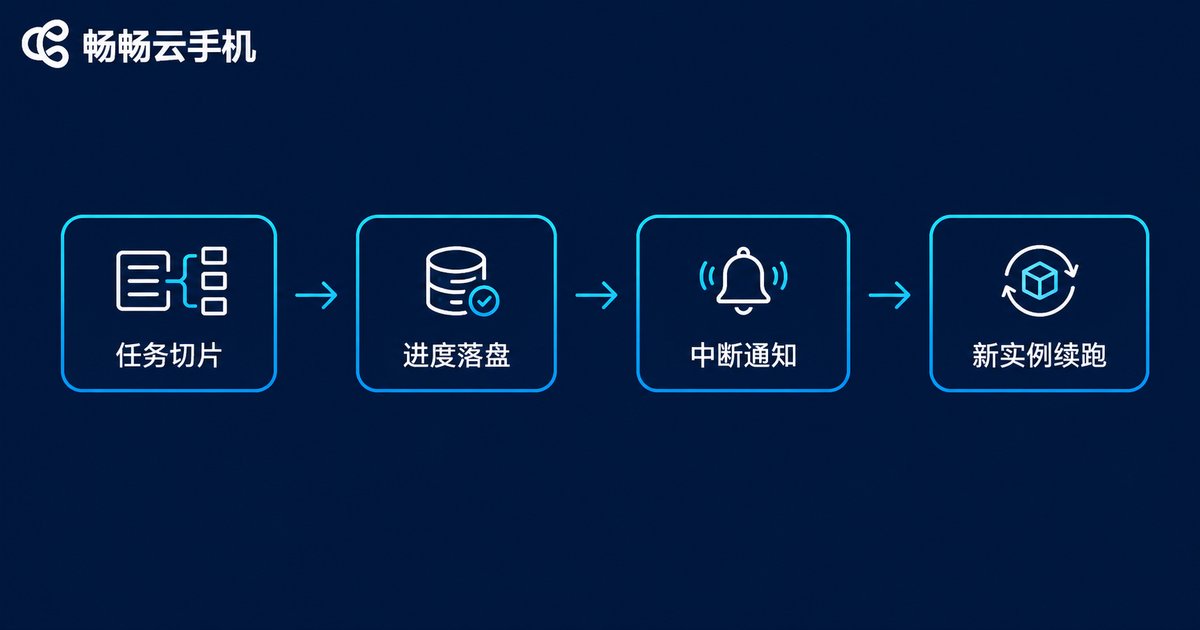
Four Tactics to Cut Interruption Losses to Nearly Zero
If you decide to use spot instances, these four habits make interruptions almost painless:
First, chunk your tasks. Break big jobs into 10–30 minute blocks that rerun independently; an interruption costs you at most one chunk.
Second, persist your progress. Crawler cursors, check-in records, pending file lists — write them all to cloud storage in real time instead of leaving them on the instance. The instance may vanish; the progress stays.
Third, listen for interruption notices. Reputable platforms push a notice before reclamation. Have your script save state and stop writing the moment it arrives, turning a blindside hit into an orderly retreat.
Fourth, deploy hybrid. Run mission-critical tasks on regular instances and peripheral subtasks on spot instances, keeping master and worker separate. Even if every spot instance is reclaimed at once, the main workflow keeps moving.
Choose the Right Platform, Save Money Worry-Free
Spot instances are all about fault-tolerant architecture — and that architecture only works when the platform itself is stable and its notification mechanism is reliable. When picking a cloud phone service, prefer a stable platform with multi-instance and batch management capabilities such as ChangChang Cloud Phone (ccloudphone): keep core business on regular instances for stability, and consider spot resources only for experimental, batch-oriented tasks. Walk on both legs, and neither cost nor reliability has to suffer.

FAQ
Q: How much cheaper are spot instances than regular ones?
Typically 10–30% of the list price. The exact discount floats with platform capacity: the more idle resources, the cheaper; when demand is high, discounts shrink and instances may even become unavailable.
Q: If my spot instance is interrupted, is the data stored on it lost?
Unsaved runtime state on the instance is lost, but anything already written to cloud storage is unaffected. That is why "persist your progress" is rule number one for spot instance users.
Q: Will the platform notify me before an interruption? How far in advance?
Reputable platforms push a notice in advance, usually 2–5 minutes. Always implement notice handling in your scripts so state is saved the moment it arrives.
Q: Will using spot instances for game AFK farming get my accounts banned?
An interruption is not a ban, but frequent disconnect-reconnect cycles can raise risk-control flags. A common approach: run casual AFK tasks on spot instances and keep important accounts always-on with regular instances.
Q: Can I run everything on spot instances to maximize savings?
Not recommended. When platform capacity tightens, all of your spot instances can be reclaimed simultaneously, stalling the entire business. The safer setup is hybrid deployment: core business on regular instances, peripheral tasks on spot ones.


