

The Value of Cloud Phones in Software Development Testing: Compatibility Validation and Efficiency Gains
Device fragmentation is the problem mobile testing cannot avoid
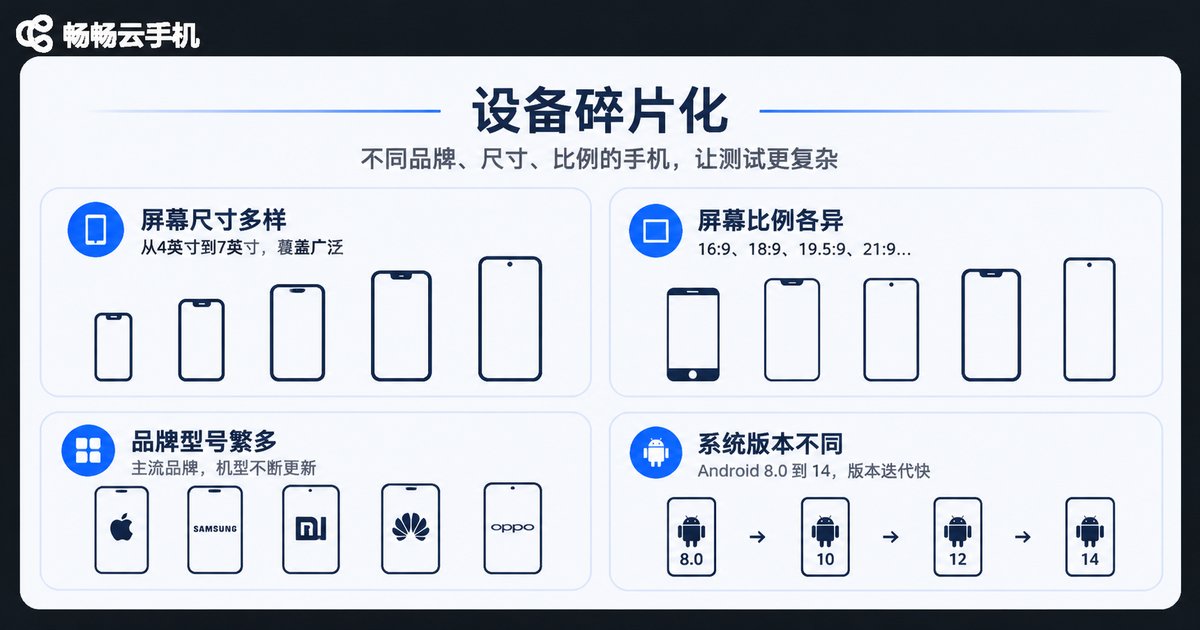
The same app can behave completely differently across brands, Android versions, screen resolutions and vendor-customised ROMs. A screen that renders perfectly on a developer machine may show a blank page on an older handset, get throttled by a particular vendor's background restrictions, or have a button clipped in half at a certain aspect ratio.
To cover these differences, test teams usually maintain an in-house device lab: buy devices, install racks, deploy management software and assign people to maintain it all. More devices means higher management overhead; fewer devices means higher risk of missed coverage. That is the long-standing dilemma of mobile testing.
Cloud phones offer a different approach: move the handsets into a data centre and stream the screen to the tester in real time. Devices stop being assets that must be purchased and depreciated, and become resources that can be requested and released on demand.
Three hurdles of an in-house device lab
The first hurdle is cost. Mainstream models plus long-tail models quickly add up to dozens or hundreds of units. Purchase is only the beginning — charging cabinets, routers, cooling, replacement of ageing devices and system upgrades are ongoing expenses. Many teams set their device list three years ago and have not refreshed it since.
The second hurdle is fragmentation. The Android ecosystem spans a wide range of versions, each vendor adds its own layer, and screen ratios run from 16:9 to 20:9 to foldables. A tester's desk never covers everything, so coverage decisions end up based on educated guesses about which combinations are riskiest.
The third hurdle is collaboration. Physical devices sit in a lab, so remote colleagues cannot use them and distributed teams have to book slots. A regression run ends up blocked waiting for hardware rather than waiting for test cases to be written.
How cloud phones handle compatibility validation
A cloud phone works much like a real handset: a complete Android system runs on a server in the data centre, and installation, launch, rendering and interaction all happen in the cloud. The tester sees a real-time video stream on their own screen.
In compatibility testing, the value shows up in three places:
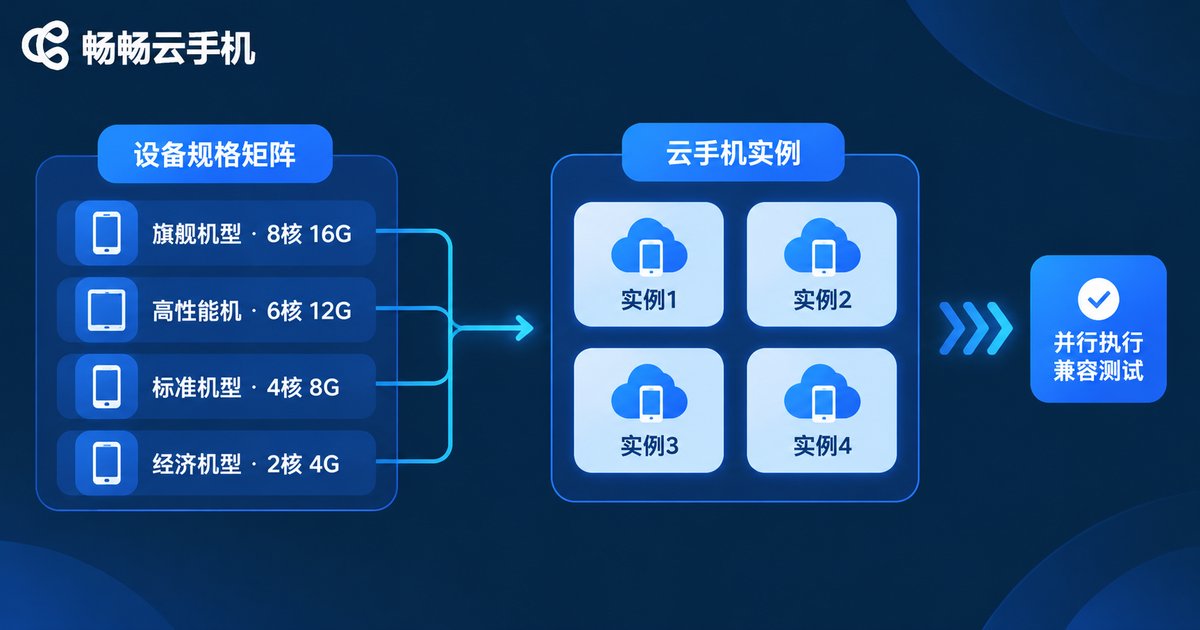
1. The device matrix can expand at any time. Need to cover a specific Android version or resolution? Request an instance with those specs instead of purchasing a handset for a one-off requirement.
2. Concurrency stops being a bottleneck. The same test script can be dispatched to many instances at once. A compatibility regression that used to run all night may finish in a few hours — which matters enormously in the window before a release.
3. Environments can be preserved and reused. When a test hits an abnormal state, the instance can be kept alive so a developer can connect remotely and reproduce it, instead of guessing from screenshots and written descriptions.
Efficiency gains: putting tests into the pipeline
Compatibility is only the first step. The real efficiency gap comes from automation.
Cloud phones typically expose ADB access, so test frameworks can connect directly to a cloud instance over IP. That means mainstream automation stacks need almost no rework: Appium, UiAutomator, and in-house scripts that already talk over ADB can migrate as-is.
# Connect to a cloud instance (example; use the address from your provider's console)
adb connect 127.0.0.1:5555

# Confirm the device is online
adb devices

# Install the build and launch it
adb install -r app-debug.apk
adb shell am start -n com.example.app/.MainActivity

# Collect logs and screenshots in bulk
adb logcat -d > logcat.txt
adb shell screencap -p /sdcard/shot.png
Once this is wired up, several previously painful tasks become routine:
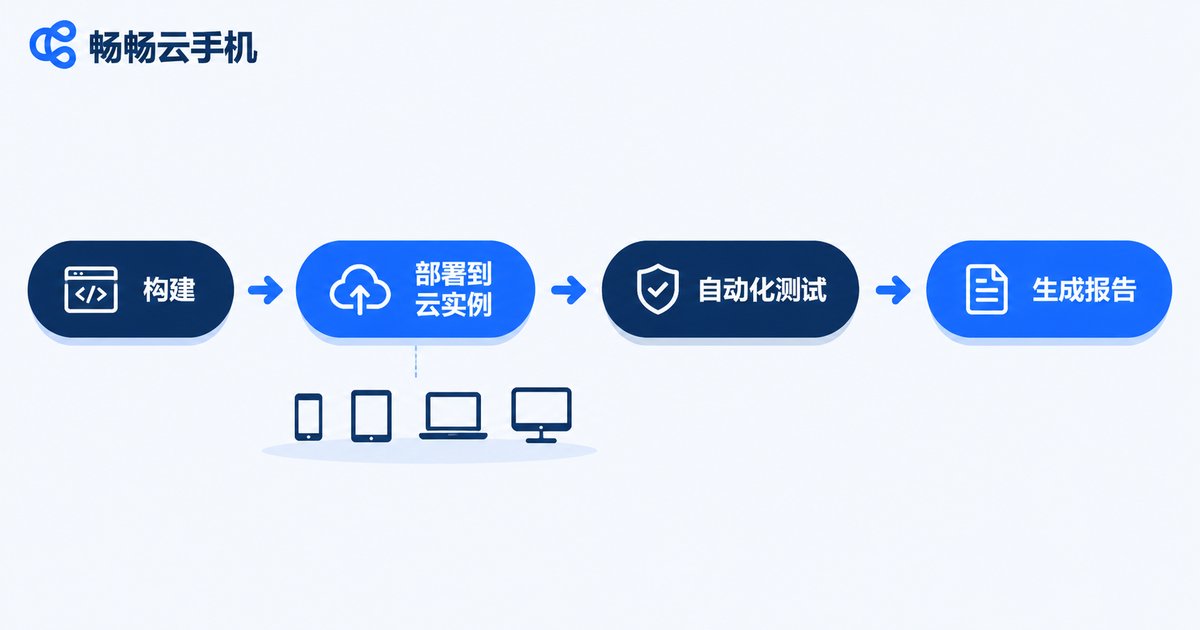
Batch install and smoke testing. Every new build is automatically distributed to a set of instances to install, launch and screenshot. Within ten minutes you know whether the build has obvious problems.
Long-running stability tests. Random-event tests such as Monkey need to run for hours. On desks in the office they take up space and overheat; on cloud instances they bother nobody.
Pipeline triggers. Put those steps into a CI job so every merge triggers a run, with results and screenshots archived automatically and failed jobs traced back to a recording of the specific instance.
The difference at a glance
| Aspect | In-house device lab | Cloud phones |
|---|---|---|
| Upfront investment | Devices, racks, supporting hardware | On-demand provisioning, no hardware purchase |
| Model coverage | Limited by budget, slow to refresh | Flexible by version and resolution |
| Concurrency | Hard-capped by device count | Elastic |
| Remote collaboration | Booking required, awkward for remote teams | Accessible with a network connection |
| Maintenance | Charging, cooling, upgrades, depreciation | Handled by the provider |
| Peripherals and sensors | Fully available | Partially limited, needs assessment |
| Graphics and peak performance | Closest to the real user experience | Differs from physical devices; high-frame-rate games need measurement |
Where ccloudphone fits in a test strategy
If a team plans to move part of its compatibility validation and regression testing to the cloud, ccloudphone is an option worth evaluating. It provides Android instances running in the cloud and supports connection through common debugging channels, making it easier to migrate existing automation scripts and batch jobs, while bulk instance management suits scenarios that require operating many devices at once.
For an actual selection process, run a small proof of concept on a real project: pick three to five high-risk device categories, run your existing smoke scripts, compare cloud results against physical-device results, and only then decide on coverage ratio and migration pace.
Adoption advice: which tests belong in the cloud
Cloud phones are not a universal replacement. Knowing where the boundary sits saves a lot of detours.
Move these first: functional regression, UI walkthroughs with screenshot comparison, install-and-launch smoke testing across many models, long-running random-event stability tests, and any validation that is strongly tied to business logic but does not depend on peripherals.
Keep on physical devices: scenarios that depend on the camera, Bluetooth, NFC, fingerprint or GPS; performance testing that needs accurate frame rate, power draw and thermal measurements; and end-to-end checks against real user network conditions.
A practical approach is tiering: daily regression and large compatibility matrices in the cloud, critical experience checks and hardware-related validation on physical devices. The two are not substitutes — they are a division of labour.
FAQ
Q: Can cloud phones fully replace physical device testing?
No. Cloud phones are strong at covering version, resolution and system-level compatibility differences, plus any repeatable verification that can be scripted. Scenarios involving sensors, peripherals and peak performance still need physical devices.
Q: How are cloud phones different from emulators?
Emulators typically virtualise an Android environment on a PC, with limited fidelity for graphics rendering, WebView and some system behaviours. A cloud phone runs a complete Android system on a server and streams the display back, so behaviour is closer to a real handset and better suited to compatibility validation.
Q: Do existing automation scripts need to be rewritten?
In most cases no. If your framework already communicates with devices over ADB, simply point the connection at a cloud instance address. Changes for Appium or UiAutomator setups are usually minimal.
Q: How do I run weak-network and stability tests?
Configure network parameters on the cloud instance to simulate poor conditions. For stability, take advantage of instances not occupying office space: run random-event scripts for hours and collect logs and screenshots on a schedule.
Q: Is test data safe in the cloud?
Keep test accounts fully isolated from production data, use dedicated test environments and desensitised data, and confirm the provider's instance isolation and access control mechanisms during selection.


