

How Many SIM Carrier Configurations Do Cloud Phones Support? A Deep Dive into 600+ Carriers
Why Does Carrier Configuration Matter So Much for Cloud Phones?
Many first-time cloud phone users wonder: why does the same app run perfectly on a physical phone but show 'environment anomaly' warnings or restricted features inside a cloud phone? The answer often lies in the carrier information. When running, apps read the SIM carrier details of the device (such as China Mobile, China Unicom, or China Telecom) to judge whether the device is 'real' and operating in the expected environment. If a cloud phone's carrier information is blank or mismatched, risk-control warnings are easily triggered.
That is why carrier configuration capability has become a key benchmark for a professional cloud phone. Taking ChangChang Cloud Phone as an example, the platform comes with 600+ carrier configurations built in, covering all four major domestic carriers and mainstream carriers worldwide, so users can switch on demand and make the cloud phone environment closer to a real local phone.
What Exactly Do the 600+ Carrier Configurations Cover?
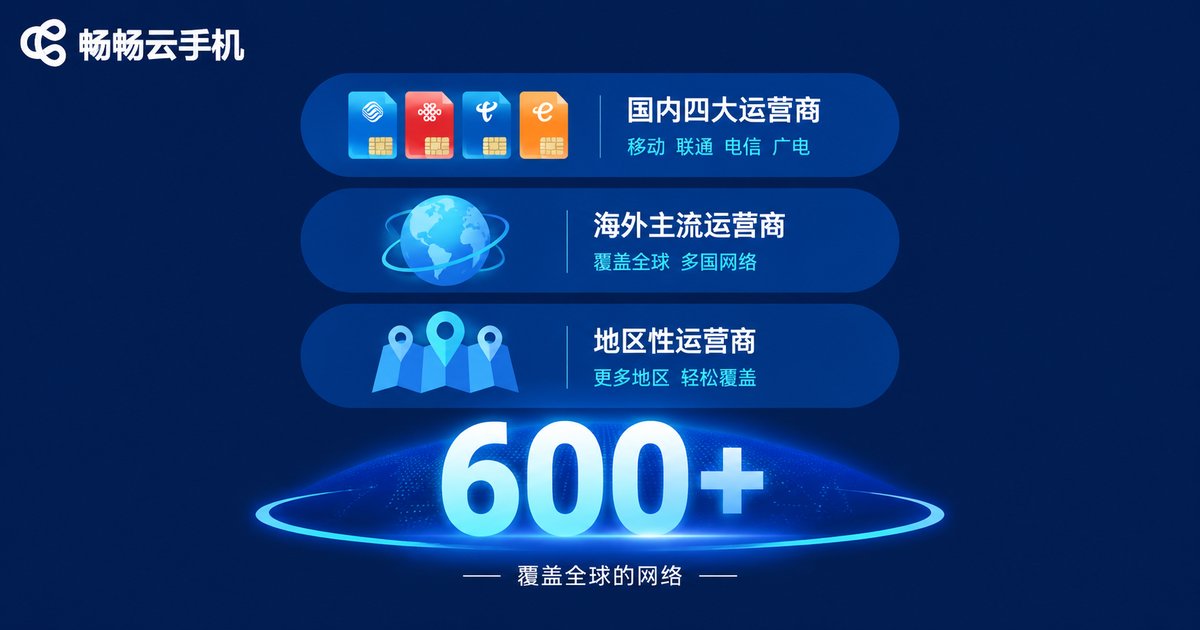
The number 600+ is not thrown out casually — behind it is a complete coverage system that can be understood in three layers:
Layer one: full coverage of China's four major carriers. China Mobile, China Unicom, China Telecom, and China Broadnet are all supported, so no matter which carrier's user base your business targets, a matching configuration is available.
Layer two: mainstream international carriers. This includes well-known carriers such as AT&T, Verizon, and T-Mobile in the United States, Vodafone, Orange, and O2 in Europe, and NTT Docomo and SK Telecom in Japan and Korea, making it convenient for users with cross-border needs.
Layer three: long-tail regional carriers. Beyond the head carriers, the 600+ configuration pool also includes many regional carriers in markets such as Southeast Asia, the Middle East, and Latin America, meeting more niche scenario needs.
How to Configure Carrier Information in a Few Clicks?
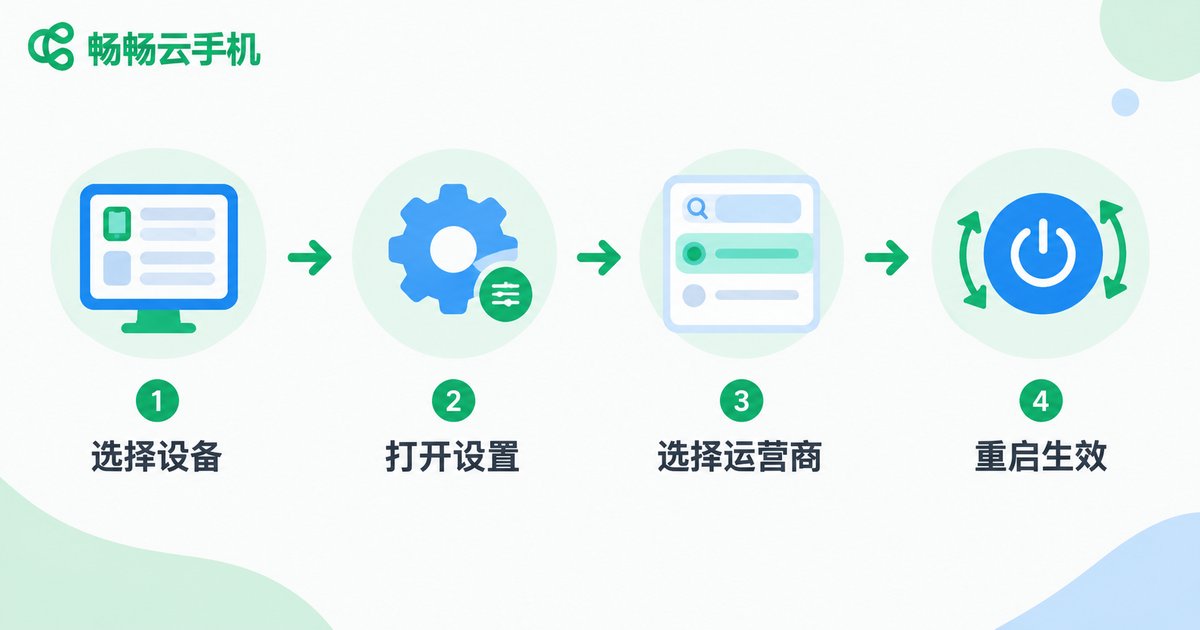
Configuring carrier information on ChangChang Cloud Phone is very simple — no technical background required, just four steps:
Step one, log in to the ChangChang Cloud Phone console and select the device you want to set up; step two, find the Carrier / SIM Information option in device settings; step three, search and select the target carrier from the 600+ carrier list, or customize the name and code; step four, save the settings and restart the cloud phone, and the new carrier information takes effect immediately.
The whole process usually takes only a few dozen seconds, and you can change it anytime. Batch devices can also be configured uniformly through the group control feature, which is highly efficient.
With vs. Without Carrier Configuration: How Big Is the Difference?
To illustrate the point more intuitively, here is a comparison between a cloud phone with carrier information configured and one without:
| Dimension | Carrier Configured | Not Configured |
|---|---|---|
| App environment detection | Complete carrier info, close to a real phone | Blank or abnormal info, easily flagged |
| Account risk control | Stable environment, fewer anomaly warnings | Prone to risk-control triggers |
| Localization experience | Can match target-region carriers | No local attributes shown |
| Multi-scenario adaptation | Flexible switching among 600+ carriers | Fixed single environment |
Which Scenarios Need Multi-Carrier Support the Most?
Cross-border social media and short-video operations: when running overseas platform accounts, the closer the device environment is to the target market, the more stable the account status. With 600+ carrier configurations, different accounts can be matched with carriers from different regions.
Mobile gaming with multiple instances and regional servers: some mobile games recommend servers or events based on carrier and region information. Multi-carrier configuration gives each instance its own independent environment.
App testing and compatibility verification: developers and testers need to verify app performance under different carrier networks. The 600+ carrier configurations greatly reduce the cost of real-device testing.
Matrix account management: when operating multiple accounts in batches, assigning different carrier configurations to each cloud phone keeps devices independent of each other and lowers association risks.
Why We Recommend ChangChang Cloud Phone
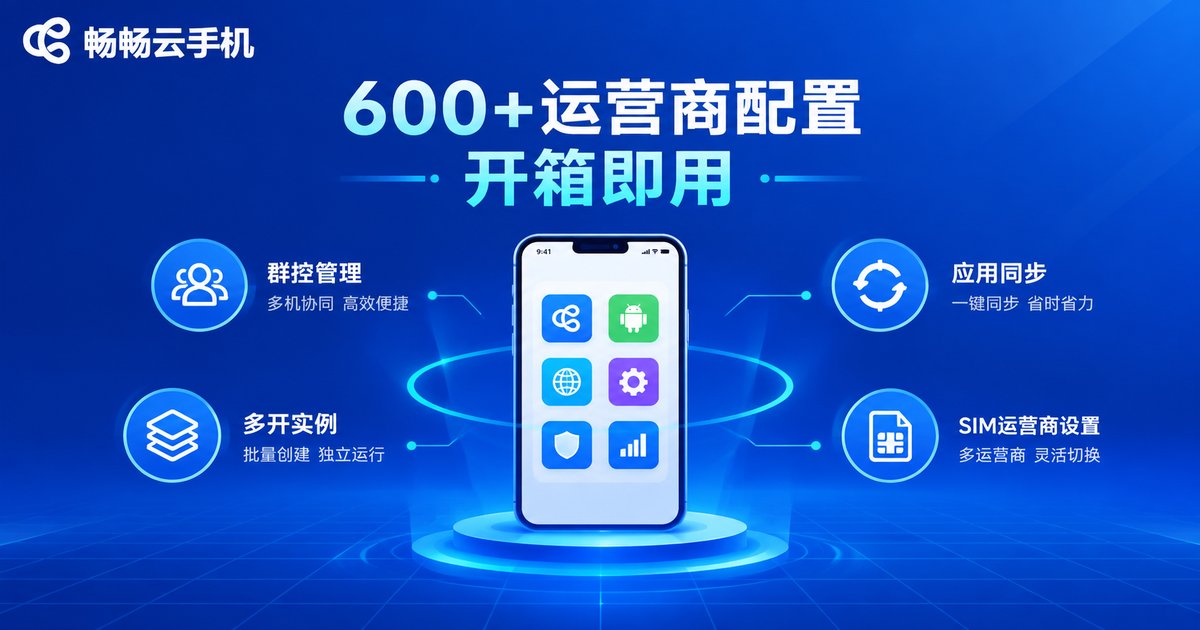
Among many cloud phone products, ChangChang Cloud Phone (official site: ccloudphone) stands out in carrier configuration: 600+ carrier configurations are ready to use out of the box. Combined with commonly used features such as group control, multi-instance, and app sync, both individual users and team operations can find a suitable way to work.
In addition, ChangChang Cloud Phone supports custom device information — carrier, device model parameters, and more can all be adjusted as needed, giving every cloud phone an independent, realistic environment. If you are looking for a cloud phone with a realistic environment and complete configurations, visit the official site ccloudphone and try it yourself.
FAQ
Q: Do the 600+ carrier configurations cost extra?
The carrier configuration feature is open to platform users. For specific plan benefits, please refer to the latest instructions on the official site ccloudphone.
Q: Will changing carrier information affect the data in my cloud phone?
No. Carrier configuration only adjusts the SIM information displayed by the device. Apps and data inside the cloud phone will not be lost. Restart the device after changes to take effect.
Q: Can I switch to overseas carriers freely?
Yes. All domestic and international carriers in the 600+ list can be freely selected. It is recommended to choose a carrier that matches your actual usage scenario.
Q: Should the carrier information match the region where the app is used?
It is recommended to keep them consistent. The better the carrier information matches the usage scenario, the more natural the device environment and the more stable the app performance.
Q: Can batch devices be configured with carriers uniformly?
Yes. With the group control feature of ChangChang Cloud Phone, you can set carrier information for multiple devices in batches, or assign different carriers to different devices — both are easy to operate.


